KeeperMSP

Password management built for MSPs

KeeperMSP is built specifically for managed service providers to manage passwords, credentials and security policies for all their clients from a single admin console, with full isolation between each managed company.
Zero trust architecture for MSPs to seamlessly manage passwords for their customers

Keeper works the way your MSP operates

Full-service

Manage provisioning, policies and credentials. Ideal for white-glove MSPs offering fully managed security.

Reseller

Distribute licenses and let clients self-administer with your support. Earn recurring revenue without adding headcount.

Hybrid

Handle bulk provisioning and policy setup. The client's local admin manages day-to-day users. The most common for mid-market MSPs.

Everything you need to manage password security at scale

Central MSP console

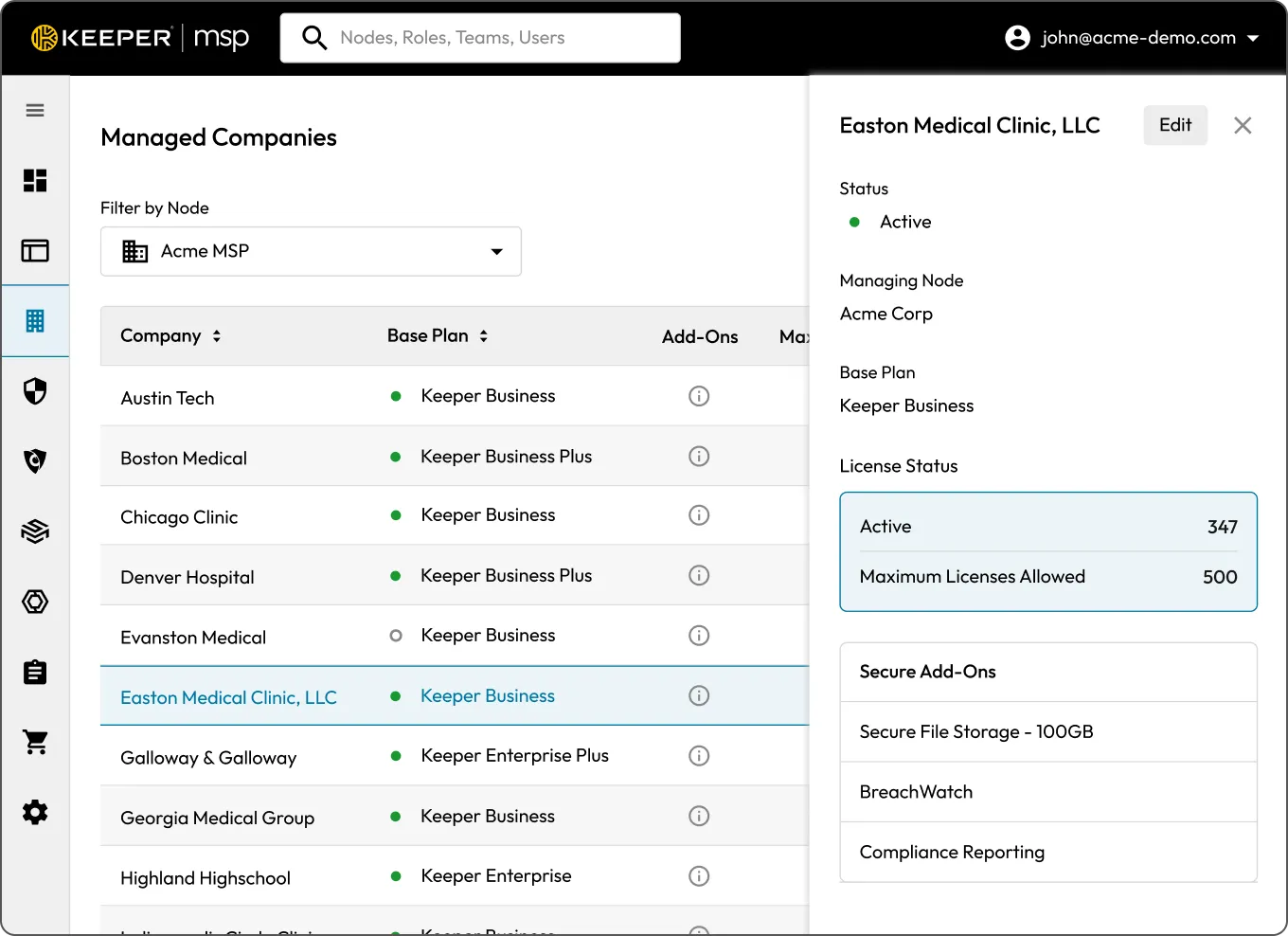
Manage every client from a single admin console without switching between portals or accounts. You get full visibility into users, policies and license usage across all managed companies in one place, with the ability to drill into any client environment without a separate login.

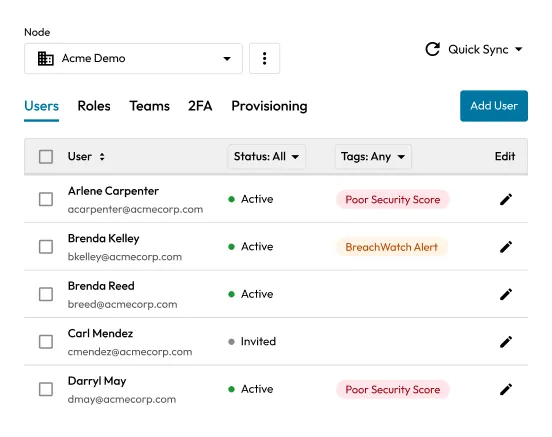
Keeper admin users screen showing user status, security alerts, filters, and edit controls.
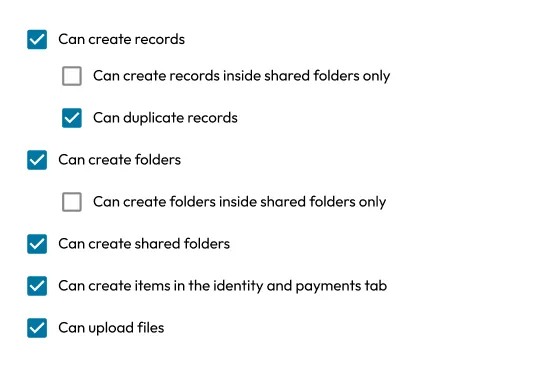
Role permissions list showing enabled and disabled options for creating records, folders, shared folders, identity items, and file uploads.

Per-client policy control

Every managed company gets its own enforcement rules, such as password complexity, Multi-Factor Authentication (MFA) requirements, sharing permissions and session controls, configured independently. Changes apply instantly across the entire managed company without touching individual accounts.

Provisioning at scale

Onboard users through Active Directory, Azure AD/Entra ID, SCIM or Single Sign-On (SSO) and keep them synchronized automatically as clients' organizations change. When someone joins, moves teams or leaves, their Keeper access updates without any manual intervention on your end.

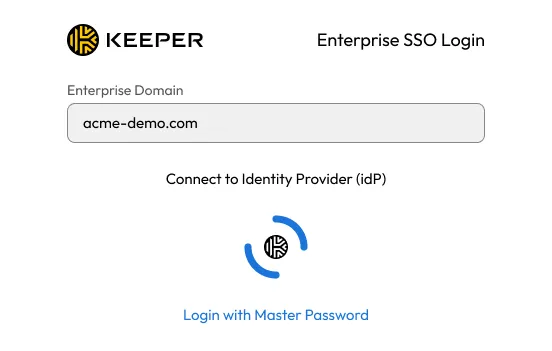
Keeper Enterprise SSO login screen connecting acme-demo.com to an identity provider.
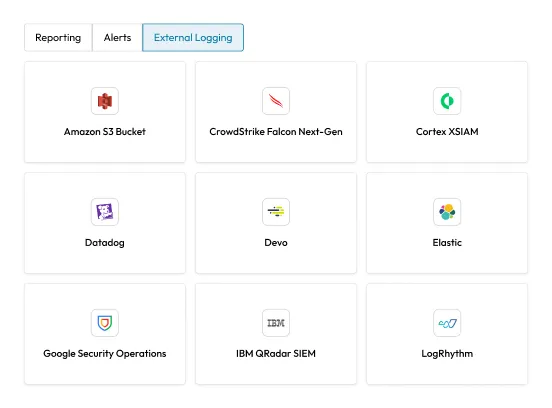
External Logging integrations screen showing SIEM and logging options like Amazon S3 Bucket, CrowdStrike, Datadog, Elastic, and IBM QRadar.

Event logging and SIEM integration

Every login, credential share and policy change across all managed companies is recorded and searchable. Feed over 300 event types directly into Splunk, Microsoft Sentinel, IBM QRadar or any other Security Information and Event Management (SIEM) platform through native integrations.

Dark web monitoring

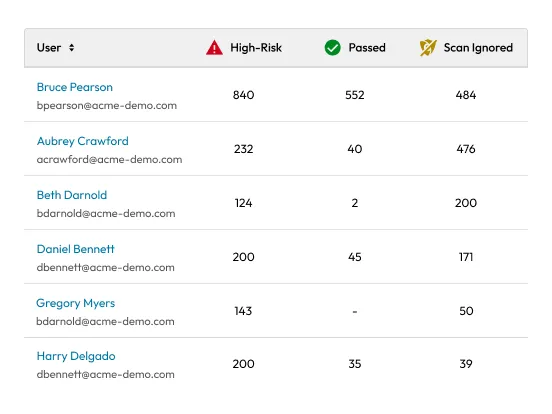
BreachWatch continuously scans for compromised credentials across all managed companies and alerts you the moment an employee's password appears in a known breach database.

User risk scan table showing high-risk, passed, and ignored scan counts by user.
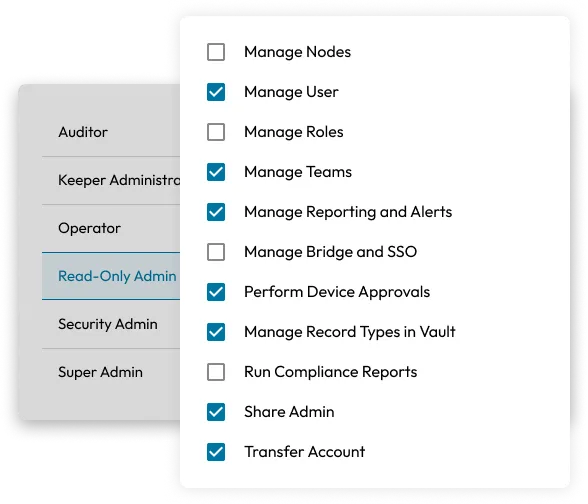
Admin role permissions panel showing selected access rights for the Read-Only Admin role.

License management

Add, reassign or revoke seat licenses across any managed company directly from the MSP console without requesting Keeper support. Billing is consolidated at the MSP level, so you're working from a single invoice regardless of how many clients you manage or how quickly their headcount changes.

Supports your clients' compliance requirements

On-demand reporting for every major standard so you're always audit-ready.

HIPAA
HIPAA Compliant
GDPR
GDPR Compliant
FedRAMP
FedRAMP
High Certified
GovRAMP
GovRAMP
High Authorized
PCI DSS
PCI DSS Level 1
SOC 2
SOC 2

KeeperMSP extends into a full identity security platform

Enterprise password management, privileged session management, secrets management, and endpoint privilege management, all from a single platform. Keeper is FedRAMP High Certified, FIPS 140-3 validated and SOC 2 Type II certified, giving you a vendor your enterprise clients can pass vendor risk assessments with.

Keeper hub graphic showing the Keeper logo connected to four security feature icons.

Ready to standardize password security across all your clients?

Talk to our team about licensing, deployment and how KeeperMSP fits into your current security stack.

Frequently asked questions

What is a Managed Company (MC)?

A managed company is a fully independent tenant within the KeeperMSP platform, with its own vault, users, roles and enforcement policies. From your MSP console, you can see and manage all of them in one place, but each client's data is completely isolated from every other client with no cross-tenant visibility.

Can I set different policies per client?

Yes, policy enforcement is configurable at the managed company level, so password complexity requirements, MFA enforcement, sharing restrictions and session timeout rules can all be set independently per client. You're not forced into a one-size-fits-all configuration, and changes apply instantly across the entire managed company without touching individual accounts.

Does KeeperMSP support Active Directory and SSO?

Yes, Keeper supports Active Directory via the AD Bridge, Azure AD/Entra ID, SCIM provisioning and SSO via SAML 2.0, giving you the flexibility to match whatever provisioning method each client's environment already uses and keep user accounts synchronized automatically.

How is KeeperMSP different from Keeper Enterprise?

Keeper Enterprise is built for a single organization managing its own users. KeeperMSP adds a dedicated multi-tenant layer on top — a central MSP admin console that lets you manage multiple independent client tenants, allocate licenses across them and apply policies at scale.

How does billing work?

All seat allocations are managed directly from your MSP console. You can add, reassign or remove licenses across managed companies without going through Keeper support, and billing is consolidated at the MSP level, so you're working from a single invoice regardless of how many clients you manage or how quickly their headcount changes.

Withdraw Cookie ConsentWe value your privacy

We use cookies on our site to give you the best browsing experience, serve personalized ads about our products and content, and analyze website traffic. To learn more, please refer to our Privacy Policy.

Sign up for a Free Trial

Buy Now