Flexible folder hierarchy
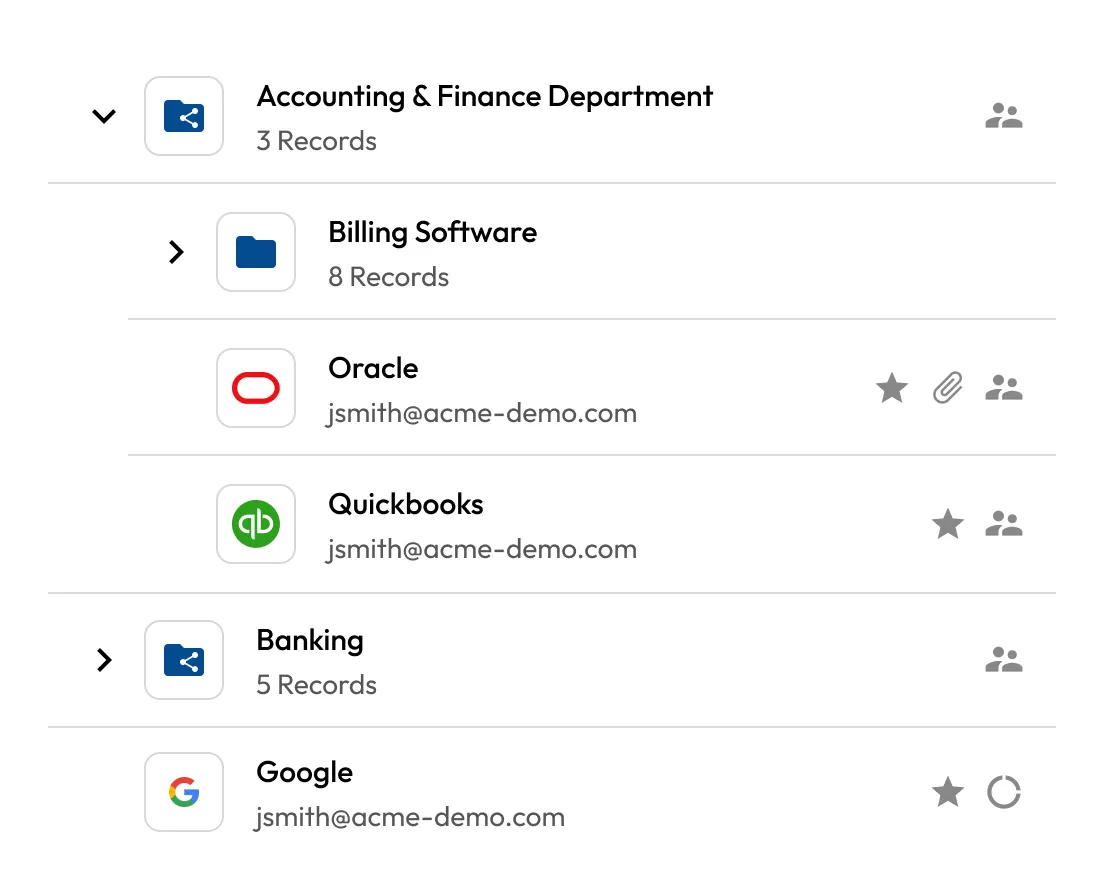
Create structured folders and subfolders to align with departments, projects or client groups. Easily scale as your organisation grows.
Feature: Shared Team Folders
Whether you're managing a DevOps team, a customer support group or a finance department, shared team folders enable easy sharing without compromising visibility or control.
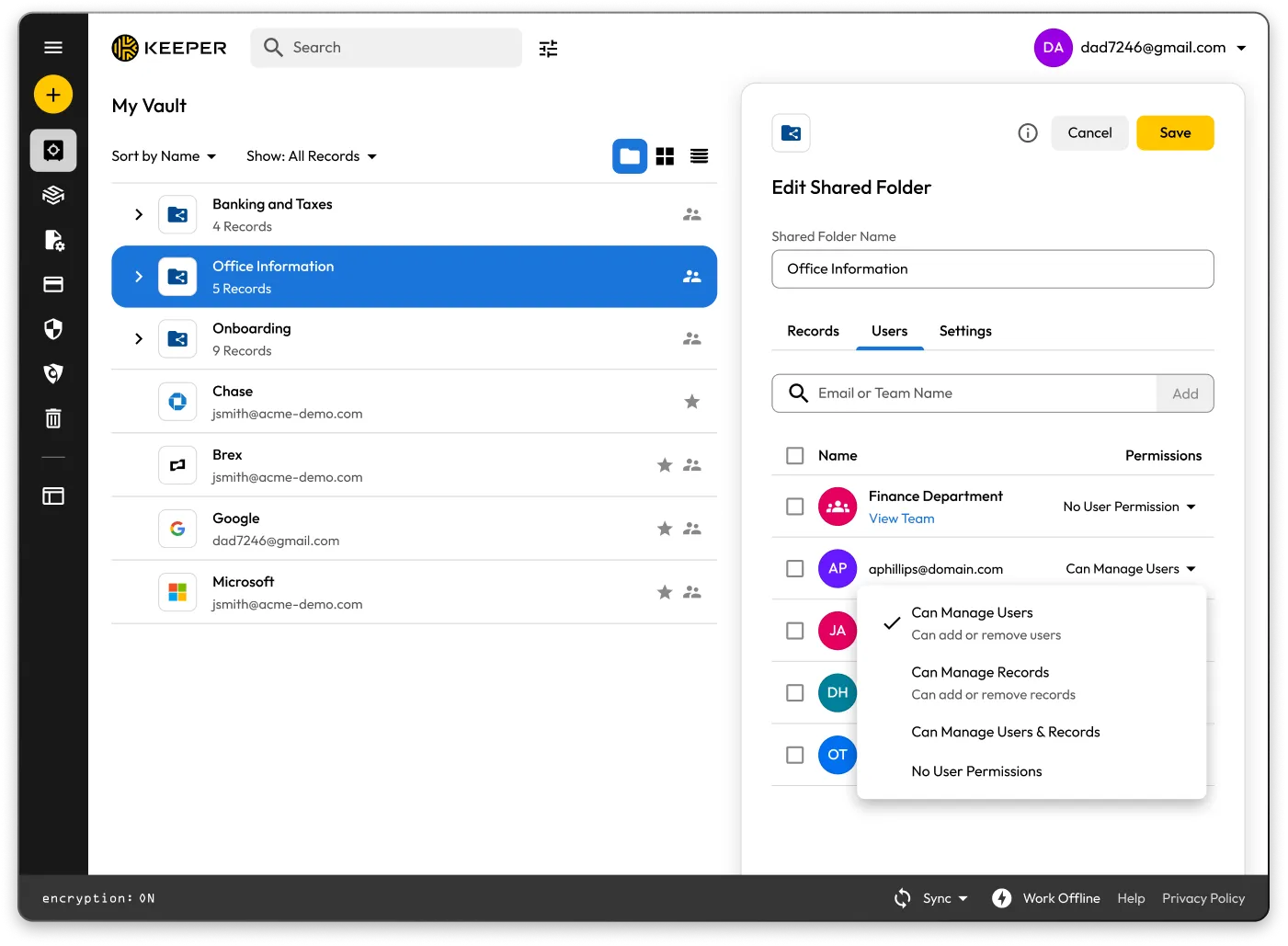

From your vault, select Create New > Shared Folder, name the folder and save.

Use the Manage Users & Records screen to add team members and assign granular permissions.

Add login credentials, secure notes, files or secrets to the shared folder. Organise using subfolders as needed.

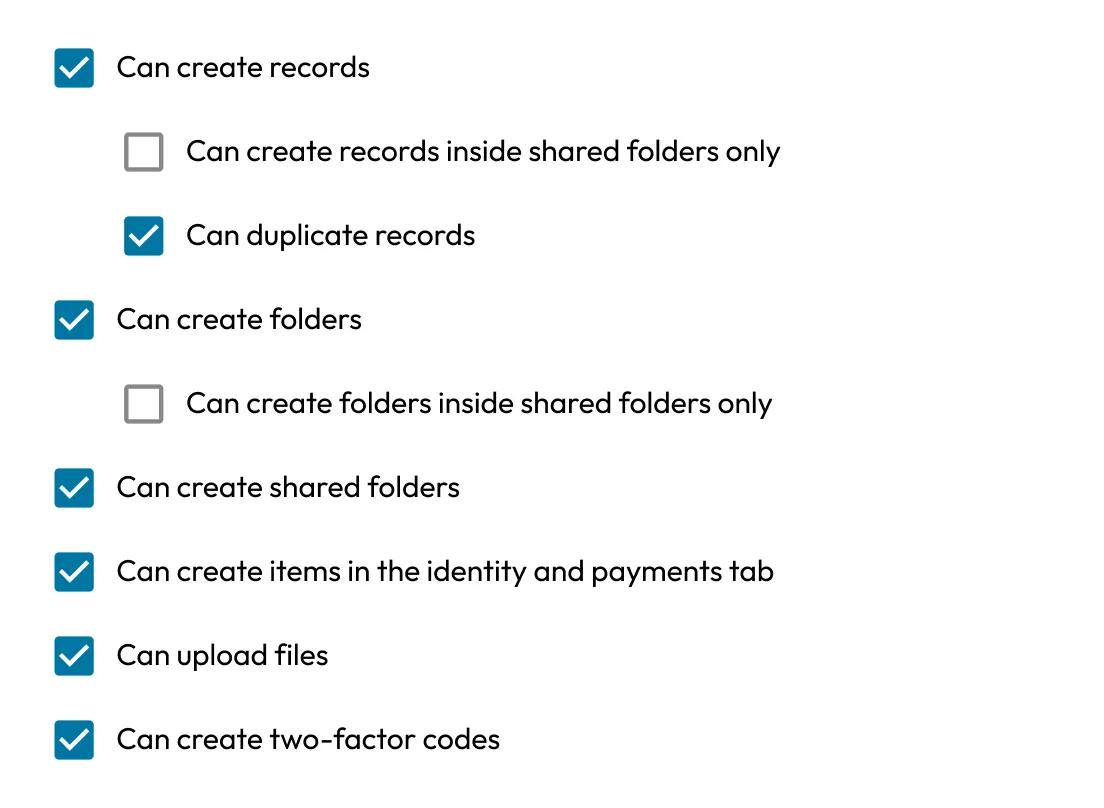
Use role-based enforcements to restrict actions like editing or re-sharing.

Admins can track access and changes in real time, supporting audits and internal security reviews.
Create structured folders and subfolders to align with departments, projects or client groups. Easily scale as your organisation grows.
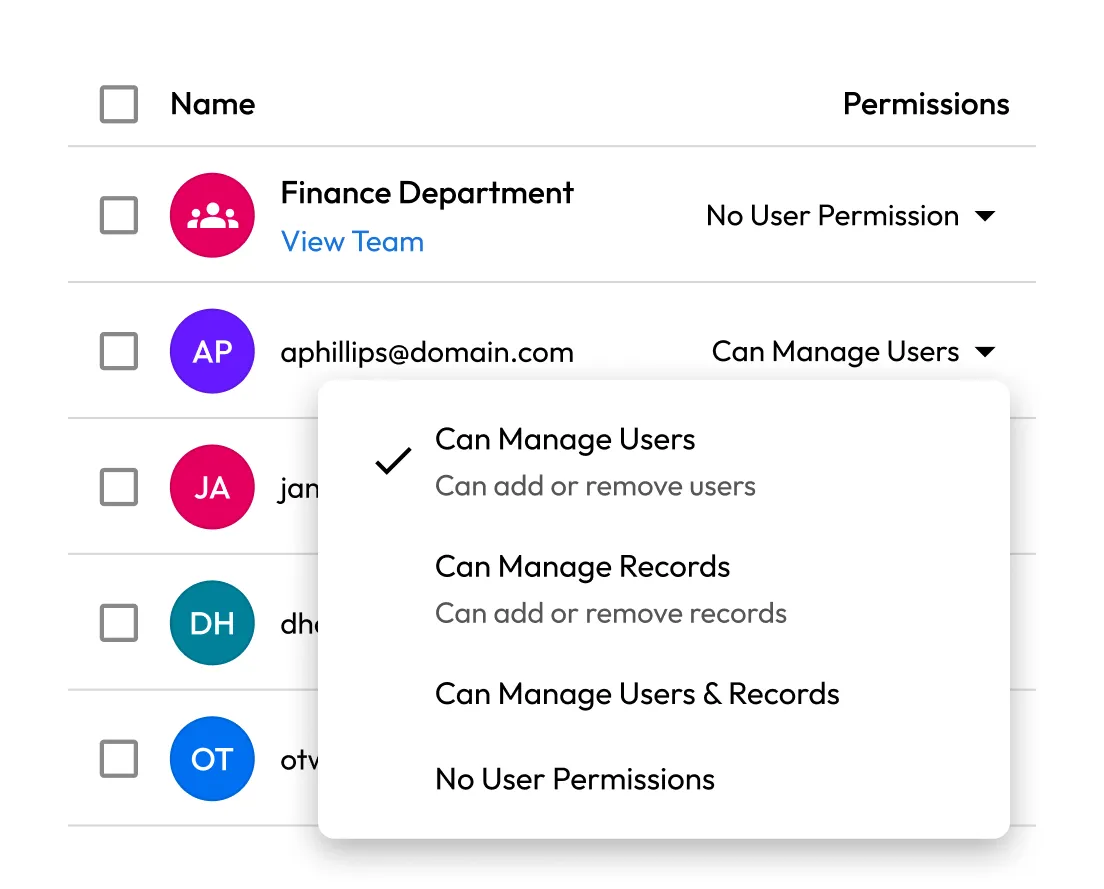
Easily assign teams to shared folders and enforce restrictions like "Can Manage Users," "Can Manage Records", "Can Manage Users & Records" or "No User Permissions" to control access behavior.
Use Keeper's Role-Based Access Controls (RBAC) to enforce who can create, modify, share or delete content within shared folders. Enforcements are managed centrally from the Admin Console.
Automatically create users, teams and role assignments using SCIM provisioning from platforms like Azure AD, Okta, Google Workspace and more. When an employee changes roles or leaves the organisation, removing them from a team or role instantly revokes access to all shared folders.
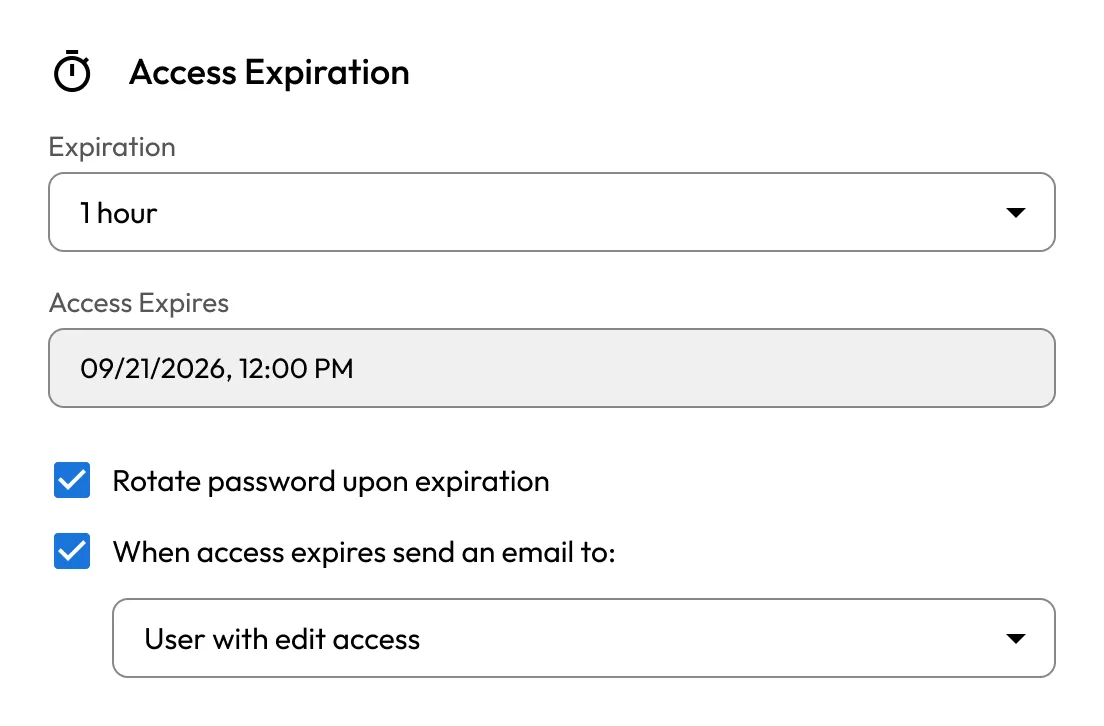
Grant on-demand, time-limited access to records and folders, and automatically rotate credentials once access is revoked.
Yes, admins can set folder-level and record-level permissions, including view-only, edit, share and manage. These can be tailored per user or team.
Yes, the same record can be placed in multiple shared folders or subfolders that are assigned to different teams.
If a user is removed from a team that has access to a shared team folder, their access to that folder is automatically revoked. This helps maintain tight access control during employee transitions.
Yes, all activity within shared team folders, including access, edits, shares and deletions, is logged and available through Keeper's Advanced Reporting & Alerts Module.

You must accept cookies to use Live Chat.