Passwordless Authentication

Extend passwordless authentication across your entire environment

Most passwordless solutions cover only part of your technology stack. Keeper fills those gaps by providing users with phishing-resistant, passwordless access to every app, system and piece of infrastructure they use, whether or not it natively supports modern authentication.
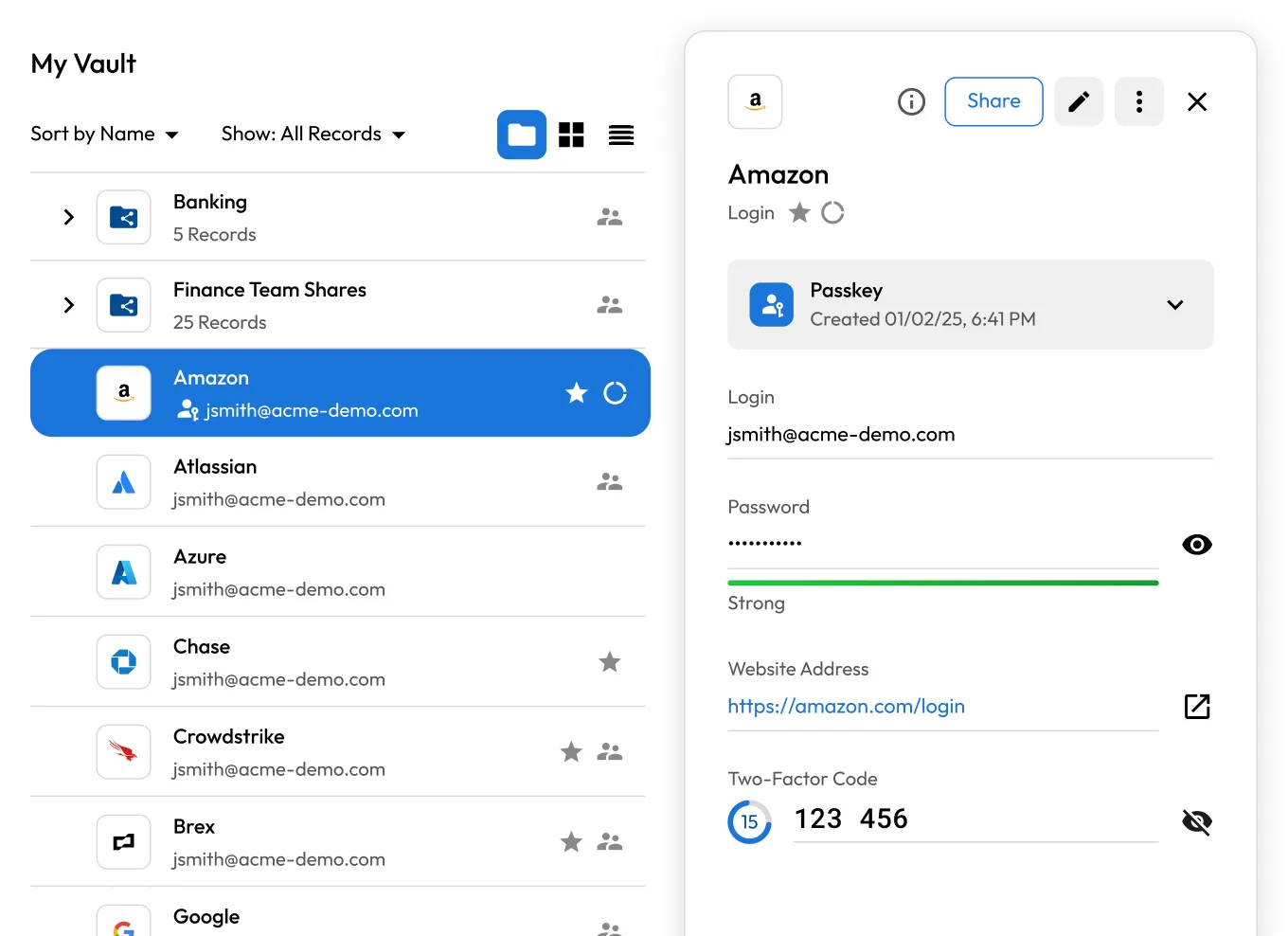
Keeper Vault interface displaying an Amazon login record with a saved passkey, masked password, 2FA code, and website link, illustrating secure credential management and passwordless authentication in a single record.

Why passwordless authentication matters

Eliminates password-based risks

Eliminates password-based risks

Weak, reused and stolen passwords are behind the majority of credential-based breaches. Removing passwords from the login process substantially reduces the attack surface.

Prevents phishing and credential theft

Prevents phishing and credential theft

FIDO2-based methods, such as passkeys, bind authentication to the specific domain being accessed. Even if a user lands on a fake site, there are no credentials to steal.

Improves user experience

Improves user experience

Forgotten passwords generate help desk tickets, delay access and push employees toward insecure workarounds. Passwordless login removes that friction without compromising security.

How Keeper extends passwordless authentication across your organization

Works with your existing Identity Provider (IdP)

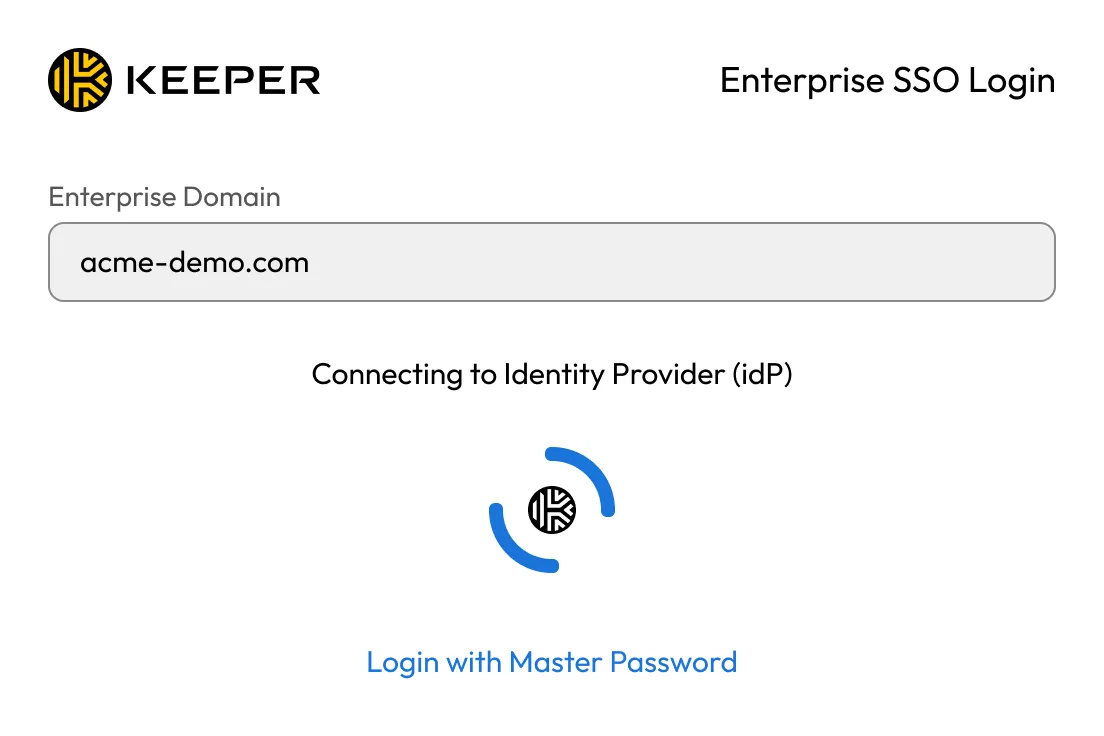
Keeper SSO Connect integrates with any SAML 2.0-compatible IdP. Users authenticate through their existing identity provider using passkeys, biometrics, trusted devices or app-based methods gaining seamless access to connected resources.

Keeper Enterprise SSO login screen showing an enterprise domain and connection to an Identity Provider (IdP).
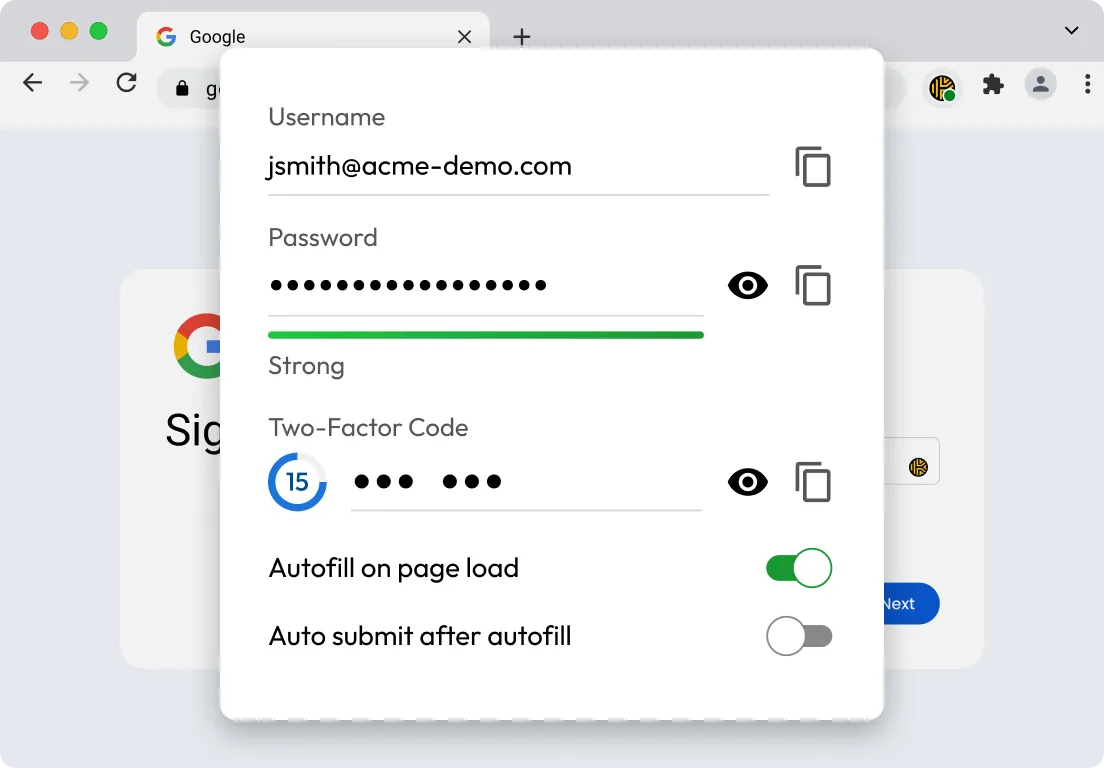
KeeperFill browser extension displaying autofill options for a Google sign-in, including username, masked password, 2FA code, and controls for automatic autofill and auto-submit.

Covers the apps your IdP doesn't reach

Most IdP deployments cover only a fraction of what employees actually use. Keeper stores and autofills credentials for every app or system that doesn't support SAML, giving users a consistent, low-friction experience across their entire toolset, not just the apps within their IdP's scope.

Injects credentials so users never see them

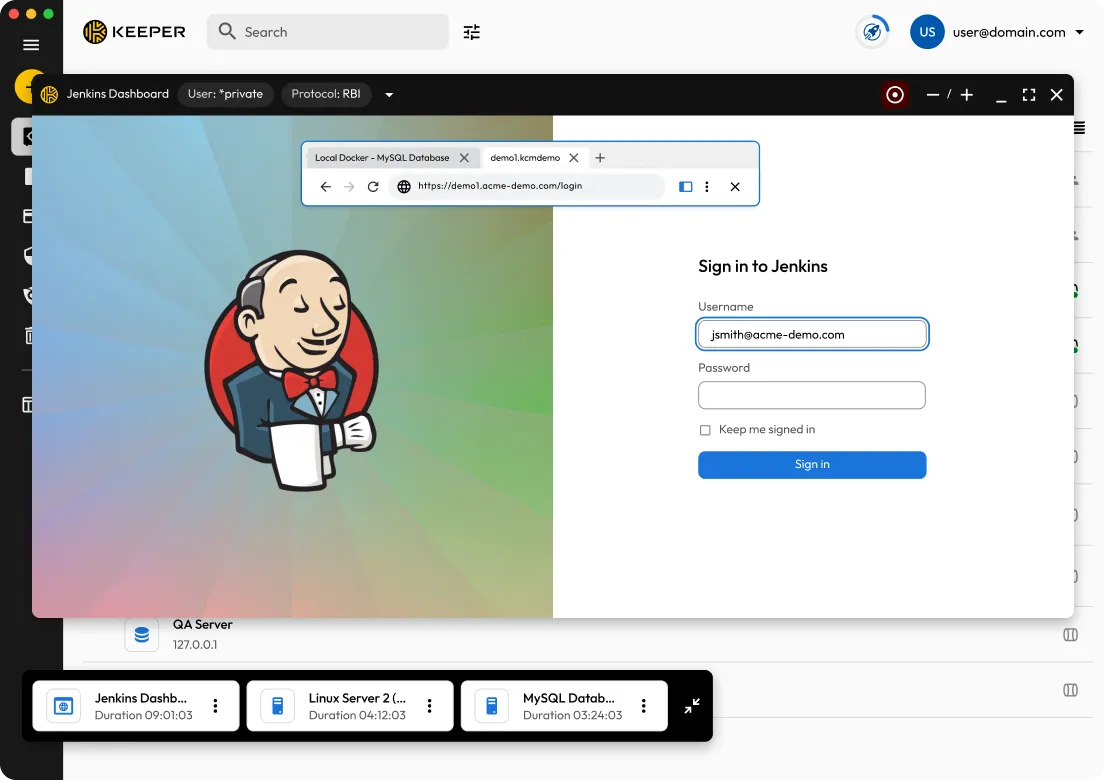
For privileged systems and infrastructure, KeeperFill can inject credentials directly into sessions. Users authenticate once and get access without ever seeing, copying or handling the underlying password. This extends passwordless access to legacy systems and infrastructure that do not natively support modern authentication.

Keeper Remote Browser Isolation (RBI) session displaying a Jenkins login page in a secure, isolated browser window, allowing users to safely access web applications while protecting local devices from web-based threats.
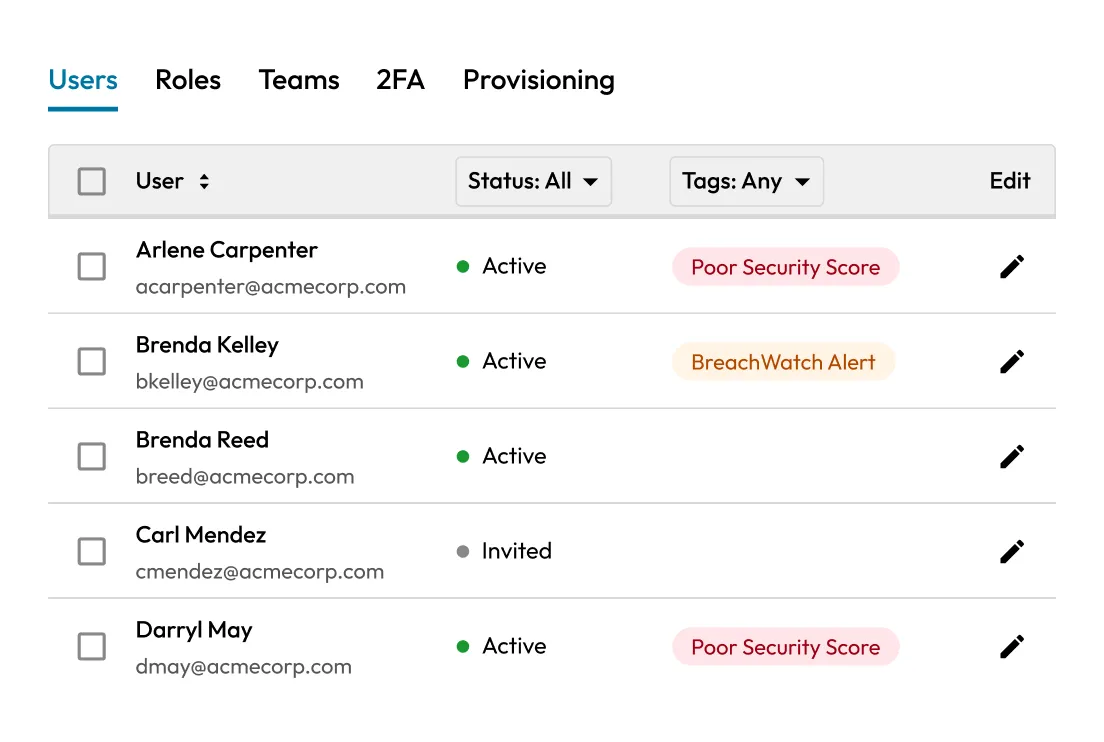
Keeper admin console displaying the Users tab with user status, security indicators, and BreachWatch alerts, helping administrators monitor account health, identify security risks, and manage enterprise users.

Gives admins granular control

From the Keeper Admin Console, admins can set different authentication requirements by team, department or role, enforcing MFA, restricting access based on platform or risk level, and ensuring consistent policy enforcement across the organization.

How to implement passwordless authentication with Keeper

1. Integrate your IdP

1. Integrate your IdP

Connect Keeper SSO Connect Cloud with your existing SAML 2.0 IdP to establish centralized authentication. Keeper extends authentication coverage to the resources your IdP doesn't reach on its own, with no infrastructure changes required.

2. Map out coverage gaps

2. Map out coverage gaps

Identify which apps, systems and infrastructure your IdP doesn't cover to find what still requires a password today. Whether it's legacy tools, shared accounts or on-prem systems, Keeper will handle these resources.

3. Deploy Keeper to users at scale

3. Deploy Keeper to users at scale

Provision users through SCIM or Just-in-Time (JIT) provisioning. Once Keeper is in workflows, it will autofill or inject credentials for resources beyond your IdP's scope without users ever seeing or handling passwords. To enforce role- or team-based authentication requirements across all resources, use the Keeper Admin Console.

Keeper works with the identity stack you already have

Whether you're running Okta, Microsoft Entra ID, Google Workspace or another SAML 2.0 provider, Keeper extends your existing investment by providing phishing-resistant, passwordless access to resources that your IdP doesn't natively cover.

HYPR Veridium Auth0 PureID Secret Double Octopus TraitWare Transmit Security Trusona

Get started with passwordless authentication

Frequently asked questions

What's the difference between MFA and passwordless authentication?

MFA requires users to authenticate with two or more factors, such as something they know, have or are. Passwordless authentication removes the password and replaces it with factors like passkeys, biometrics or trusted devices. The two concepts overlap: Most passwordless implementations are also multi-factor. The key distinction is that passwords are removed from the equation entirely, eliminating the risks of password theft, reuse and phishing.

Which Identity Providers (IdPs) does Keeper support for passwordless authentication?

Keeper supports any SAML 2.0-compatible IdP. This includes Microsoft Entra ID, Okta, Google Workspace, Ping, Duo, OneLogin, JumpCloud and others. Organizations can use their existing IdP without replacing or reconfiguring their identity infrastructure.

Does Keeper support passwordless authentication across both on-premises and cloud environments?

Yes, Keeper SSO Connect Cloud handles cloud-based IdP integrations with no on-premises components required. Keeper SSO Connect On-Prem is available for organizations that need to keep the SSO integration within their own environment. Both support passwordless sign-in through any SAML 2.0 identity provider.

What happens to applications that don't natively support passwordless authentication?

Keeper stores and autofills strong, unique passwords for apps that still require traditional credentials. Users get a consistent, low-friction experience across every app they use: passwordless where supported and securely managed passwords everywhere else.

Withdraw Cookie ConsentWe value your privacy

We use cookies on our site to give you the best browsing experience, serve personalized ads about our products and content, and analyze website traffic. To learn more, please refer to our Privacy Policy.

Sign up for a Free Trial

Buy Now