Función: Auditoría de seguridad

Improve password hygiene and enforce best practices with Security Audit

Keeper's Security Audit gives admins a real-time view of their organization's password health without exposing user passwords.

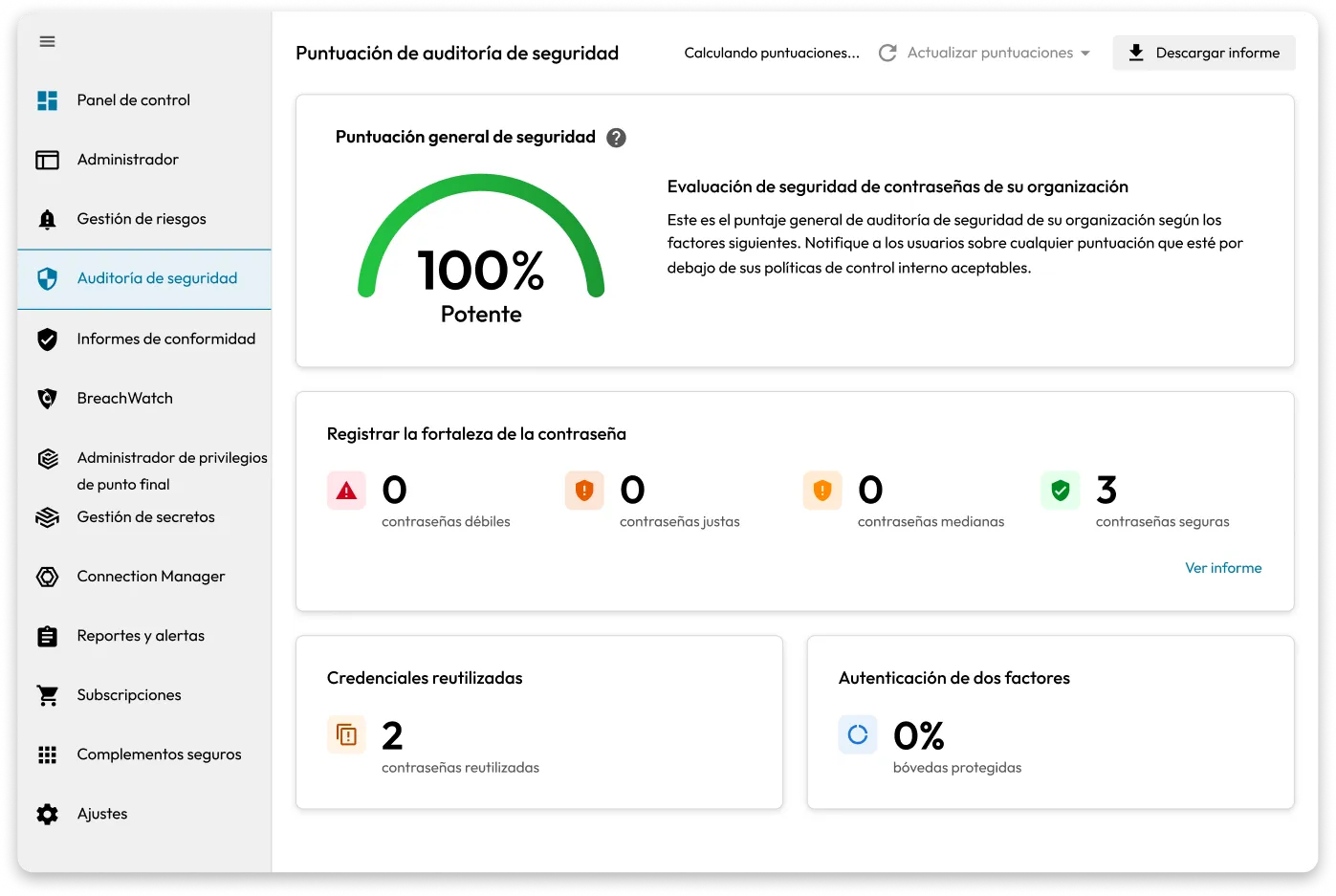
Keeper's Security Audit dashboard showing a 100% strong overall security score, 3 strong passwords, 2 reused passwords, and 0% two-factor authentication coverage.

Strengthen your security posture with real-time insights

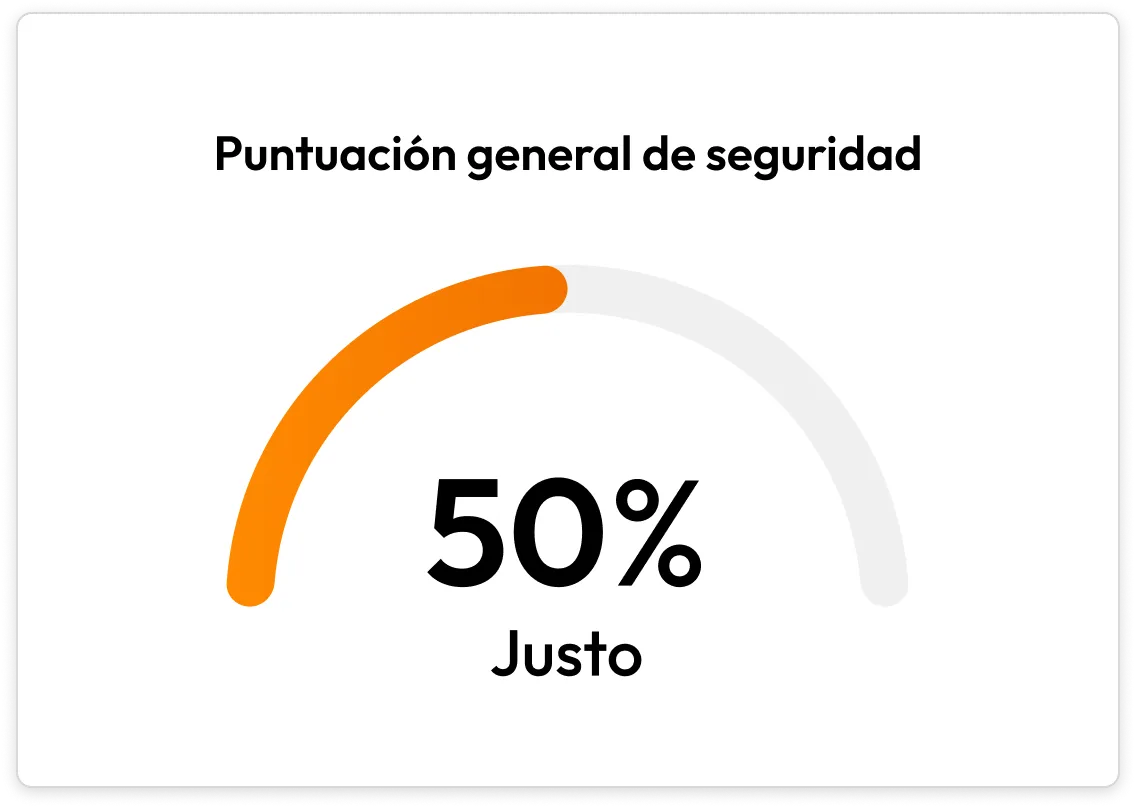
Gauge labeled “Overall Security Score” showing 50% and rated Fair.

Assess security scores at scale

Security Audit provides a real-time, organization-wide view of password practices. Scores are based on password strength, reuse and 2FA status and are visible at both the user and enterprise levels, while still preserving Keeper's zero-knowledge architecture.

Drill into individual user behavior

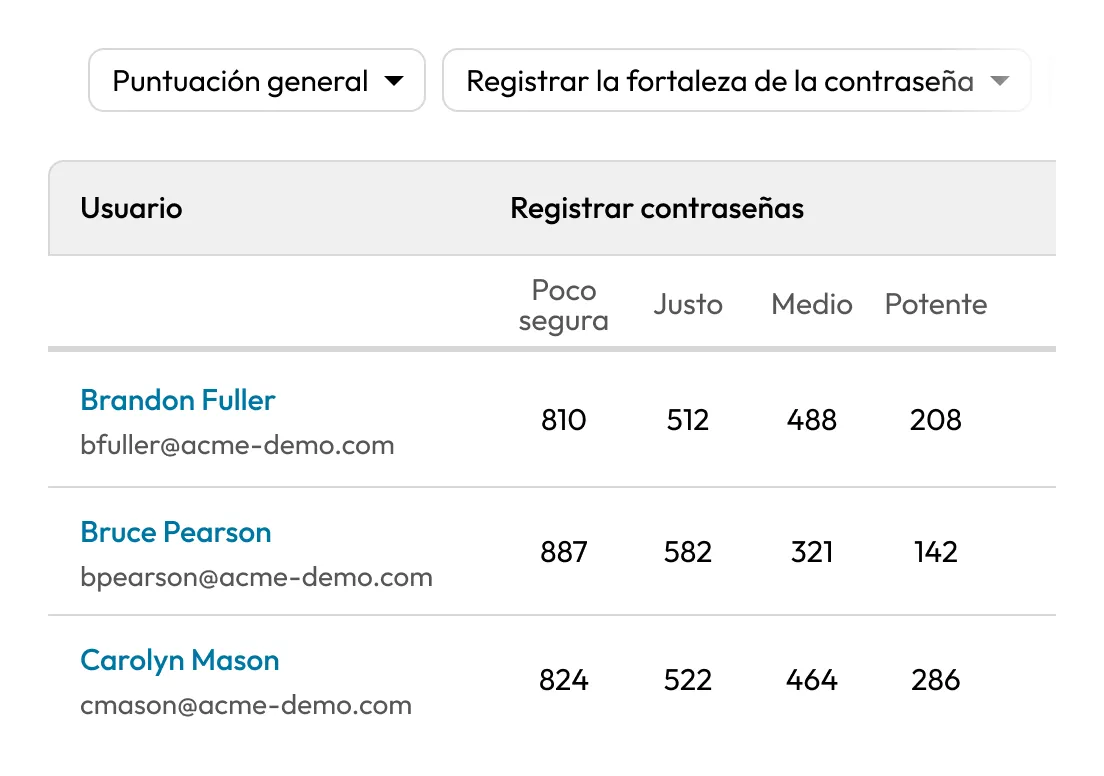
Admins can view detailed user-level metrics to evaluate risk, including record strength, number of reused passwords and type of 2FA enabled. Passwords are categorized as weak, fair, medium or strong, matching the end-user vault experience.

Table of users with password strength counts, sorted by name, showing weak, fair, medium, and strong records for each user.
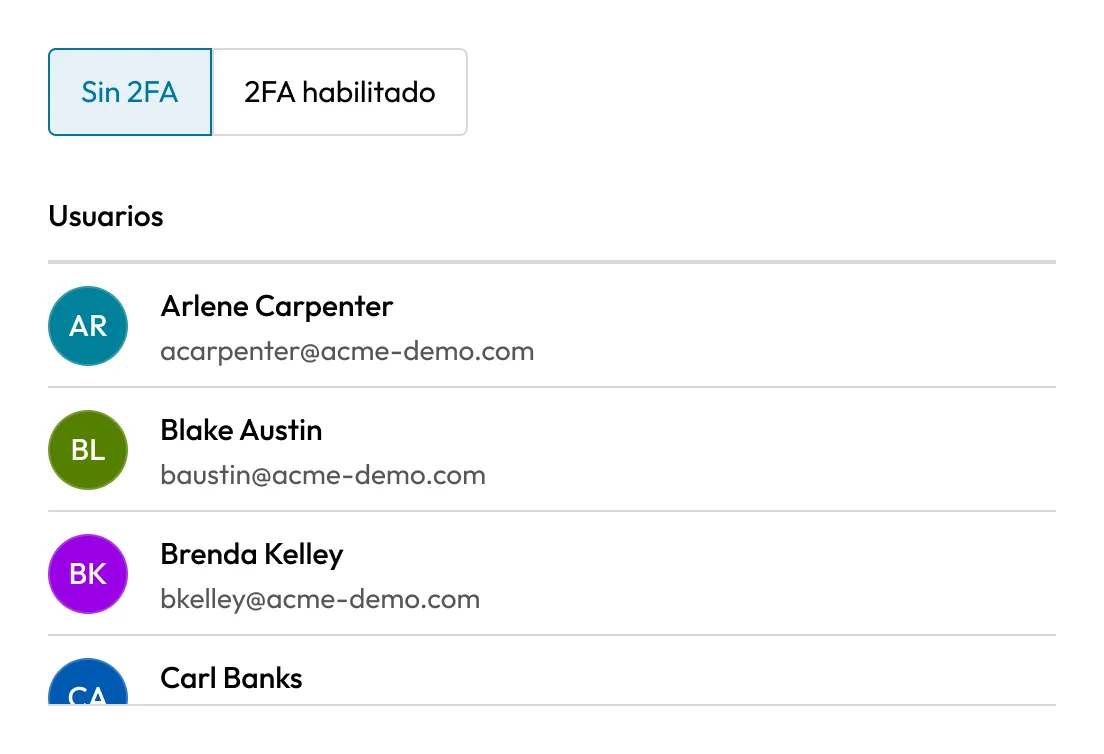
User list with tabs for “No 2FA” and “2FA Enabled,” showing users currently without two-factor authentication.

Track 2FA enrollment and enforcement

Security Audit identifies which users have 2FA enabled, which method they're using, and who has not yet enrolled. Admins can use this data to enforce MFA compliance policies across teams or roles.

Sort and filter users by risk indicators

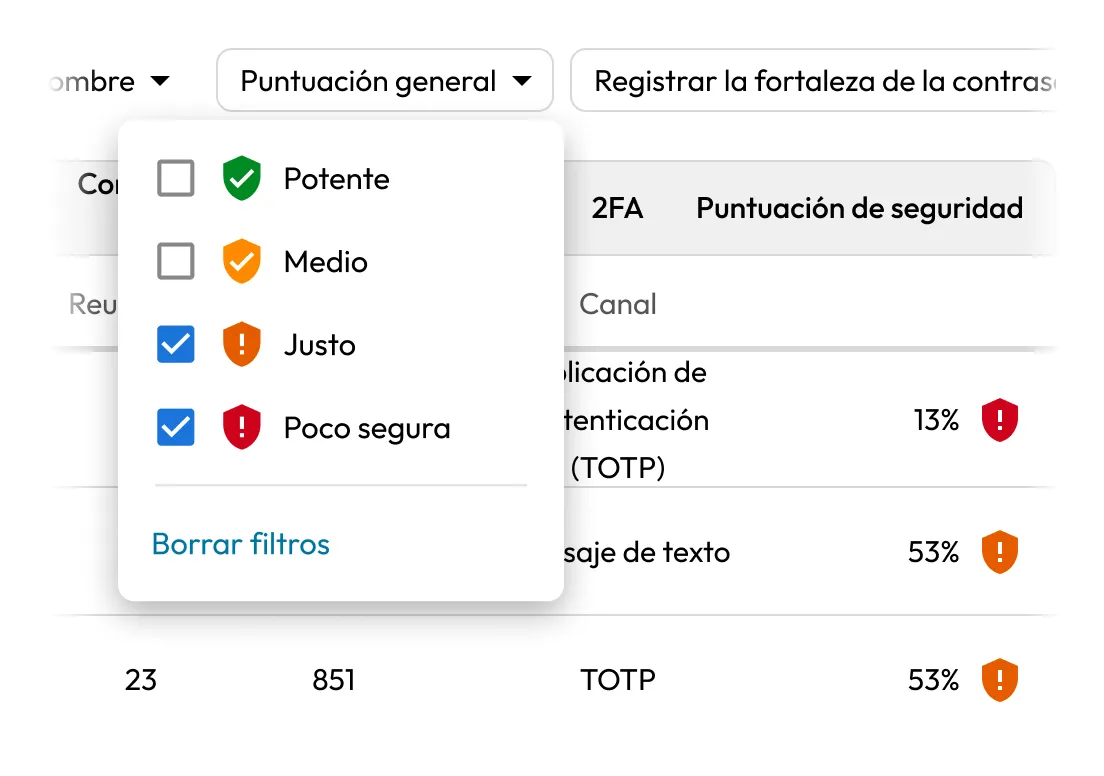
The user table in the Admin Console can be sorted by overall score, user name, password reuse, record strength or 2FA status, allowing admins to quickly identify outliers and prioritize remediation efforts.

Dropdown filter menu for security score, with Fair and Weak selected and options for Strong, Medium, Fair, and Weak.
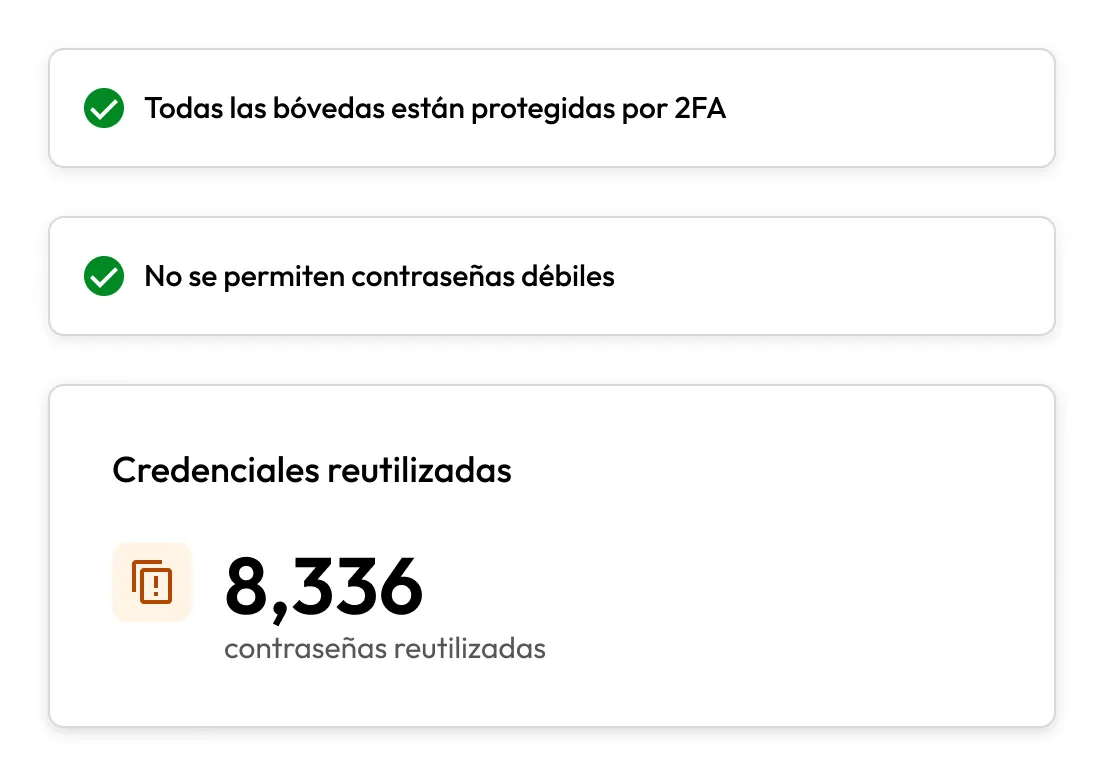
Security summary showing all vaults protected by 2FA, no weak passwords, and 8,336 reused credentials.

Surface issues with a responsive dashboard

The Admin Console interface automatically collapses cards when scores reach 100% and expands those that need attention. This ensures that security issues remain visible until resolved, reducing the chance of oversight.

Refresh and resync scores on demand

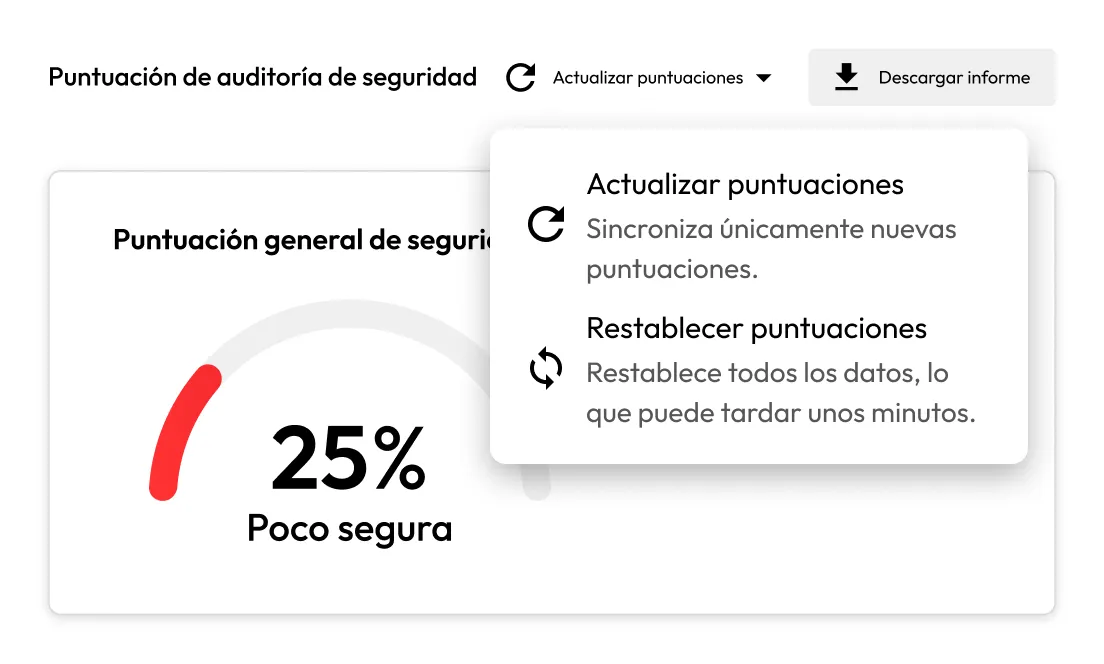
Scores update each time users log in to their vaults, but admins can also click “Refresh Scores” to pull the latest data. Root Admins can perform a full or user-specific reset if scores fall out of sync.

Security Audit Score screen showing a 25% weak overall score with the Refresh Scores menu open, including options to refresh or reset scores.
Decorative graphic of two overlapping hexagons, one with a Keeper logo and one with a green shield lock icon.

Support audit readiness and compliance

Security Audit helps organizations meet password policy requirements for frameworks like NIST, ISO 27001, SOC 2 and HIPAA. Admins can validate compliance and demonstrate policy enforcement through real-time reporting.

Why choose Keeper for security auditing?

Built on a zero-knowledge architecture

Built on a zero-knowledge architecture

Keeper gives admins visibility into password risks and user behavior without ever exposing vault contents or user credentials.

Gain deep visibility without added complexity

Gain deep visibility without added complexity

Security Audit is built into the Keeper platform, offering real-time insight into password strength, reuse and 2FA without the need for separate tools or configuration.

Drive adoption through a user-friendly platform

Drive adoption through a user-friendly platform

Keeper is easy for teams to adopt and easy for admins to manage. Insights are clearly presented in the Admin Console, helping you act quickly on what matters most.

Support compliance and internal policy enforcement

Support compliance and internal policy enforcement

Security Audit helps demonstrate that password policies are being followed, supporting audits and security reviews with real-time, reliable data.
Preguntas frecuentes

Can admins see individual user passwords through Security Audit?

No, Keeper's zero-knowledge encryption model ensures that only end users can access the contents of their vaults. Admins can view password strength and behavior insights, but never the passwords themselves.

What factors impact the Security Audit score?

Security scores are based on three key factors: the strength of the user's stored passwords, how often passwords are reused and whether 2FA is enabled.

How often do scores update?

User scores automatically sync when users log in to their vaults. Admins can also manually refresh or reset scores at any time from the Admin Console.

Can Security Audit data be exported?

While not currently exported from the tab itself, admins can use Keeper's Advanced Reporting & Alerts Module for broader audit trail exports and integrations.

Who can reset Security Audit scores?

Only Root Admins can reset Security Audit scores. This can be done for the entire enterprise or at the individual user level within the Admin Console.

Comprar Ahora