Feature: Vault Transfer
Simplify employee offboarding
Keeper's Vault Transfer feature allows administrators to securely transfer user vaults when employees leave an organisation, ensuring a smooth transition of access without exposing data.
Keeper's Vault Transfer feature allows administrators to securely transfer user vaults when employees leave an organisation, ensuring a smooth transition of access without exposing data.
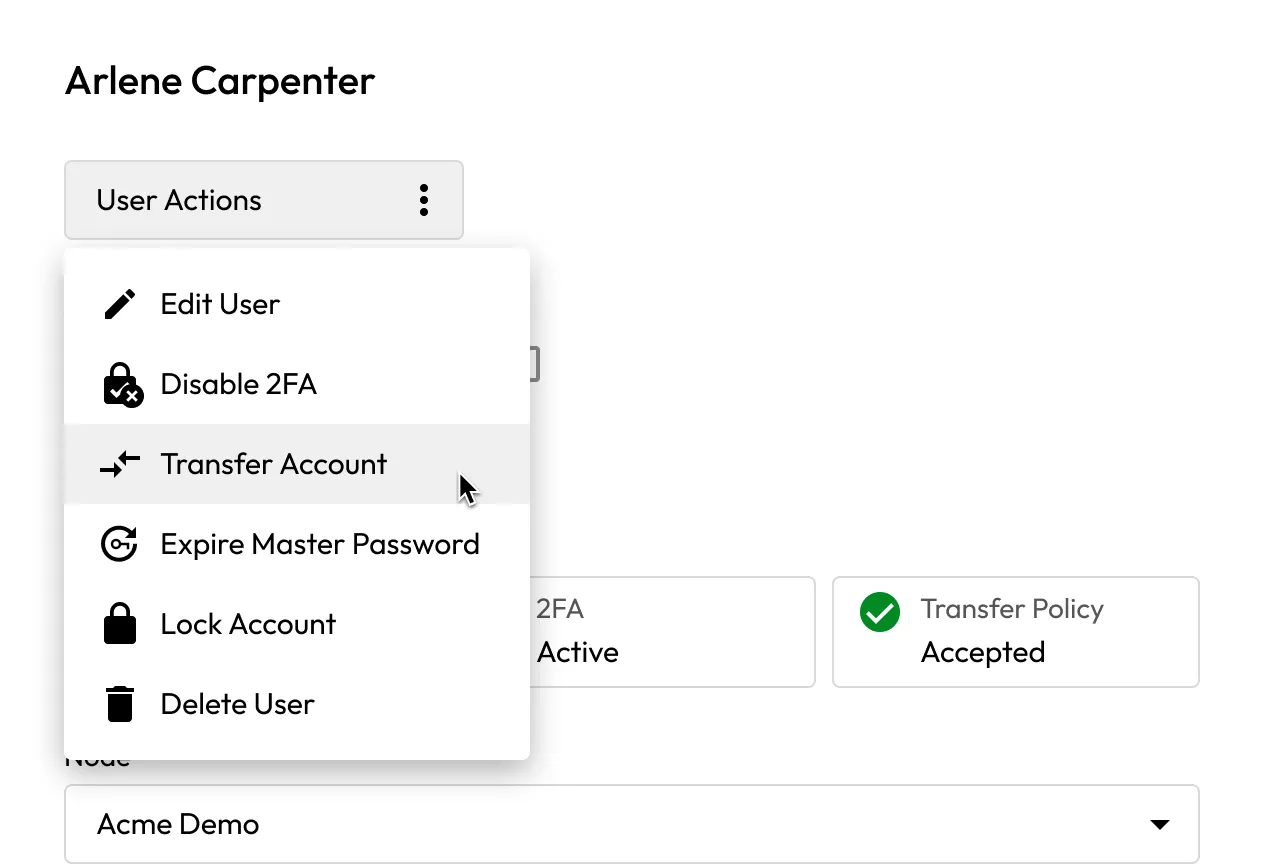
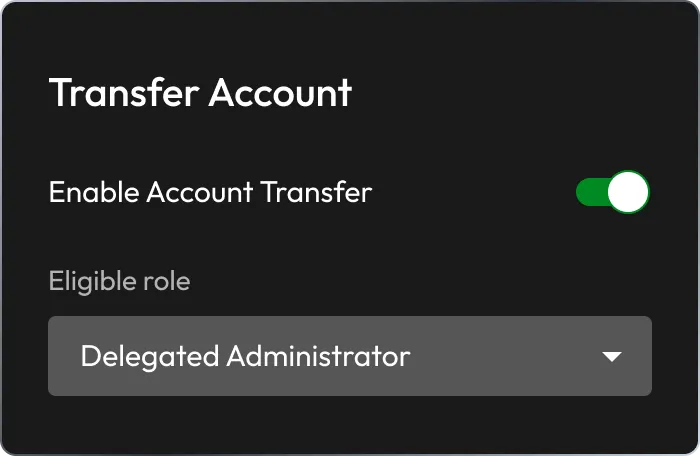
Enable Transfer Account and user role policies during Keeper deployment.
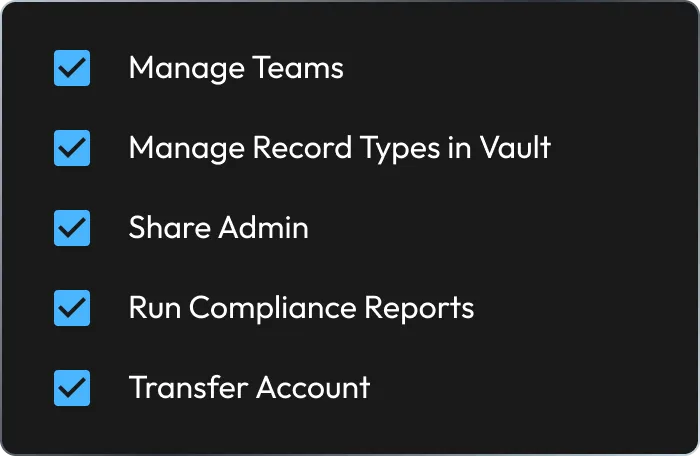
The administrator must have the Transfer Account permission. Role changes will re-trigger the consent prompt for all users.
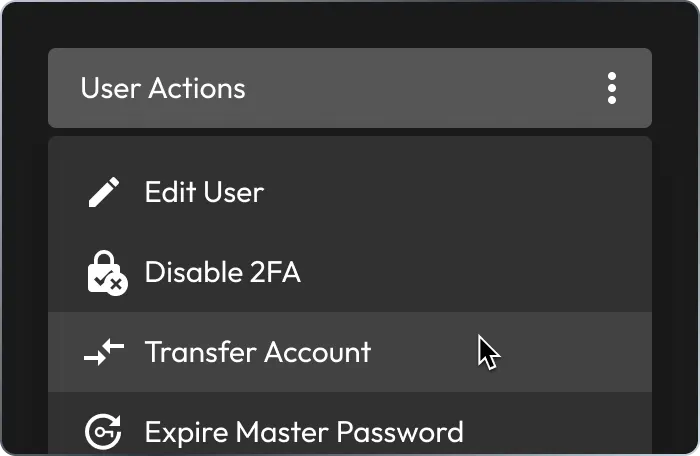
Lock the account, and click Transfer Account to select a recipient. The vault transfers and the original account is deleted.
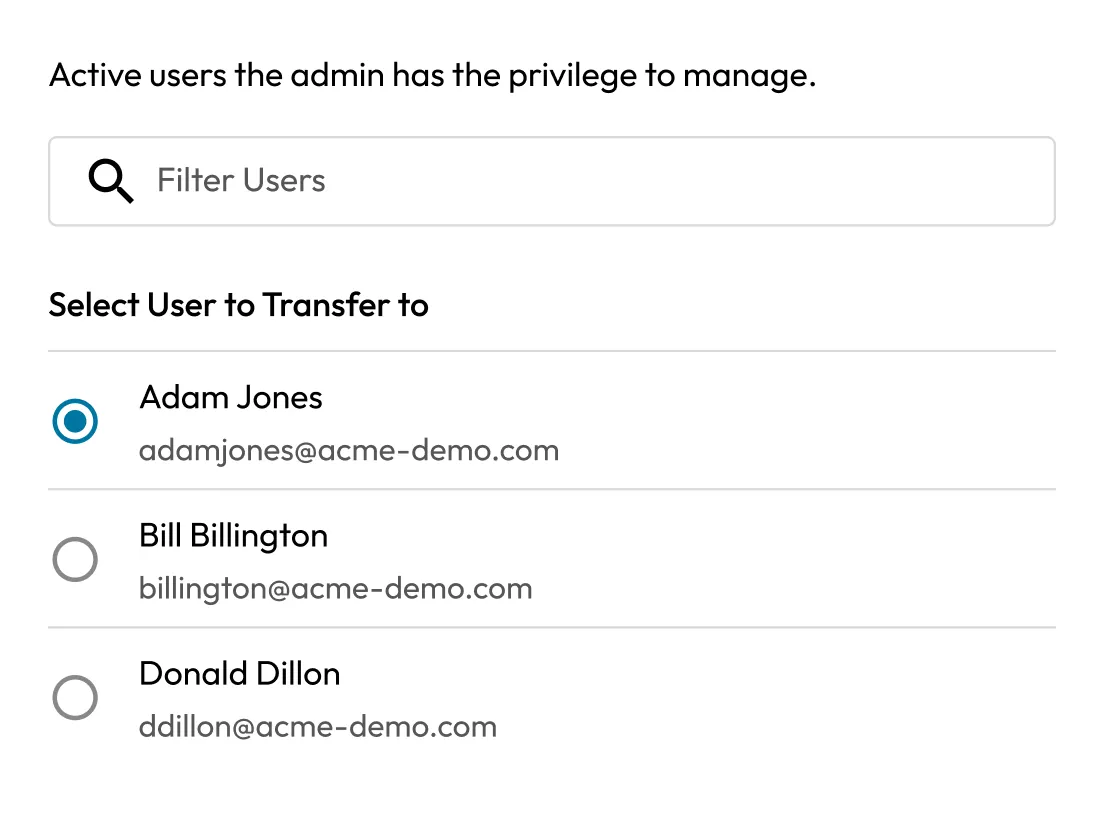
Retain access to essential systems by transferring credentials from deactivated users to active employees.
Ensure business continuity by maintaining access to sensitive credentials even after an employee’s departure.

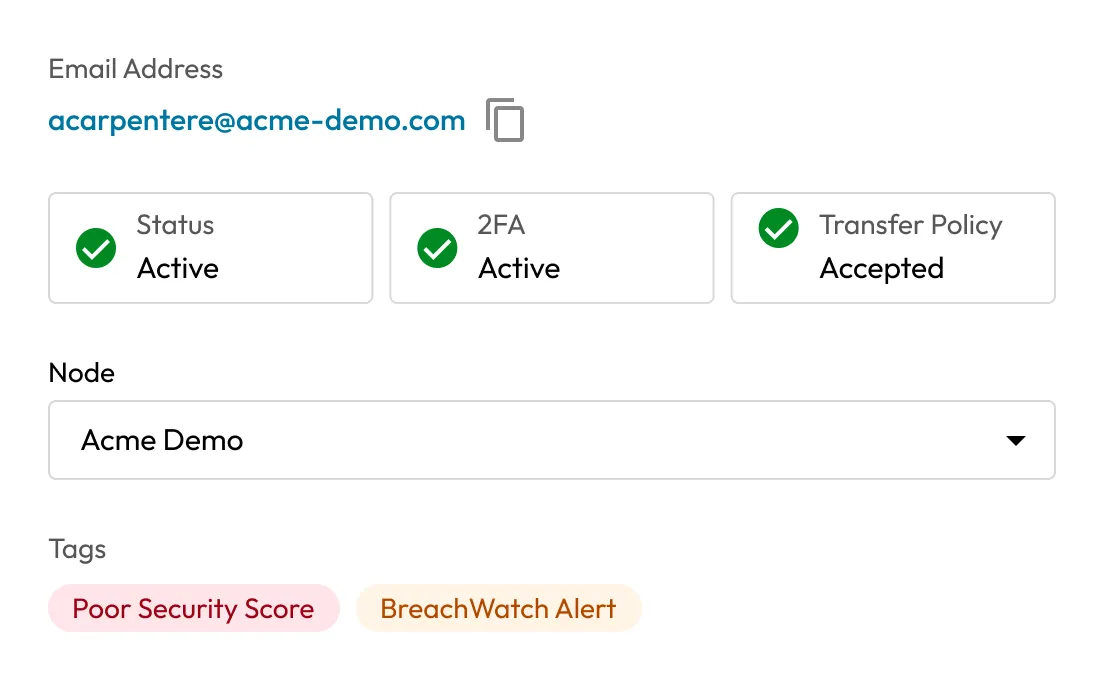
Securely transfer vault data with full auditing to align with organisational policies and regulatory requirements.
By integrating Keeper’s Vault Transfer feature into employee offboarding, IT and HR staff can save time and minimise security risks.

Keeper’s Vault Transfer feature operates within a zero-knowledge framework, ensuring that encryption keys are never exposed before, during or after a transfer.

Vaults can be transferred only after the user account is locked. Administrators cannot access vault data or bypass user security controls.

All vault transfer actions are logged in the Admin Console, providing a detailed audit trail for accountability and compliance purposes.

Vault transfer must be explicitly accepted by each user before it can be enforced, providing full transparency and control.
After a vault transfer, the original user’s vault is permanently deleted. All records and folders are transferred to the recipient’s vault and placed inside a folder labeled with the original user’s email address.
No, vault transfers cannot be reversed. Once transferred, the original user’s vault is deleted forever. If necessary, the recipient can manually re-share the transferred records, but the original vault and its structure cannot be restored.
No, Keeper is built on a zero-knowledge architecture, meaning administrators cannot view or access user vault contents. They can initiate a transfer only after the user’s account has been locked, and only if key exchange (via consent) has already occurred.
If a user does not accept the Account Transfer consent prompt, their vault cannot be transferred. Consent is required to facilitate the secure exchange of encryption keys. Without it, the contents of the user’s vault remain inaccessible, even to administrators.
Keeper provides organisations with the flexibility to control the Vault Transfer feature. If you prefer not to enable Vault Transfer within your tenant, you can request to disable this policy by opening a support ticket. Once submitted, the Keeper team will apply the appropriate configuration to prevent Vault Transfer.

You must accept cookies to use Live Chat.