Feature: Two-Factor Authentication (2FA)

Secure your Keeper Vault with a second layer of authentication

Keeper supports a range of Multi-Factor Authentication (MFA) methods to protect access to your Keeper Vault and enforce secure logins across personal and enterprise environments.

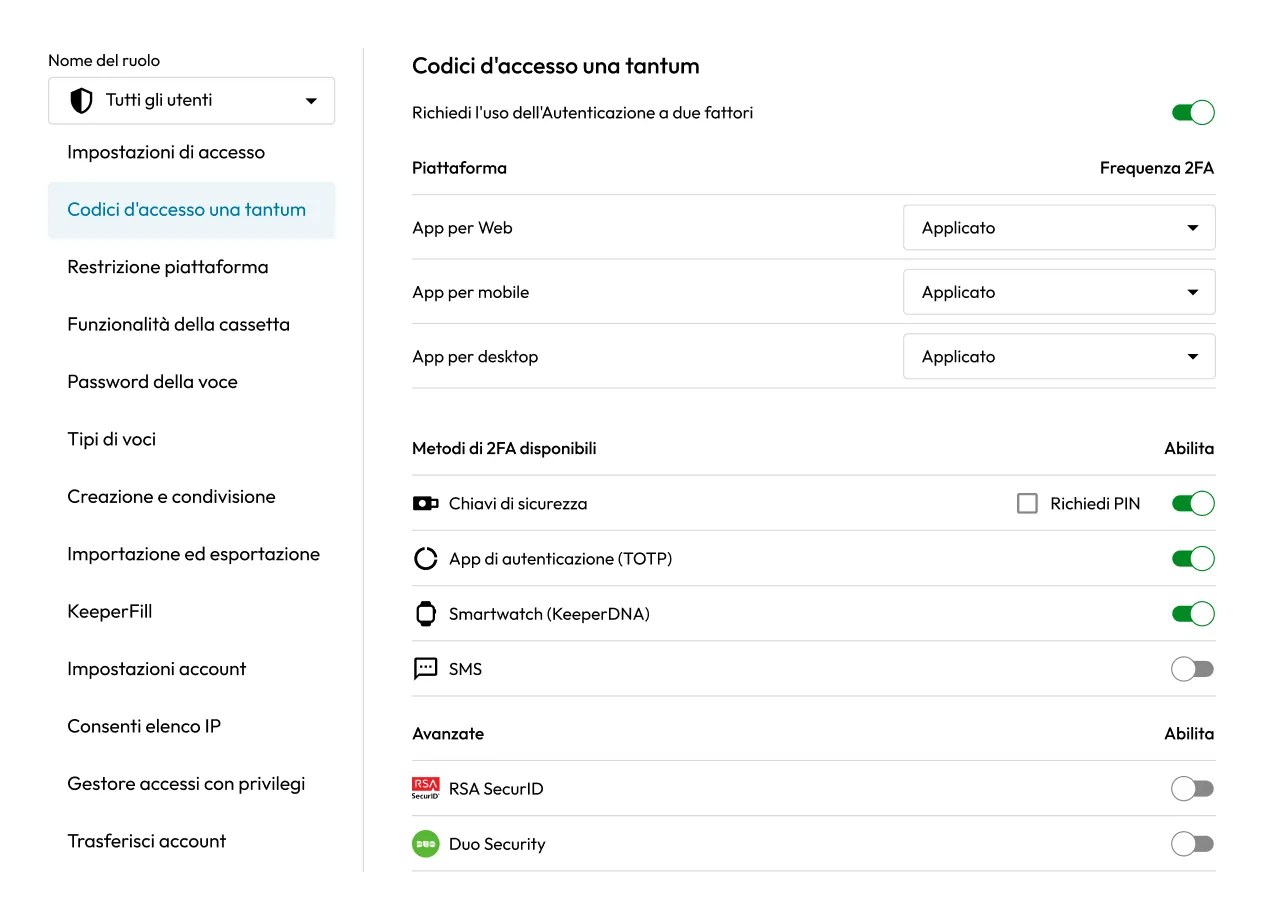
Keeper admin console showing Two-Factor Authentication settings for all users, with 2FA enforced on web, mobile, and desktop apps.

What authentication methods does Keeper support?

FIDO2 Passkeys

Protect your account with FIDO2 WebAuthn-compatible hardware security keys, such as YubiKey.

TOTP apps

Compatible with any Time-Based One-Time Password (TOTP) generator application.

Duo Security

Provides 2FA over SMS, voice or push notification to a user’s mobile phone.

RSA SecurID

Provides hardware and software-based 2FA tokens for users’ phones, tablets and PCs.

KeeperDNA

Use your Apple Watch or Android Wear to verify your identity for secure login.

SMS message

Sends a one-time security passcode to a user’s phone through SMS.

Enforce secure access at every login

Require 2FA across users and devices

Enforce 2FA for all users or specific roles, ensuring every login includes a second verification step, whether on the web, desktop, mobile or browser extension.

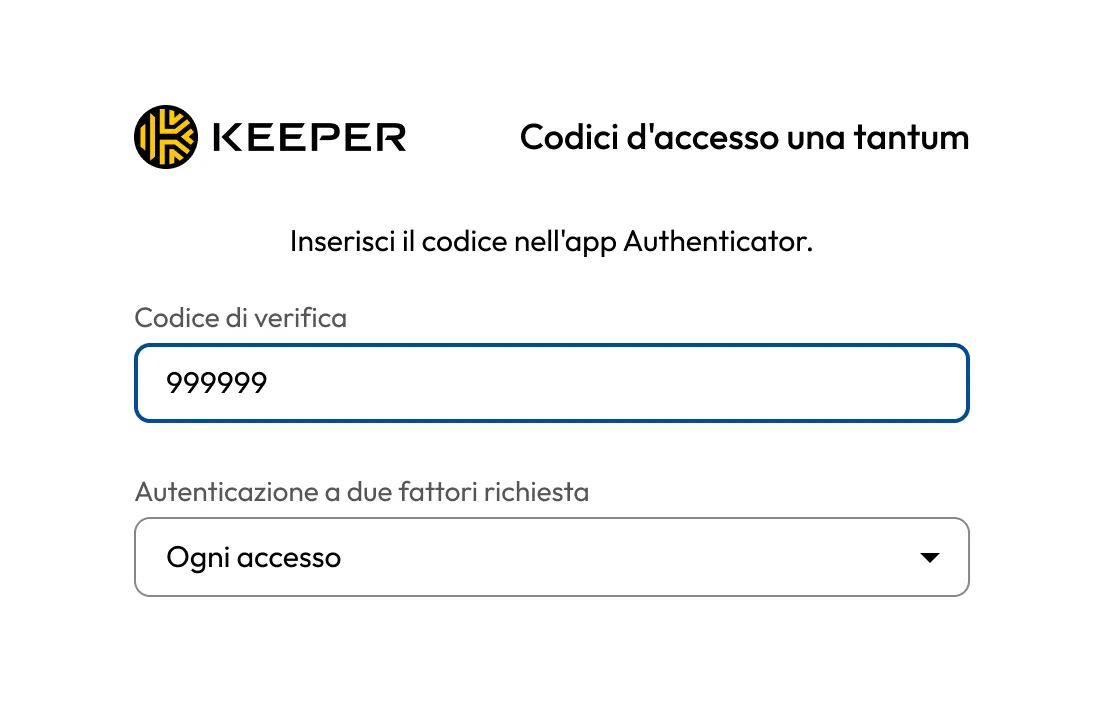
Keeper two-factor authentication prompt asking the user to enter a verification code from an authenticator app, with 2FA required at every login.
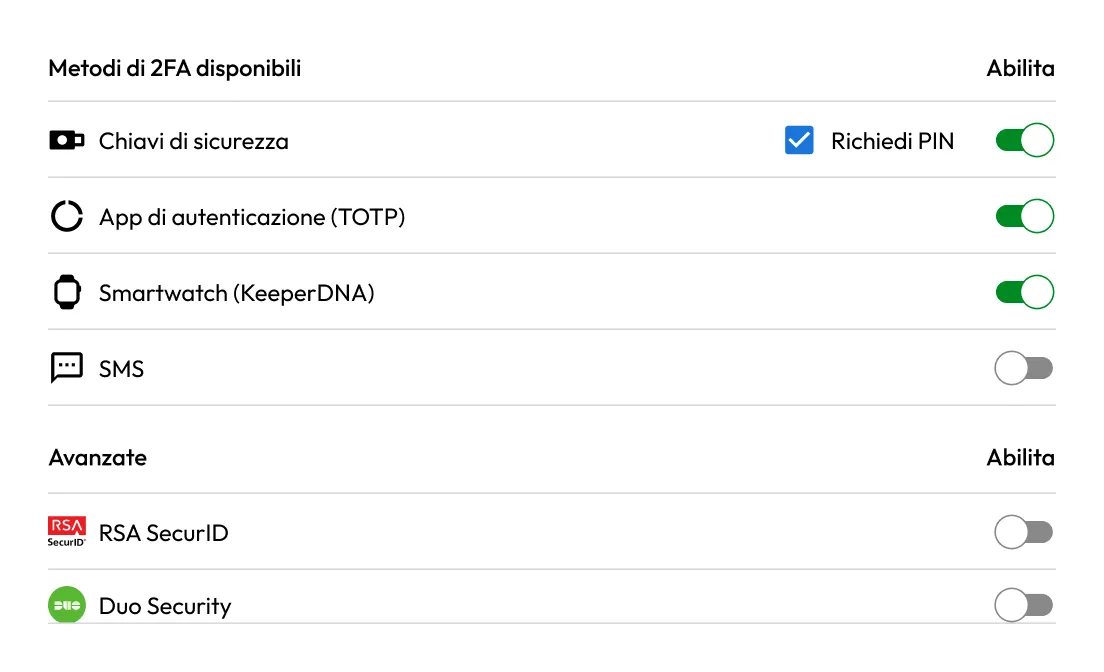
Keeper 2FA settings showing Security Keys, Authenticator App (TOTP), and Smartwatch enabled, with Text Message, RSA SecurID, and Duo Security disabled.

Configure approved authentication methods

Admins can allow or enforce specific 2FA methods, such as TOTP apps, Duo, RSA SecurID, FIDO2 hardware keys or SMS codes, depending on organizational policies and risk tolerance.

Set prompt frequency and platform-specific rules

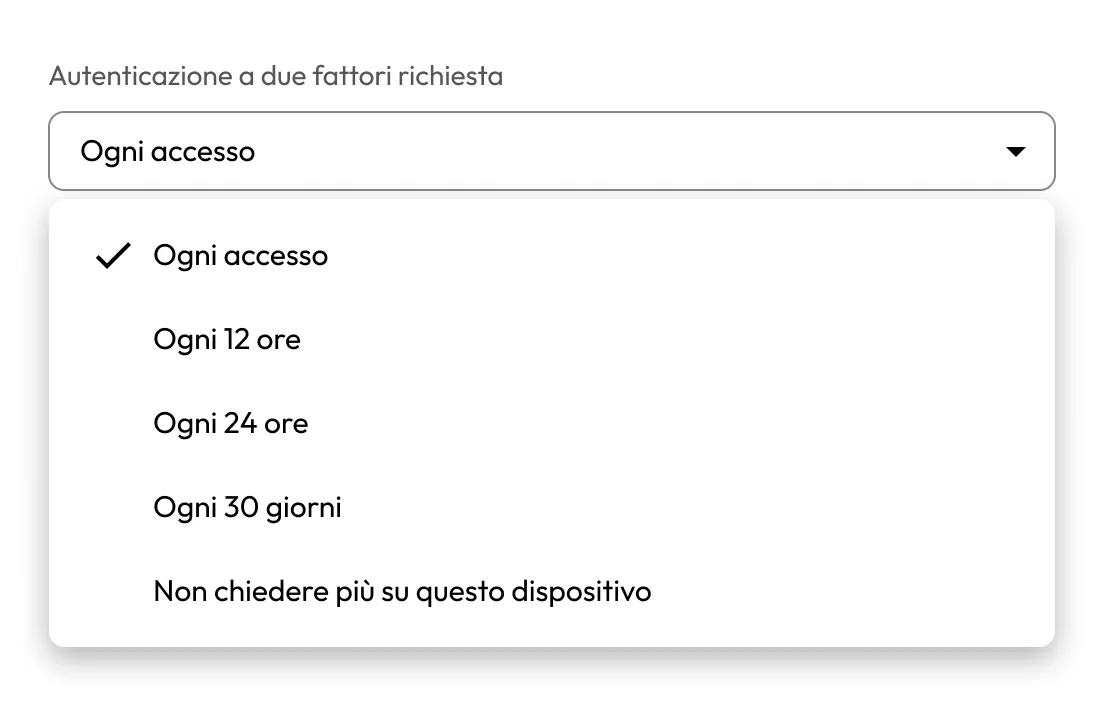
Define how often users must complete 2FA (every login, every 12 hours, 30 days, etc.) and apply different enforcement settings by platform or device type.

Keeper two-factor authentication frequency menu showing options such as every login, every 12 hours, every 24 hours, every 30 days, or don’t ask again on this device.
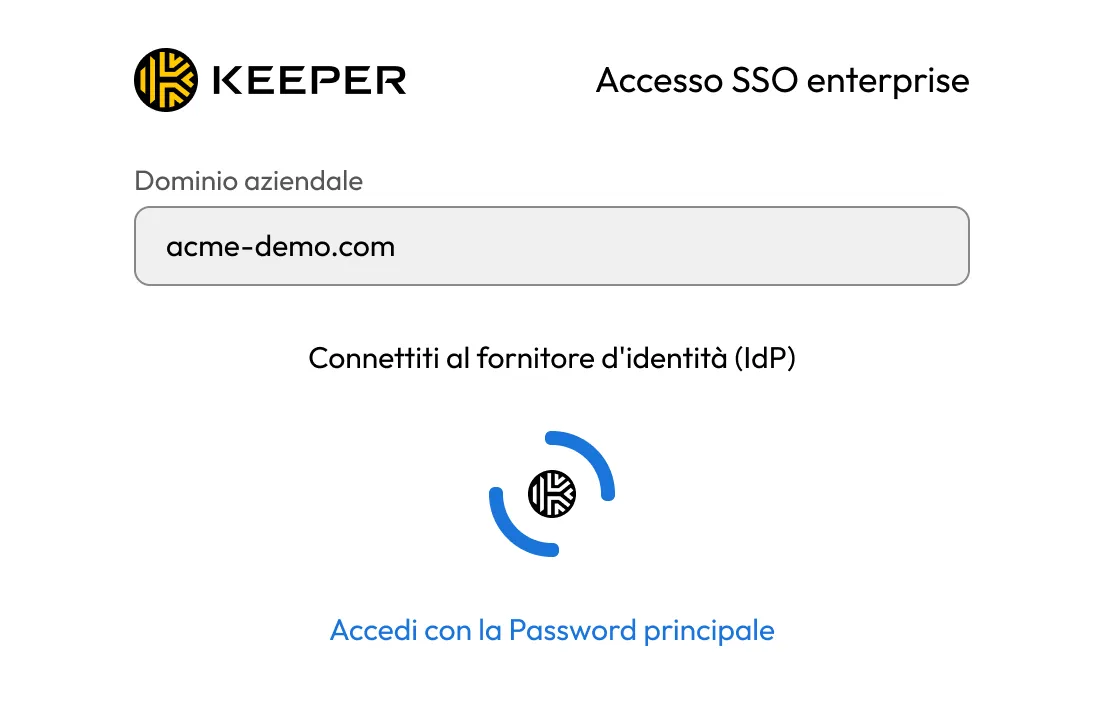
Keeper Enterprise SSO login screen with an enterprise domain field, a prompt to connect to an identity provider, and an option to log in with a master password.

Integrate with identity providers

Keeper’s 2FA enforcement works alongside Single Sign-On (SSO) providers, enabling multi-layered authentication without disrupting user workflows.

Support compliance and auditing

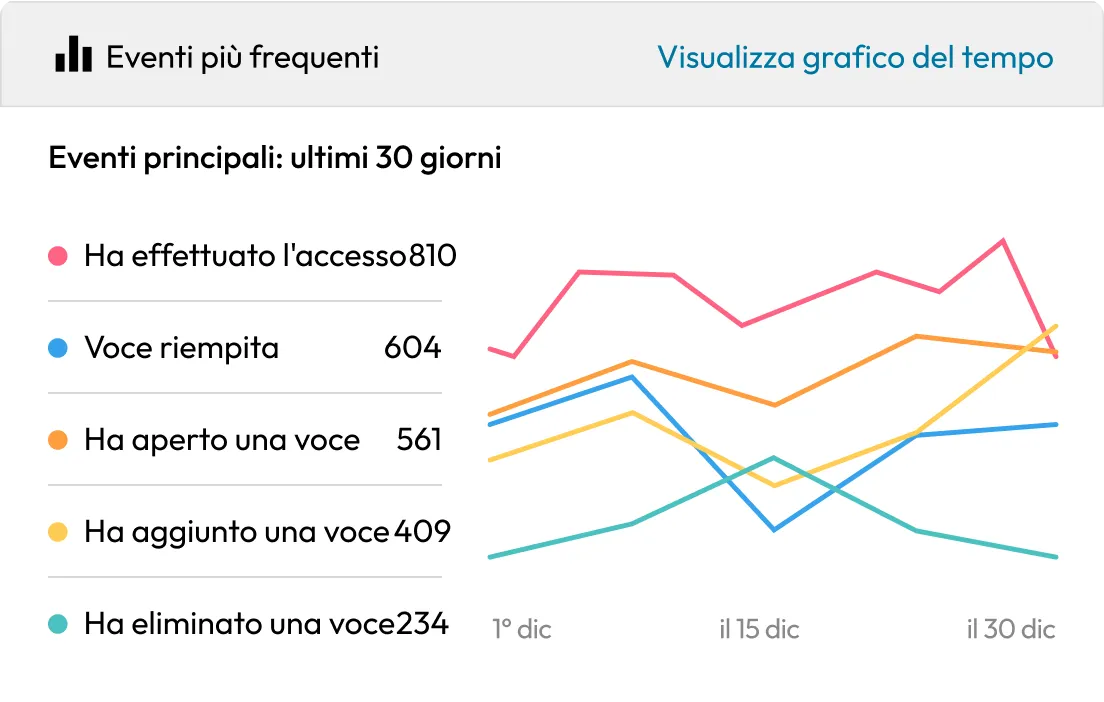
All 2FA-related login events are logged and can be exported through Keeper’s Advanced Reporting and Alerts Module for auditing and regulatory reporting.

Keeper admin dashboard showing top events for the last 30 days with a line chart and counts for logins, filled records, opened records, added records, and deleted records.

Domande frequenti

What happens if a user loses access to their 2FA device?

Users can recover access using backup codes, an approved device or by contacting an admin (if recovery enforcement is enabled). Admins can reset 2FA for users from the Admin Console.

Can I enforce 2FA by role or organizational unit?

Yes, Keeper’s role-based enforcement policies allow admins to require 2FA by role or node and control which methods are allowed.

Can users use both SSO and 2FA?

Yes, Keeper supports 2FA through your identity provider’s conditional access policies when using SSO, and admins can also enforce 2FA on the Keeper side, to protect against identity provider takeover attacks.

Can Keeper enforce the use of FIDO2 keys as the only authentication factor?

Yes, Keeper can enforce FIDO2-only authentication, but you need to configure it in the Admin Console and ensure users have compatible keys.

Acquista ora