
The best password manager for iPhone Duo
Switching to iPhone Duo? Bring your passwords, passkeys and sensitive information with you. Your encrypted vault is accessible across iPhone, Android, Mac, Windows, Linux and supported browsers.
Switching to iPhone Duo? Bring your passwords, passkeys and sensitive information with you. Your encrypted vault is accessible across iPhone, Android, Mac, Windows, Linux and supported browsers.
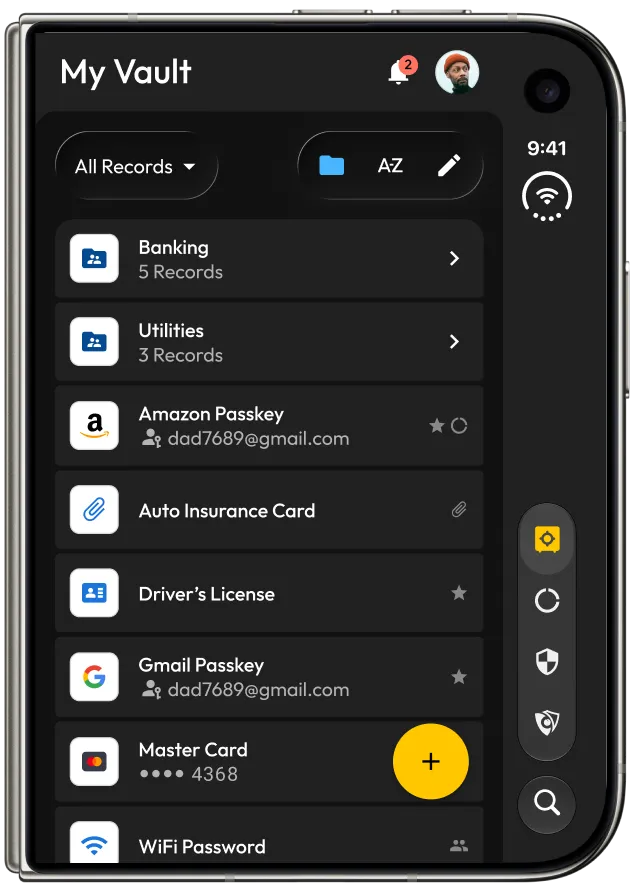
Keep your credentials accessible when you switch phones or use multiple operating systems. With Keeper, your encrypted vault syncs across devices, so you can find your saved information wherever you sign in.

Use Keeper on iOS, Android, Windows, macOS and popular web browsers. Changes to your vault sync across all your devices.

Bring passwords from supported browsers, password managers and exported password files into Keeper. Keep your existing logins organized in one secure vault without manually recreating every record.

KeeperFill automatically fills saved usernames and passwords, including passkeys, in apps and websites on your iPhone Duo, so you don't have to type credentials repeatedly.
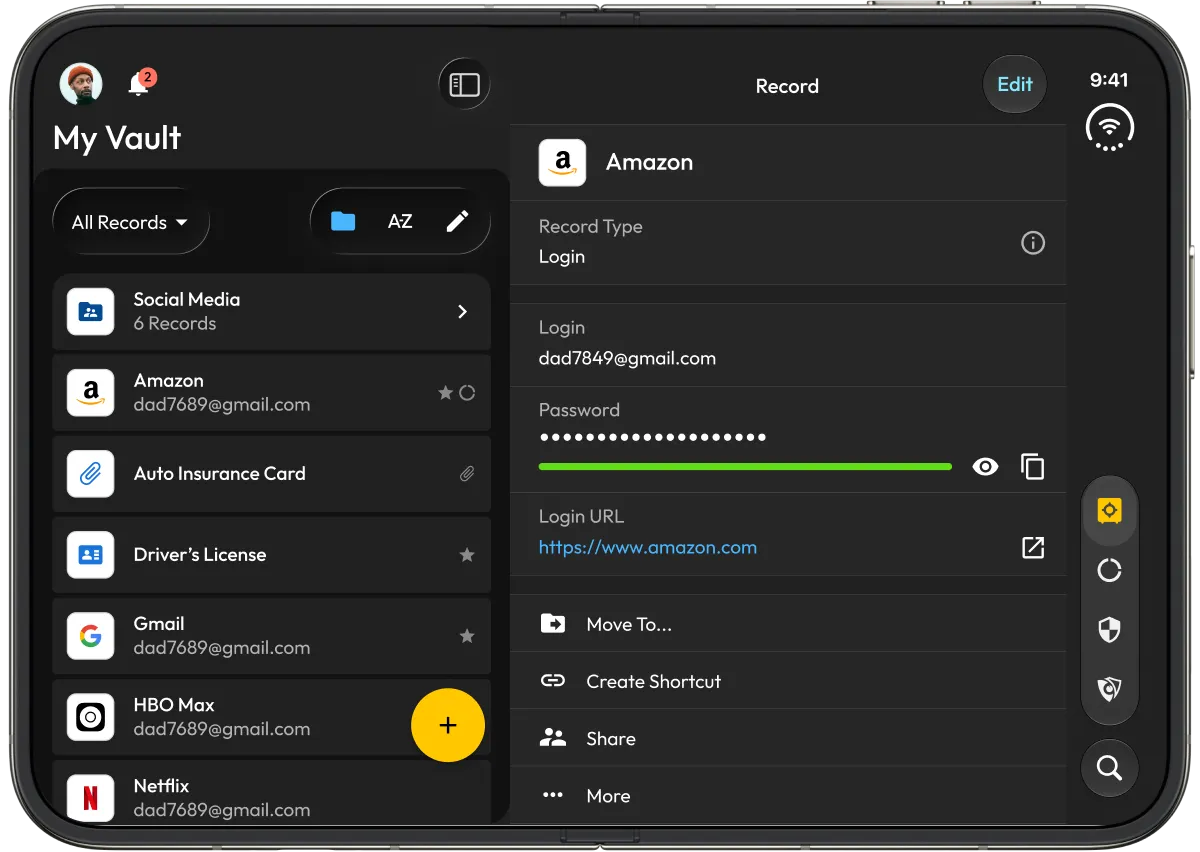
Keeper's iOS app brings Apple's Liquid Glass to iPhone Duo, with an interface that adapts as you move between its inner and outer displays. Open the device to browse vault folders and review a record side by side. Close it to access your vault from the outer display.
The redesigned navigation keeps Search, Security Audit and Two-Factor Codes easy to reach, with account settings grouped in the avatar menu.
Get started with Keeper in a few simple steps.

Install Keeper Password Manager from the Apple App Store. Create a Keeper account or sign in to your existing account to access your encrypted vault.

Open your iPhone's Settings and navigate to General > AutoFill & Passwords. Enable AutoFill Passwords and Passkeys, then select Keeper as an AutoFill provider.

Save new passwords directly in Keeper or import existing credentials from a supported source. Organize your accounts, payment information and other sensitive records in your vault.

When you sign in to a supported app or website, select your saved Keeper credentials from the AutoFill suggestions. Authenticate when prompted to securely fill in your login information.

Store passwords, passkeys, payment cards, addresses and other sensitive information in Keeper's encrypted vault. Keep your important information organized and accessible from your devices.

Create strong, unique passwords for every account using Keeper's built-in password and passphrase generator. Reduce password reuse and avoid relying on passwords that are easy to guess.
Use KeeperFill to automatically fill saved credentials in iOS apps and websites. Keeper also supports passkeys, giving you a passwordless sign-in option for compatible services.

Share passwords and other vault records securely with trusted family members or friends. Keeper's secure sharing capabilities help you avoid sending sensitive credentials through text messages or email.

BreachWatch scans for passwords linked to known breaches and alerts you when a stored password may be at risk, helping you identify credentials you should change.

Keep sensitive documents, photos and files encrypted alongside your passwords. Access important information from your Keeper Vault without storing everything in unprotected locations.
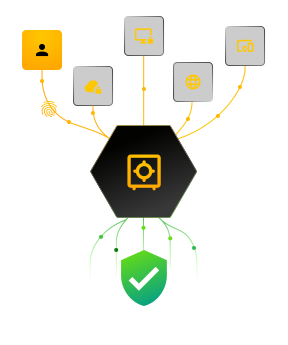
Keeper is built on a zero-trust, zero-knowledge security architecture designed to keep your personal information private.
With multi-factor authentication and biometric unlock options supported, Keeper adds layers of protection while keeping everyday access convenient.
Secure your passwords, simplify sign-ins and keep your digital life organized with Keeper Password Manager.
Yes, Keeper Password Manager is available for iOS and supports password management, encrypted vault storage and AutoFill on compatible iPhones. You can use Keeper to store and access passwords, passkeys and other personal information on iPhone Duo, subject to device and iOS compatibility.
Install Keeper and sign in to your account. Open Settings > General > AutoFill & Passwords, enable AutoFill Passwords and Passkeys, then select Keeper as an AutoFill provider. You can then use KeeperFill to sign in to supported apps and websites.
Yes, if you already use Keeper on Android, sign in to the same Keeper account on your iPhone to access your synced vault. If your passwords are stored elsewhere, you can import them into Keeper using a supported import method.
Apple's Passwords app provides built-in password and passkey management for Apple devices, with some support for Windows. Keeper offers an alternative for people who are more security-conscious and want to manage passwords across iOS, Android, Windows, macOS and web browsers. Keeper also provides features such as secure vault record sharing, encrypted file storage and optional BreachWatch dark web monitoring.
Yes, Keeper supports passkeys on compatible iOS devices, allowing you to save and use passkeys for websites and services that support passwordless authentication.
Yes, Keeper supports offline access to locally available vault records on supported devices. Some features, including syncing changes across devices and certain security services, require an internet connection.
Keeper offers a free trial of its personal password manager. Subscription options and included features vary by plan. Visit Keeper's pricing page for current details.
You must accept cookies to use Live Chat.