Feature: Automation Commands

Credential provisioning without the manual work

One command handles the full provisioning workflow: account creation, password rotation and credential delivery. Define the configuration once and run it every time, whether triggered manually or from an existing HR or IGA platform.

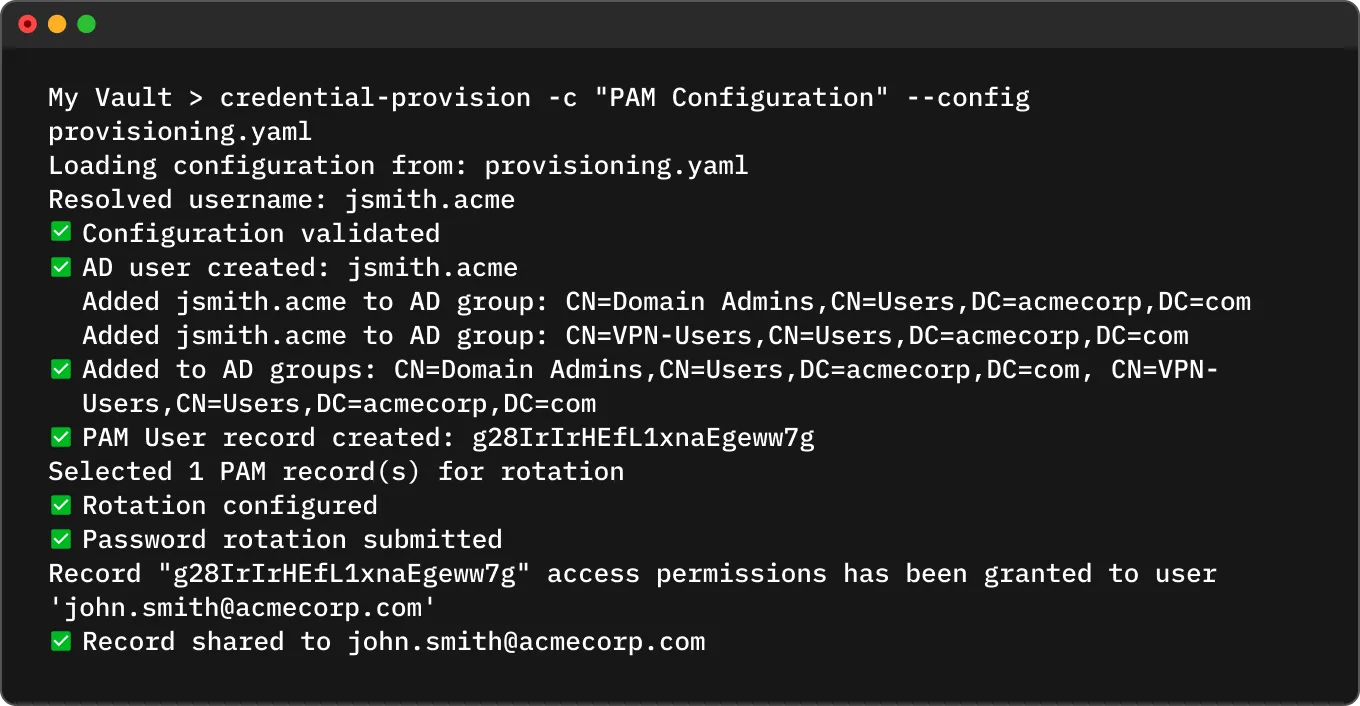
Keeper terminal output showing successful PAM credential provisioning, AD group assignment, password rotation, and record sharing

How Automation Commands work

Configure

Define the provisioning job in a YAML file, including the user details, target account, vault folder, rotation schedule and how credentials should be delivered.

Create

Keeper creates the identity in Active Directory or Microsoft Entra ID, assigns the user to the appropriate groups and stores the credential as a PAM User record in the vault.

Rotate

A secure password is generated to meet your complexity requirements, applied to the account immediately and scheduled for automatic rotation going forward.

Deliver

The credential is delivered to the recipient via direct vault share, a one-time email link or both, with expiry and permissions you control.

Integrate

Trigger the whole workflow via REST API to plug provisioning into any HR or IGA platform, so new accounts are created automatically when a new hire is added — no manual steps required.

Everything provisioning requires, in a single command

The credential-provision command orchestrates what was once a multi-step manual process, eliminating human error and making onboarding consistent every time.

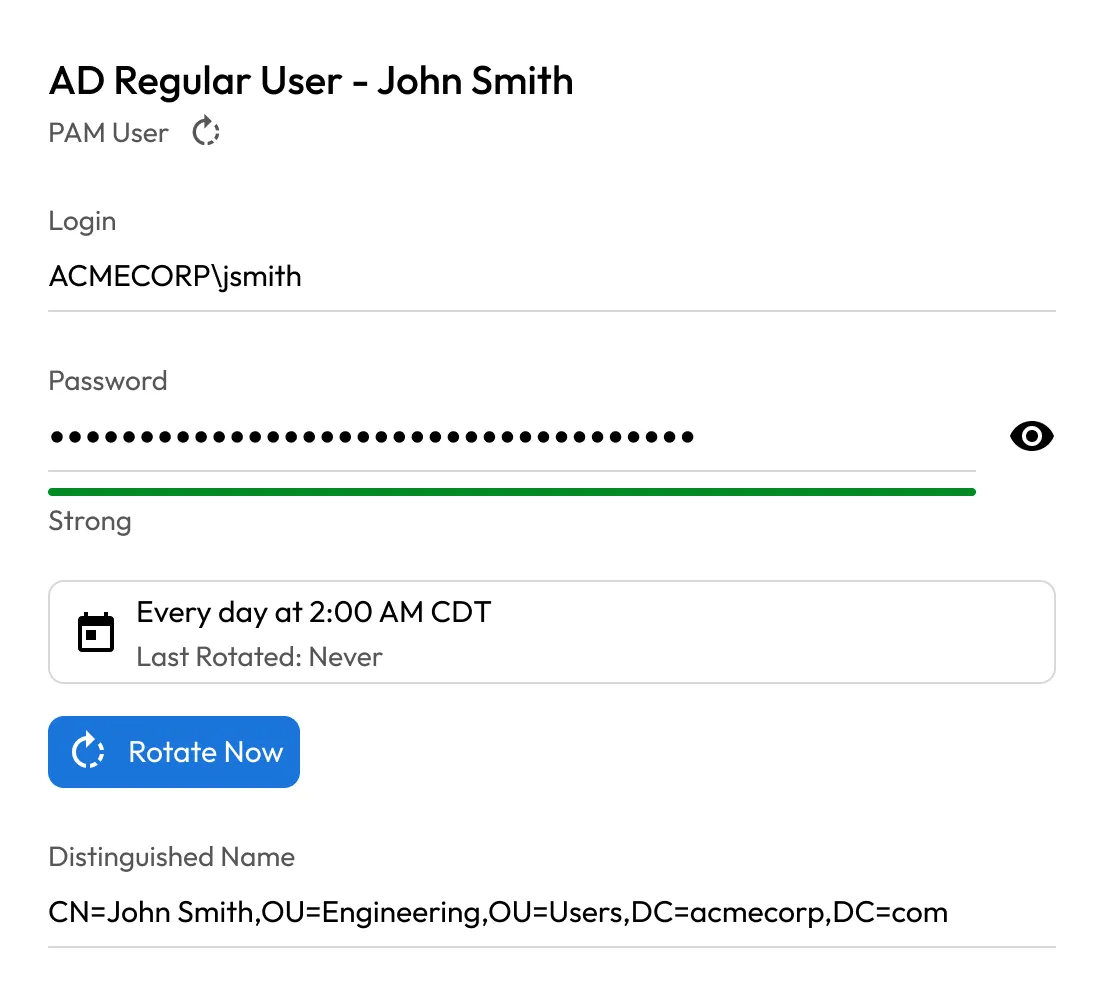
Keeper PAM user record for John Smith showing AD login, masked password, daily rotation schedule, and distinguished name

AD and Entra ID identity creation

Creates identities directly in Active Directory or Microsoft Entra ID via the Keeper Gateway, an outbound-only connection component that brokers access to your directory without requiring inbound firewall changes, with group assignments handled automatically.

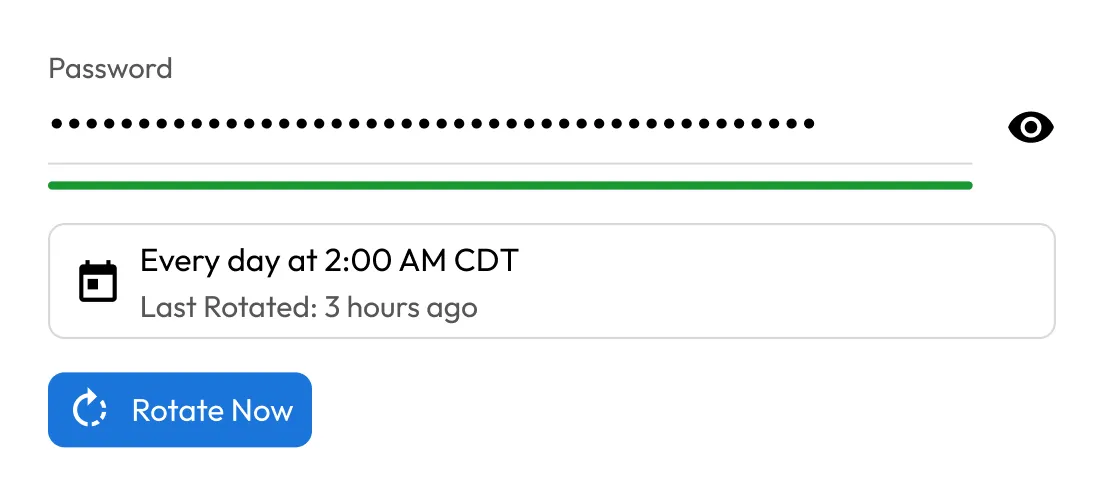
Automated password rotation

Configures and immediately triggers rotation on the new credential. Schedule it with a CRON expression, weekly, daily or at any cadence you need.

Keeper password rotation schedule showing a strong masked password, daily rotation at 2:00 AM CDT, and last rotation 3 hours ago
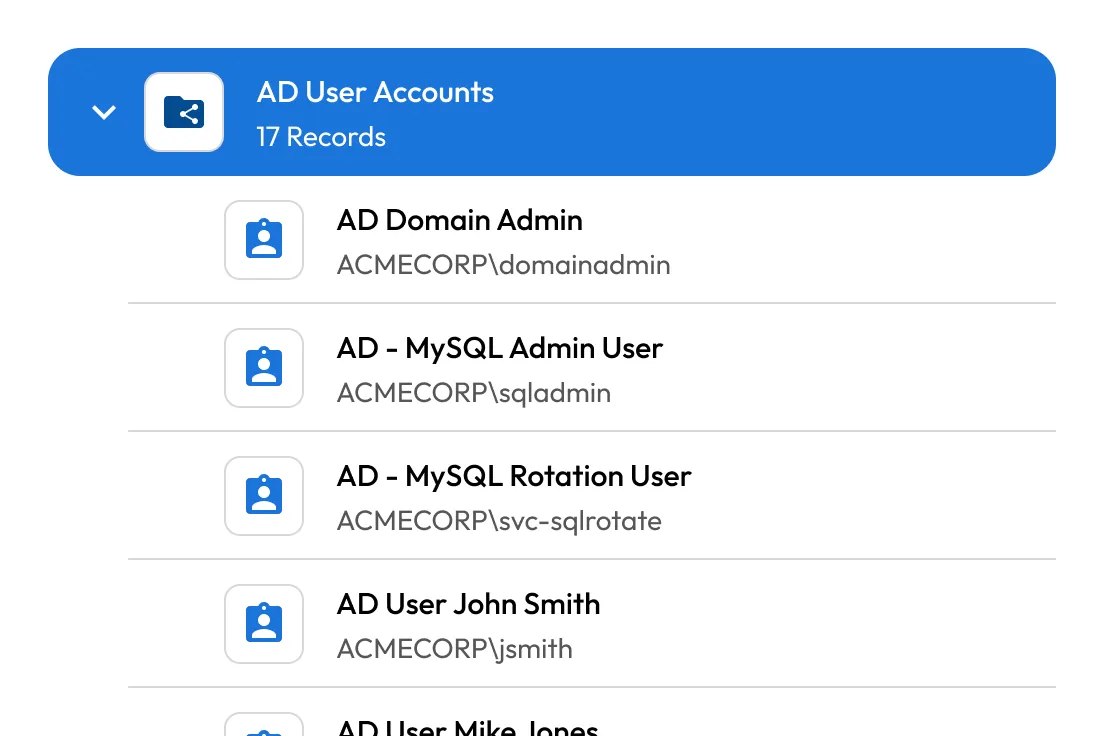
Keeper vault folder showing AD user account records, including domain admin, MySQL admin, rotation user, and John Smith accounts

PAM User record creation

Creates and stores the PAM User record in your vault at a folder path you define, organized by department, team or any structure you prefer.

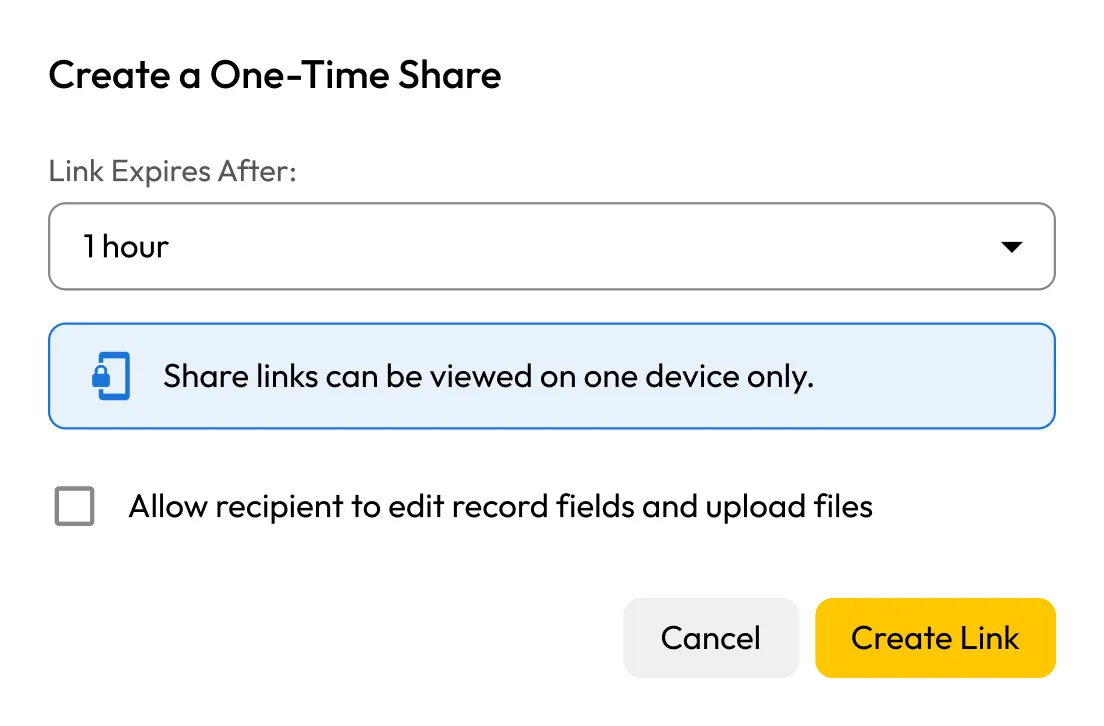
Secure credential delivery

Delivers credentials to the recipient as a One-Time Share link via email, directly into their Keeper Vault or both. For privileged or high-sensitivity accounts, direct vault share is the recommended option.

Keeper one-time share dialog with a 1-hour expiration, single-device access notice, edit permission option, and Create Link button
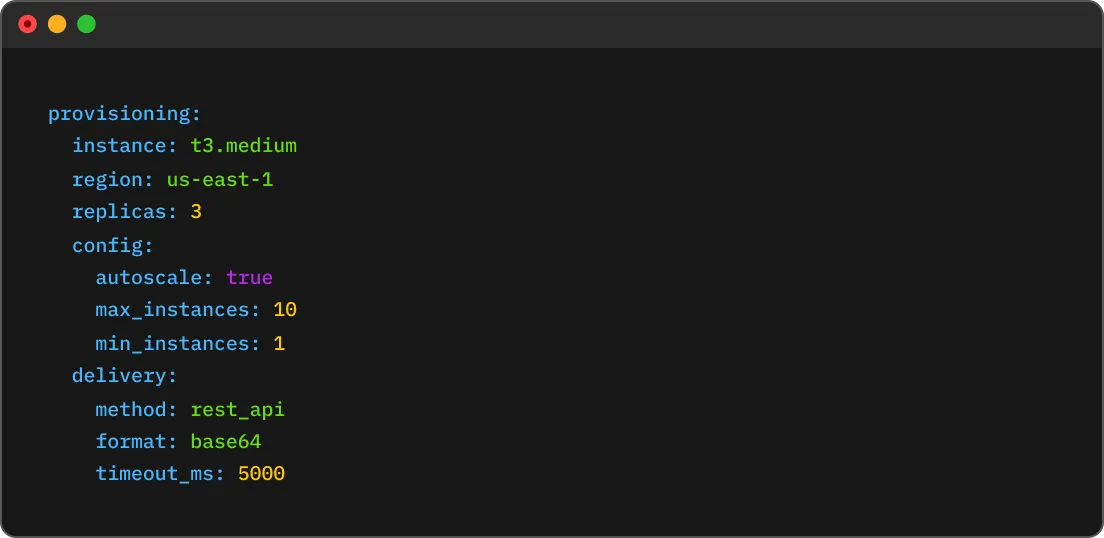
YAML provisioning configuration showing instance size, AWS region, replicas, autoscaling limits, and REST API delivery settings

YAML-based configuration

All provisioning parameters are defined in a single YAML file. Pass it via file path, base64 string or through the REST API for programmatic workflows.

REST API support

Use website_feature_ac_faq_0002=Yes. Automation Commands support Active Directory, Microsoft Entra ID, AWS and GCP. If you're working with Entra ID or a cloud environment, you can skip the AD-specific fields entirely. Keeper Commander's Service Mode REST API to trigger provisioning from any identity governance platform — Workday, SailPoint, ConductorOne, Aquera and others.

API integration diagram showing Keeper connected to an API service, ngrok, and a cloud service

Built for these workflows

New employee onboarding

Trigger provisioning from your HR system the moment a new hire is added. Credentials are delivered before day one.

Admin account creation

Spin up privileged AD service accounts with group assignments, rotation and delivery to the right vault — no manual steps.

Self-service password reset

Automate the entire reset flow: rotate the password, generate a One-Time Share link and email it to the user.

Cloud IAM provisioning

Works with AWS IAM, Microsoft Entra ID and GCP in addition to on-prem AD — same command, same config structure.

Frequently asked questions

Can I use Automation Commands without Active Directory?

Yes. Automation Commands support Active Directory, Microsoft Entra ID, AWS and GCP. If you're working with Entra ID as a standalone provider, you can skip the AD-specific federation settings.

What happens if the user already exists in the directory?

Automation Commands checks for duplicate accounts before taking any action. If a matching user is found, the process stops and flags the conflict rather than creating a duplicate.

Can I test configurations before running it for real?

Yes. The --dry-run flag validates your YAML file and checks that everything is in order without creating any accounts, records or sending any emails.

What's the difference between email delivery and direct vault share?

Direct vault share places the record inside the recipient's existing Keeper Vault and restricts access to that authenticated user only. Email delivery sends a one-time link that can be used to decrypt the credentials without a Keeper account, making it useful for external recipients or users who haven't yet set up their vault. Links are time-limited and expire automatically. For privileged accounts, direct vault share is the more secure option. You can configure both delivery methods in the same YAML file and they'll run independently.

What happens if part of the provisioning workflow fails?

If a step fails, for example if the Gateway is unreachable or rotation does not complete, the structured output log flags which step failed and why. Partially completed workflows do not succeed silently; each step's status is reported individually so you can identify and resolve issues without guesswork.

Is there a way to see what the command did after it runs?

Yes, every run produces a structured output that logs each step — account creation, group assignment, rotation status and delivery confirmation. You can return this as plaintext or JSON, depending on how you consume the results.

Withdraw Cookie ConsentWe value your privacy

We use cookies on our site to give you the best browsing experience, serve personalized ads about our products and content, and analyze website traffic. To learn more, please refer to our Privacy Policy.

Sign up for a Free Trial

Buy Now