حل Remote Privileged Access Management (RPAM)
وصول مميز آمن عن بُعد دون كشف بيانات الاعتماد
امنح الموظفين والموردين والجهات الخارجية الموثوق بها إمكانية وصول مميزة عن بُعد إلى الأنظمة الهامة من دون الحاجة إلى استخدام شبكة VPN.
شركة Keeper Security مُدرجة في تقرير Gartner Magic Quadrant لعام 2025 لإدارة الوصول المميز (PAM).
اعرف المزيدامنح الموظفين والموردين والجهات الخارجية الموثوق بها إمكانية وصول مميزة عن بُعد إلى الأنظمة الهامة من دون الحاجة إلى استخدام شبكة VPN.
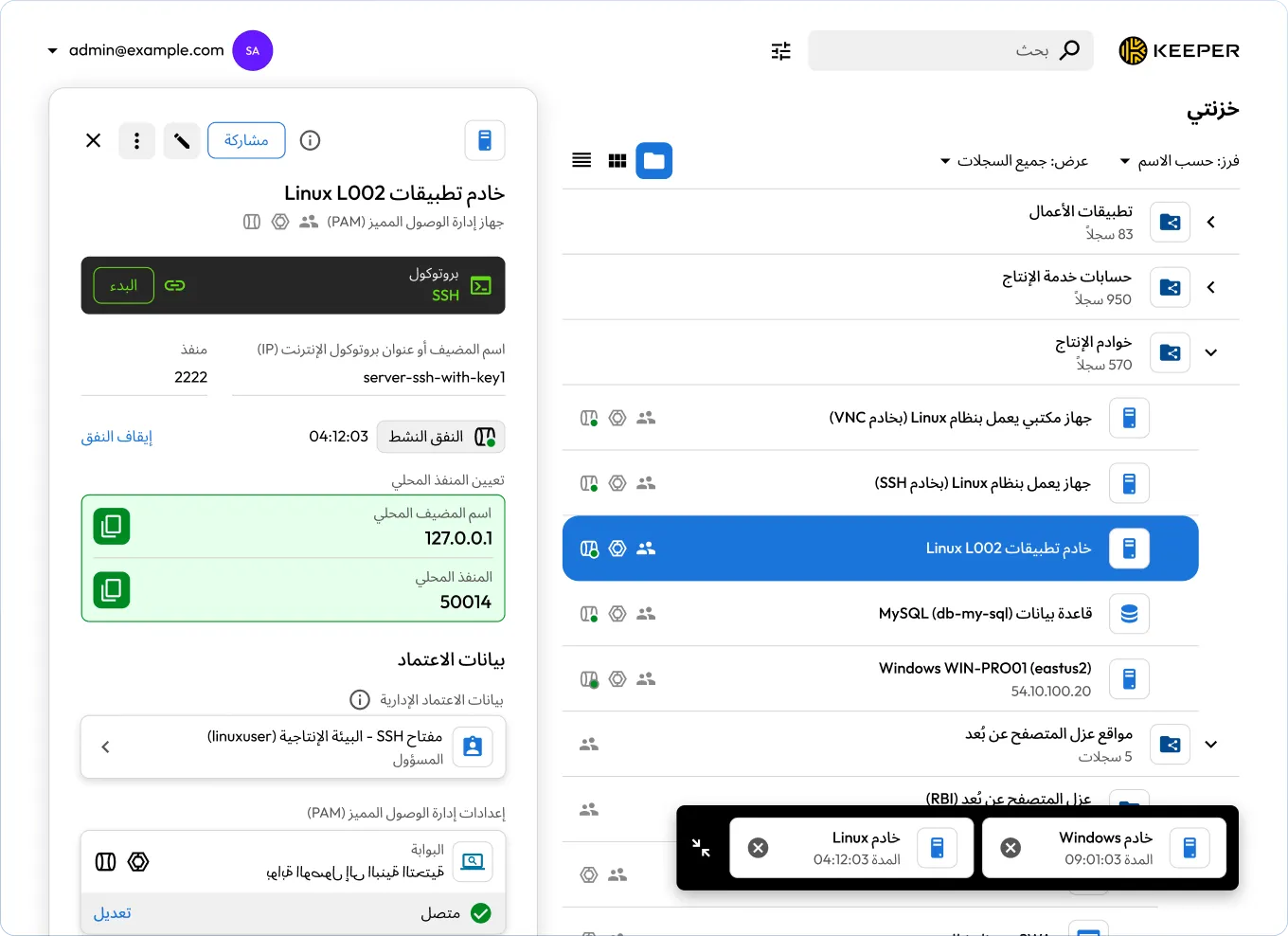

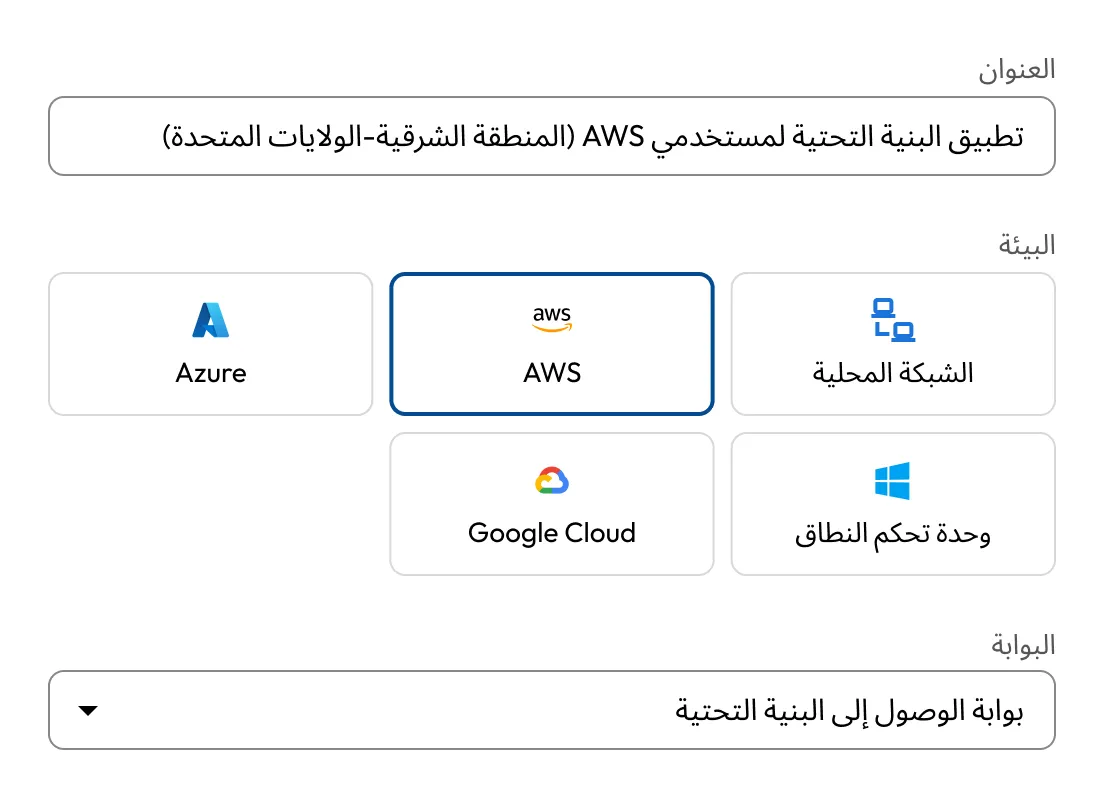
وحِّد الوصول إلى البنية التحتية متعددة السحابات والبيئات المحلية. توفّر بوابة Keeper Gateway نقاط دخول آمنة ومشفَّرة عبر جميع البيئات.

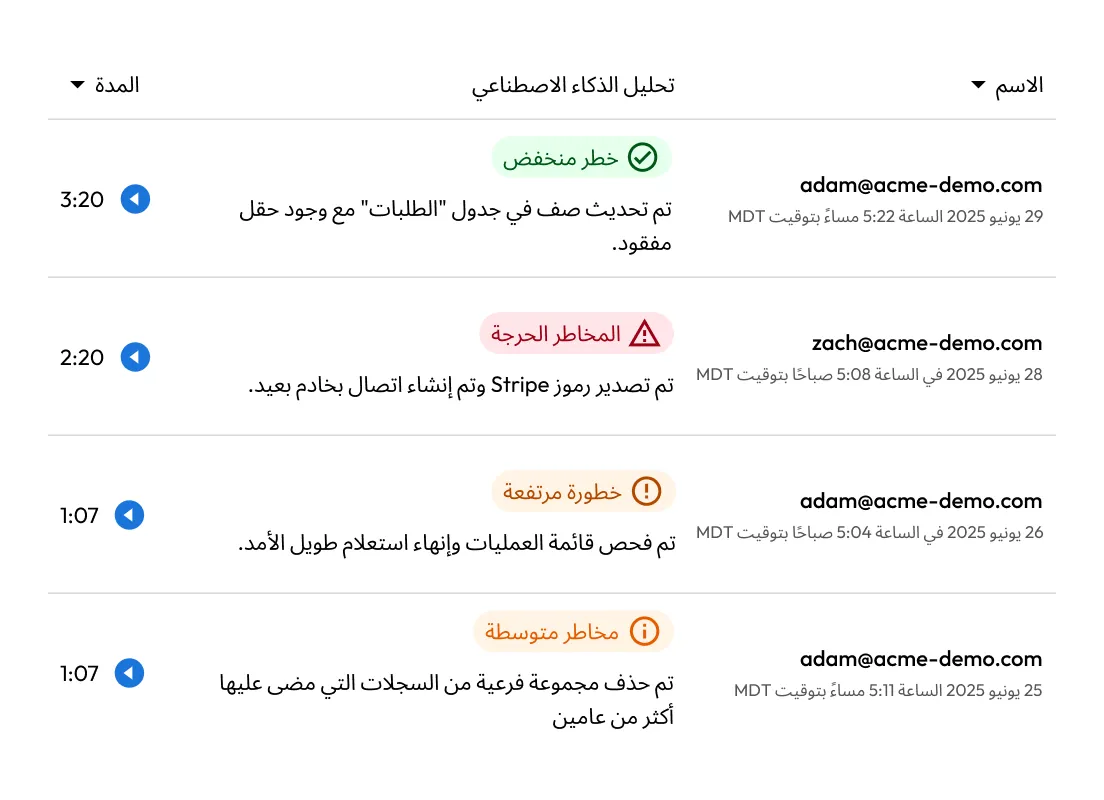
سجّل كل نقرة، وكل ضغطة على لوحة المفاتيح، وكل أمر. يتم تسجيل جميع أنشطة الجلسة ويمكن إرسالها مباشرةً إلى نظام SIEM لديك للتحليل والمراجعة في الوقت الفعلي.

تمكين وصول آمن عن بُعد عبر قنوات مُشفَّرة وحقن بيانات الاعتماد. لا حاجة لتغييرات في جدران الحماية، ولا تعرّض واسع للشبكة، ولا حاجة إلى شبكات VPN.

يقوم KeeperAIبتحليل كل جلسة في الوقت الفعلي، وتصنيف نشاط المستخدم، وإنهاء الجلسات عالية الخطورة تلقائيًا لإيقاف التهديدات فورًا.
يتيح KeeperPAM وصولًا آمنًا عن بُعد من خلال توجيه جميع الاتصالات المميزة عبر Keeper Vault. هذا يلغي الحاجة إلى الوصول المباشر إلى الأنظمة المستهدفة، ما يقلّل من مساحات الهجوم ويبسّط الوصول عن بُعد للمستخدمين.
تُنشئ بوابة Keeper Gateway قنوات مُشفّرة صادرة إلى الأنظمة المستهدفة، دون الحاجة إلى وكلاء أو شبكات VPN أو تغييرات في جدار الحماية. يبسط ذلك عملية النشر ويُطبّق في الوقت ذاته مبادئ الثقة الصفرية عبر البيئات السحابية والمحلية.
باستخدام KeeperPAM، يمكن للمستخدمين الحصول على وصول مؤقت ومحدد زمنياً إلى البنية التحتية دون رؤية بيانات الاعتماد أو مفاتيح SSH مطلقًا. بعد إلغاء الوصول، يمكن تدوير بيانات الاعتماد تلقائيًا لمنع إعادة استخدامها وتقليل المخاطر.
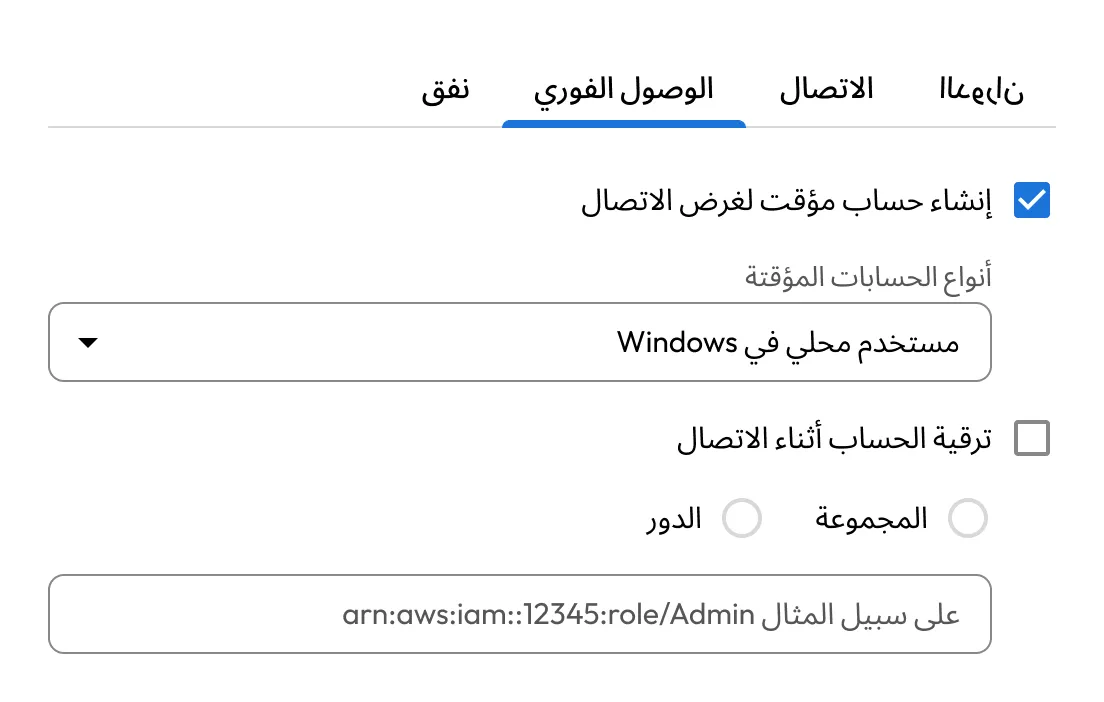
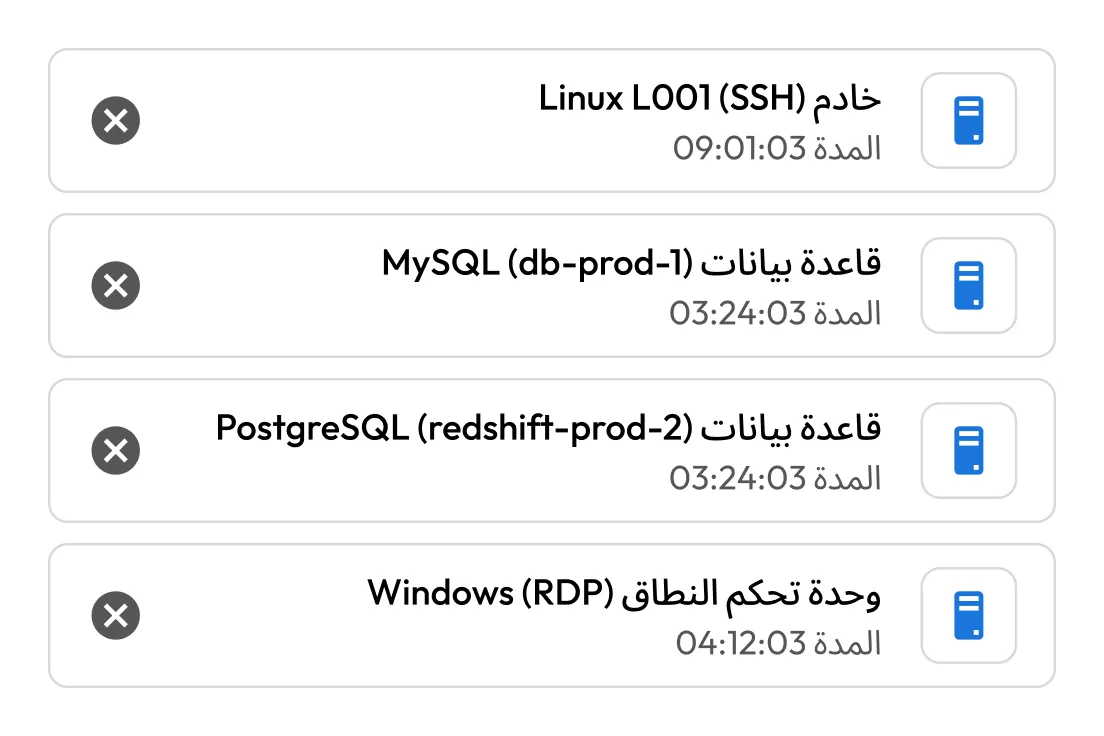
يدعم KeeperPAM أدوات التطوير وقواعد البيانات الشائعة مثل PuTTY وpgAdmin وMySQL Workbench. يمكن للمستخدمين بدء أنفاق مُشفّرة مباشرةً من الخزانة (Vault)، مع الحفاظ على الوصول الآمن من دون تغيير سير العمل.
ضع إدارة الوصول المميز عبر AWS وAzure وGCP والأنظمة المحلية ضمن واجهة مستخدم واحدة. تضمن بوابات Keeper Gateways المنتشرة في كل بيئة تطبيقًا متسقًا للسياسات ورؤية واضحة عبر البنية التحتية الموزعة.
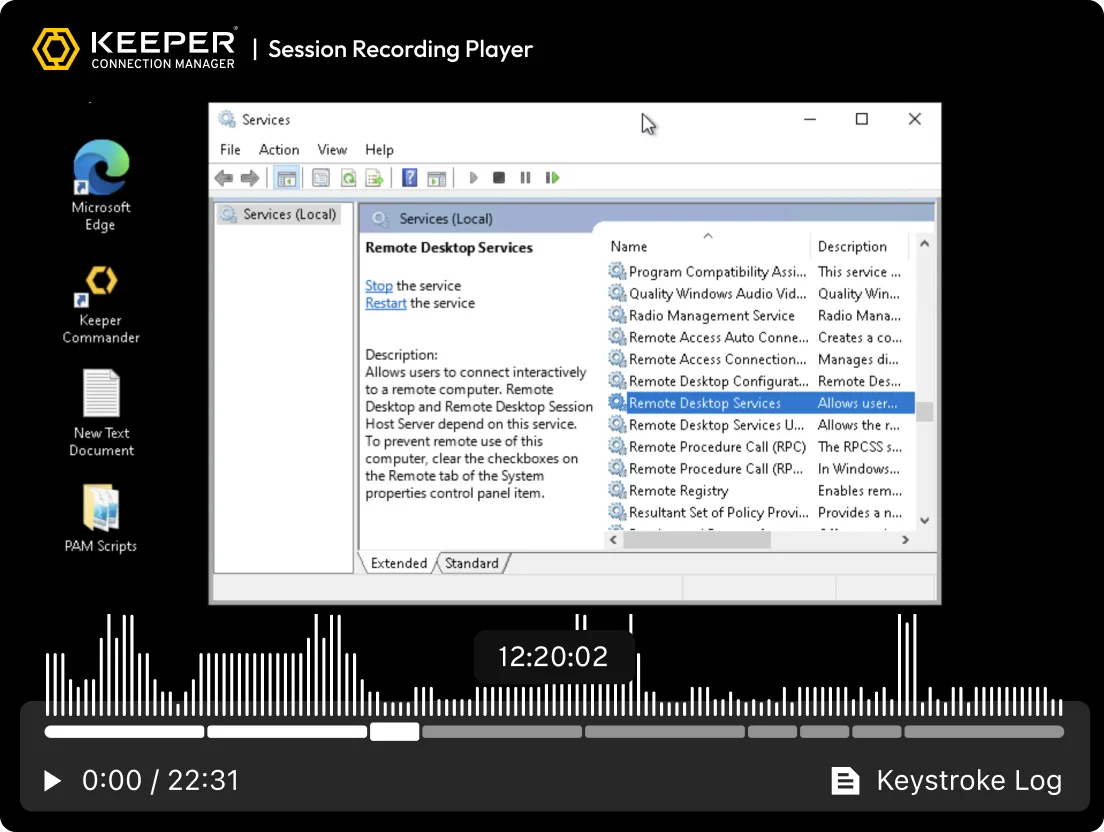
يسجّل KeeperPAM نشاط الشاشة وضغطات المفاتيح لجميع الجلسات البعيدة، بما في ذلك SSH وRDP وVNC وقواعد البيانات والمتصفح. يضمن ذلك الامتثال والجاهزية للتدقيق وتحميل المسؤولية عن جميع الأنشطة المميزة.
طبّق ضوابط التحكم في الوصول المستندة إلى الأدوار (RBAC) وفرض المصادقة متعددة العوامل (MFA) عبر جميع الأنظمة، حتى تلك التي لا تحتوي على المصادقة متعددة العوامل الأصلية.
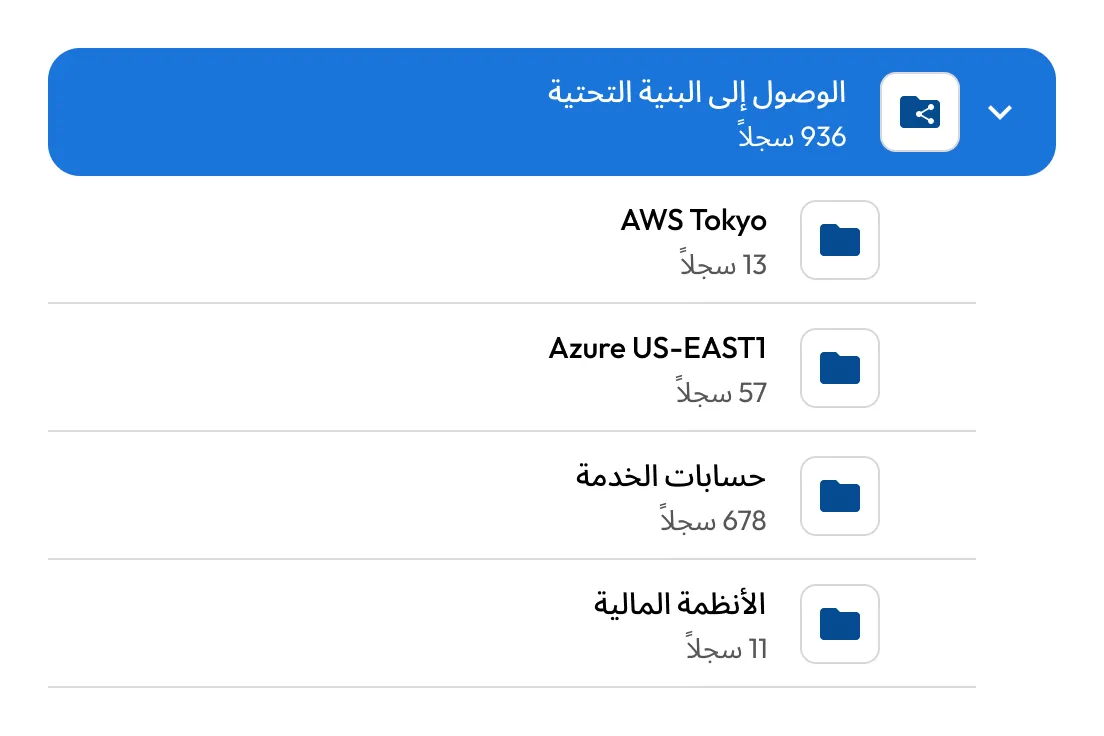

باشر إدارة الأسرار ضمن واجهة واحدها عبر جميع البيئات. يخزّن Keeper أسرار البنية التحتية مثل مفاتيح API والشهادات وبيانات اعتماد قواعد البيانات بأمان ويقوم بتدويرها.

شغِّل جلسات متصفح محمية للتطبيقات الداخلية أو التطبيقات القائمة على الويب من داخل Keeper. يؤدي ذلك إلى عزل نقطة النهاية عن بيئات الويب الحساسة، ويمنع النقل غير المصرح للبيانات (النسخ/اللصق، والتنزيلات)، ويضمن وصولًا آمنًا على أجهزة BYOD.

سجل تلقائيًا نشاط الشاشة ولوحة المفاتيح عبر جميع الجلسات عن بُعد، بما في ذلك بروتوكولات الطرفية وسطح المكتب والمتصفح وقواعد البيانات. تُشفَّر التسجيلات وتُخزَّن في السحابة لأغراض التدقيق والامتثال والتحقيق في الحوادث.
يوفّر KeeperPAM تسجيل الجلسات، والملء التلقائي لبيانات الاعتماد، وسجلات تدقيق واضحة — إلى جانب قدرات أخرى — لتمكين التصفح الآمن والوصول إلى البنية التحتية وفق نموذج قائم على الثقة الصفرية دون الحاجة إلى شبكات VPN أو وكيل محلّي.
RPAM هي حل أمني يتيح للمستخدمين المميزين الداخليين والخارجيين، مثل مسؤولي تكنولوجيا المعلومات والبائعين والمتعاقدين التابعين لأطراف ثالثة، الوصول الآمن إلى الأنظمة الحساسة من دون الاعتماد على شبكات VPN التقليدية. تفرض هذه التقنية مبدأ الحد الأدنى من الامتيازات وتحمي الأنظمة الحساسة من الوصول غير المصرح به أو المفرط.
يكمن الاختلاف بين RPAM وVPN في أنّ RPAM يركّز على التحكّم في الوصول المميز، وضمان الأمان، وتطبيق مبدأ الحد الأدنى من الامتيازات. بينما توفّر شبكة VPN وصولًا واسعًا وآمنًا إلى الشبكة من دون إدارة التفاصيل الدقيقة لجهات الوصول والصلاحيات.
مع تزايد عدد العاملين عن بُعد والعاملين الخارجيين، تواجه المؤسسات تهديدات جديدة في مجال الأمن الإلكتروني. ويتمثل التحدي في ضمان قدرة المستخدمين المميزين على الوصول إلى الأنظمة والموارد عن بُعد من دون المساس بالأمان أو الامتثال أو الإنتاجية. تضيف إدارة الوصول المميز عن بُعد طبقة من التعقيد، خصوصًا عند الاعتماد على الوصول المستند إلى شبكات VPN، ما قد يقلّل من المرونة والكفاءة لكلٍّ من مسؤولي تكنولوجيا المعلومات والمستخدمين النهائيين.
صُمِّم KeeperPAM لإدارة تعقيدات الوصول المميز عن بُعد، وضمان أن يظل هذا الوصول مضبوطًا بإحكام، وخاضعًا للرقابة، ومتوافقًا مع متطلبات الامتثال. ومن خلال الجمع بين ضوابط وصول دقيقة، وإدارة آمنة للجلسات، وميزات متقدّمة للتدقيق والامتثال، يعالج KeeperPAM تحديات RPAM ويمكّن المؤسسات من إدارة الوصول المميز بأمان، بما في ذلك للمستخدمين العاملين عن بُعد.
المستخدمون ذوو الصلاحيات المميزة يحتاجون إلى أذونات أعلى لأداء المهام الحساسة. ويتطلّب تأمين هذا النوع من الوصول تحقيق توازن دقيق بين الأمان والامتثال وسهولة الاستخدام. وعندما يصل المستخدمون المميزون إلى الأنظمة عن بُعد عبر حلول VPN التقليدية، يمكن أن تزداد البنية تعقيدًا وتتراجع الإنتاجية، مما يجعل مهمة فرق تكنولوجيا المعلومات في حماية هذا الوصول أكثر صعوبة.

عليك تمكين ملفات تعريف الارتباط لاستخدام الدردشة المباشرة.