远程特权访问管理 (RPAM)

Secure remote privileged access without exposing credentials

无需 VPN,就可为员工、供应商和受信任的第三方提供对关键系统的特权远程访问 。

Secure remote access for IT, DevOps and external teams

Secure cloud and on-prem access

Unify access to multi-cloud and on-prem infrastructure. The Keeper Gateway provides secure, encrypted entry points across all environments.

Track every remote session

Record every click, keystroke and command. All session activity is logged and can be streamed to your SIEM for real-time analysis and auditing.

摒弃 VPN

Enable encrypted remote access through encrypted tunnels and credential injection. No firewall changes, no broad network exposure, no VPNs required.

AI-powered risk detection

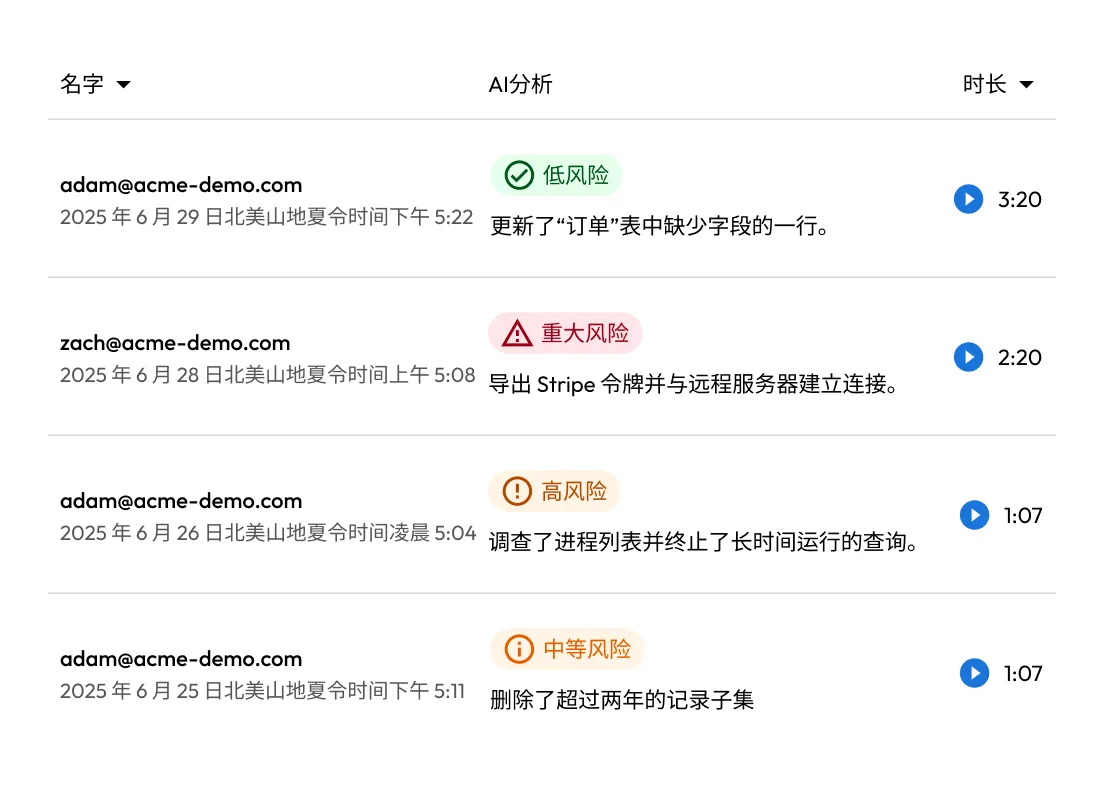
KeeperAI analyzes every session in real time, categorizes user activity and automatically ends high-risk sessions to stop threats instantly.

How KeeperPAM® enables secure remote privileged access

Connect users securely through the Keeper Vault

KeeperPAM enables secure remote access by routing all privileged connections through the Keeper Vault. This eliminates the need for direct access to target systems, reducing attack surfaces and simplifying remote access for users.

KeeperAI activity table showing user actions with risk levels (Low, Medium, High, Critical) and their durations.
Two connected hexagons representing integration between Keeper (blue logo with a “K” pattern) and a green security shield with a padlock icon.

Eliminate network complexity with agentless architecture

The Keeper Gateway establishes outbound, encrypted tunnels to target systems — no agents, VPNs or firewall changes required. This streamlines deployment while enforcing zero-trust principles across cloud and on-prem environments.

Provide Just-in-Time (JIT) access without exposing credentials

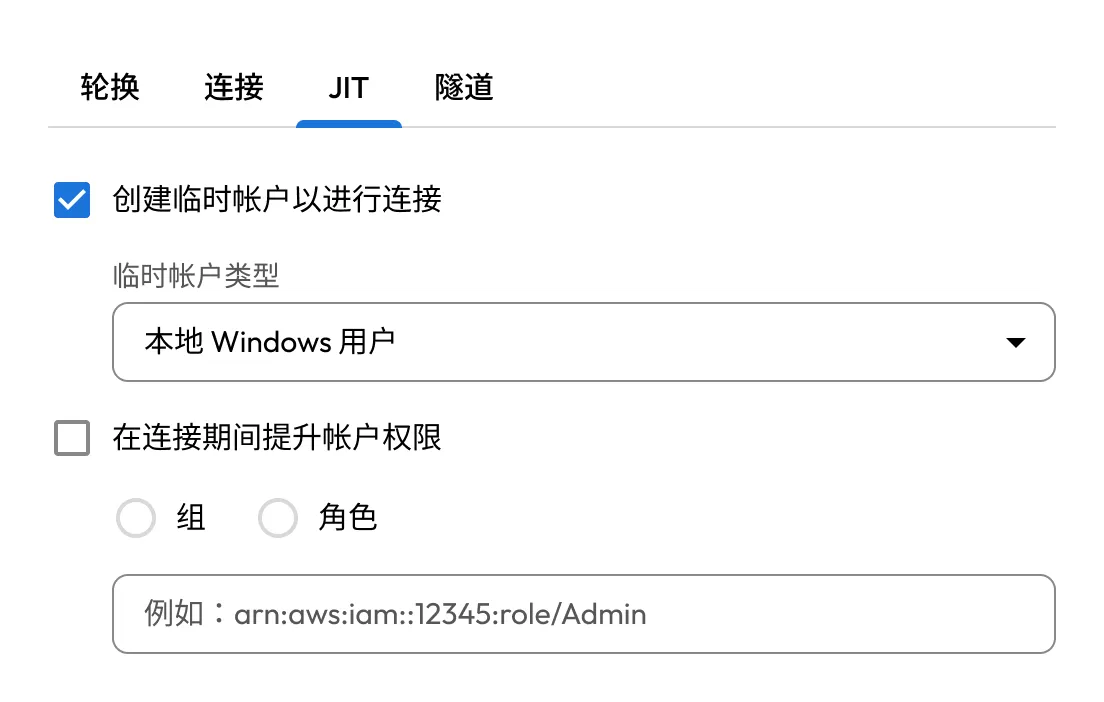
With KeeperPAM, users can receive temporary, time-bound access to infrastructure without ever seeing credentials or SSH keys. After access is revoked, credentials can be automatically rotated to prevent reuse and reduce risk.

Keeper JIT settings to create and manage ephemeral user accounts with optional role elevation.
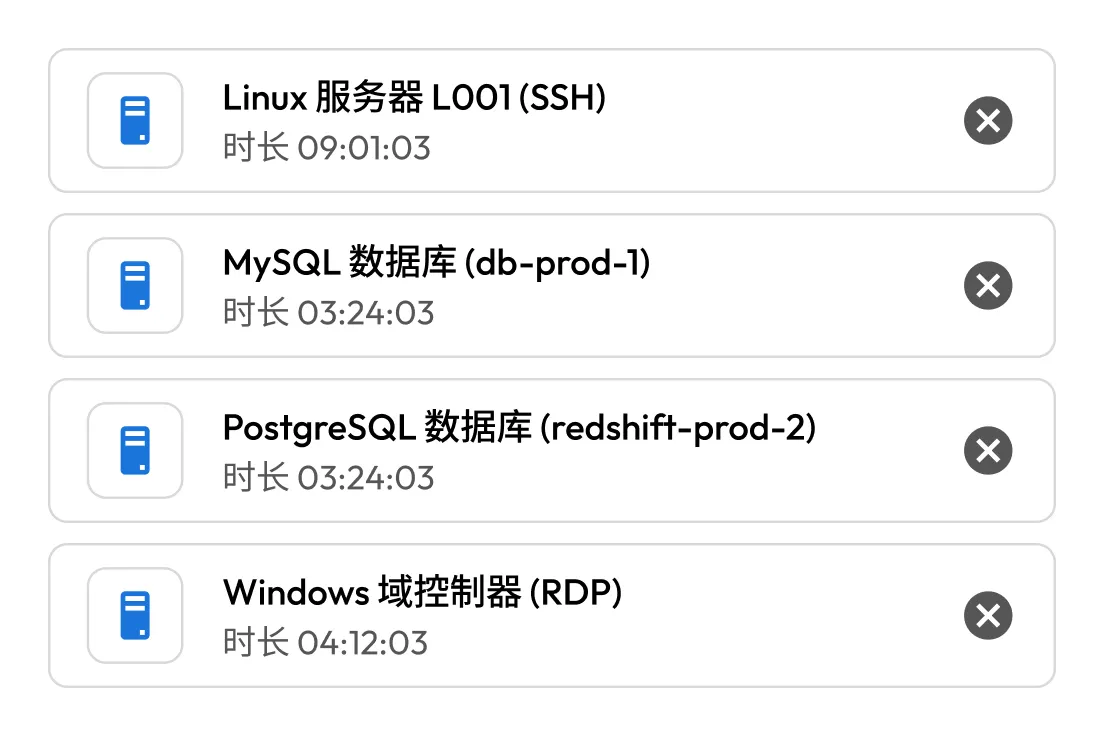
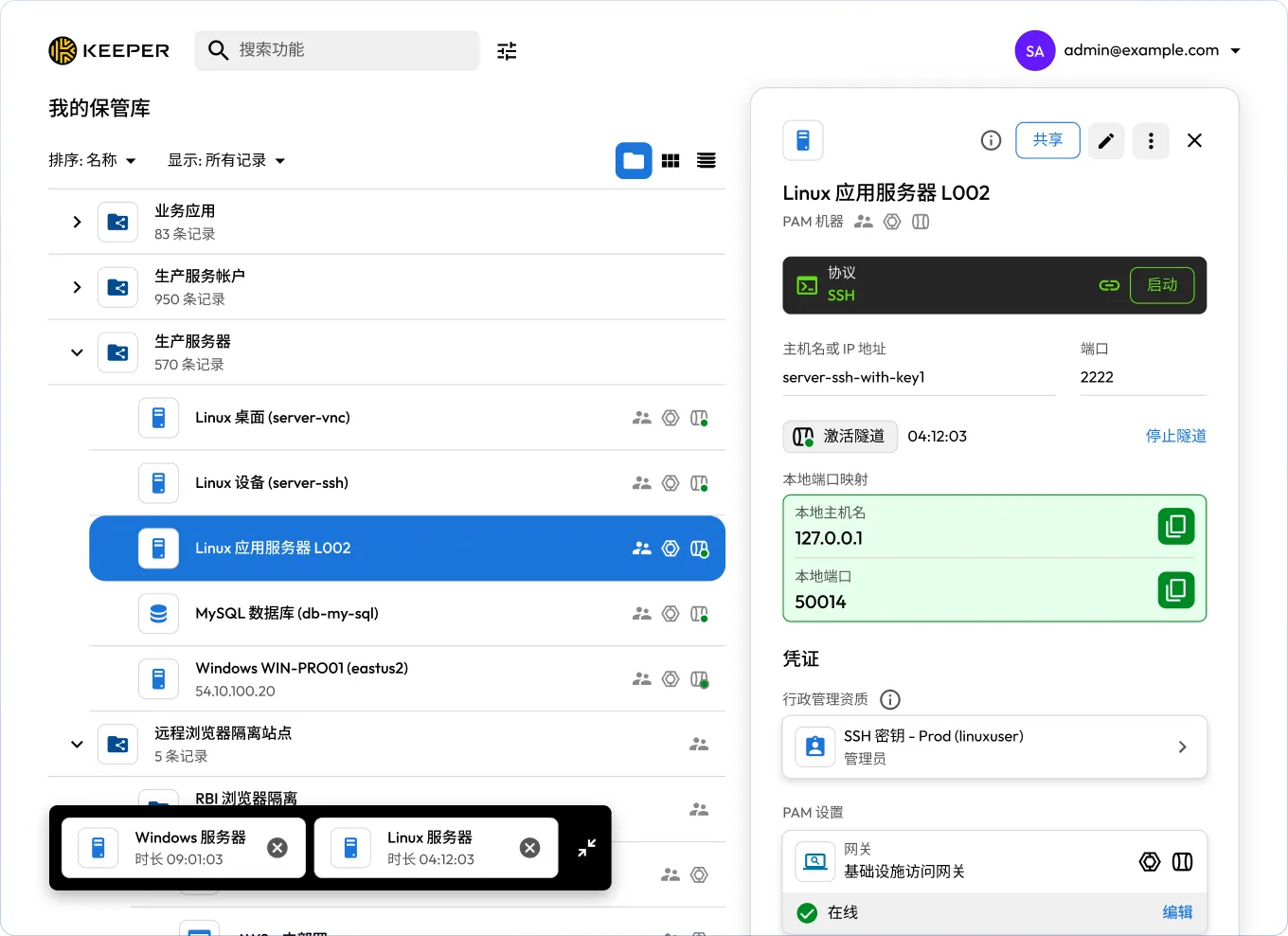
Keeper session list showing four active connections: Linux Server (SSH), MySQL Database, PostgreSQL Database, and Windows Domain Controller, each with its duration.

Enable developers to use native tools securely

KeeperPAM supports popular development and database tools such as PuTTY, pgAdmin and MySQL Workbench. Users can initiate encrypted tunnels directly from the Vault, preserving secure access without changing workflows.

Manage multi-cloud environments from one interface

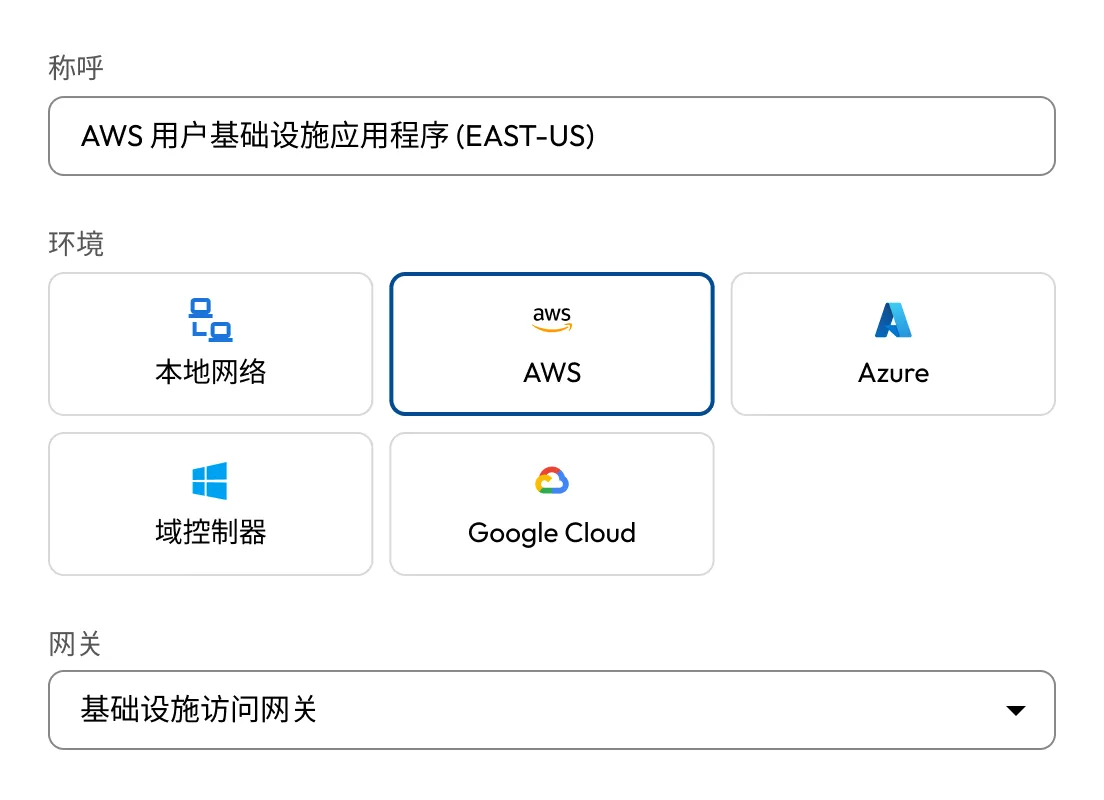
Centralize privileged access across AWS, Azure, GCP and on-prem systems in a single UI. Keeper Gateways deployed in each environment ensure consistent policy enforcement and visibility across distributed infrastructure.

Keeper configuration screen for an AWS User Infrastructure App showing environment options (Local Network, AWS, Azure, Domain Controller, Google Cloud) and a gateway selection dropdown.
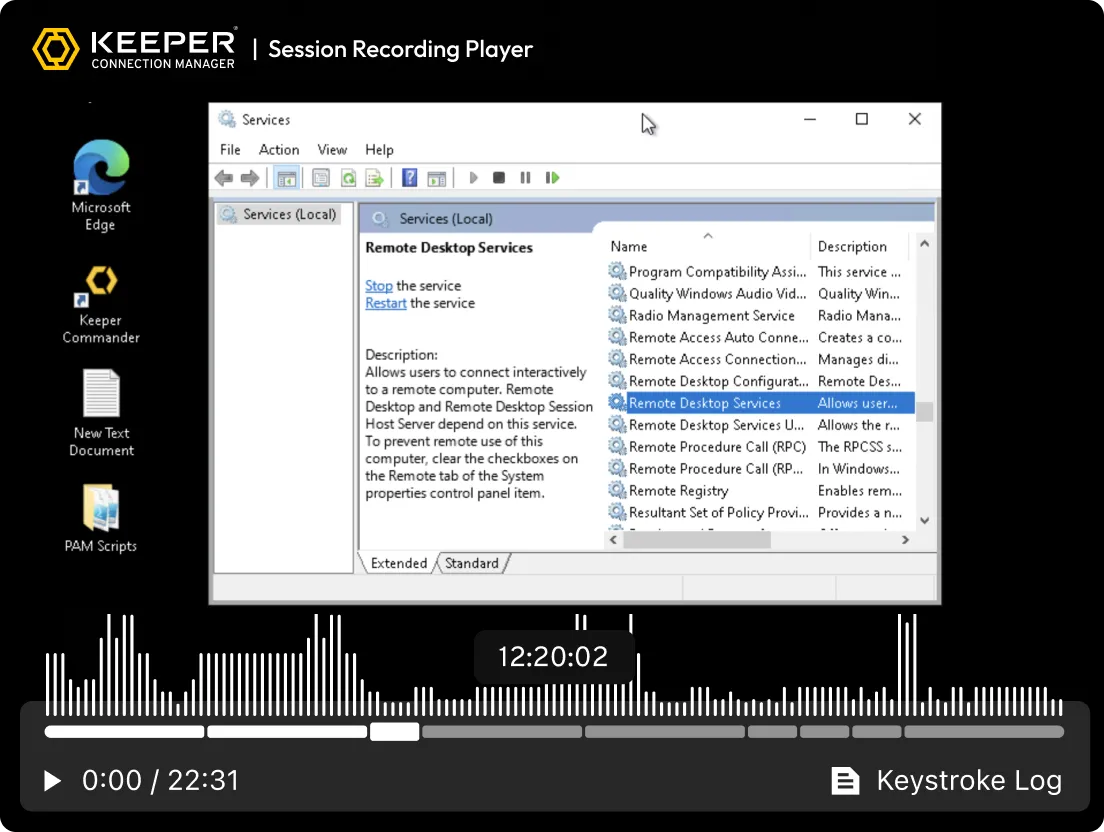
Keeper Session Recording Player showing a recorded Windows desktop session with the Services window open to “Remote Desktop Services,” along with playback controls and a keystroke log option.

Monitor every session with full visibility

KeeperPAM records screen and keystroke activity for all remote sessions: SSH, RDP, VNC, database and browser. This ensures compliance, audit readiness and accountability for all privileged activity.

Enforce access controls with role-based policies and MFA

Apply granular Role-Based Access Controls (RBAC) and enforce Multi-Factor Authentication (MFA) across all systems, even those without native MFA.

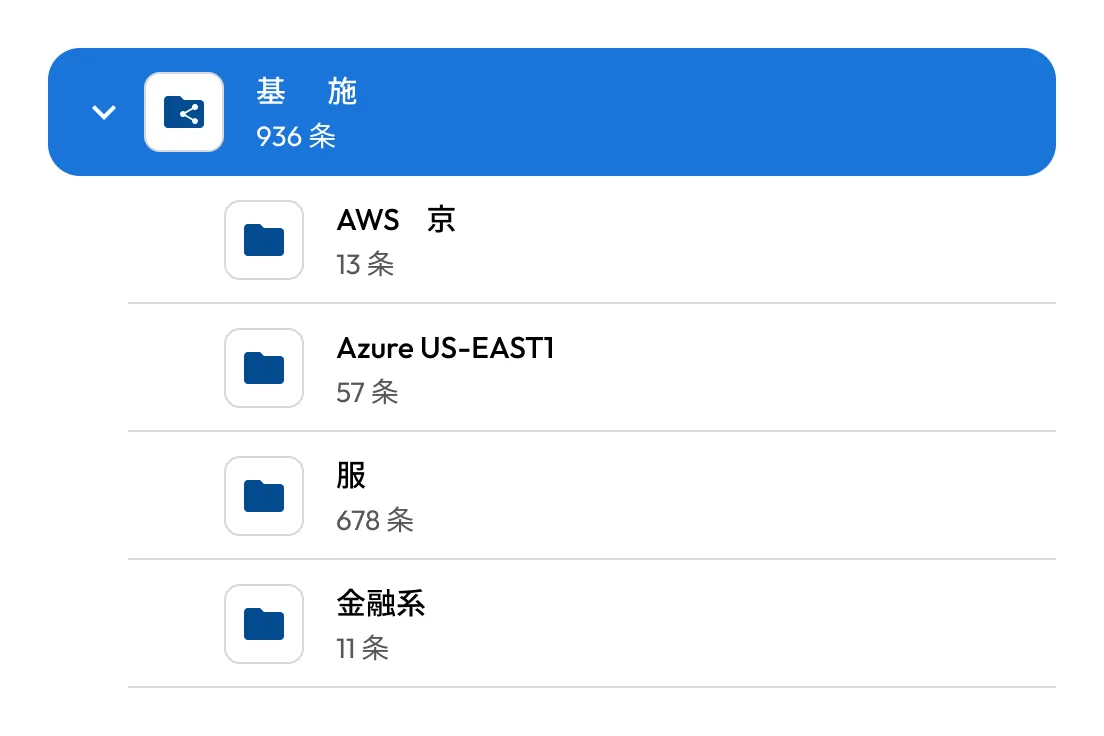
Keeper Infrastructure Access folder showing 936 records, including subfolders for AWS Tokyo, Azure US-EAST1, Service Accounts, and Financial Systems with record counts.

Streamline remote privileged access

机密管理

Centralize and automate secrets management across all environments. Keeper securely stores and rotates infrastructure secrets like API keys, certificates and database credentials.

远程浏览器隔离

Launch protected browser sessions to internal or web-based apps from within Keeper. This isolates the endpoint from sensitive web environments, prevents data exfiltration (copy/paste, downloads) and ensures secure access on BYOD devices.

Multi-protocol session recording

Automatically record screen and keyboard activity across all remote sessions, including terminal, desktop, browser and database protocols. Recordings are encrypted and stored in the cloud for auditing, compliance and incident investigation.

使用 Keeper 解决远程特权访问挑战

KeeperPAM provides session recording, credential autofill and clear audit trails — among other capabilities — to enable secure browsing and zero-trust infrastructure access without a VPN or local agent.

常见问题解答

什么是供应商特权访问管理 (VPAM)?

供应商特权访问管理 (VPAM) 是特权访问管理 (PAM) 的一个子集,专注于对第三方供应商的特权访问进行控制、监控和保障安全。VPAM 专为外部用户(如承包商、服务提供商或顾问)设计,这些用户需要临时获得更高权限以执行任务。VPAM 解决方案确保供应商仅能在有限时间内访问其被授权的系统,且不会暴露任何敏感凭证。它们通过实时访问、凭证注入、会话监控、审计日志记录和策略执行来实现这一目标,从而降低数据泄露风险、确保合规性,并对第三方活动保持全面可见性。

使用 KeeperPAM 进行供应商访问控制的关键好处有哪些?

KeeperPAM 通过提供安全、有时间限制的访问来增强供应商访问控制,在此过程中不会暴露凭证,也不需要常设特权。它利用即时配置、自动凭证轮换和特权会话记录来防止未经授权的访问。借助 KeeperPAM,组织可以降低 IT 开销、简化供应商入驻流程,并强化安全策略的执行。

Keeper 是否提供相关功能,允许远程特权用户使用自己设备上的工具来管理目标资源?

通过 Keeper 桌面应用程序使用 KeeperPAM 时,远程特权用户可以创建到目标系统的安全隧道,并使用他们自己的本地工具(如 SSH、RDP、数据库客户端等)来管理资源,而无需暴露凭证或使用 VPN。

如何在 KeeperPAM 中建立供应商连接?

KeeperPAM 中的供应商连接是通过安全、零信任架构建立的,该架构在消除凭证暴露风险的同时,提供了完整的可审计性和控制能力。IT 管理员通过创建连接记录并将其通过共享文件夹与外部供应商共享来配置访问权限,同时应用基于角色的策略和有时间限制的权限。

供应商通过 Keeper Vault 进行身份验证,该保管库可通过网页浏览器或桌面应用程序访问。进入保管库后,他们可以选择已授权的资源,并启动通过 Keeper 网关安全隧道传输的会话。供应商永远不会看到或接触到凭证。所有活动都会被实时记录和监控,以确保合规性、安全性,并为供应商提供无缝的访问体验。

KeeperPAM 如何在不暴露凭证的情况下保障供应商访问安全?

KeeperPAM 通过基于保管库的访问、凭证注入以及零知识、零信任架构,消除了凭证暴露的风险,从而保障供应商访问安全。所有凭证都经过加密并存储在 Keeper Vault 中;供应商永远不会看到或获取到这些凭证。

当供应商发起会话时,是通过连接记录来授予访问权限的,而非直接使用原始凭证。Keeper Gateway 会将凭证直接注入目标系统,确保凭证永远不会到达供应商的设备。供应商访问受基于角色的策略、有时间限制的会话以及实时监控的约束。所有活动都会在支持的协议下自动记录,为合规性和安全监督提供完整的可审计性。

立即购买