功能: 管理控制台

Centralized control over users, secrets and security policies

Keeper's Admin Console enables administrators to manage both human and Non-Human Identities (NHIs), enforce security policies and oversee privileged access, all from a single, secure interface.

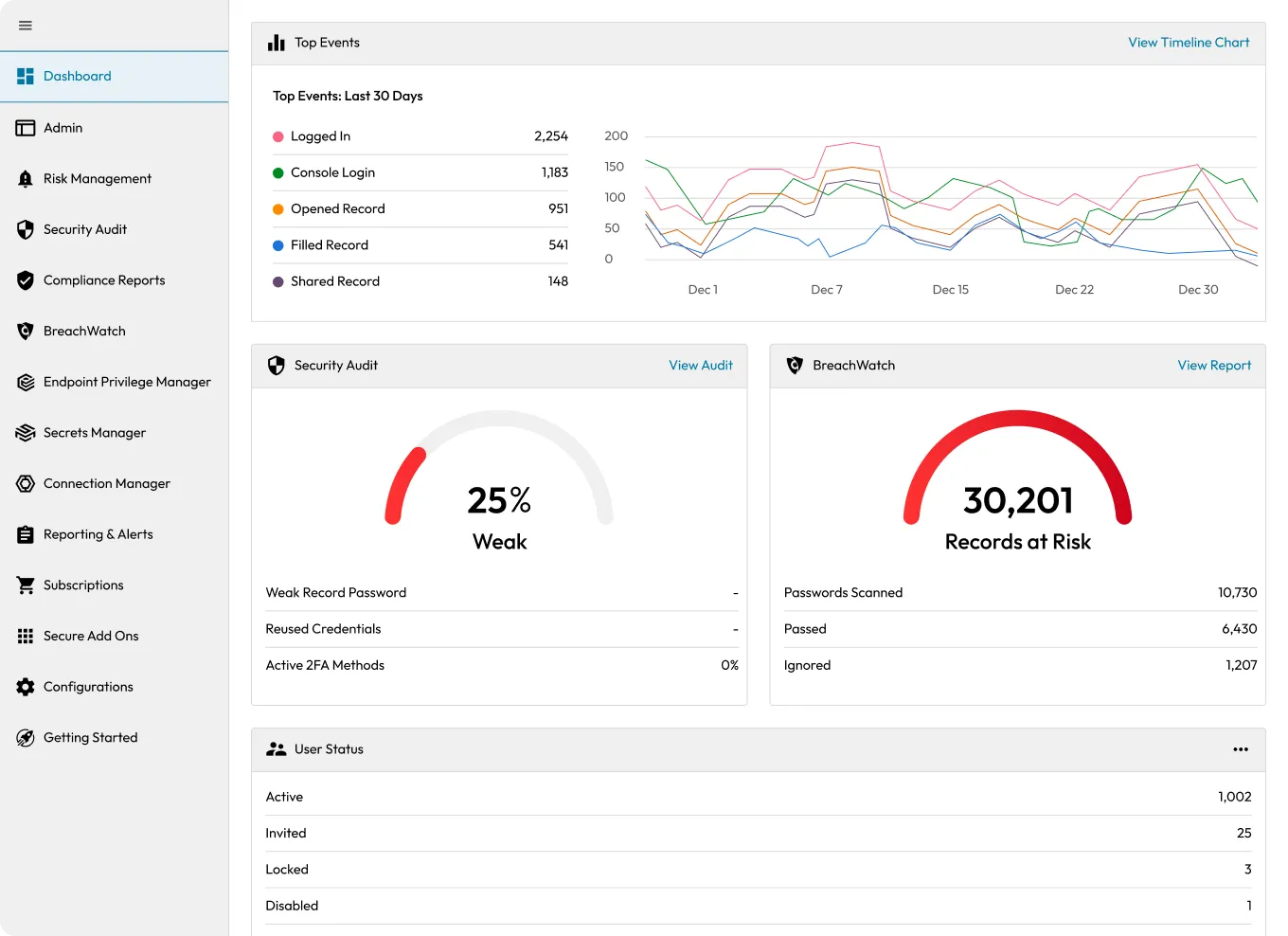
Keeper Admin Console dashboard showing top events, a weak security audit (25%), and BreachWatch with 30,201 records at risk.
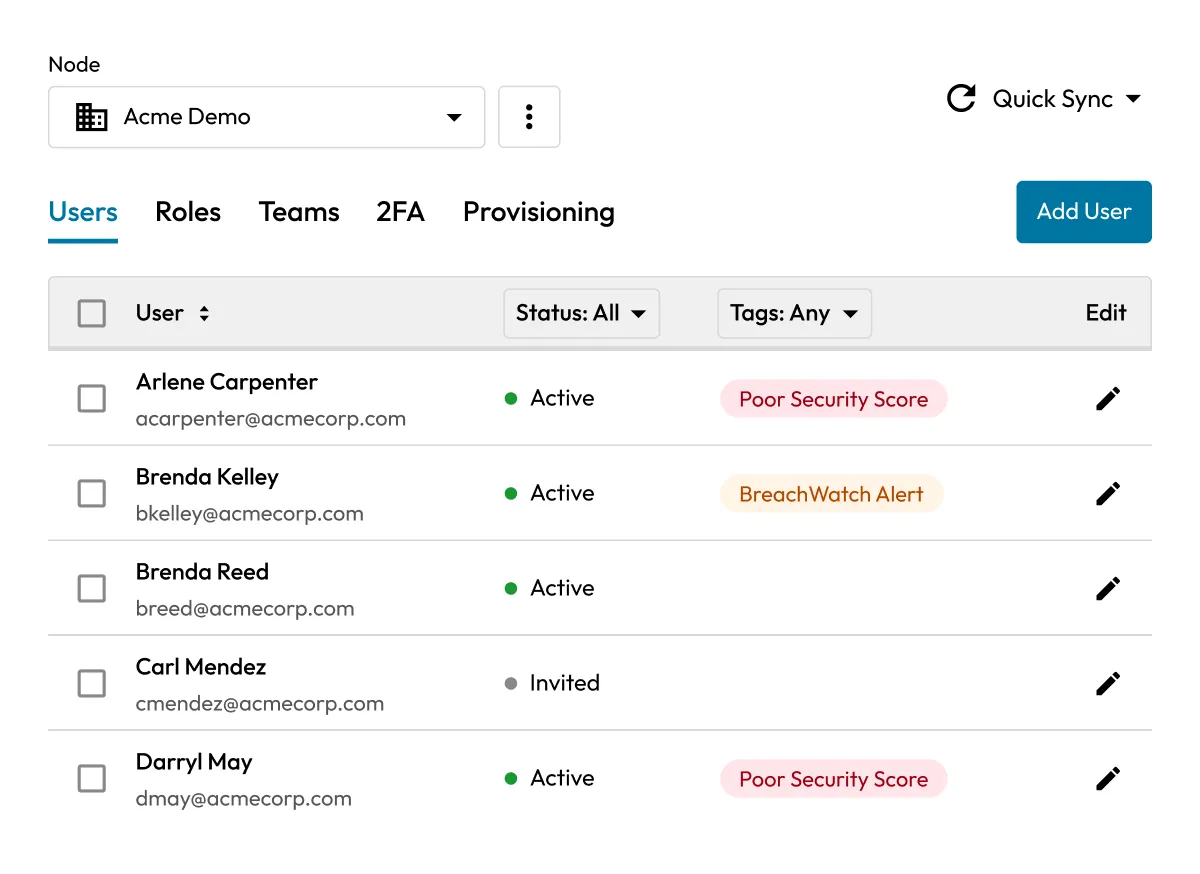
Keeper Admin Console showing a list of users with status indicators and security alerts such as “Poor Security Score” and “BreachWatch Alert.

What is the Keeper Admin Console?

The Keeper Admin Console is the centralized interface for IT administrators to deploy Keeper, manage users and teams, enforce role-based security policies, integrate with Identity Providers (IdPs) and monitor organizational activity.

A smarter way to manage users, access and security policies

Unified deployment and user provisioning

Whether onboarding a small team or rolling out Keeper enterprise-wide, the Admin Console simplifies setup with support for SCIM, SSO, Active Directory and Just-In-Time (JIT) provisioning. Users can be automatically assigned to roles and nodes based on your organizational structure or SSO domain.

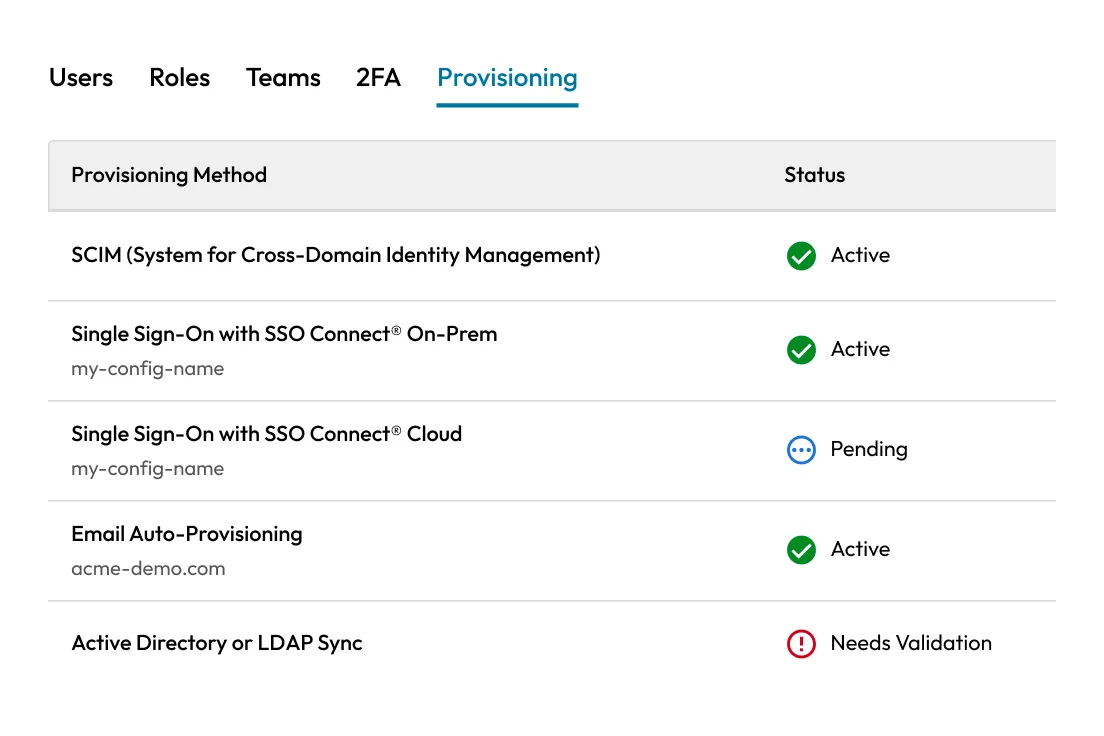
Keeper Admin Console provisioning tab showing various provisioning methods and their statuses, including Active, Pending, and Needs Validation.
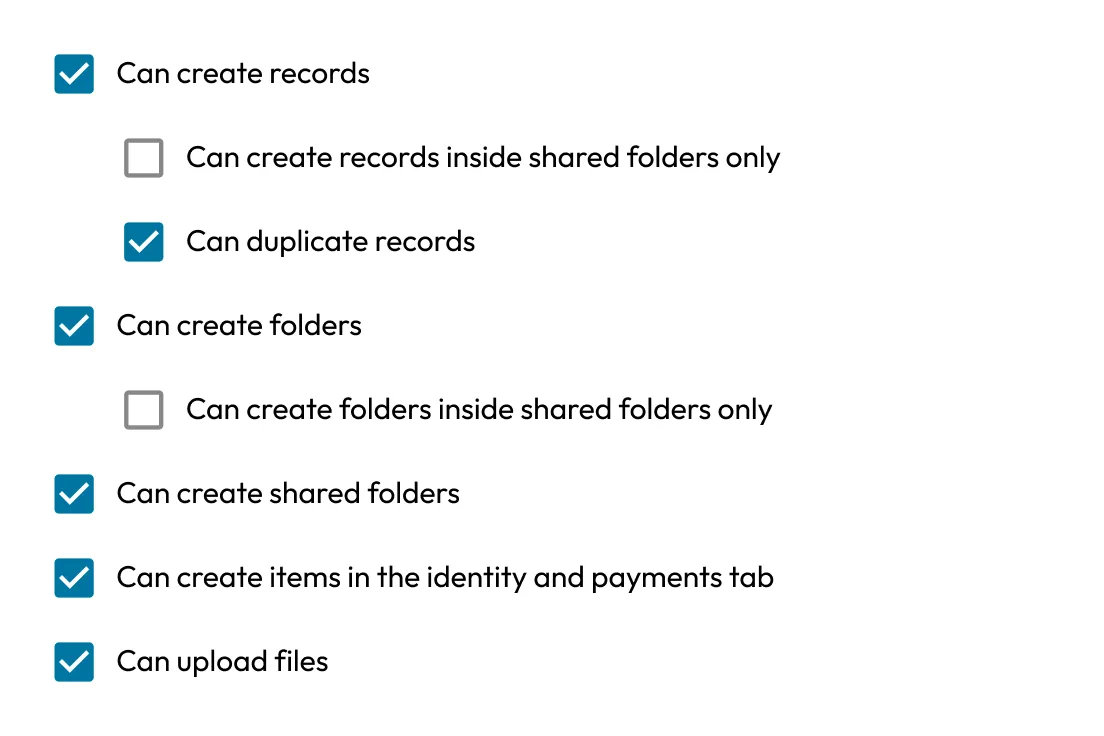
Permissions list showing checked options for creating and duplicating records, creating folders and shared folders, adding items, and uploading files.

Role-based policy enforcement and access control

Apply granular security policies by team, department or role. Enforce Multi-Factor Authentication (MFA), prevent password reuse, control data sharing, restrict exports and set authentication options tailored to your organization's needs.

Single Sign-On (SSO) made simple

Enable seamless authentication with Keeper SSO Connect®. The Admin Console supports SAML-based integration with any IdP, along with metadata uploads, role mapping and domain routing.

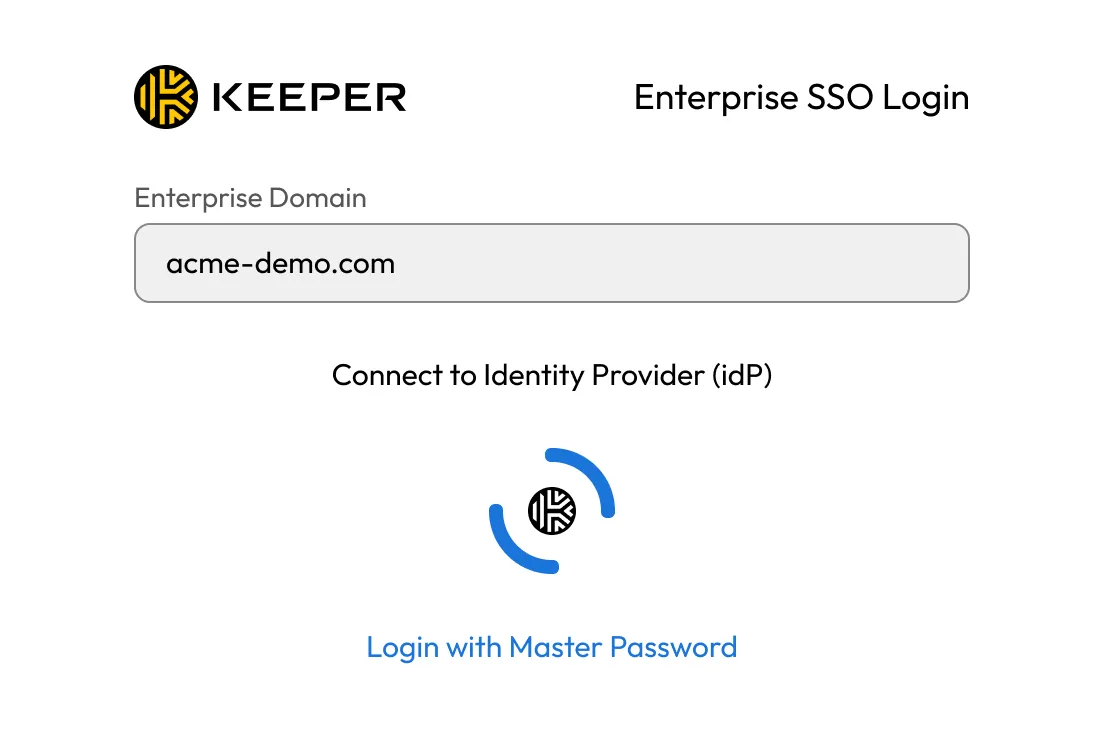
Keeper Enterprise SSO login screen showing an enterprise domain field with “acme-demo.com” and an option to connect to the identity provider or log in with a master password.
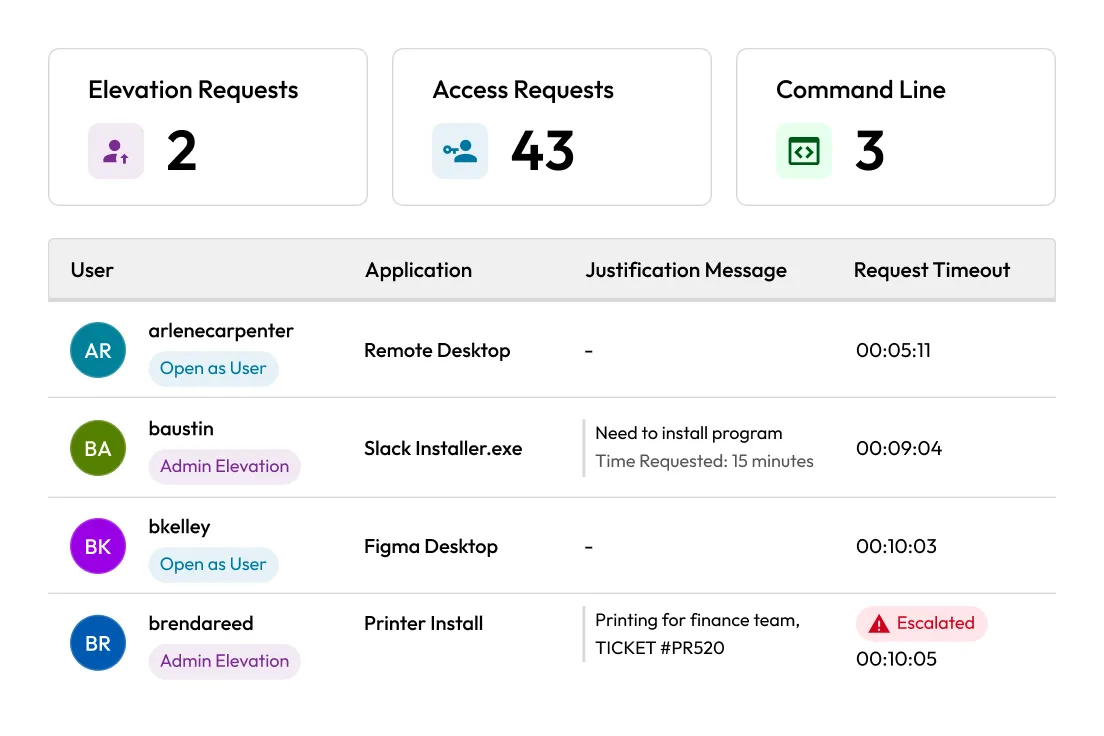
Keeper Admin Console screen showing elevation, access, and command line requests. Lists users with applications, justification messages, and request timeouts, including one escalated request.

Elevation approvals and access controls

Protect your environment with approval workflows for privilege elevation. Admins can review and approve requests in real time directly from the Admin Console.

Real-time monitoring and reporting

Gain visibility into human and NHI activity, vault changes and access events. Integrate with SIEM tools and automate reporting to support compliance and security operations.

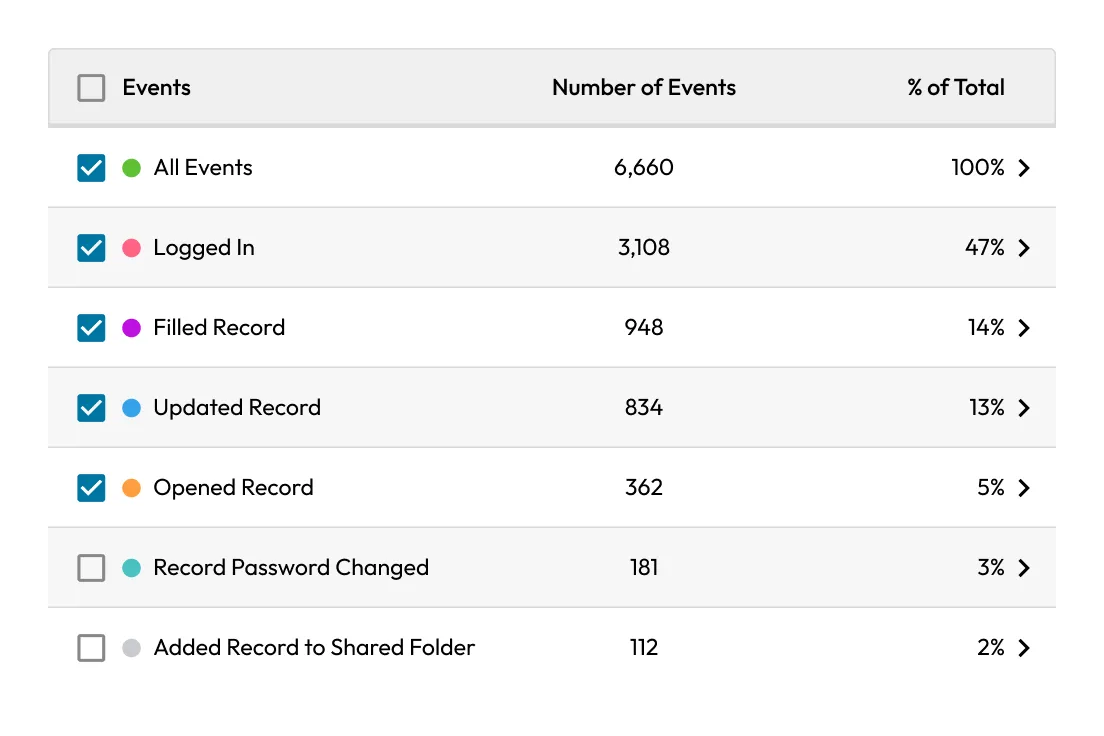
Keeper's Advanced Reporting and Alerts Module showing event categories, number of events, and percentage of total activity.
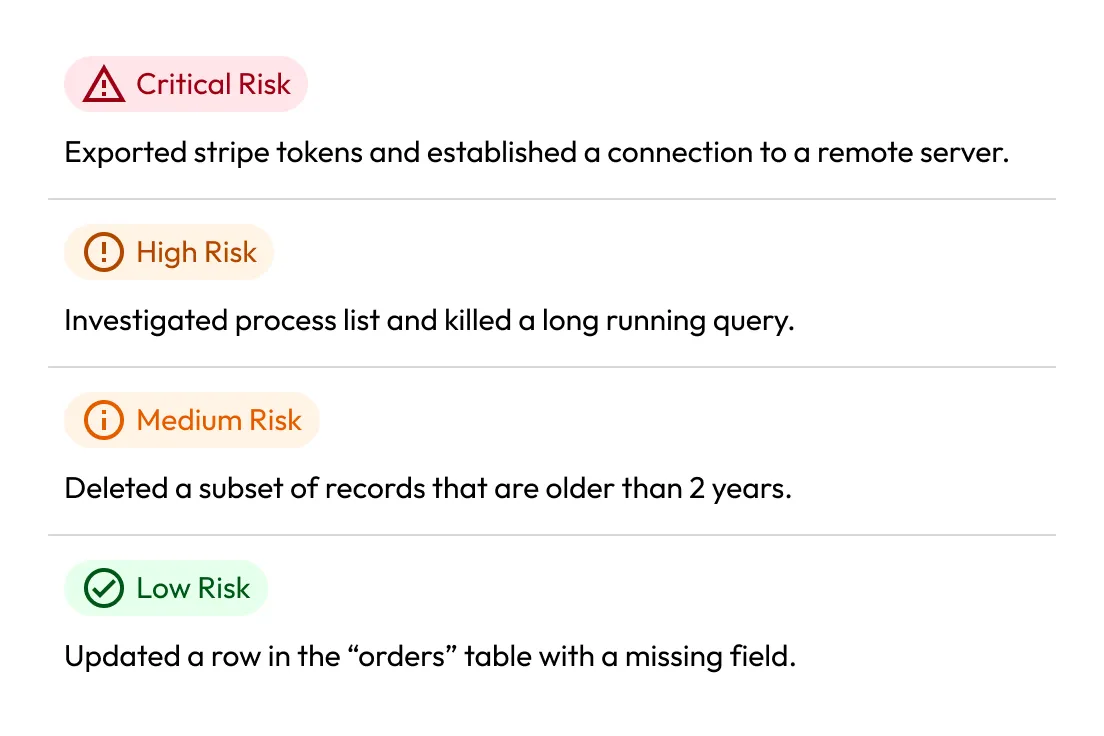
KeeperAI risk analysis panel showing four categorized alerts: Critical, High, Medium, and Low Risk, each describing corresponding security activities and their severity.

Compliance-ready architecture

Meet the requirements of frameworks like NIST 800-53, SOC 2, ISO 27001, HIPAA and FedRAMP. The Admin Console includes full audit logging, session monitoring and Role-Based Access Controls (RBAC) to simplify audit readiness.

Streamlined secrets and privileged access management

Manage password policies, rotate secrets, control infrastructure access and configure session-based privileged access, all from a single console across both cloud and on-prem environments.

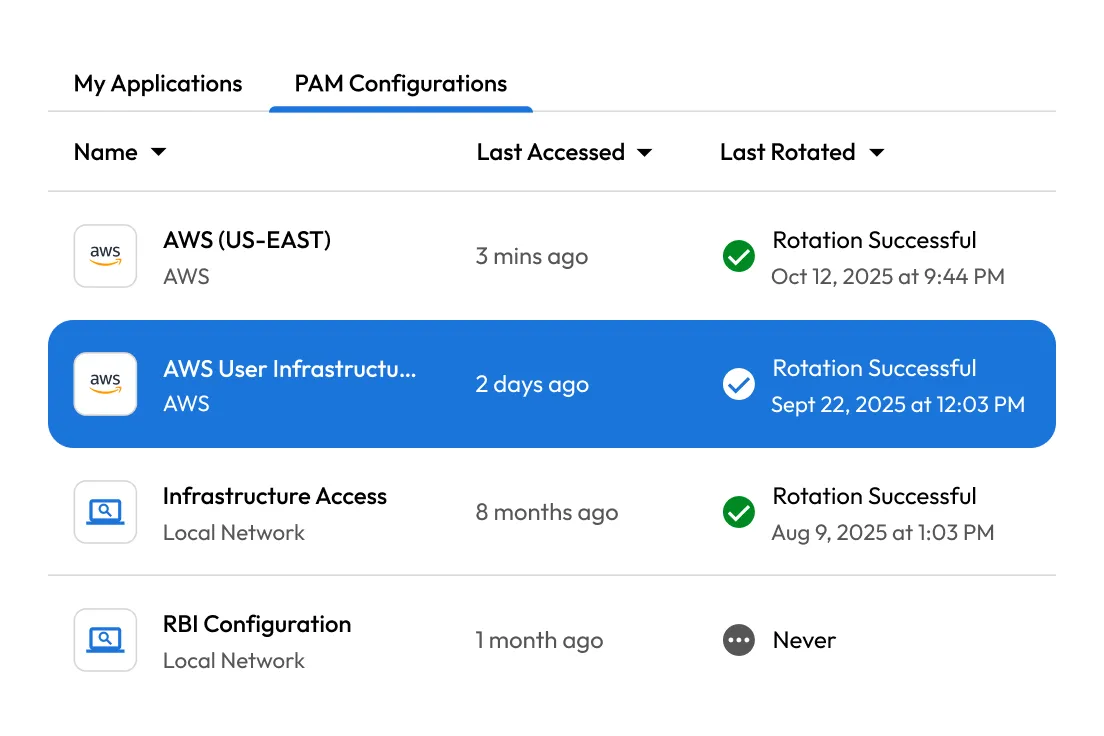
KeeperPAM Configurations screen showing application access details, last accessed times, and password rotation statuses, including successful and pending rotations.

常见问题解答

Do I need to install anything to use the Admin Console?

No, the Keeper Admin Console is a secure, web-based interface accessible from any modern browser. There's nothing to install or maintain locally.

Can I integrate the Admin Console with my identity provider?

Yes, Keeper supports SAML 2.0 integration with all major IdPs, including Entra ID, Okta, Google Workspace, Duo and more. You can configure SSO using Keeper SSO Connect or SSO Connect Cloud.

What are Nodes and why should I use them?

Nodes help organize your users, roles and teams into structured units (e.g., by department or location). This is particularly helpful for larger organizations with multiple identity providers or delegated administrators. Small teams may not need to use multiple nodes.

立即购买