Feature: Password Policy

Enforce strong, compliant password policies across your organization

Keeper gives IT administrators the tools to enforce password complexity, length and usage policies at scale, ensuring that every user automatically follows best practices.

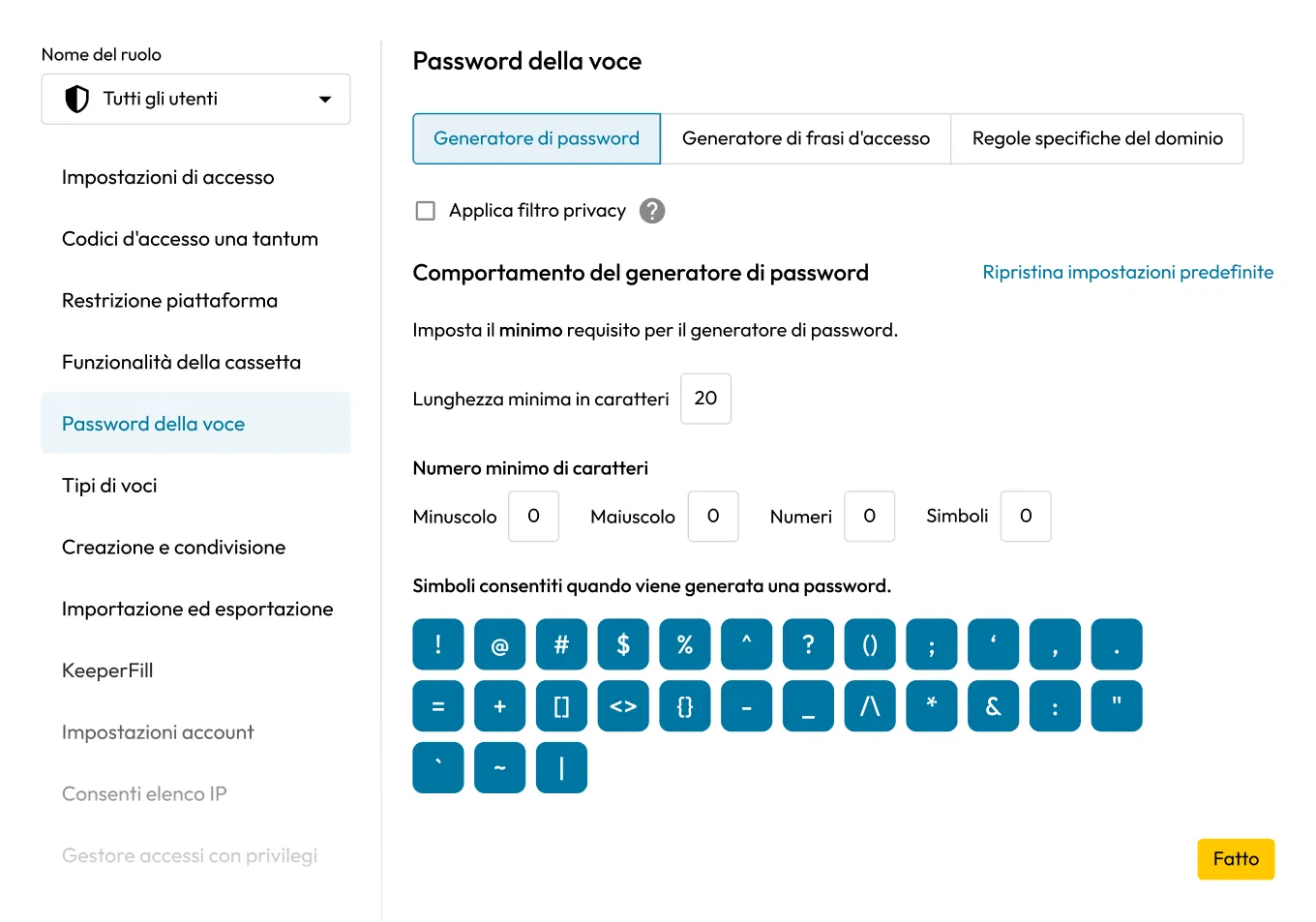
Admin settings page for Record Passwords, showing password generator rules, minimum length, and allowed symbols for all users.

Flexible password enforcement that scales with you

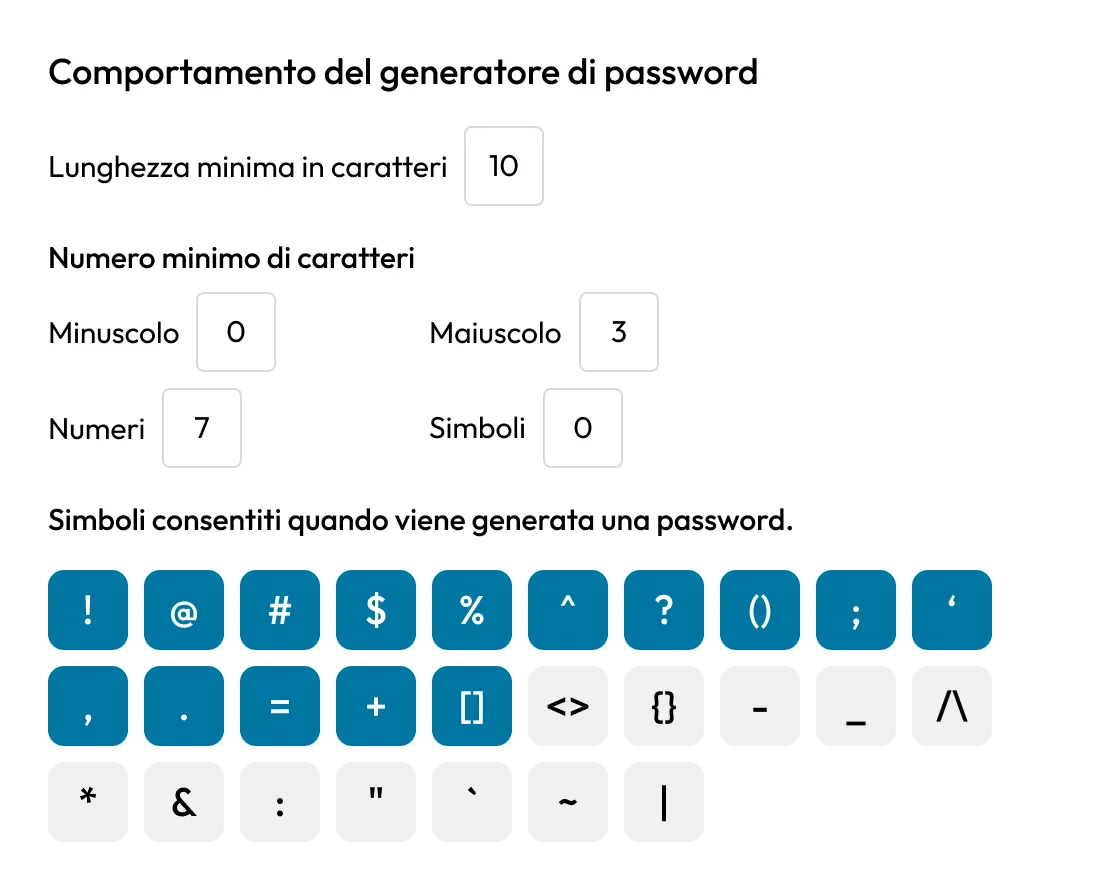
Password Generator Behavior settings showing a 10-character minimum, required uppercase and numbers, and selectable allowed symbols.

Define length and complexity standards

Admins can set minimum and maximum password lengths, require specific character types and block sequences or repeated patterns. These policies ensure that every new password created or updated in Keeper meets organizational security requirements from the start.

Enforce passphrase creation

In addition to traditional complexity rules, Keeper supports passphrase enforcement. Admins can require a minimum word count, specify allowed separators and set capitalization rules. This flexibility makes it easy to adopt modern, NIST-aligned password guidance while maintaining usability.

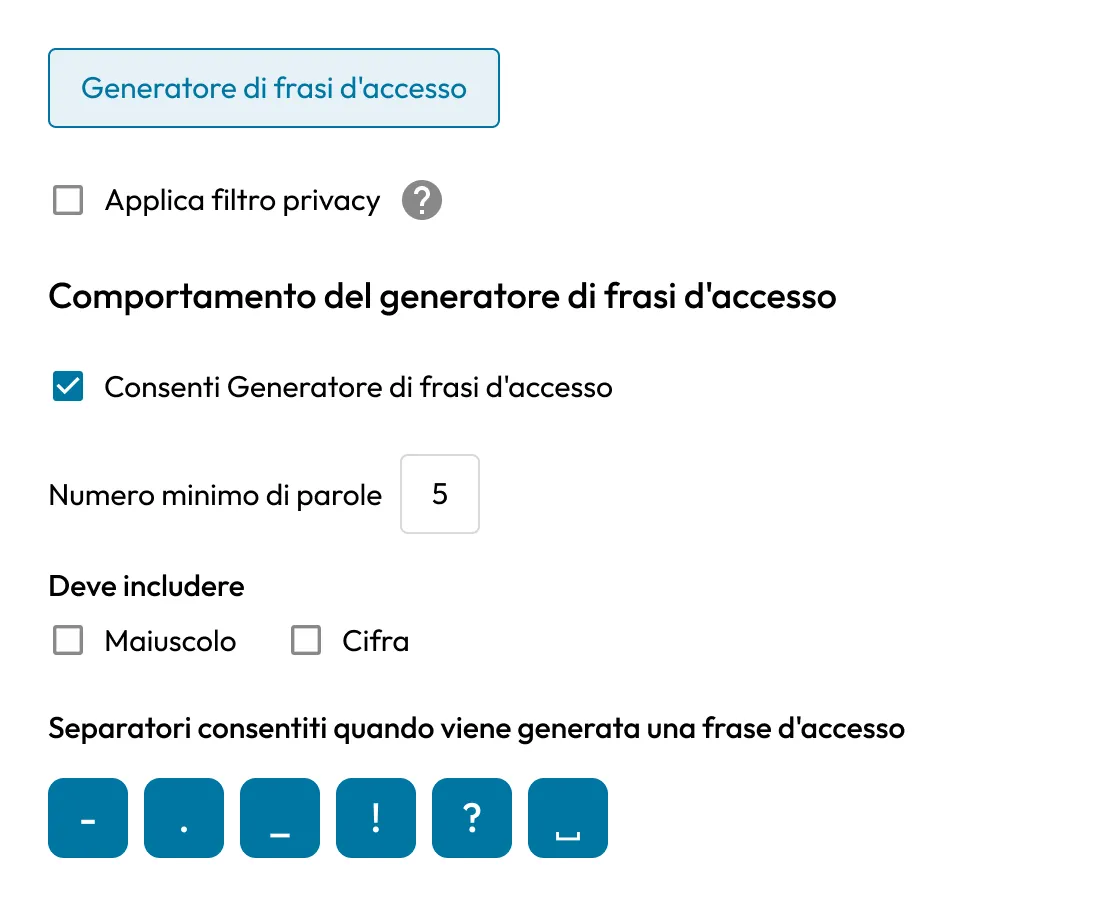
Passphrase Generator settings showing a 5-word minimum, optional capitals and numbers, and allowed separator characters.
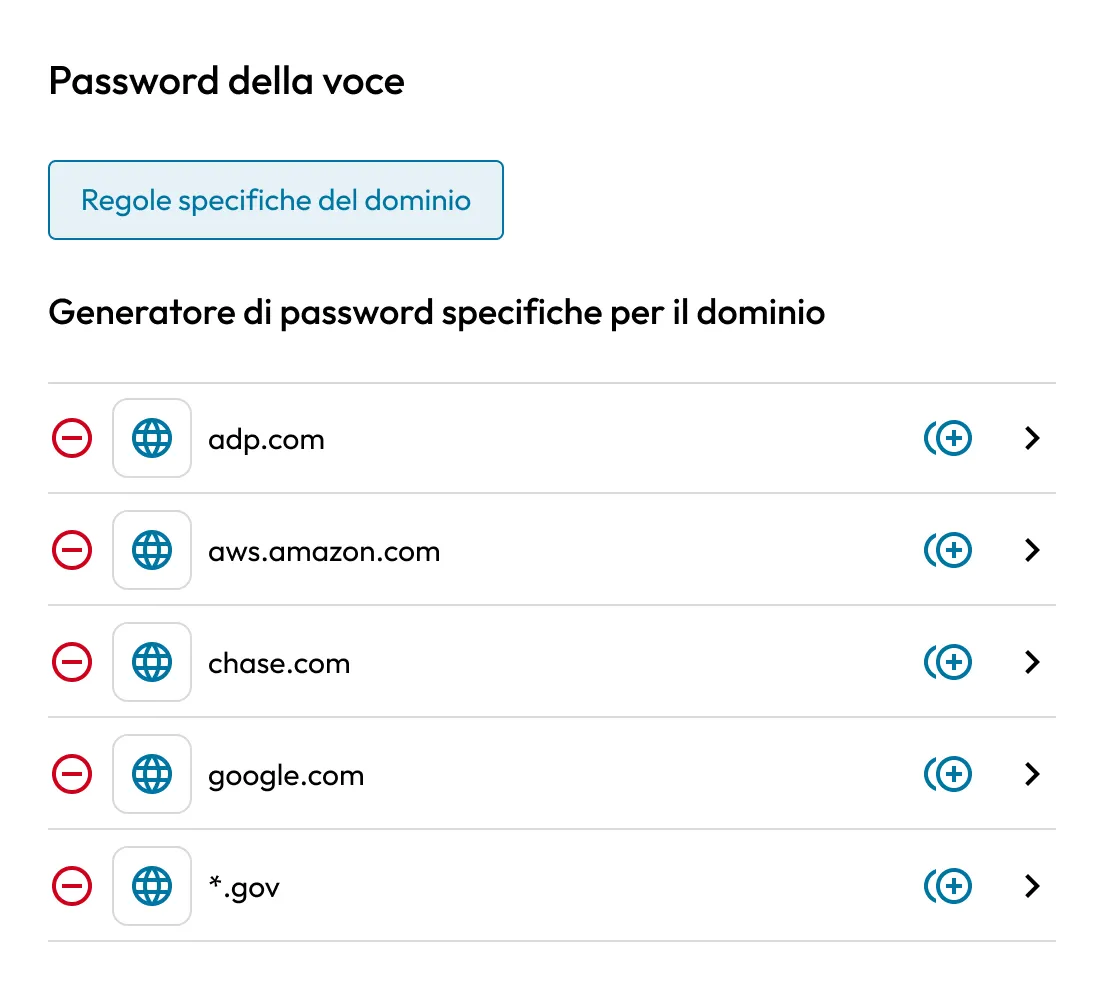
Domain-Specific Password Generator settings listing policy entries for adp.com, aws.amazon.com, chase.com, google.com, and *.gov.

Set domain-specific complexity rules

Enforce stronger password requirements for records tied to specific domains or domain patterns. Keeper applies the most restrictive policy when multiple rules overlap.

Apply policies by role or node

Keeper allows password policies to be configured at the role or node level, so privileged users, contractors or specific departments can follow stricter requirements without impacting the rest of the organization.

Graphic showing a green security shield and a blue user icon inside connected hexagons on a dark background.
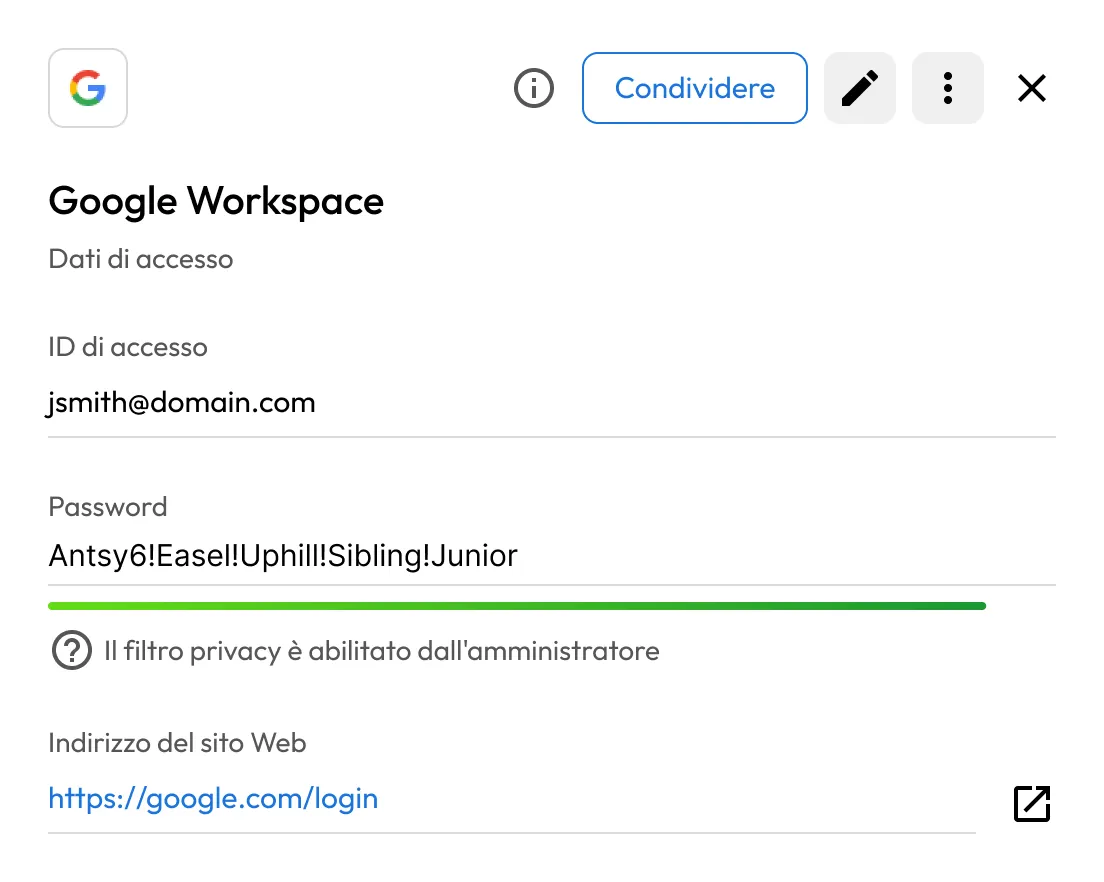
Google Workspace login record showing a masked password, privacy screen enabled by the admin, and the website address.

Mask passwords on shared records

Admins can enable Privacy Screen to hide passwords on shared records based on domain, team or role.

Admin-configurable password generator

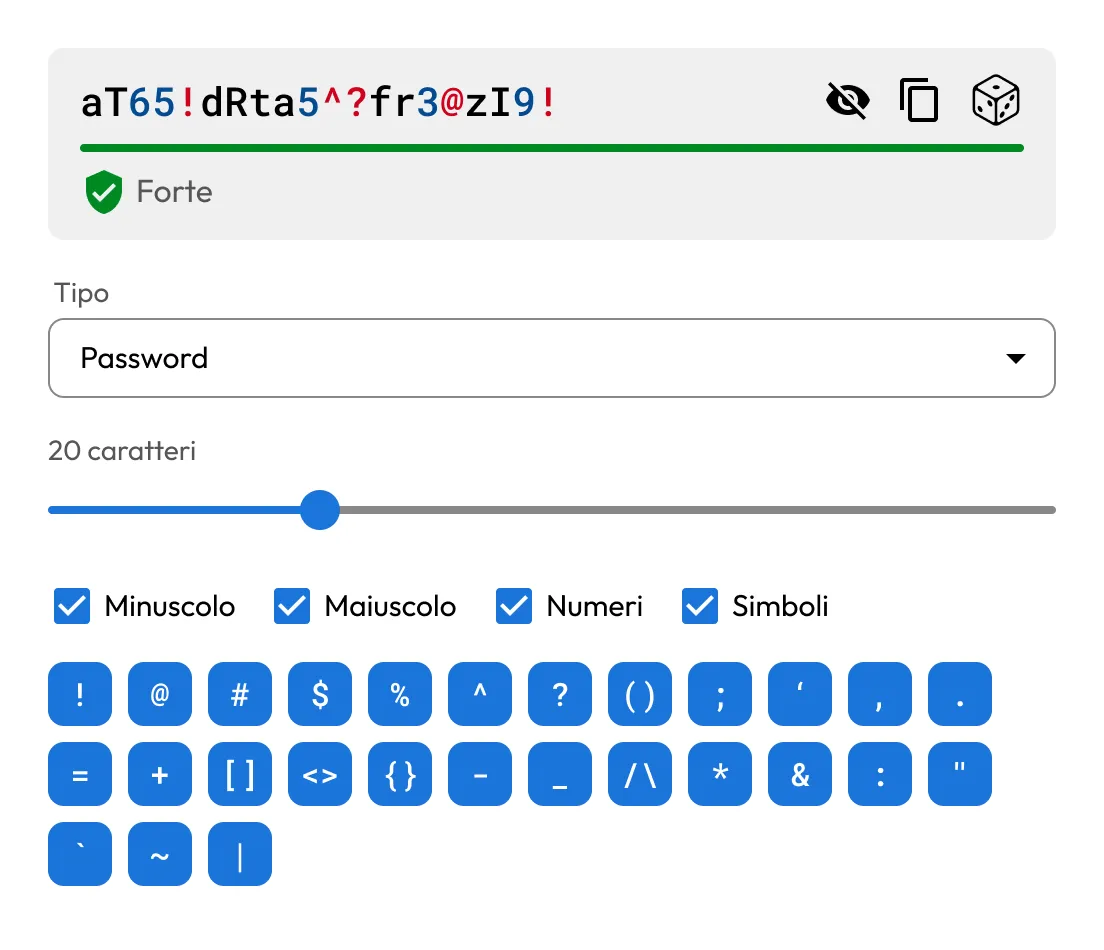
Admins can control the default settings of Keeper's built-in password generator, ensuring that generated credentials always meet policy requirements before being saved to the vault.

Password generator showing a strong 20-character password with lowercase, uppercase, numbers, symbols, and selectable symbol options.

Eliminate password gaps across your organization

Improve compliance posture

Improve compliance posture

Keeper's password policies support alignment with NIST, ISO 27001, CMMC, SOC 2 and other frameworks by enforcing strong credential creation and management practices.

Enhance user adoption and security

Enhance user adoption and security

By embedding policies directly into the Keeper Vault, users are naturally guided to create stronger credentials without added friction or confusion.

Seamless policy enforcement across platforms

Seamless policy enforcement across platforms

Password policies are enforced consistently across the Keeper Web Vault, desktop app, browser extensions and mobile apps.

Domande frequenti

Can I apply different policies to different teams?

Yes, Keeper lets you apply policies by role or organizational node, so you can tailor complexity rules to the needs of each group in your organization.

Do policies apply to passphrases?

Yes, admins can define minimum passphrase word counts, separators and other elements to meet internal standards.

Can users bypass or ignore password policy enforcement?

No, Keeper enforces policies at the vault level; users cannot save records that fail to meet the configured criteria unless they have been exempted via role-based settings.

Can I track compliance with password policies?

Yes, Keeper provides reporting and audit tools that help verify password policy compliance across your organization. Detailed reporting, such as identifying non-compliant records or weak passwords, requires the Advanced Reporting and Alerts Module (available as an add-on for Business and Enterprise plans).

Acquista ora