Simplify audits with administrator-defined reports
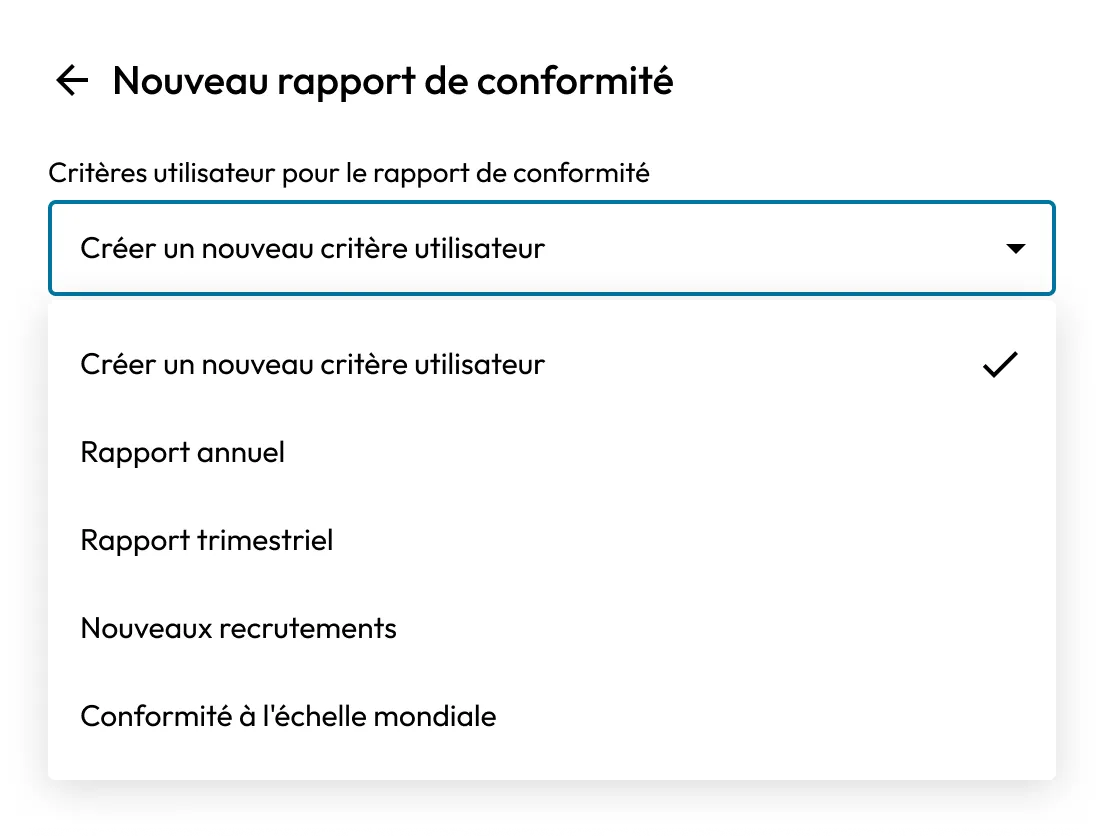
Build and run real-time, on-demand audits with full administrative control. Keeper lets you define the scope, access levels and export format of each report.
Keeper's Compliance Reports simplify audit preparation, reduce risk and help your organization maintain security and regulatory compliance.
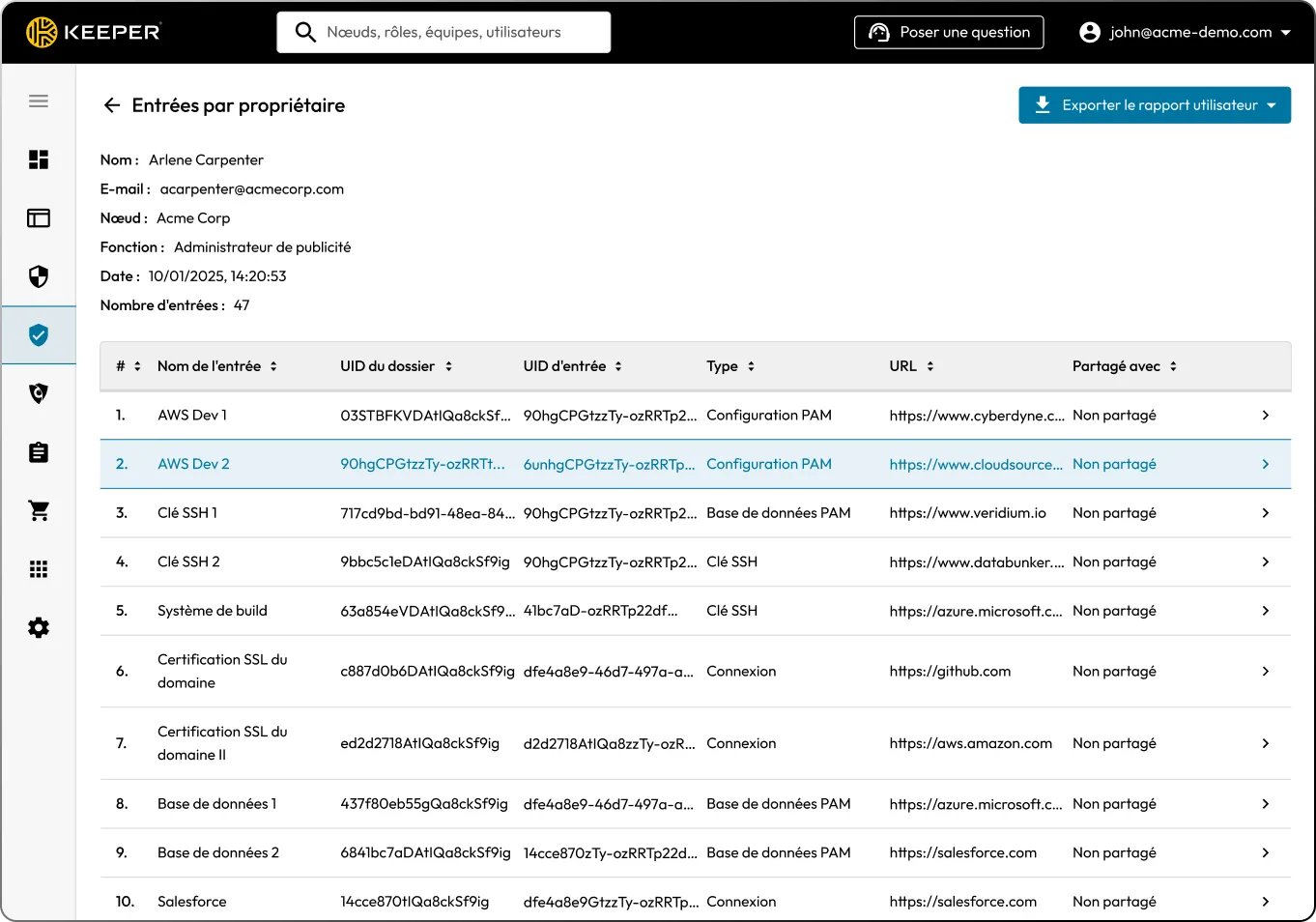

Build and run real-time, on-demand audits with full administrative control. Keeper lets you define the scope, access levels and export format of each report.
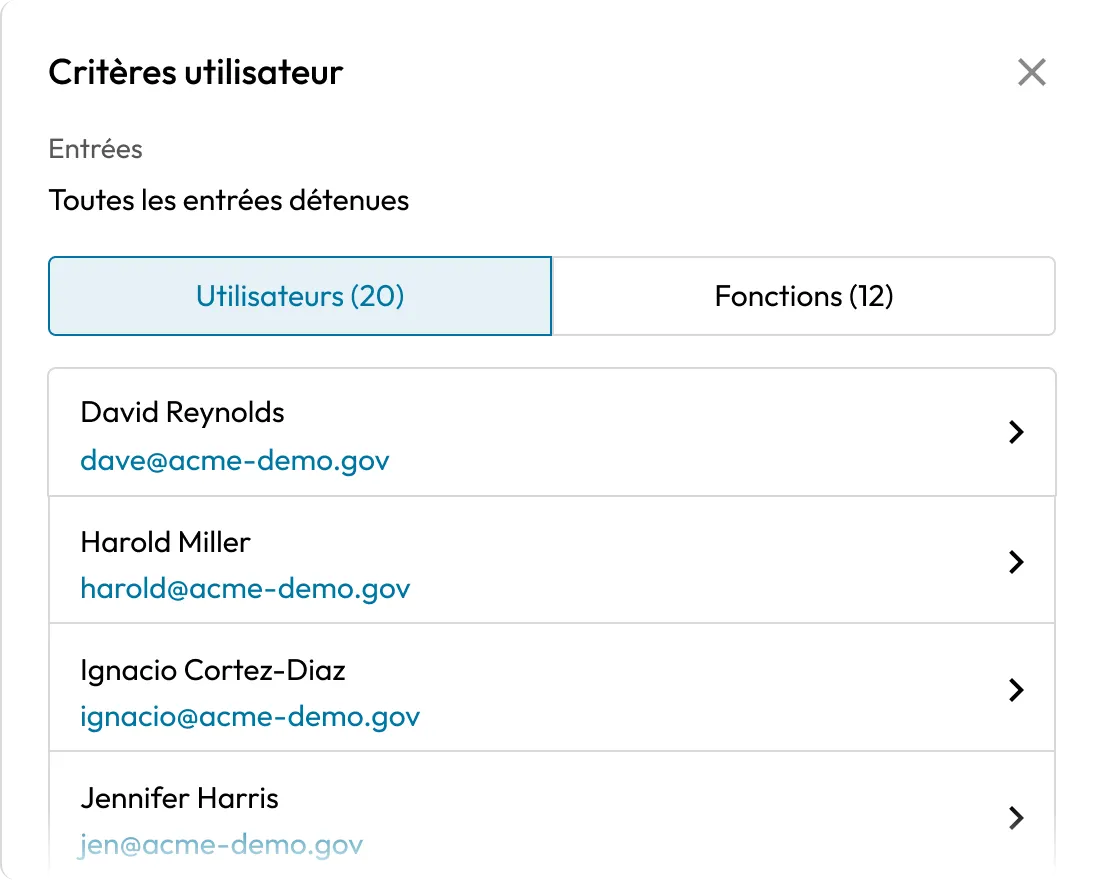
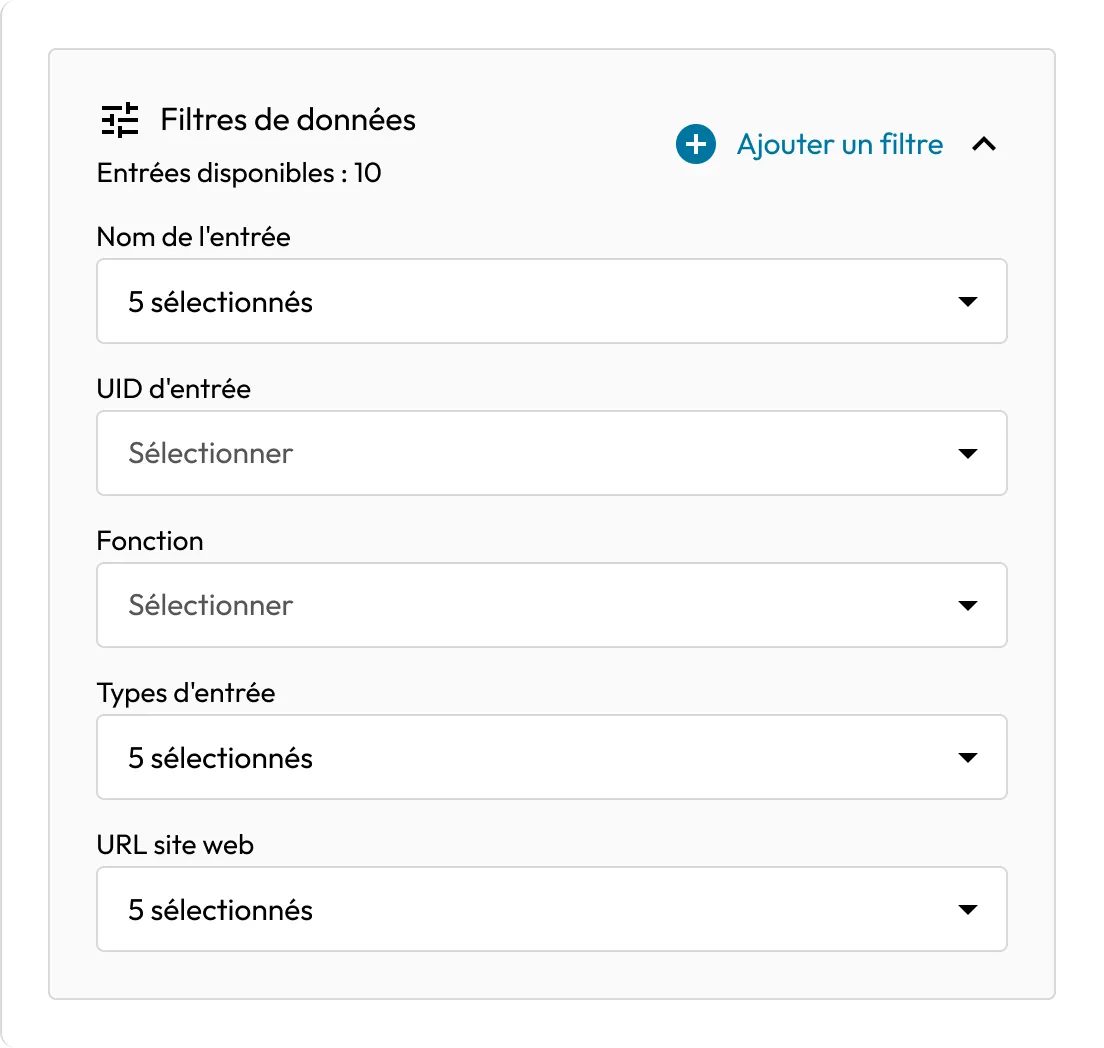
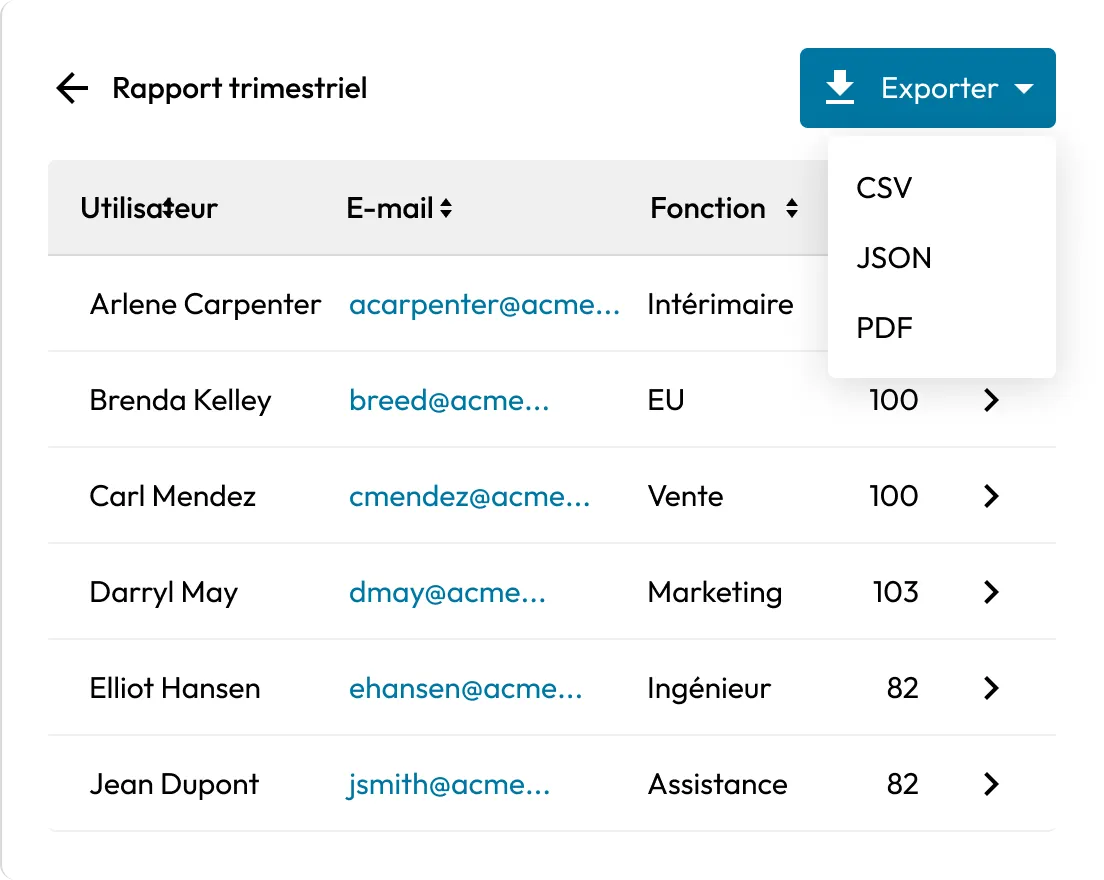
Narrow down access data by filtering reports based on Node, user email or job title. Whether you're auditing by department, location or function, you can access the data that matters fast.
Use filters to identify access to payment card records, banking portals or sensitive URLs. Prove SOX or PCI compliance with metadata-based filters like record type, URL or job role, and export results instantly.
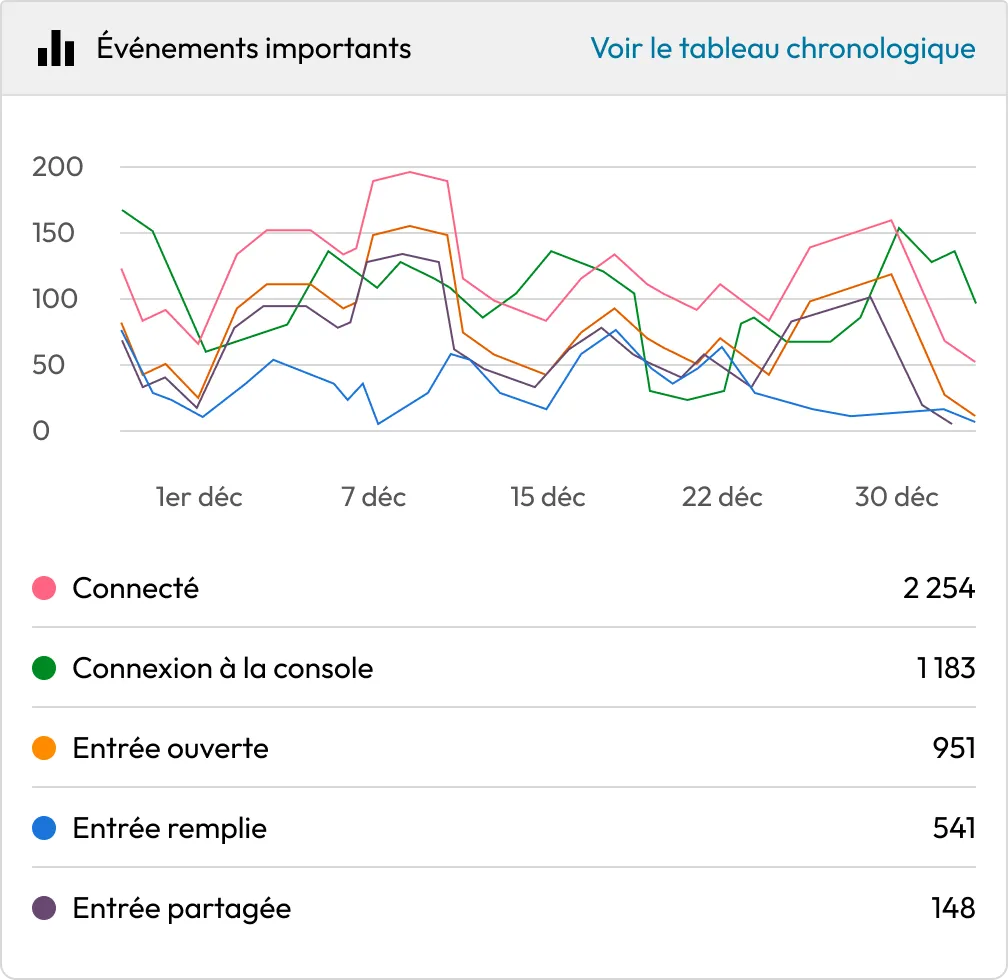
Get a clear view of how users gain access. Identify inconsistent permissions, excessive access or outliers across systems. Pair with Keeper's Advanced Reporting & Alerts Module to investigate suspicious behavior.
Generate audit-ready reports in PDF, JSON or CSV. Previews let you review user-level and record-level data before export, ensuring accuracy before sharing with auditors or GRC platforms.
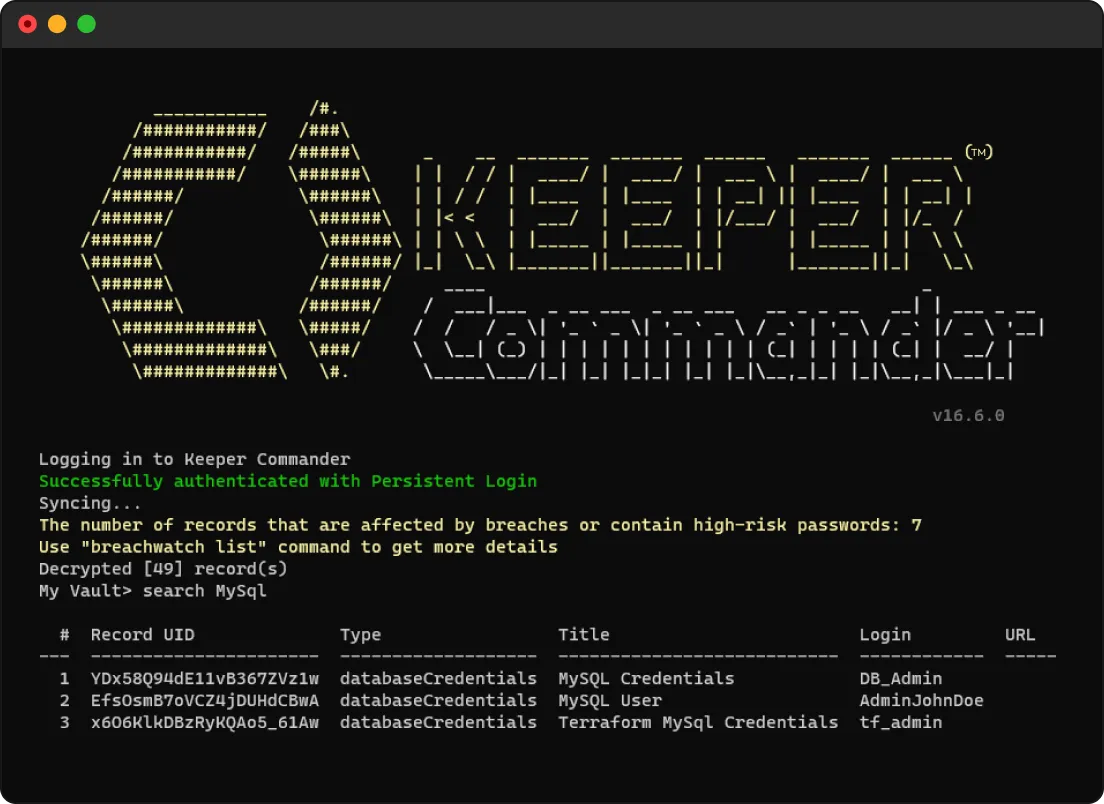
Use Keeper Commander CLI to script and schedule recurring compliance reports, supporting continuous auditing or integration into broader compliance workflows.
All reporting data is decrypted locally on the user's device. Keeper's zero-knowledge architecture ensures that record contents remain fully encrypted and protected during reporting and export.


No, Compliance Reports must be purchased as an add-on and explicitly enabled in the Admin Console. Admins also need specific permission to run Compliance Reports, which must be granted at the role level.
Only metadata fields that are encrypted for auditing: record title, URL and record type. Passwords and sensitive field values are never exposed or decrypted.
Yes, admins with the correct permission can run reports across any node or the entire enterprise (if cascade permissions are enabled).
Yes, Keeper Commander CLI supports scheduled compliance report generation and export via scripting. Learn more in the Commander documentation.
The Security Audit report assesses password strength, reuse and hygiene. Compliance Reports, on the other hand, focus on access permissions, such as who can view, share or manage records, and which users or teams have access to sensitive data.

Vous devez autoriser les cookies pour utiliser le Chat en direct.