
 What's New With Keeper

Introducing Workflow for KeeperPAM: Enforce least privilege with time-bound, approved access We're excited to announce Workflow for KeeperPAM — a new capability that eliminates standing privilege
Keeper Privileged Cloud: Just-in-time privilege elevation for cloud identity platforms
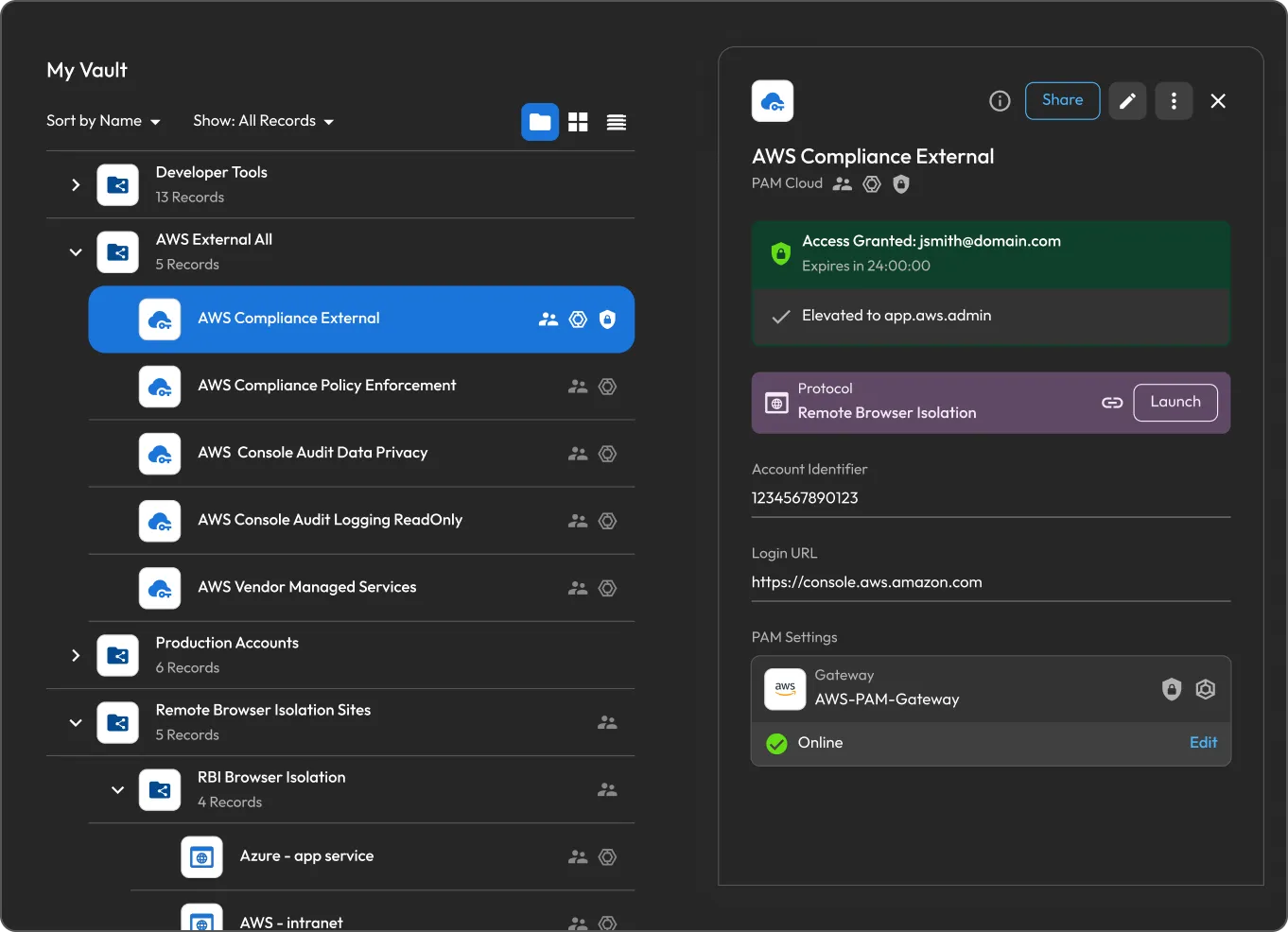
Launched in June, Keeper Privileged Cloud has delivered just-in-time, zero-standing privilege access across cloud platforms, identity providers and federated applications – including AWS IAM, Microsoft Entra ID, GCP, Okta and Active Directory. Rather than relying on shared privileged credentials, it grants temporary elevated access by modifying a user’s identity-layer membership or role assignment for an approved, time-bound window. Admins configure each PAM record with a target group or role, approval requirements, access duration and MFA enforcement – then share the record with eligible users who can request elevation directly from the Keeper Vault. Once approved, KeeperPAM applies the temporary entitlement in the identity platform and the user can launch the target resource through Remote Browser Isolation or their standard SSO and CLI workflows. When the access window closes, KeeperPAM automatically revokes the elevation, leaving no standing privileges behind.
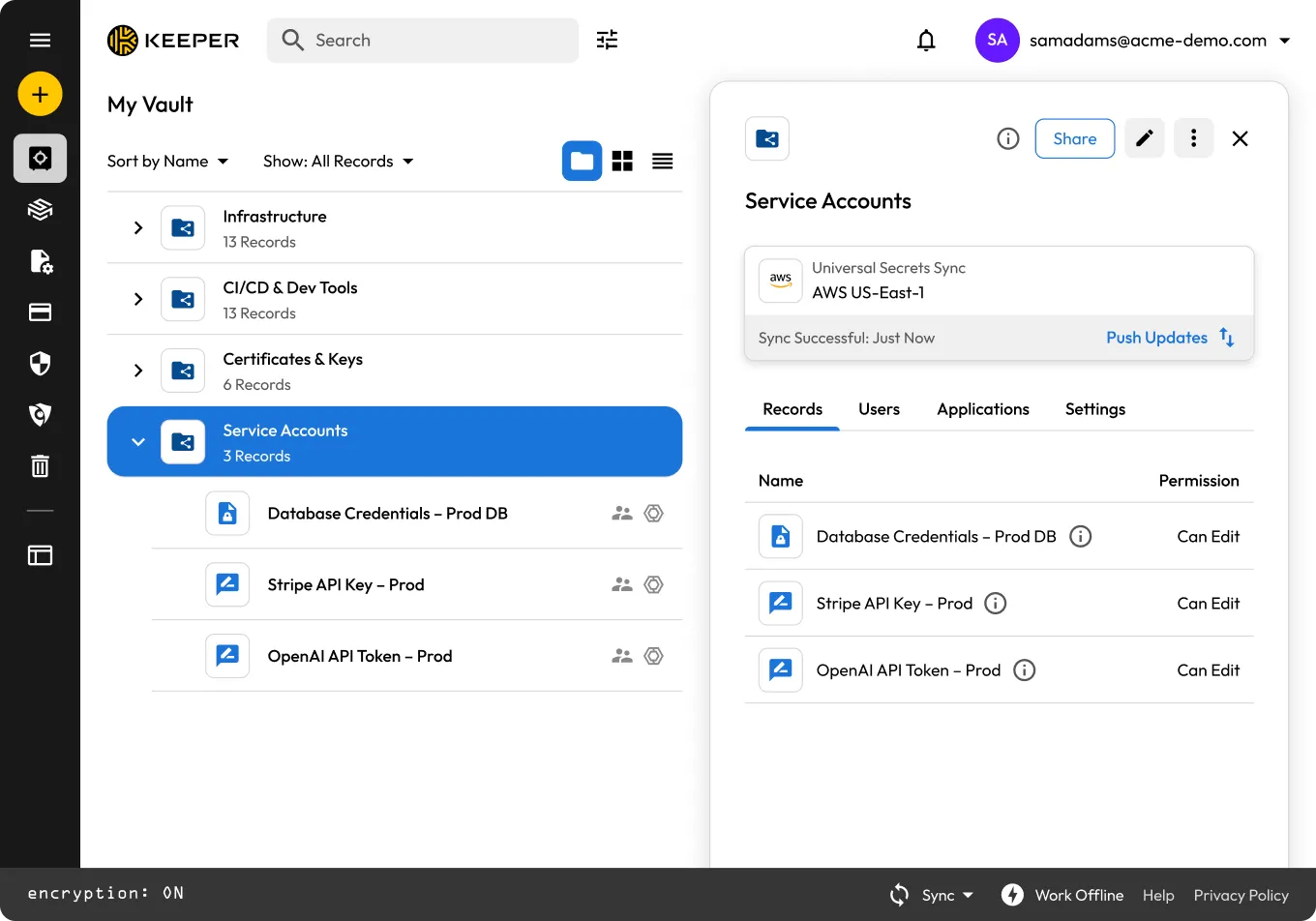
Synchronize shared secrets to cloud secret management services with Universal Secrets Sync
Universal Secrets Sync (USS) automatically pushes secrets from the Keeper Vault to AWS Secrets Manager, Azure Key Vault and Google Cloud Secret Manager – making Keeper the single source of truth for all cloud secrets. When a record is created or updated in Keeper, every connected cloud provider receives the change automatically, eliminating the secrets sprawl and manual copy-paste that leads to stale credentials and security incidents. The Keeper Gateway handles all sync operations locally, decrypting and writing secrets directly to the cloud provider so plaintext never touches Keeper’s infrastructure. Admins can sync across multiple folders, assign a least-privilege Sync Identity per provider, and use dry-run mode to preview changes before committing, with every operation logged in the Keeper audit trail and surfaced through Keeper’s Advanced Reporting and Alerts Module (ARAM).
Endpoint Privilege Manager Agentic AI governance
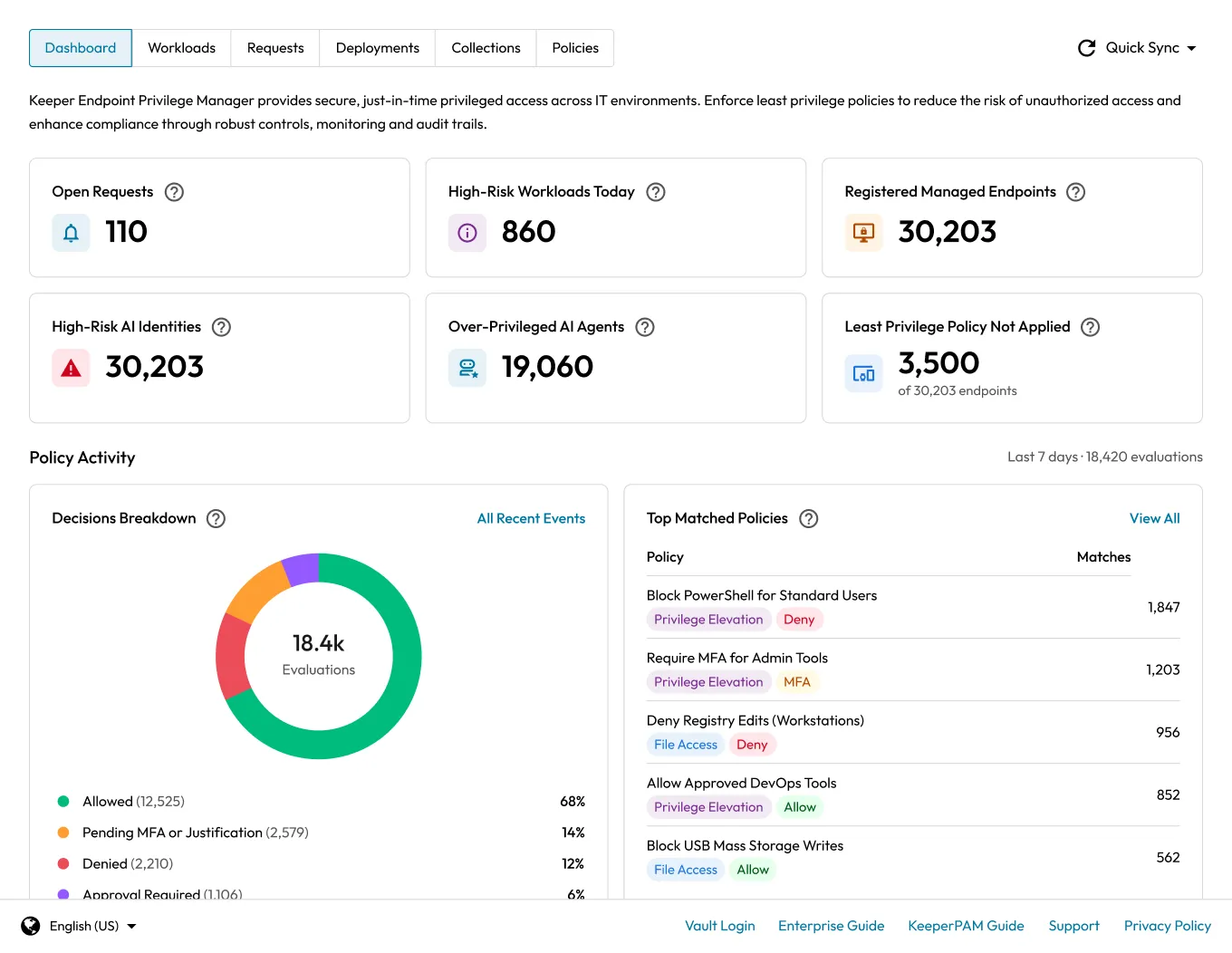
Keeper’s Agentic AI policy gives security teams control over which AI agents are permitted to run on managed endpoints, including coding assistants like GitHub Copilot, Cursor and Claude Code, as well as containerized agents and unknown agent-like processes. Agents are recognized by signature or a behavioral heuristic engine that scores unknown processes on how closely they resemble an AI agent, enabling confidence-based controls over both known and unrecognized activity. Admins can auto-allow sanctioned agents, block unsanctioned ones outright or require approval, MFA and justification before any agent executes. Every outcome is logged for full auditability across the managed endpoints.
KeeperDB adds NoSQL support, multi-connection workflows and stronger authentication
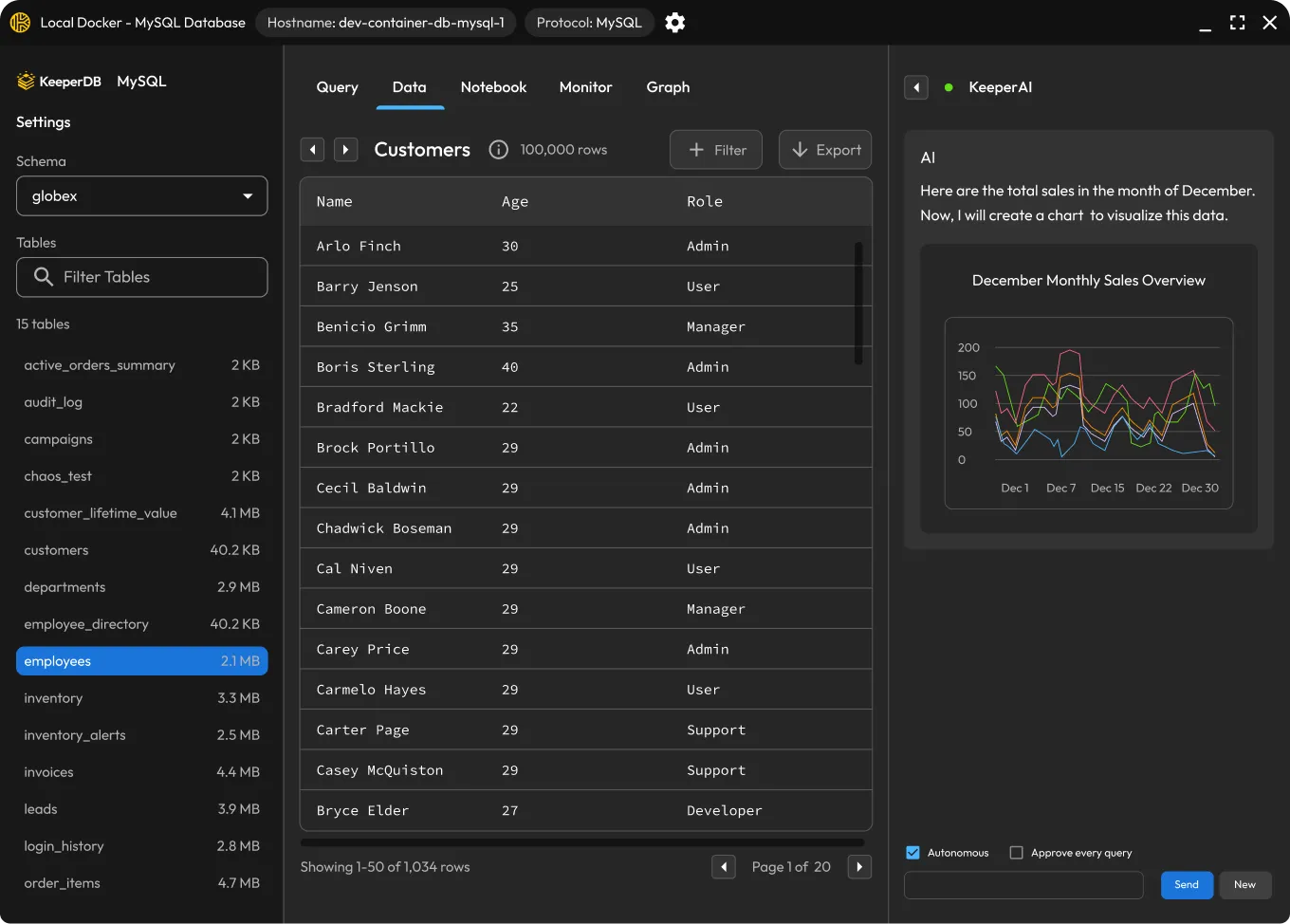
KeeperDB now connects to MongoDB and Amazon DynamoDB, extending the tool’s coverage to NoSQL databases alongside its existing SQL support, each with a native query experience (MongoDB shell syntax, DynamoDB PartiQL). Users can now open multiple database connections at once across different engines, each in its own tab, and run a broadcast query across several same-engine connections simultaneously to compare results. SQL Server and Azure SQL now support signing in with Microsoft Entra ID delegated user tokens as an alternative to static credentials. Oracle and SQL Server connections are also more resilient, with better detection of and recovery from dropped sessions, and a new Test Connection button lets users validate credentials before opening a session.
Keeper Commander now available as a ClawHub skill
Keeper Commander is available as an installable skill on ClawHub, bringing the full range of Keeper CLI workflows into OpenClaw agent environments. The skill covers setup and profile configuration, vault and admin search, secret retrieval and field-level injection, as well as record creation and updates. The skill also features built-in guardrails that keep secrets out of chat, disk and version history. A dedicated tmux session is required for interactive work to preserve authentication state across commands. Engineers and DevOps teams can install it in one command via the OpenClaw CLI and start running Keeper workflows immediately.

Hierarchical record sharing arrives with Nested Shared Folders
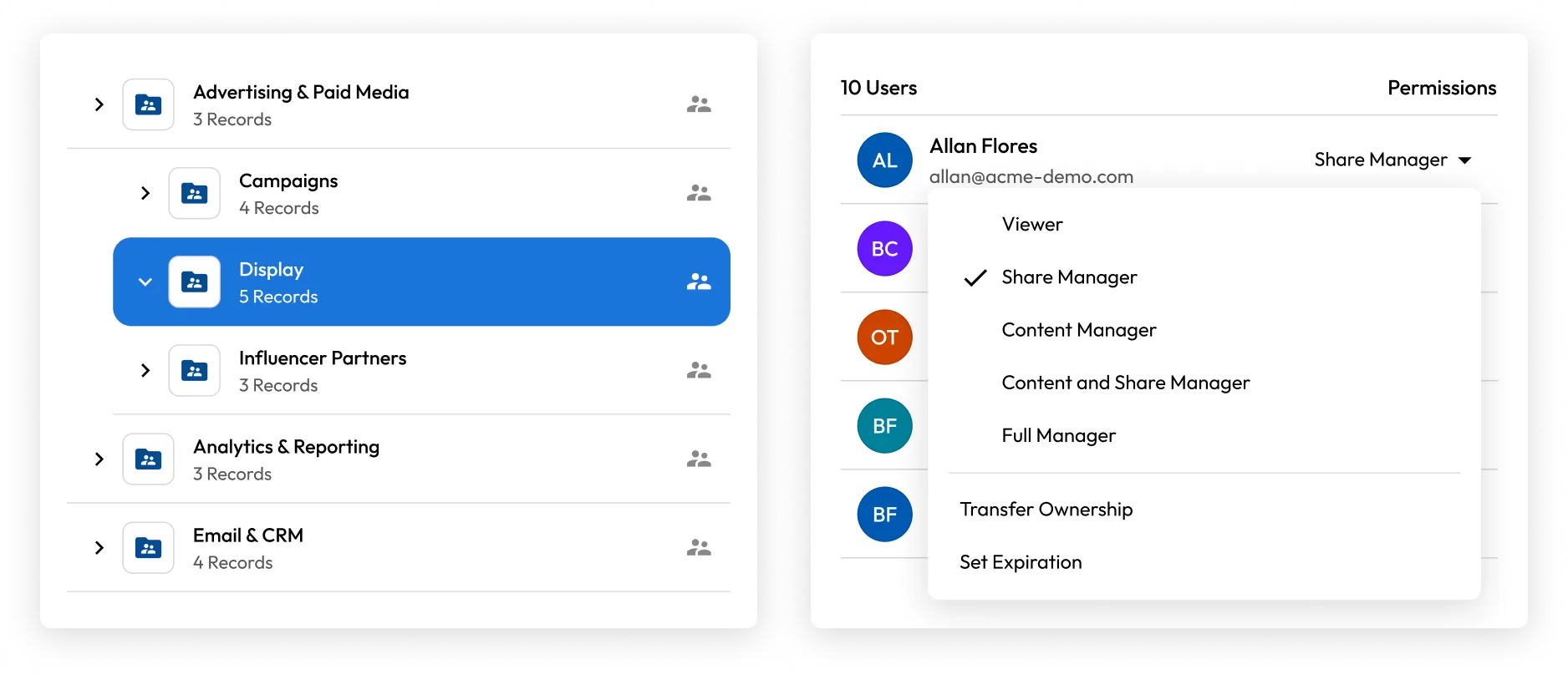
Keeper has introduced Nested Shared Folders, a rebuilt vault permissions model that gives teams a more flexible and scalable way to organize and share sensitive records. Folders can be structured up to five levels deep with independent sharing configurations at each level. Role-based permissions can be applied through inheritance, direct folder assignment or direct record assignment, with the most specific assignment always taking precedence. Five permission types ranging from Viewer to Full Manager give administrators precise control over who can view, edit, share and manage content, with support for bulk permission changes, access expiration and immediate revocation. The Classic folder system remains fully supported with no forced migration and both systems can operate in parallel during the transition. Nested Shared Folders is currently available by invitation only – contact your Keeper representative or visit keepersecurity.com/contact to request access.
Commander Terraform brings KeeperPAM infrastructure as code
Keeper’s Terraform module for Commander enables teams to define and deploy privileged access environments entirely as code, from PAM Configurations and Gateway associations through to target machines, users, databases, directories and remote browsers. A new commander_pam_configuration resource covers KeeperPAM capabilities including connections, tunneling, rotation, remote browser isolation and session recording, while new resources for all classic PAM record types bring per-user share permissions directly into Terraform. This release also adds Keeper Secrets Manager application management as code and expands folder management with support for Nested Shared Folders and private non-shared folders.
KeeperPAM automates Windows service and scheduled task credential rotation
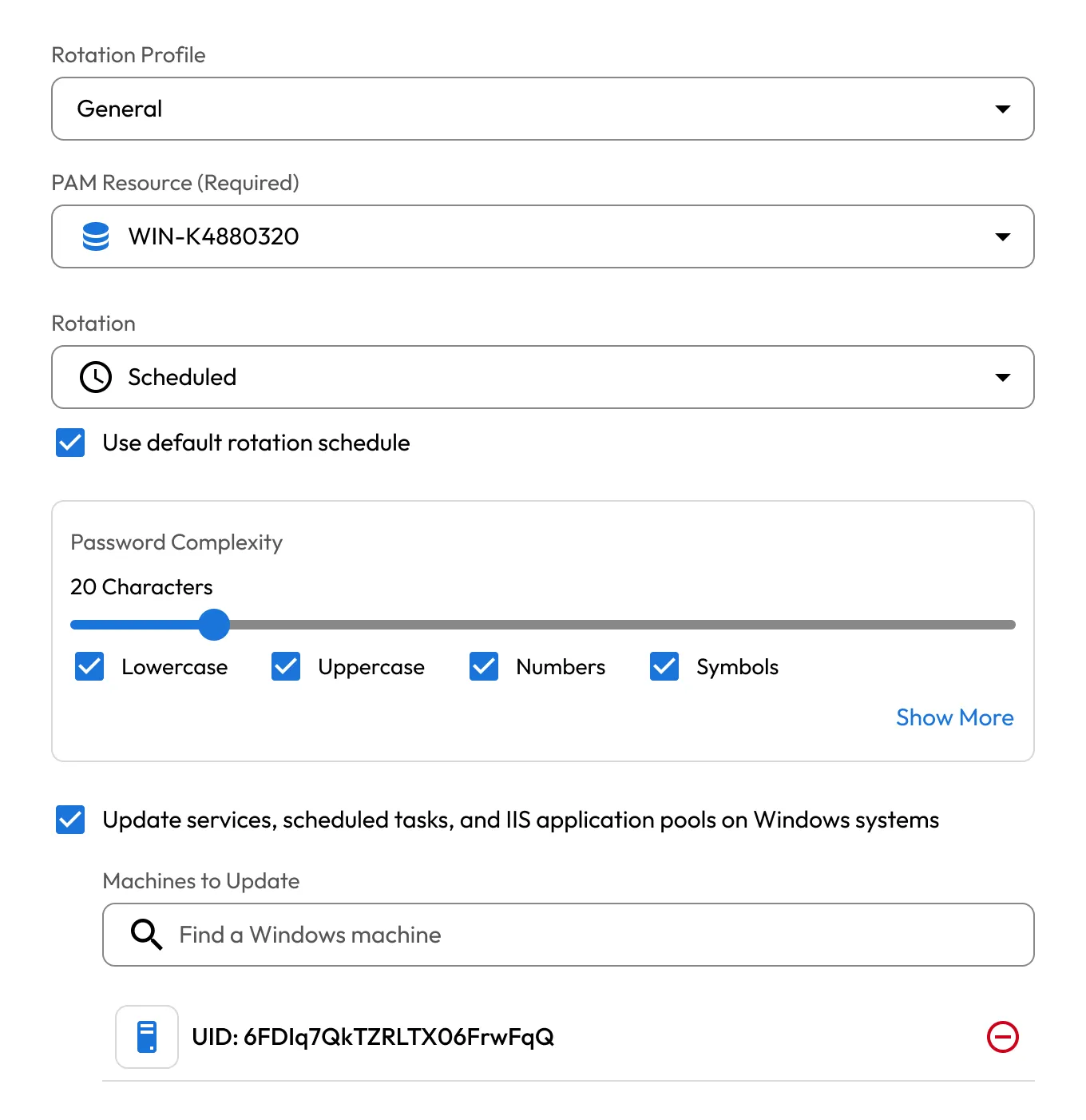
KeeperPAM Password Rotation automatically manages logon credentials for Windows services, scheduled tasks and IIS pools, ensuring that when a PAM User record is rotated, the Keeper Gateway updates and restarts all associated services across every linked machine in one operation. A single PAM User record can be mapped to any number of PAM Machine records, making it practical to propagate a credential change across an entire fleet of Windows servers without manual intervention. Service associations can be configured directly from the Keeper Vault, discovered automatically through a Discovery job or managed via the Commander CLI using pam action service commands, giving teams flexible setup and management paths. When rotation is triggered, actively running services are restarted automatically with the new credentials, while stopped services remain stopped until manually started.
KeeperPAM integrates with Wiz for closed-loop cloud security remediation
KeeperPAM integrates with Wiz CNAPP, creating a direct automated path from cloud security finding to remediation and eliminating the need to manually track and coordinate across tools. When Wiz identifies an exposed identity or resource, it is onboarded into Keeper immediately. Admins can resolve findings through just-in-time access, credential rotation or privileged access protection for machines, databases and users directly from the Keeper Cloud Security dashboard. Wiz is automatically notified of remediation status as findings move from open to in progress to resolved and every action is logged with a full audit trail to support compliance. The integration significantly reduces mean time to remediate by shrinking the window between discovery and action before a vulnerability can be exploited.

Non-Human Identity visibility comes to the Admin Console
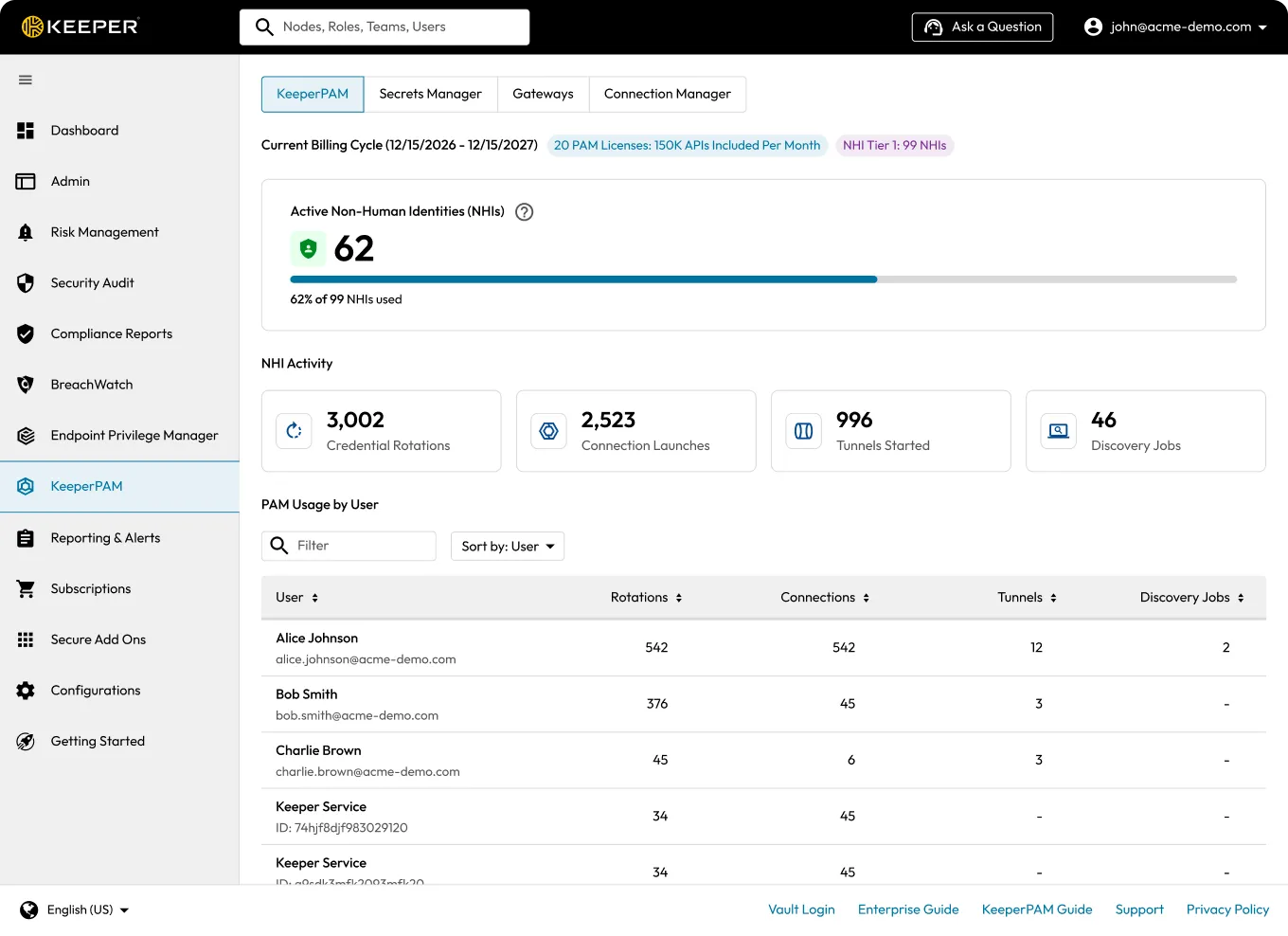
Admin Console delivers a major step forward in Non-Human Identity (NHI) management, giving administrators a dedicated KeeperPAM tab that brings Secrets Manager, Gateways and Connection Manager together in one place. A new centralized PAM dashboard surfaces NHI tier overviews, near-limit and over-limit alerts, and PAM usage by user. The updated Secrets Manager dashboard adds tier metrics and usage cycle tracking. The Subscriptions tab now shows expanded PAM entitlement details including managed and available license counts, active NHI usage against tier thresholds, and a direct in-console link to upgrade tiers, giving administrators full visibility into their KeeperPAM footprint without leaving the console.
Vault Connection Dock and PAM Configurations as native vault records
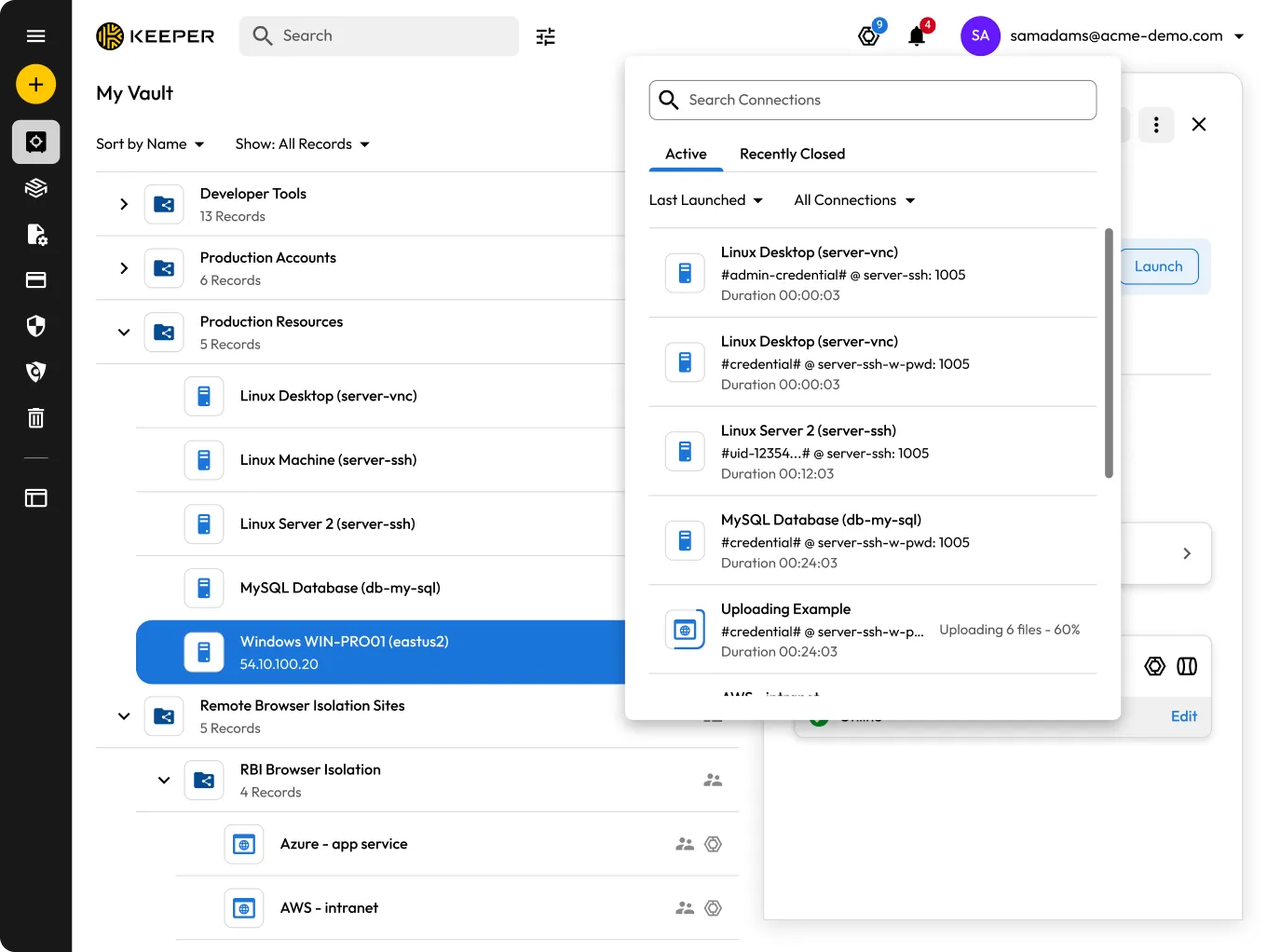
We’ve introduced the Connection Dock, a new panel in the upper-right corner of the Keeper Vault that gives users a centralized view of all active and recently closed PAM sessions. From the dock, users can monitor connection status, relaunch recently closed sessions, close active ones and access record details directly from the session log, making it easy to switch between or resume privileged sessions without leaving the vault. PAM Configurations are now also accessible as native vault records in the My Vault screen, bringing them into the same sharing, organization,and management workflows used for standard records and eliminating the need to manage them separately. This release also adds quantum-resistant cryptography for the transmission layer and new ARAM audit events for masked field reveals.
Centralized identity governance for Keeper, powered by SailPoint
Keeper integrates with SailPoint Identity Security Cloud, giving organizations centralized governance over Keeper vault access from directly within SailPoint. With the Keeper Security SailPoint SaaS Connector, administrators can aggregate accounts and entitlements, provision new Keeper vaults and assign roles, teams, folders and records – all without leaving SailPoint. Rather than managing vault access separately, security teams can govern Keeper alongside every other enterprise system, ensuring users have exactly the right permissions at the right time. Access is automatically kept in sync as users join, change roles or leave, reducing the risk of orphaned accounts and over-privileged users. Throughout it all, the connector communicates through Keeper Commander Service Mode, keeping your organization’s zero-knowledge encryption model fully intact.

Keeper Secrets Manager available as a certified Azure Logic Apps Connector
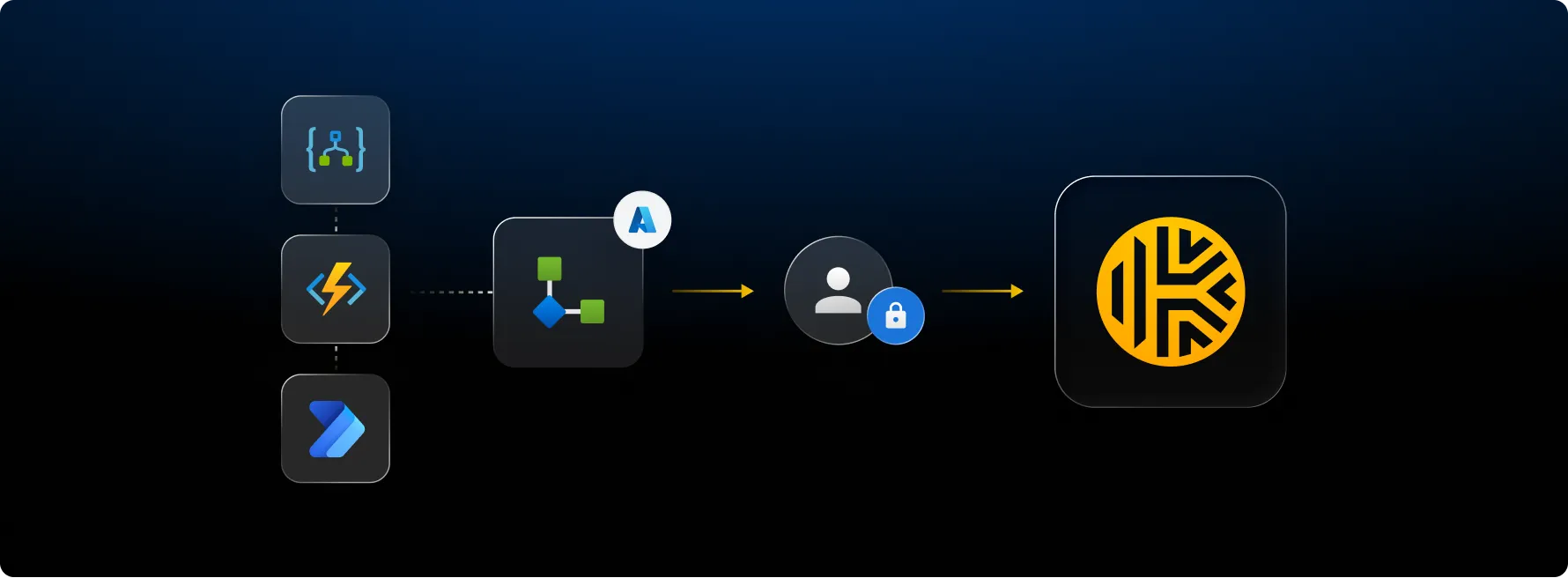
We’re excited to announce that Keeper Secrets Manager (KSM) is now available as a certified connector on the Microsoft Power Platform marketplace, bringing seamless secrets management to Azure Logic Apps and Power Automate workflows. Teams can now retrieve, create, update and rotate credentials directly from their automation flows at runtime, with all secrets protected by Keeper’s zero-knowledge architecture, decrypted locally inside your Azure environment and never passing through Keeper’s servers. Setup takes just minutes via a one-click ARM template that provisions all required Azure resources automatically, and dynamic dropdowns for secret and folder selection are built right into the Logic App designer. Common automation patterns including scheduled password rotation, employee credential provisioning, GitHub secret sync and vault compliance auditing are ready to build out of the box, integrating Keeper directly into the workflows your team already relies on.
Browser Extension levels up with smarter autofill and granular site controls
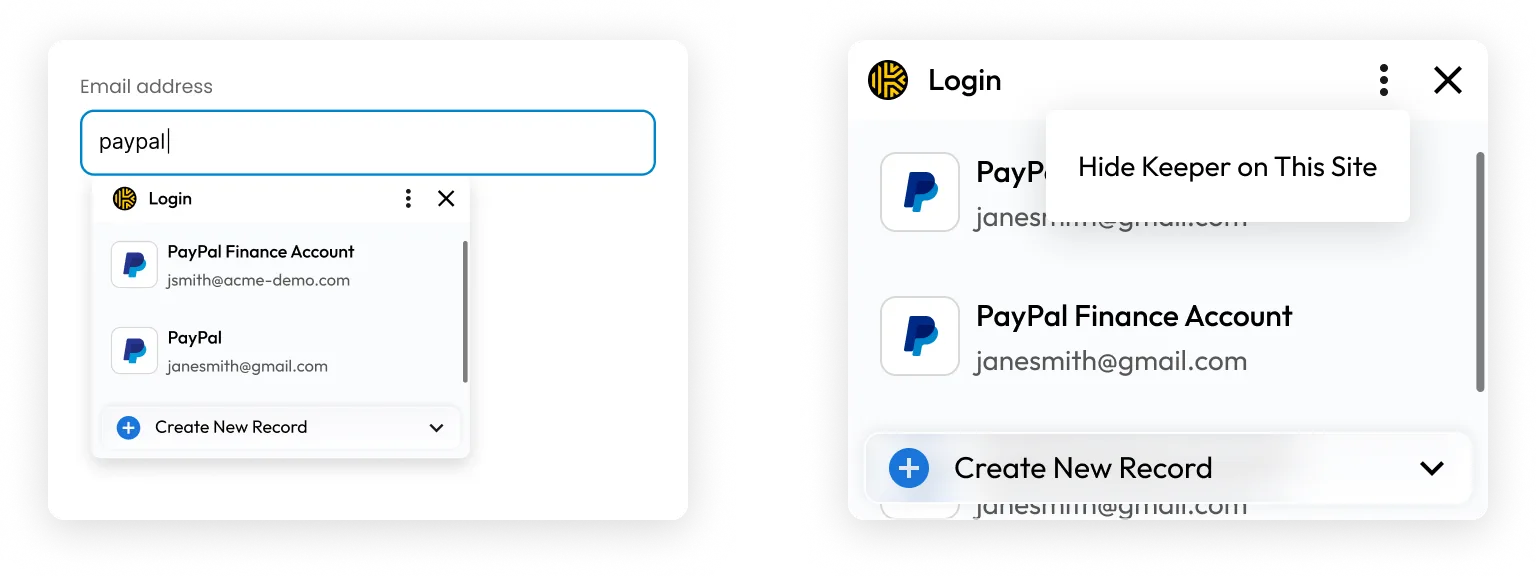
The latest version of the Keeper Browser extension features a fully redesigned autofill experience and a new way to pause Keeper on any site. Autofill suggestions now appear inline beneath form fields as you click or tab into them – no hunting through pop-ups. Suggestions filter in real-time as you type and multiple saved logins appear in a scrollable list sorted by favorites and recent use. Additionally, the new Hide Keeper feature lets you silence autofill and the Keeper icon on any site with a single click, with easy restoration from the toolbar or Settings menu. We’ve also introduced field-level detection for more accurate autofill, available as an opt-in feature while we continue to refine it. Go to Settings > KeeperFill Tool and toggle “Enable New Autofill Prompt” on to give it a try.
Various improvements to the Commander CLI

Keeper Commander is constantly improving. Here are some of our newest commands:
- pam project cyberark-import – automated migration of safes, accounts, platforms and policies from CyberArk
- import –format bitwarden – import Bitwarden collections with automatic folder mapping
- pam connection edit / pam import – support for 10+ databases: MariaDB, Oracle, MongoDB, Redis, Elasticsearch, ClickHouse, DynamoDB and more
- pam connection ai – KeeperAI for PAM Resources
- pam rbi edit – control session persistence, file policies and audio settings for RBI
- nsf – Nested Shared Folders and permissions are now supported
- pamGitHubConfiguration – PAM now supports GitHub configuration record types
- $GEN:passphrase – generate passphrases
- CNAPP integration commands
For a full list of Keeper Commander updates, visit our Release Notes.

