
 What's New With Keeper

Keeper Privileged Cloud: Just-in-time privilege elevation for cloud identity platforms Launched in June, Keeper Privileged Cloud has delivered just-in-time, zero-standing privilege access across cloud platforms, identity
Introducing Workflow for KeeperPAM: Enforce least privilege with time-bound, approved access
We’re excited to announce Workflow for KeeperPAM — a new capability that eliminates standing privilege by ensuring every access request is explicitly made, approved and time-bound. This capability ensures that access to PAM resources is time-bound, eliminating standing privilege, mitigating unnecessary risk and simplifying least-privilege compliance.
With Workflow enabled, users must request or check out a resource, and an authorized approver grants or denies the request, with access automatically expiring at the end of the configured window. Single User Mode with Check-In/Out restricts access to one user at a time, while exclusive access control enforces a mandatory approval gate to keep every access event authorized and auditable. Optional Multi-Factor Authentication (MFA) re-authentication adds an extra layer of identity verification at the point of access. By leveraging Workflow, organizations gain the enforcement layer needed to strengthen privileged access governance and operationalize least privilege directly inside the Keeper Vault.
Automatically convert Keeper security alerts into actionable Jira tickets
The Keeper Security ITSM Integration is a Forge-based application that automatically converts security alerts from Keeper into actionable Jira tickets. Security alerts are received from Keeper via webhooks and automatically create Jira issues with complete alert details, including raw JSON payloads for full audit trails. This integration enables security teams, IT administrators and compliance officers to respond to security incidents immediately without manual ticket creation.

Achieve passwordless zero-trust database access, monitoring and AI-assisted administration with KeeperDB
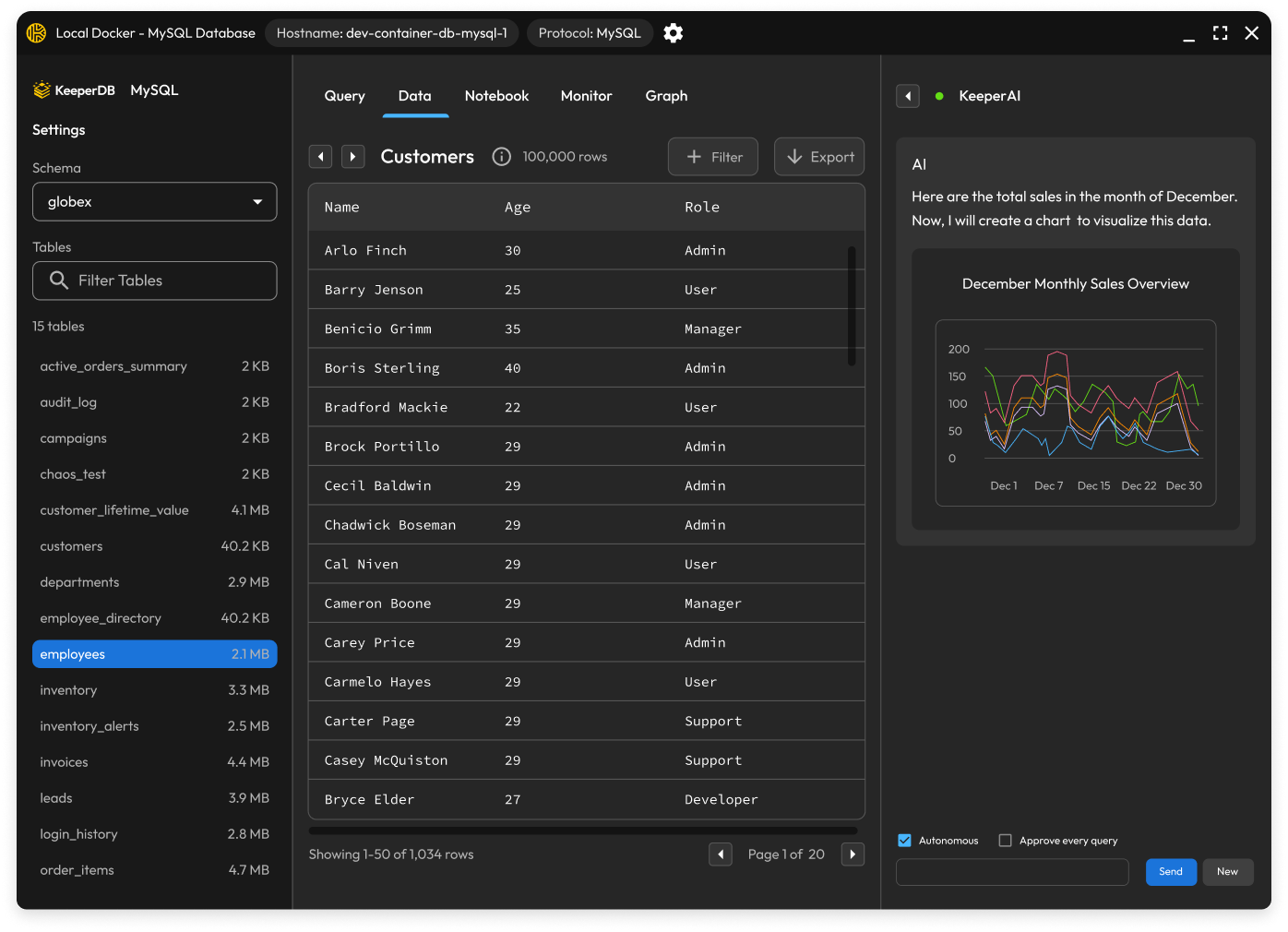
We’re excited to introduce KeeperDB — a secure, full-featured database management tool built natively into the Keeper zero-knowledge platform. Traditional clients like MySQL Workbench, DBeaver and SSMS leave credentials sprawled across endpoints and database connections unmonitored. KeeperDB eliminates that tradeoff entirely: Every privileged session is visually recorded, every credential is kept off the endpoint and zero driver installation is required.
KeeperDB supports PostgreSQL, MySQL/MariaDB, SQL Server, Oracle, Amazon Redshift and SQLite through a single interface. It also includes KeeperAI, an embedded DBA co-pilot for natural-language queries, chart generation and performance triage. Teams that prefer existing tools can use KeeperDB Proxy, which injects Gateway-fetched credentials at connection time without exposing them to users. A built-in real-time performance monitor with process lists, blocking chain analysis and one-click session termination gives DBAs the operational visibility they need without ever leaving the platform. KeeperDB is available as an embedded session launched directly from KeeperPAM records and as a standalone desktop app for macOS, Windows and Linux.
Keeper Secrets Manager SDK and integration highlights
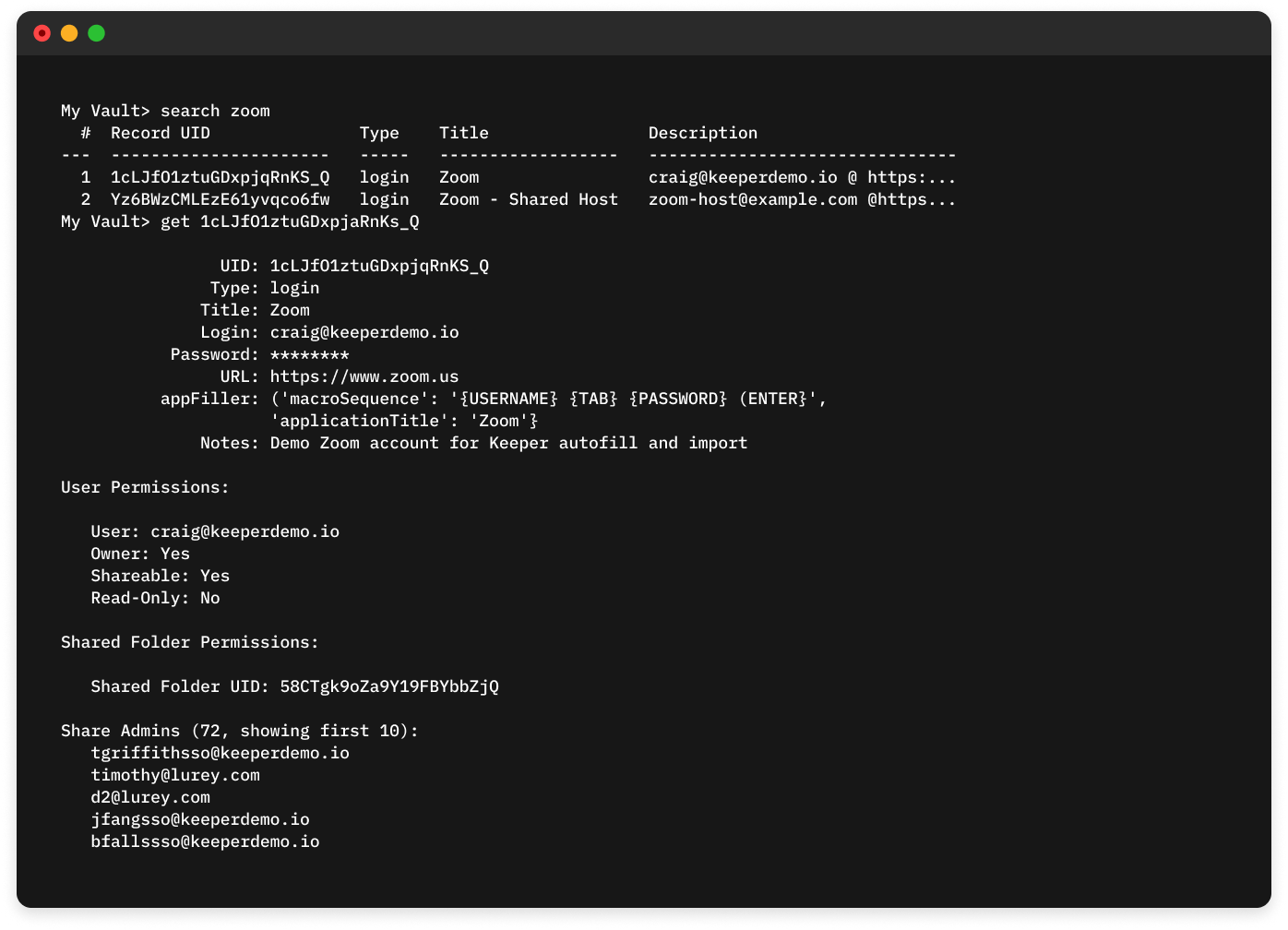
Two powerful updates introduced earlier this year to Keeper Secrets Manager (KSM) make the platform more secure and easier to deploy. KSM CLI 1.3.0 raises the bar on credential protection by leveraging your operating system’s native secure storage, including macOS Keychain, Windows Credential Manager and Linux Secret Service, to safeguard Keeper device identity information by default. This eliminates the risk of sensitive credentials being stored in a plain keeper.ini file on disk. Ansible Integration 1.4.0 removes a key friction point for teams running KSM in Ansible Automation Platform. The update bundles essential system packages (openssh-clients, sshpass, rsync and git) directly into the Tower Execution Environment Docker image so automation pipelines are ready to go right out of the box.
New in Keeper Secrets Manager: Cloud Integrations, AI Workflows & Security Hardening
In April we expanded KSM’s reach across cloud, CI/CD, and AI workflows. JavaScript Cloud KMS Storage 1.0.0 delivered encryption integrations for all four major cloud providers — AWS KMS, Azure Key Vault, GCP Cloud KMS, and Oracle Cloud Infrastructure Vault — with support for symmetric and asymmetric keys, key rotation, and flexible authentication. The KSM GitHub Action 1.3.0 added write-back capability, enabling pipelines to generate and persist credentials to the vault, not just retrieve them. The Go SDK 1.7.0 brought HTTP proxy support, automatic region detection, and GraphSync link sharing, while the Terraform Provider introduced ephemeral resources for all 25 record types, keeping secrets out of state files entirely. The new KSM AI Agent Kit rounded out the release, connecting Keeper directly to AI coding agents including Claude Code, Cursor, Codex, and GitHub Copilot, so developers can retrieve secrets and execute admin workflows from the terminal.
Updates in May focused on security hardening across the Python KMS storage layers for Oracle and GCP, with AES-GCM nonce corrections, SHA-256 upgrades, thread-safety improvements, and a safer default that prevents plaintext credentials from being written to disk. The Rust SDK resolved critical OpenSSL CVEs and migrated its TLS backend to aws-lc-rs, laying the groundwork for FIPS 140-3 compliance.

Streamline privilege management with centralized approvals
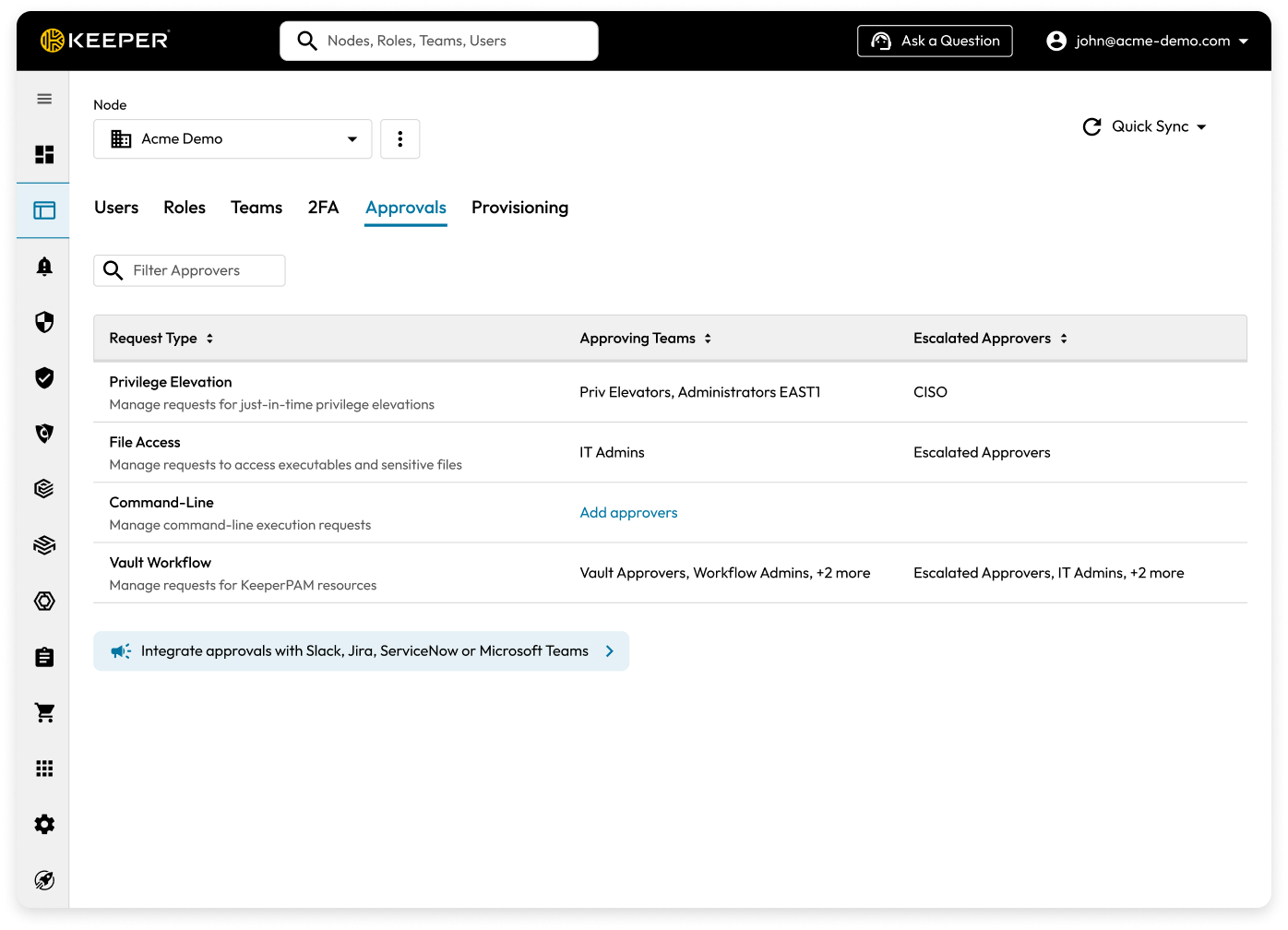
Endpoint Privilege Manager (EPM) approvals are now unified in a single global “Approvals” screen within the Admin Console, consolidating elevation requests across all request types and platforms into one streamlined workflow. Administrators can configure team-based approvers and escalation rules to reduce administrative overhead while ensuring consistent governance and access control across the organization.
Multi-account switching, PAM session launch and smarter URL linking on browser extension
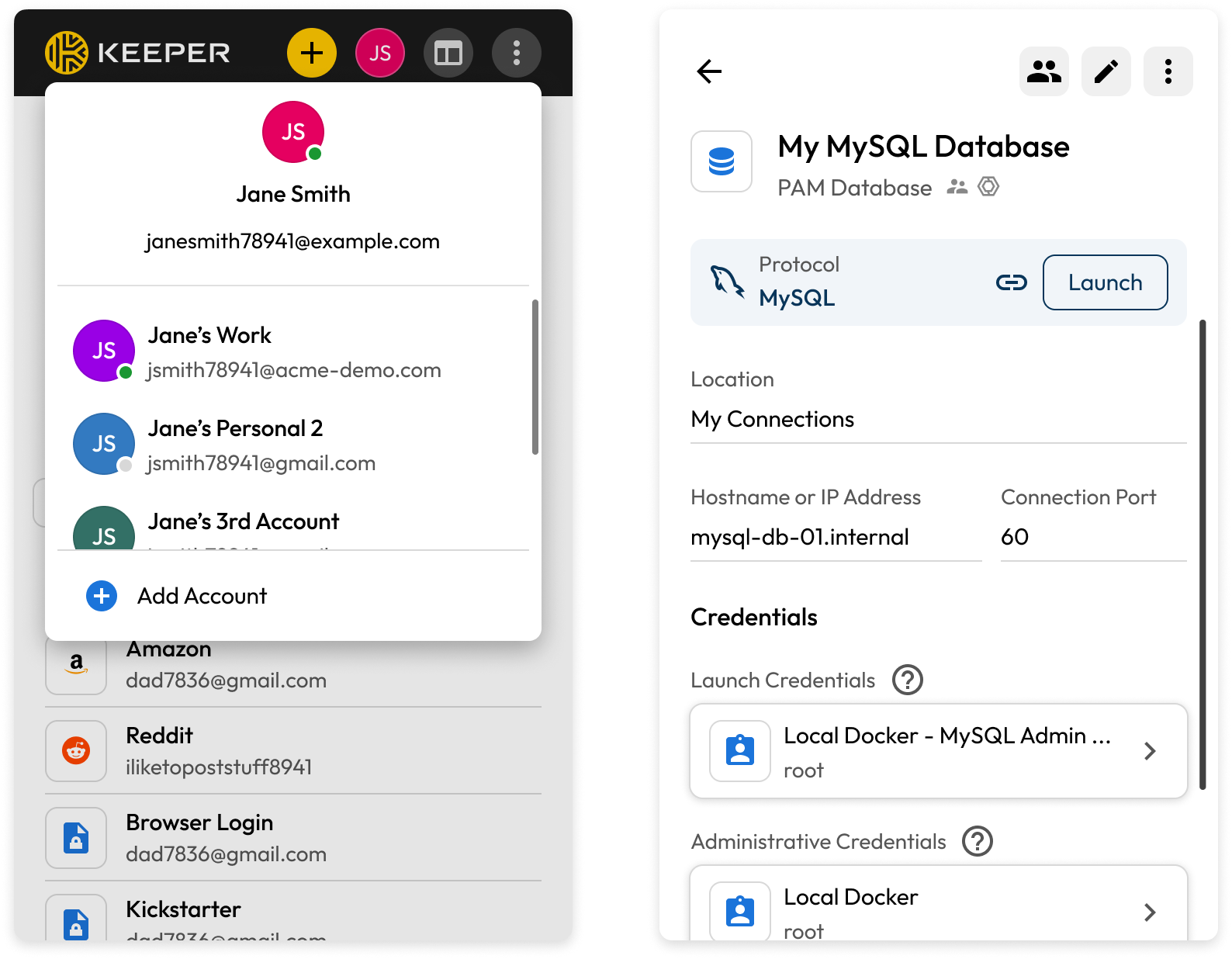
Have more than one account? Keeper supports multiple vaults in the same browser, making it easy to seamlessly switch between personal and business accounts without logging out of an active session. Simply click the user icon in the upper-right corner of the extension window and select the account you want to switch to. Keeper also now supports launching privileged access management sessions, including Machine, Database and Browser record types, directly from the browser extension. A new Launch button on eligible records redirects users to the web app to initiate sessions instantly, bringing PAM access one step closer to wherever you’re already working. Additionally, users can now quickly link multiple websites to a single record for autofill. When editing a record in the browser extension, the current site’s base URL is suggested under the matching record’s “Additional URL” field for easy one-click adding.
Never miss an important Keeper notification on mobile
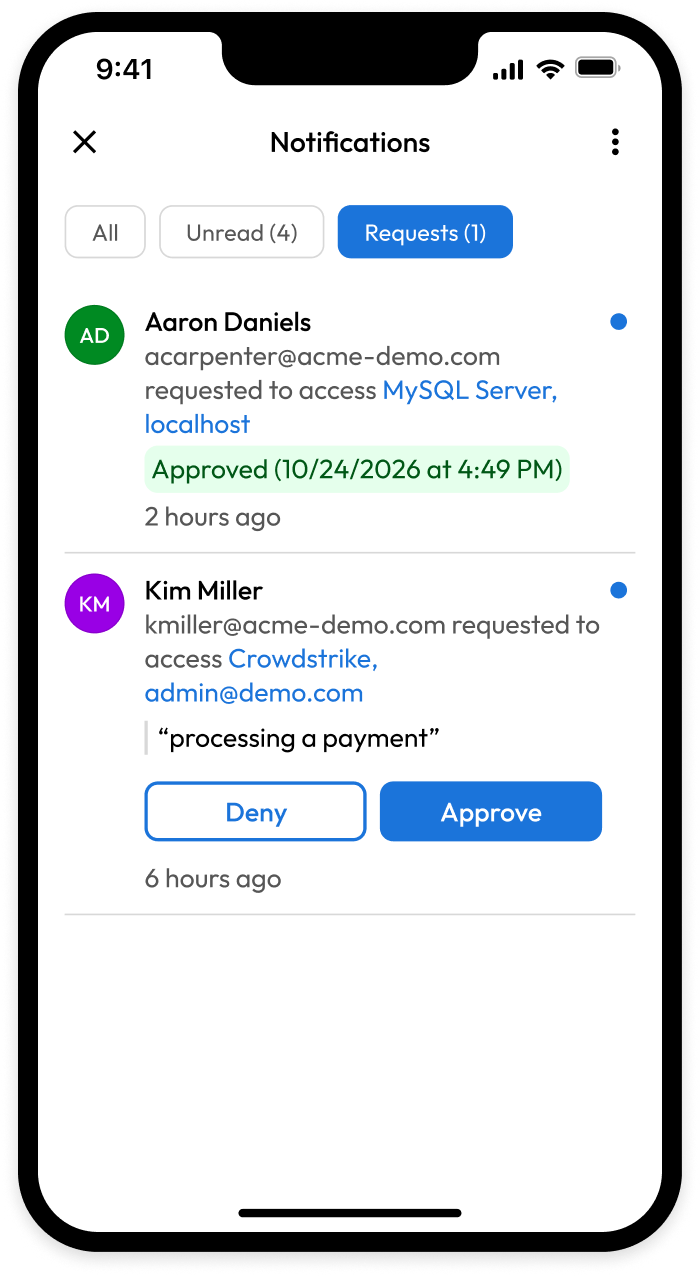
Stay on top of vault activity with the new in-app Notification Center on iOS and Android, a centralized hub for managing security alerts, access requests, device approvals and more in one place. Users can filter between all and unread notifications at a glance and approve or deny sharing requests and new device login attempts with a single tap. Unread indicators help ensure time-sensitive updates are not missed, while seamless navigation allows users to return to records without losing their place.
Everything you need to manage enterprise subscriptions, now built into the console
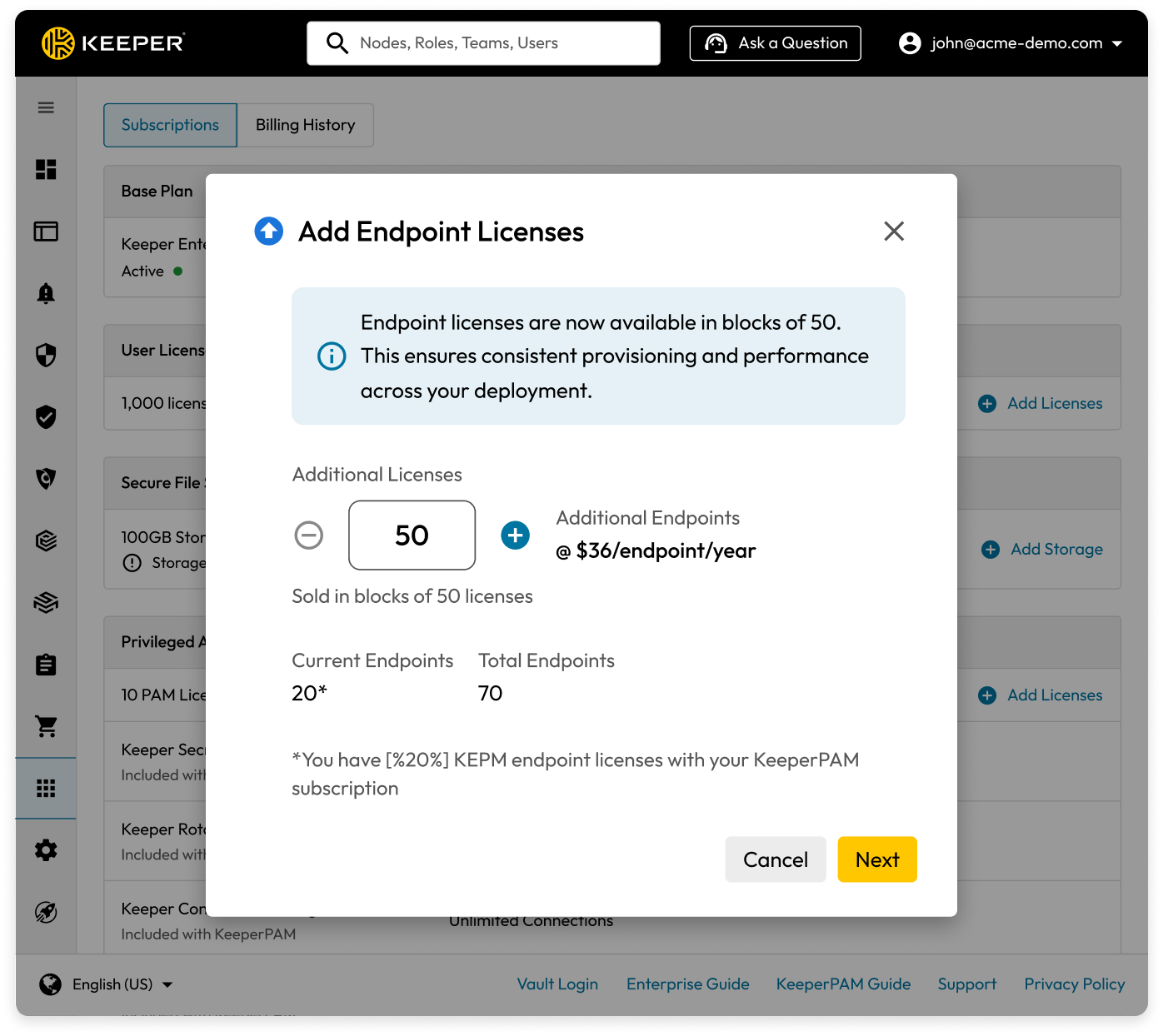
Keeper Admin Console 17.8.0 delivers meaningful upgrades for enterprise and MSP administrators. In-Console Checkout allows eligible administrators with a valid credit card on file to purchase additional licenses, upgrade plans and add new products without leaving the Admin Console. MSP administrators can also activate the PAM add-on directly from the Subscriptions page using a consumption billing model with configurable license limits, consistent with the existing Keeper EPM experience.
Launch multiple concurrent sessions from a single PAM resource
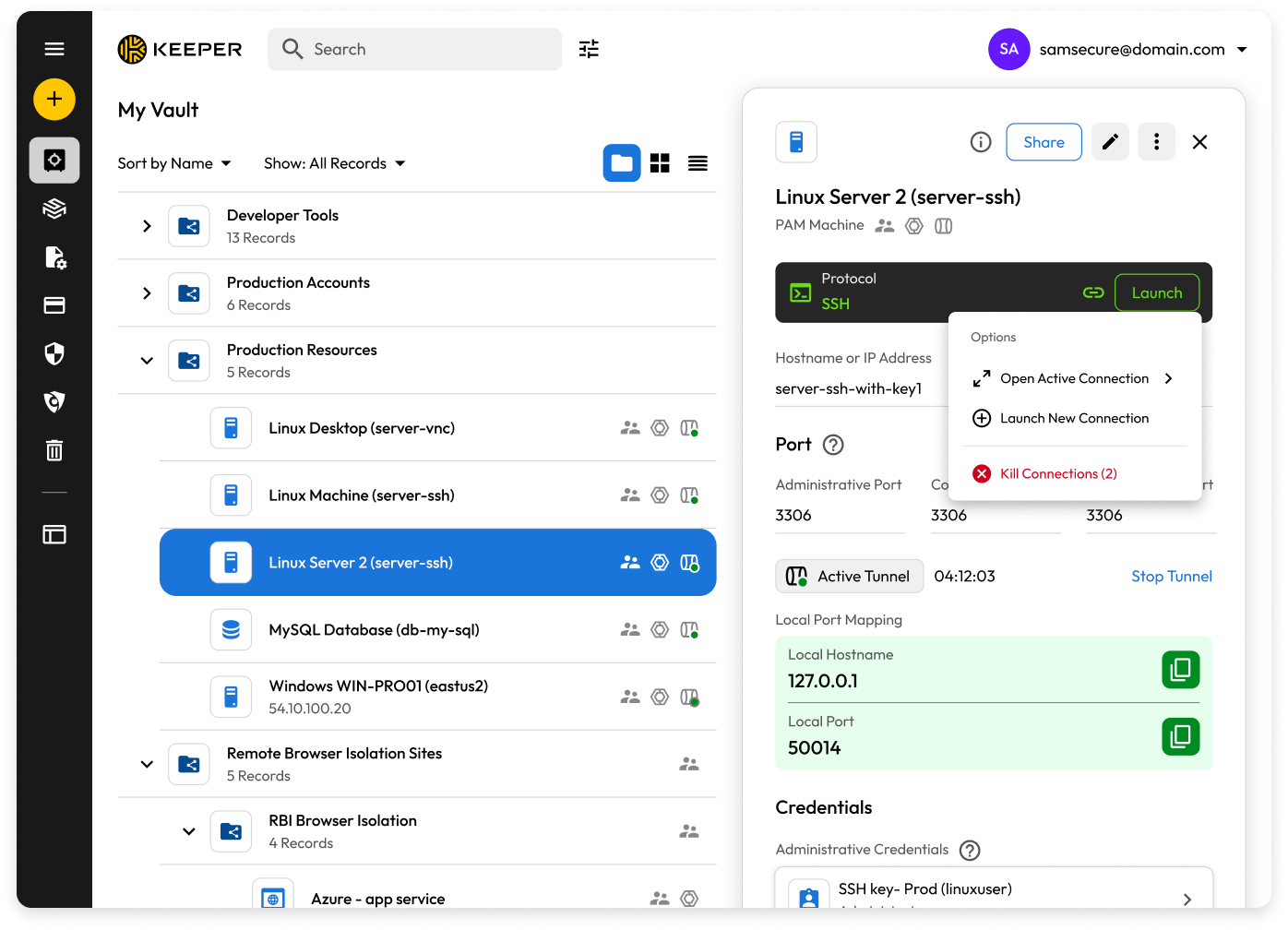
Users can now launch multiple simultaneous sessions from a single PAM resource or Template without duplicating resources. All active sessions are grouped under their parent resource in the Connection Dock, each with unique session details and handled independently, so closing one session does not affect the others. From the resource record, users can search for and focus on any active connection or terminate all associated sessions at once.
Keeper Secrets Manager integration with Harness CI for dynamic secrets retrieval
The Keeper Secrets Manager Harness CI Plugin enables secure, dynamic retrieval of secrets directly within Harness CI pipelines. Teams can pull credentials and secure files from the Keeper Vault, set secrets as build arguments and authenticate using a One-Time Access Token, Base64 token or JSON config file. Secrets are written to a shared workspace path and automatically masked in pipeline logs to help prevent exposure.

Empower administrators and security teams to manage Keeper Vault operations directly within ServiceNow
The Keeper Vault ServiceNow Workflow App brings enterprise secrets management directly into your existing workflows with no context switching required. Security teams and administrators can approve or deny EPM requests in real time, grant or revoke user access to records and folders (including one-time shares) and search, store and manage secrets across the Keeper Vault without leaving the ServiceNow platform.
Automate password rotation across leading SaaS platforms
Automated password rotation for cloud-based services is a powerful new capability designed to strengthen your security posture and simplify compliance. The feature enables teams to define custom rotation criteria and trigger password updates on a schedule or on demand, eliminating the risks associated with static, long-lived credentials. Automated rotation is now supported across a broad range of SaaS platforms, including Okta, Snowflake, REST, AWS Access Key, Azure Client Secret, Cisco IOS XE and Cisco Meraki, with logic tailored to each service’s unique requirements. Whether managing a handful of integrations or a complex multi-cloud environment, teams gain greater control over credential security without the manual overhead.

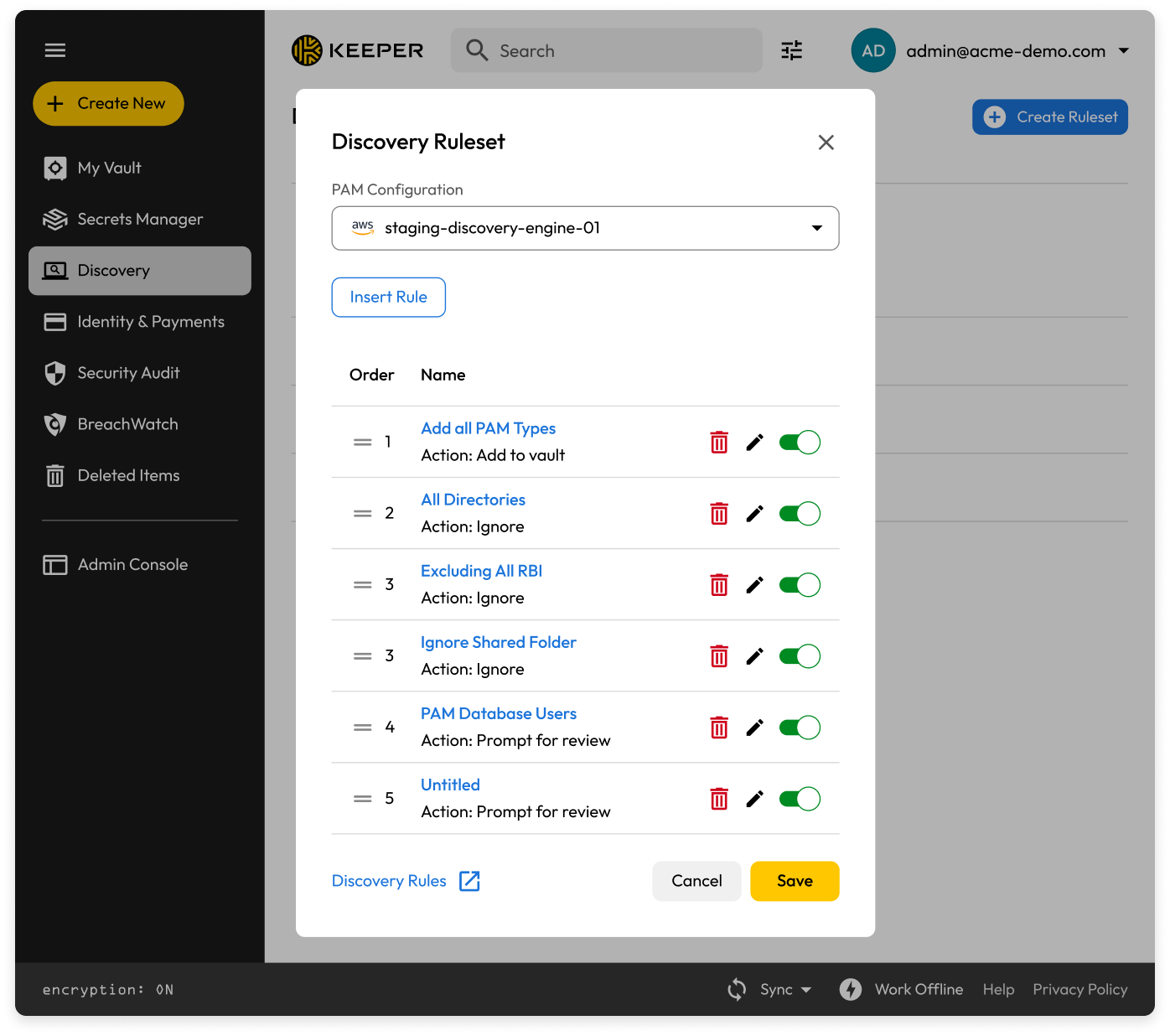
Introducing the Discovery Rules Engine for automated resource management
The new Discovery Rules Engine gives administrators fine-grained control over how Discovery jobs enumerate, process and store resources. Ordered rule sets are assigned to Gateways and evaluated sequentially during Discovery execution, automatically adding eligible resources, filtering out noise or prompting for action on specific entities. Administrators can create, edit, copy, enable/disable and delete rules through a dedicated management surface with built-in draft/deploy states, validation and auditing. Only users authorized to run Discovery jobs can create and manage rules, ensuring governed, streamlined onboarding with fewer false positives.
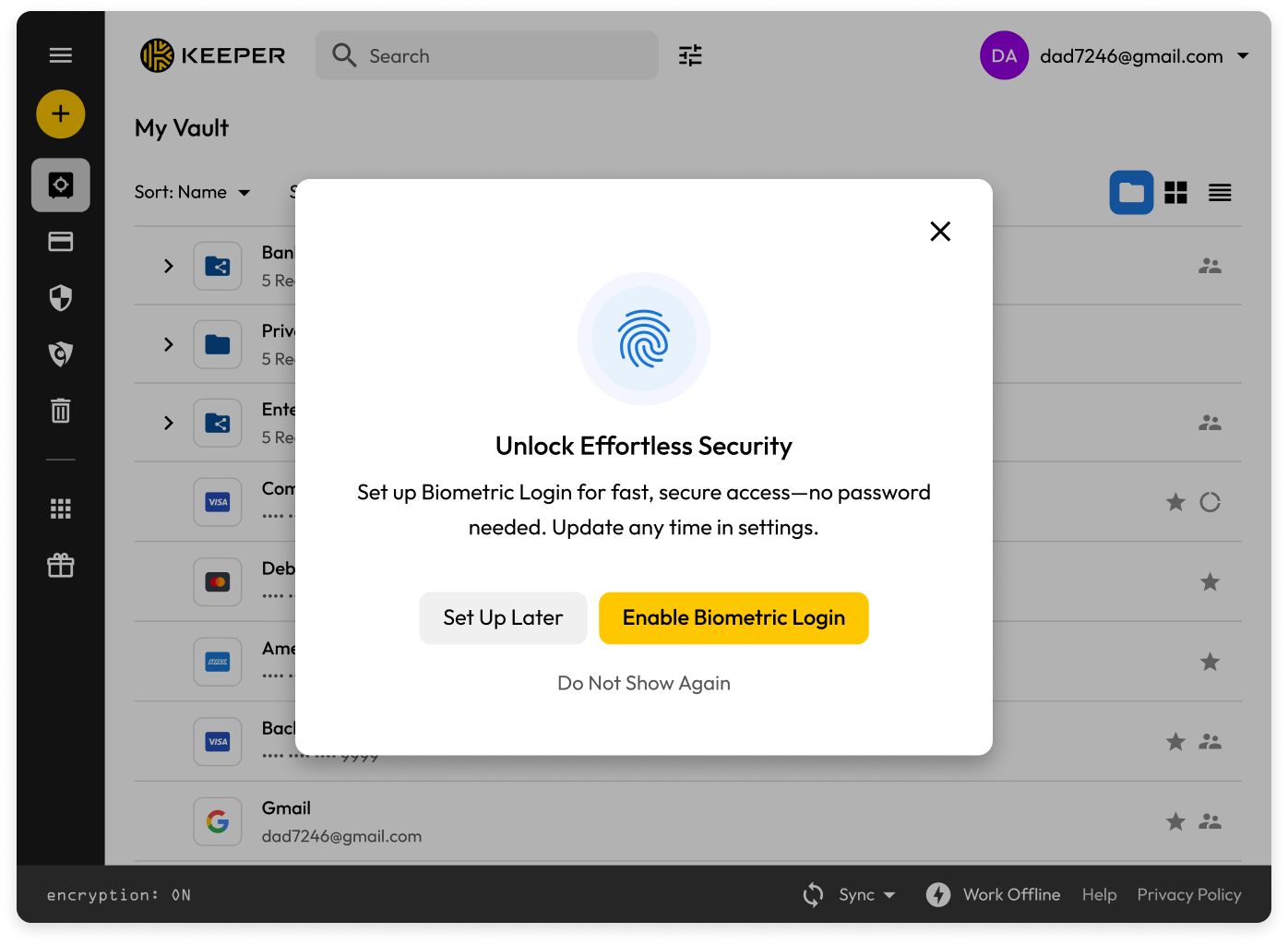
Experience frictionless authentication to the Keeper Vault with biometric login
The Keeper Web Vault now supports biometric login with a passkey, allowing users to authenticate using a device-bound passkey that replaces all traditional login methods, including a master password, Single Sign-On (SSO) and Two-Factor Authentication (2FA). Users can log in to the web vault or desktop app using supported biometric authentication, including facial recognition or fingerprint scanning. When biometric login is enabled, users can sign in instantly without entering a master password or navigating SSO. This feature is now aligned with Keeper’s browser extension, which launched biometric login with a passkey last year. This increases the convenience of using Keeper while enhancing account security.
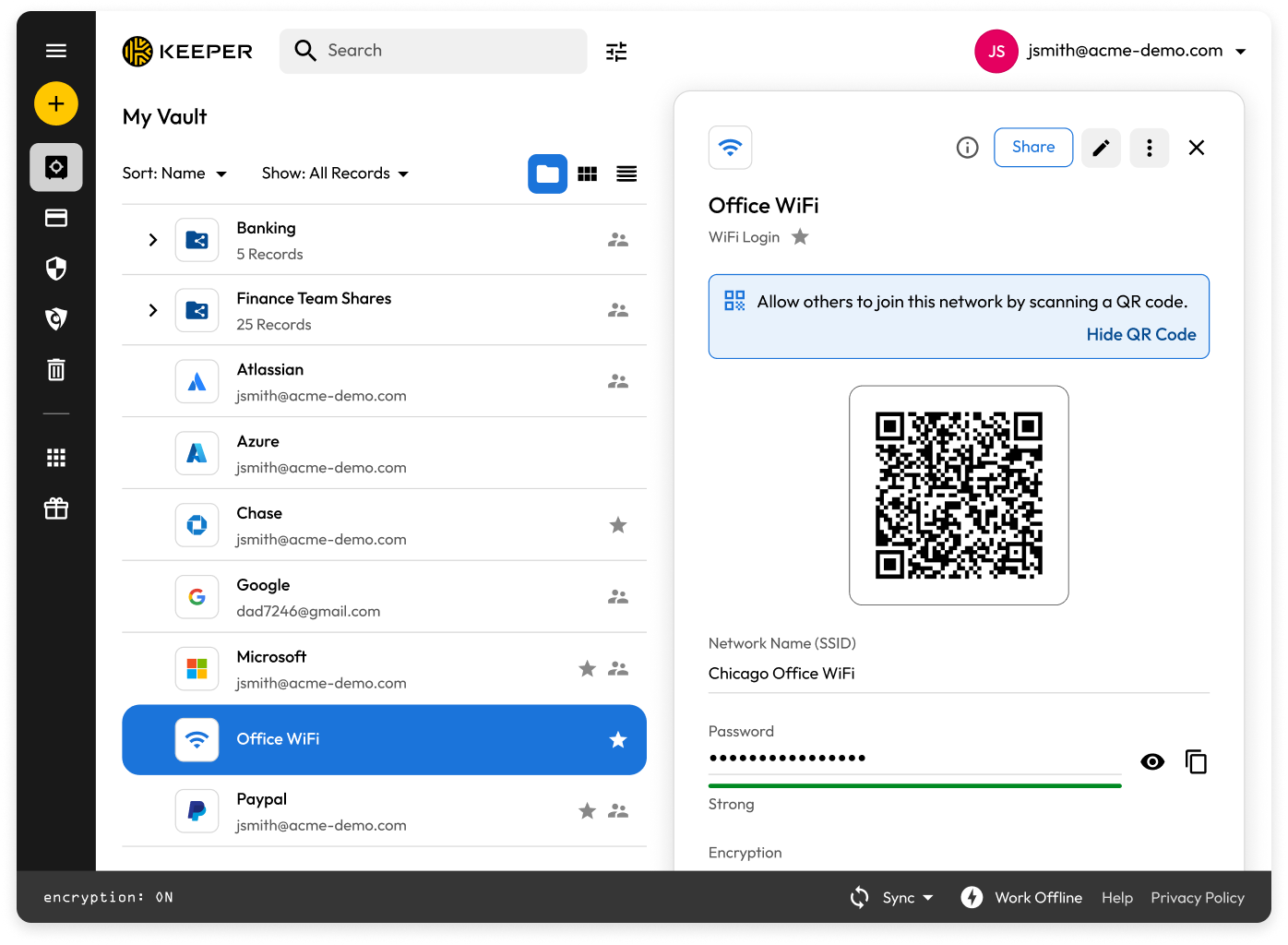
Effortless WiFi record creation and sharing, now on Keeper web and desktop
The WiFi Login record type that first launched on Keeper’s iOS app is now available on the web and desktop app, making it easier than ever to securely store and share WiFi credentials. Each record captures essential details, including the network name, password, encryption type and network visibility. Users can also generate a shareable QR code directly from the record, allowing iOS devices to join the network instantly by scanning the code.
Manage Keeper as code with the Terraform Provider for Commander
Terraform Provider for Commander enables organizations to manage Keeper Security enterprise and MSP configuration as infrastructure-as-code. The provider uses the Keeper Commander Service Mode REST API to manage your Keeper resources from Terraform, providing declarative config, version control and a clear audit trail while maintaining Keeper’s zero-knowledge infrastructure.
Browser extension eliminates autofill conflicts, adds anti-phishing alerts and custom fields
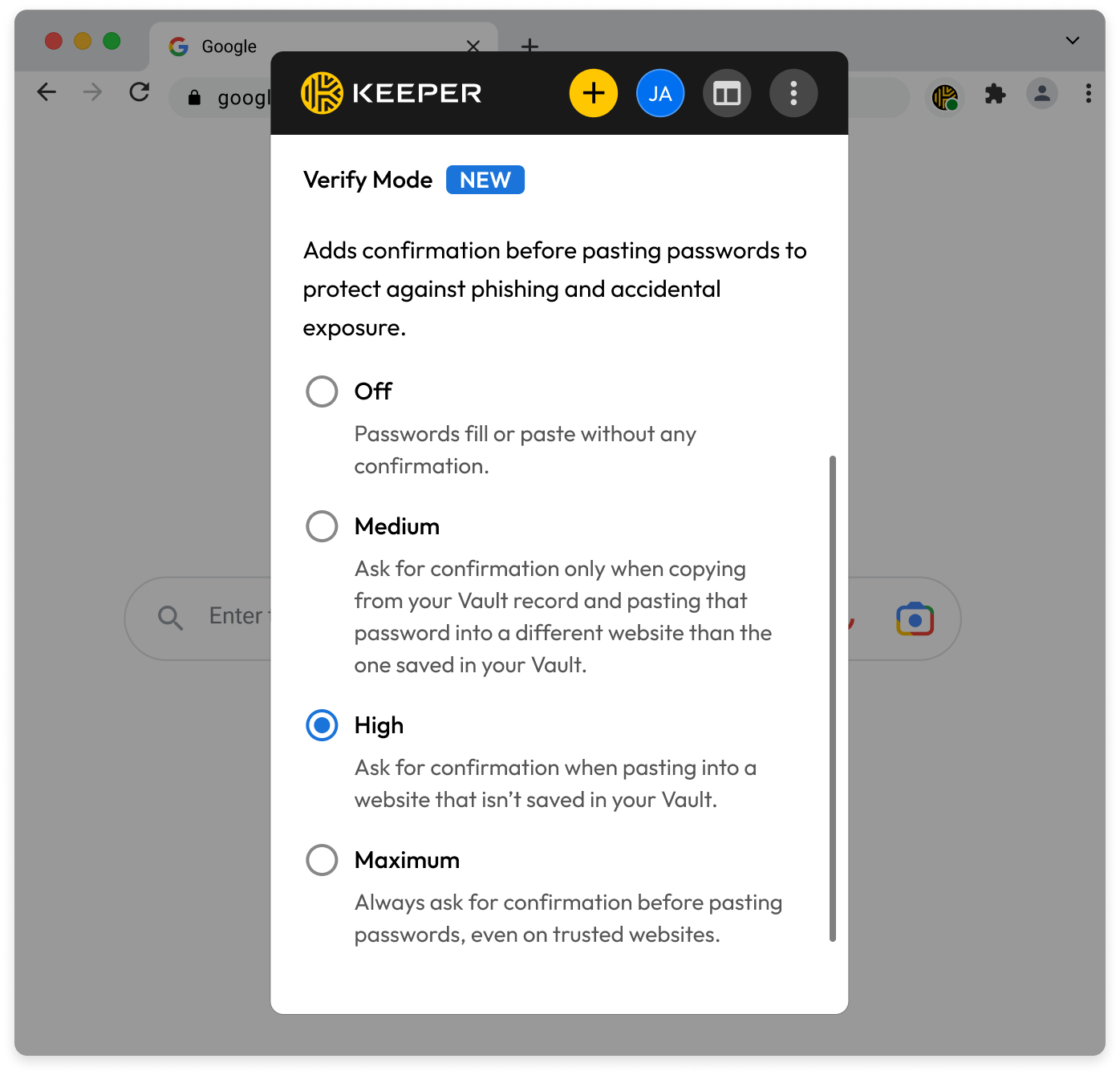
The Keeper Browser Extension now prompts users to set Keeper as their default password manager, eliminating conflicts with built-in password managers across Chrome, Edge, Firefox, Brave and Opera for a seamless autofill experience. A new Verify Mode anti-phishing feature monitors paste actions and warns users in real time before credentials are submitted to an unrecognized or mismatched site, with three configurable protection levels (Medium, High and Maximum) to suit different security preferences. Users can also add Custom Fields directly from the browser extension to store masked sensitive data like PINs, security questions or private notes alongside any login record, with drag-and-drop reordering for easy organization.
Redesigned Security Audit for iOS
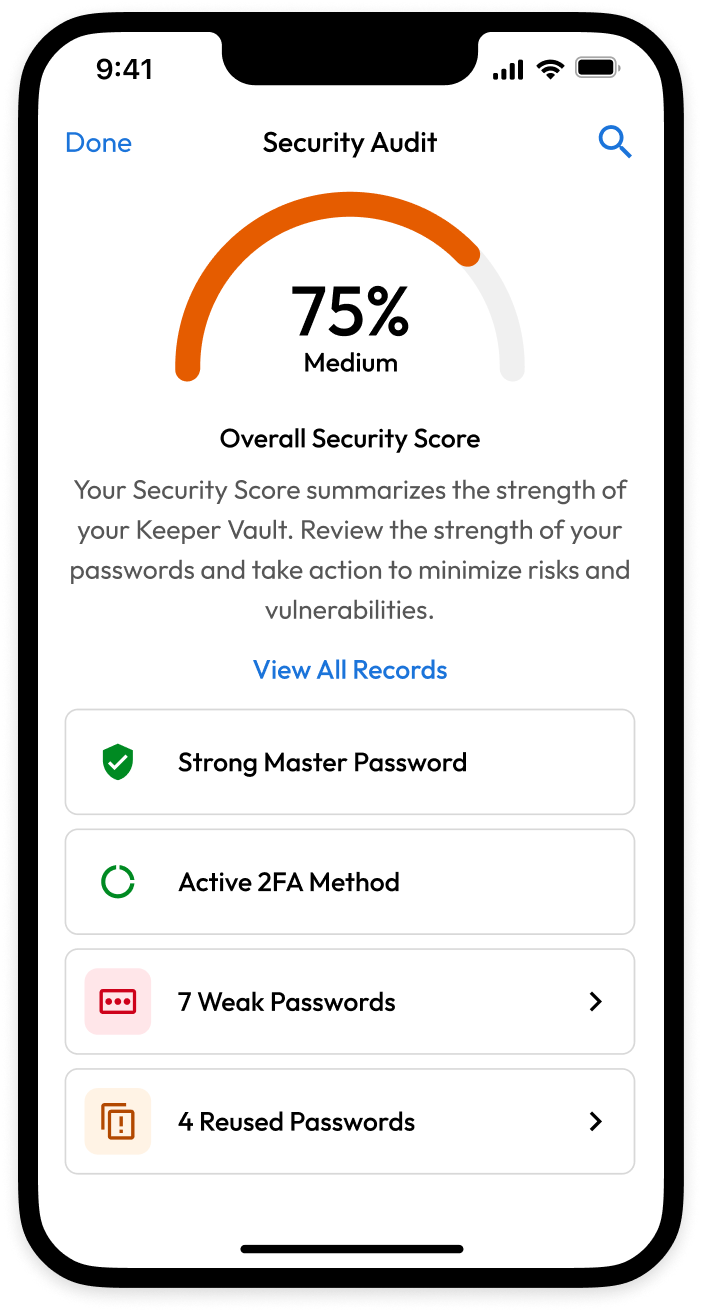
Your view into your vault’s security health just got even better. The fully redesigned Security Audit on Keeper’s iOS app features a new, easy-to-understand security score and actionable dashboard that gives you an instant snapshot of your overall security posture. Use the new action cards to quickly boost your score by updating weak passwords, enabling two-factor authentication or rotating reused credentials in just a few taps. The refreshed records list also makes it easier to prioritize what matters most, with clear password strength icons and improved sorting and filtering options.
Control how you view your vault with Dark Mode, now available in the Keeper Web Vault and Desktop App
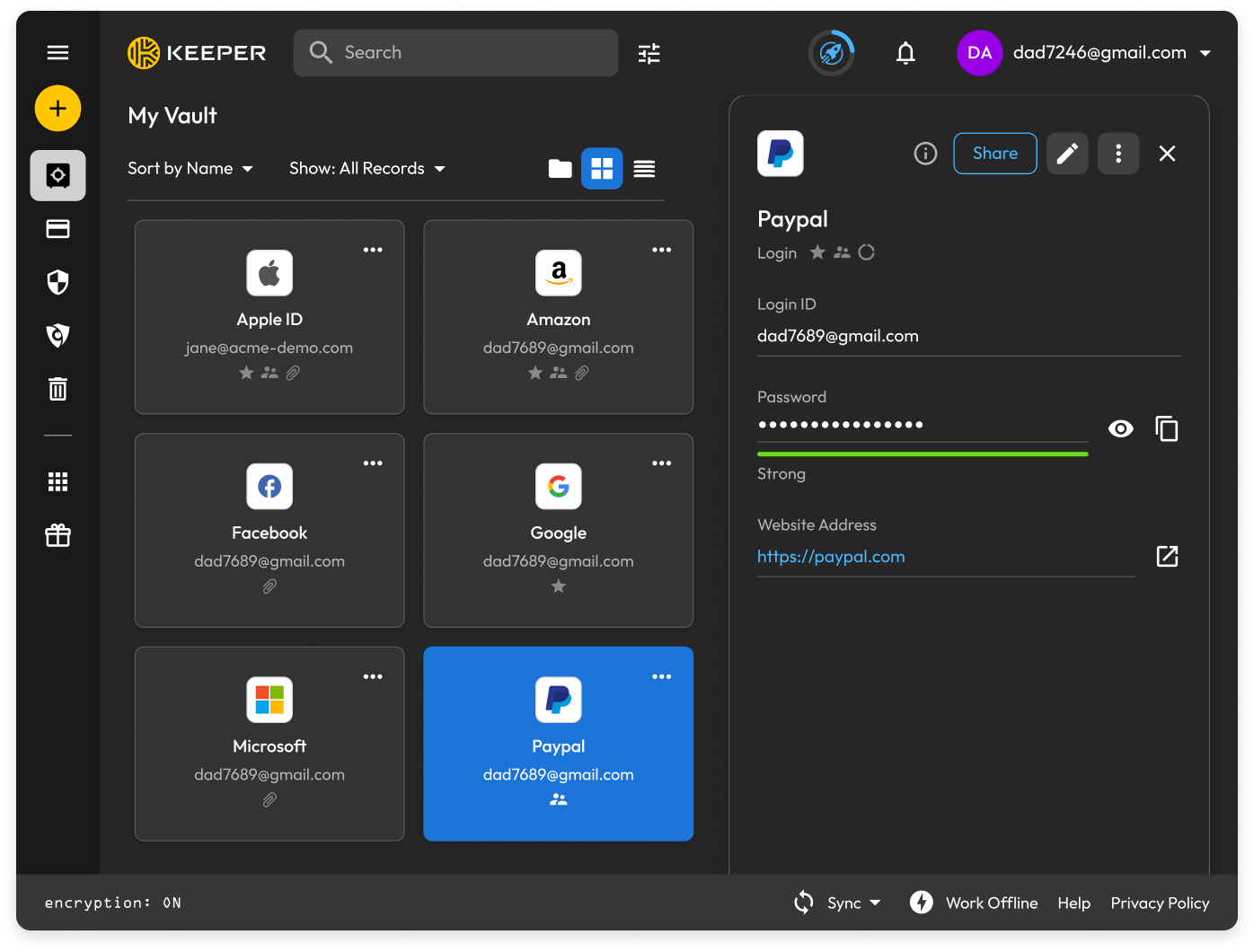
Keeper Web Vault now offers Dark Mode, addressing the growing market demand for greater user interface customization and visual comfort. Dark mode has become a staple expectation across modern applications, and this addition aligns Keeper with evolving user preferences and industry trends. The benefits are also practical, including reduced eye strain in low-light environments, improved readability and a more personalized experience overall. Dark mode also ensures a consistent look and feel across platforms, allowing users to move seamlessly between web, desktop and mobile environments.
Seamless session continuity and new in-session controls
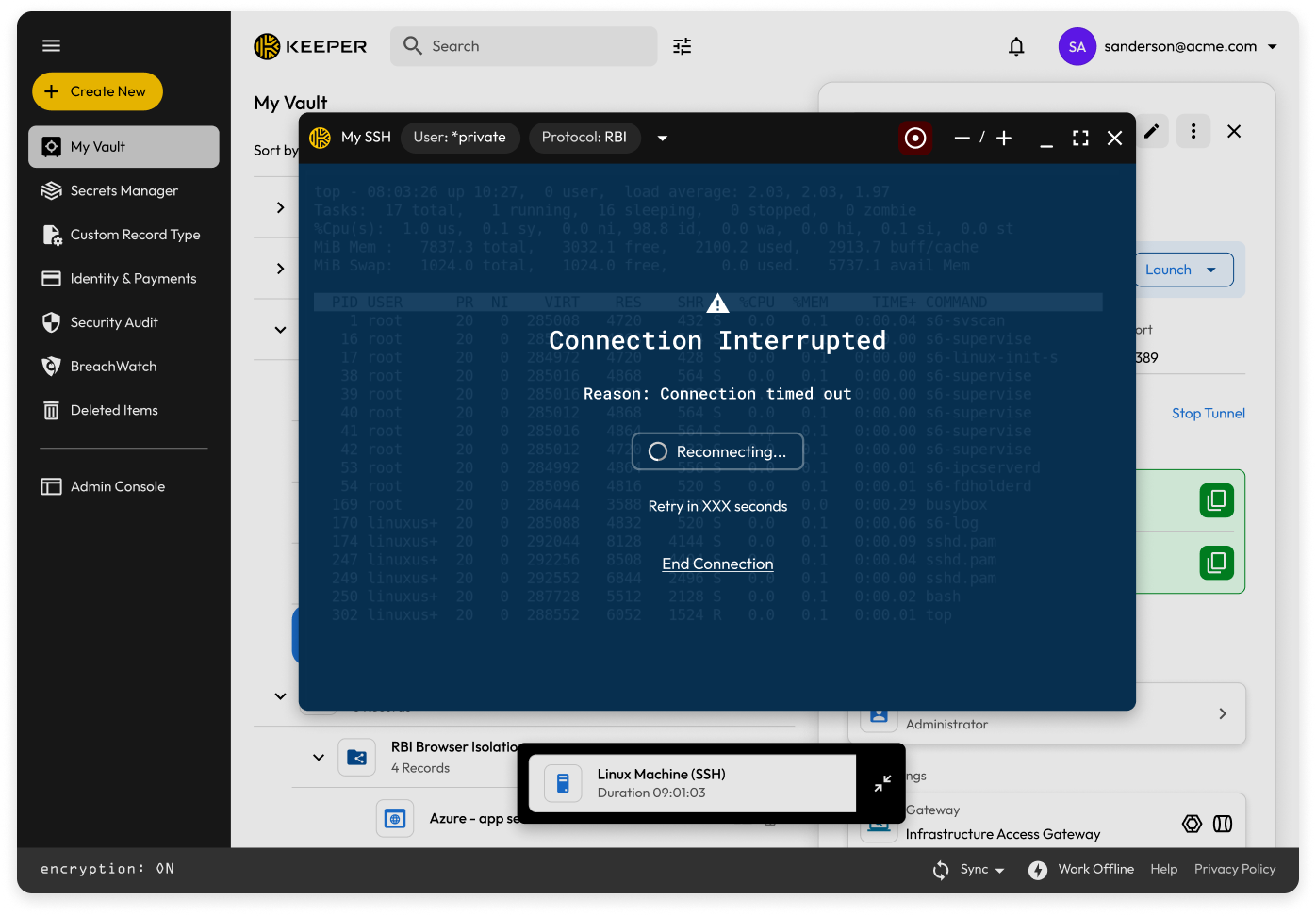
The Vault 17.6 release brings a set of meaningful improvements to active KeeperPAM sessions. Connections that are unexpectedly interrupted now automatically attempt to reconnect after a timed countdown, with no configuration required, allowing users to resume work without manually re-establishing the session. RDP sessions now support file transfer, making it easier to move files between a local machine and a remote environment without leaving the active connection. A new action button in remote connections also lets users send specific key events (such as Ctrl+Alt+Delete) directly from the session, giving administrators finer control during live privileged sessions.
Remote Browser Isolation gets a major upgrade
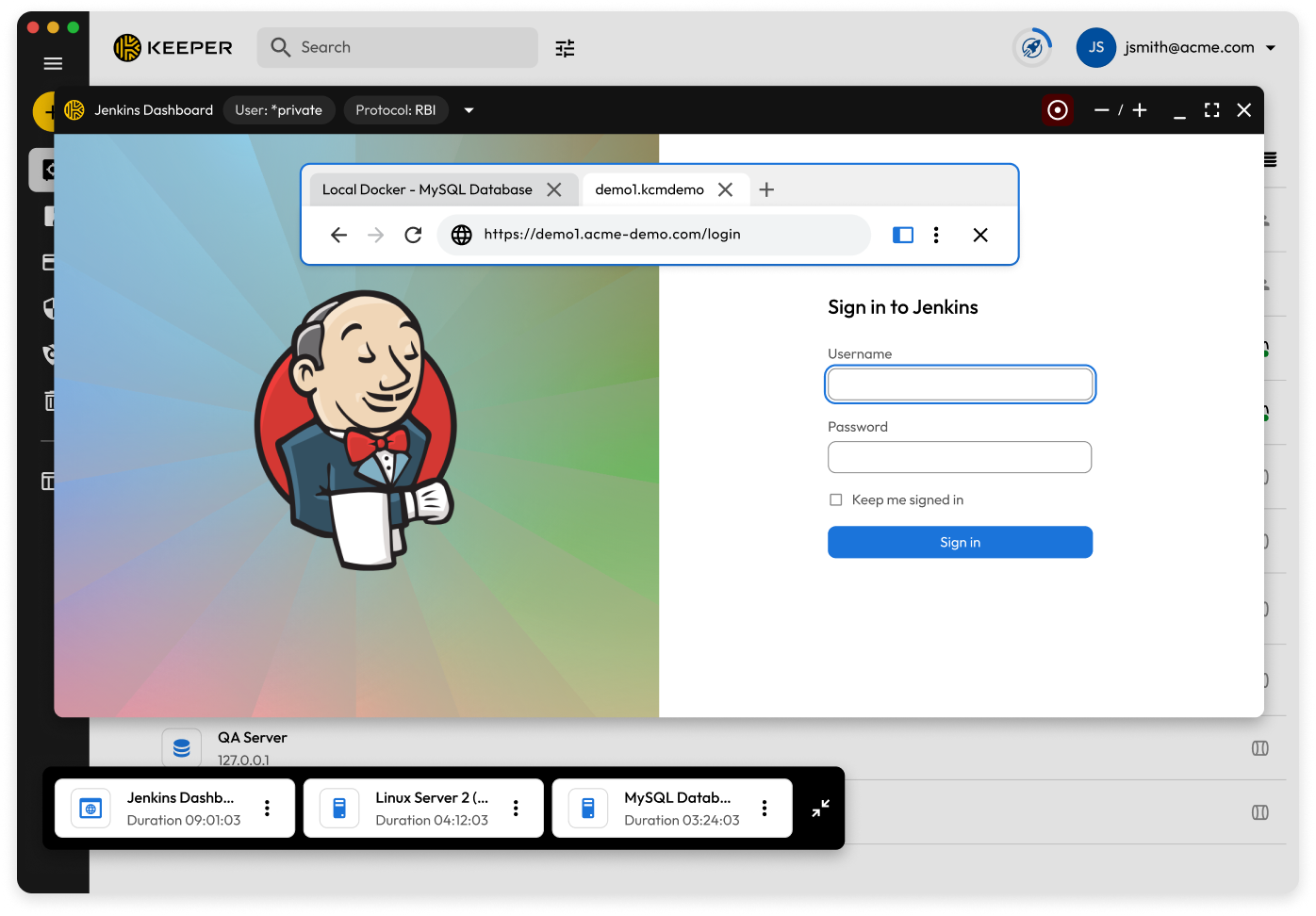
KeeperPAM’s Remote Browser Isolation (RBI) experience has been substantially enhanced in the latest release, making it a more capable and intuitive environment for privileged web-based access. Users can now open and manage multiple tabs within an RBI session, upload and download files directly from the remote browser and take advantage of persistent sessions configured per-user or per-resource to reduce the friction of repeated logins. Day-to-day usability improvements include a right-click context menu for copy, paste, and opening links in a new tab, as well as native JavaScript alert support for more complete website compatibility. Security and access control have also been strengthened. HTTP Basic Auth now autofills within RBI sessions, and the new Launch-As option allows shared users to select their own credentials at session launch, ensuring access is properly attributed without requiring separate records.
Expanded SSH authentication and native CLI access
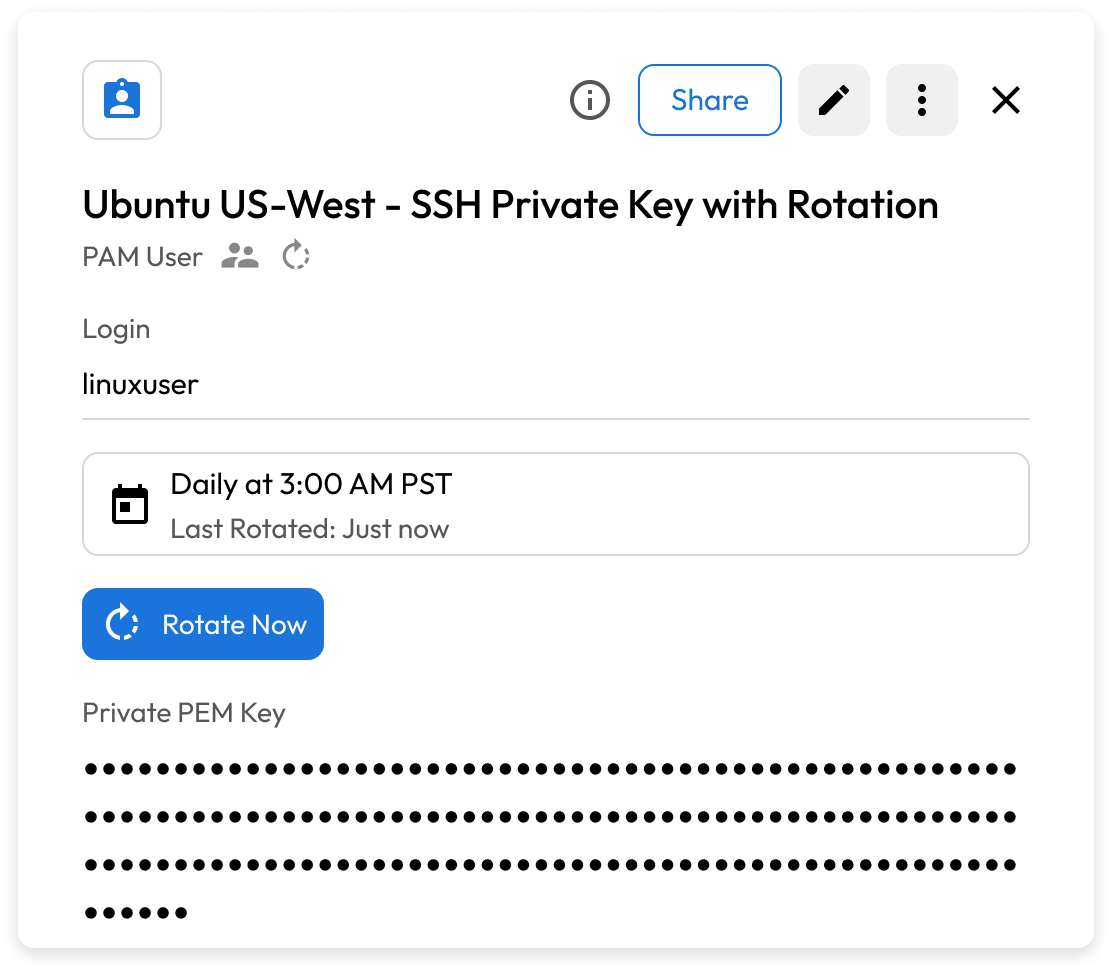
KeeperPAM now supports a significantly expanded set of SSH authentication options delivered through both the Vault and Keeper Gateway 1.8.0. Teams can authenticate SSH connections using Public Key Certificates and Private Key Passphrases, and organizations that rely on CA-signed keys now have full certificate-based authentication support. PAM Users also gain Private PEM Key support, mirroring the Service Account Keys capability available for Google Cloud PAM Configurations — making SSH credential management more consistent across environments. Together with KeeperDB, these enhancements extend native CLI-level access to both SSH and database resources, allowing privileged users to connect through their preferred tools while Gateway 1.8.0 handles credential injection, session recording and zero-trust enforcement behind the scenes.
Various improvements to the Commander CLI

Keeper Commander is constantly improving. Here is our latest set of new commands:
- Automation Commands – AD user creation via Gateway with support for username templates
- Domain Alias Commands – Commands for managing domain aliases
- PAM Launch – Added “Connect As” options to pam launch
- PAM Tunnel – Enhanced pam tunnel diagnose with full gateway readiness testing
For a full list of Keeper Commander updates, visit our Release Notes.

