
 Cybersecurity



Malicious cyber activity targeted remote monitoring and control technology at over 30 community water systems across Minnesota in late July 2026, and water cyber attacks were
7 min read
Published on September 10, 2024
There are several ways spyware can get on your phone, such as someone installing it without your knowledge, downloading content from unreliable sources, clicking on malicious links or installing invasive apps. Spyware is a form of malware installed by a cybercriminal to spy on you and steal your personal information. Each type of spyware is designed to do something different, like watch you through your camera, display unwanted advertisements or record your keystrokes.
Keep reading to learn the common signs of spyware, how it may have gotten on your phone and how to remove it.
Signs your phone has spyware
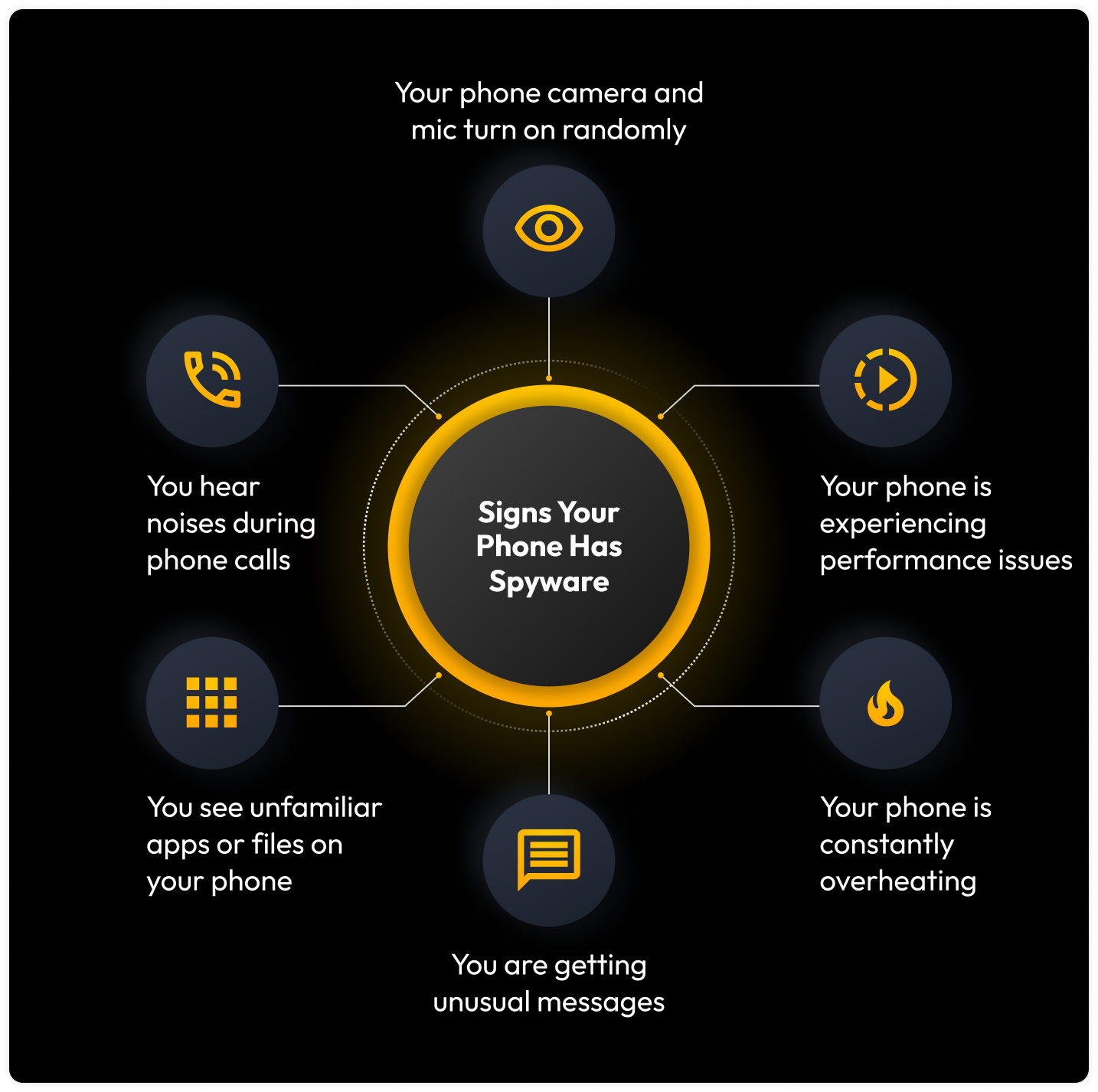
Here are some of the most common signs of spyware:
- Your camera and microphone turn on, even if you’re not using an app that relies on them
- You hear strange beeping noises when you’re on a phone call
- You notice your phone performing slower, freezing or having battery issues
- You see unfamiliar apps or suspicious files on your phone
- You receive unusual messages like pop-up ads more often
- Your phone frequently overheats
How spyware could have gotten on your phone
After seeing several signs of spyware on your phone, you may be wondering how it infected your phone in the first place. Let’s look at the variety of ways spyware could have gotten on your phone.
Someone installed it on your phone without your knowledge
Spyware is generally installed without your knowledge, so someone with malicious intent, even someone you know, could have physically installed it on your phone if you left it unlocked. If you leave your phone unattended even for a few minutes, someone could pick it up and install spyware. This is why it’s important to keep a passcode on your phone and keep it locked, even if you briefly step away from it.
You downloaded content from an unreliable source
If you recently downloaded an app, movie or other content from a third-party source, spyware could have infected your phone. Since unreliable sources don’t have regulated content, you should not trust any source besides the Apple App Store or Google Play Store to download apps, games or media. A third-party source could pretend to be legitimate and trustworthy, but a cybercriminal may include spyware in its content. By the time you download a free movie from a suspicious website, you could also download spyware without knowing.
You clicked a malicious link or downloaded a malicious attachment
Clicking on a malicious link or downloading a malicious attachment may have resulted in spyware infecting your phone. For example, if you received an email claiming that you need to click a link to confirm your login credentials, even clicking on an unsolicited link could be unsafe and trigger the installation of spyware on your phone.
You unknowingly downloaded an invasive app
Invasive apps are designed to collect your personal data and private information without your knowledge by bypassing your phone’s privacy settings. After exploiting your phone’s resources, invasive apps will spy on you and send information to a cybercriminal. Typically, you can tell an app is invasive if it asks for permissions that aren’t necessary. For example, if you downloaded an app to design custom wallpapers but that app asked for your current location, that would be unnecessary for the app’s purpose and should be a clear indication that the app is invasive.
You connected to an unsecured public WiFi network
Public WiFi networks, like those at coffee shops or airports, are intended to help you connect to the internet for free. Despite their convenience, connecting to public WiFi can lead to spyware or other kinds of malware infecting your phone. This can happen if a cybercriminal hacks the public WiFi network and uses spyware to infect any device that connects to it, aiming to steal private information from its users. If you need to connect to a public WiFi network, make sure to use a Virtual Private Network (VPN) to encrypt your information and make your connection private.
How do I get spyware off my phone?
Now that you suspect or know you have spyware on your phone, it’s important to remove it immediately. Follow the steps below to get spyware off your phone.
1. Reboot your phone in safe mode
No matter what kind of phone you use, turn off your WiFi and reboot your phone in safe mode. Safe mode allows you to use your phone without any third-party apps or programs running, so you can determine which app contains spyware.
iPhone users can enter safe mode by shutting their phone off completely, then pressing and holding the Power button until they see the Apple logo. After the logo appears, press and hold down the Volume Down button until you see the lock screen. Once you release the button, your iPhone should be in safe mode.
Android users can enter safe mode through a similar process. Shut your phone off by holding the Tap to Power Off button, then a pop-up menu should appear that displays Reboot to Safe Mode. By hitting OK, this will restart your device and ensure it is in safe mode.
2. Delete invasive apps and apps you don’t recognize
You should erase any unfamiliar apps because not only could they be invasive, but they could also contain spyware. If you downloaded any apps from a third-party source or have a jailbroken phone, you need to delete invasive and unfamiliar apps right away to stop spyware from continuing to steal your information.
3. Scan your phone using antivirus software
Antivirus software can be installed on your phone to detect and eliminate known viruses and malware before they can infect your phone. When you have antivirus software installed, it scans your phone’s code and searches for matches in its database of known viruses. If it finds a match, the antivirus software will remove the spyware or other malware from your phone before it can successfully infect it.
4. Reboot your phone
After you remove unfamiliar apps and scan your phone with antivirus software, you should restart your phone again. This time, just do a normal restart instead of enabling safe mode or doing anything else. You can normally reboot your iPhone by pressing and holding the Power button, then sliding Slide to power off. After the screen has gone black, press and hold the Power button again and wait for your phone to restart. Reboot your Android by pressing and holding the Power button, then selecting Restart or Power off. Once your phone’s screen goes black, press and hold the Power button again to start your phone again.
5. Factory reset your phone
If you follow the steps above but spyware remains on your phone, you may need to factory reset your phone. Before doing this, make sure you have an older backup of your phone before spyware infected it because factory resetting your phone means you are erasing all its contents and reverting it to its default settings. By regularly backing up your data, you can restore your phone to a backup from before the spyware infection.
iPhone users can factory reset their phone by going to Settings, General, then Transfer or Reset iPhone. At the bottom of the screen, tap Erase All Content and Settings. You will be asked to enter your passcode or Apple ID login information. After you do this, you have to confirm that you want to erase your iPhone, then wait for your iPhone to erase.
Android users can factory reset their phone by visiting Settings, General management, then Reset. Tap Factory data reset, then Reset.
Keep your phone safe from prying eyes
You can avoid spyware from infecting your phone by doing a number of things:
- Only download apps from official app stores instead of third-party sources
- Avoid clicking on any links or attachments in unsolicited emails
- Keep your phone regularly updated with the latest Operating System (OS)
- Go through your apps frequently and delete those that look unfamiliar
- Lock your phone with a secure PIN and/or biometrics
By following these best practices, you can protect your privacy and personal information from getting spied on and potentially sold on the dark web by cybercriminals.

