
 Password



New research shows Microsoft Edge loads all saved passwords into memory in plain text, and Keeper Forcefield is built to protect against exactly this kind of
4 min read
Published on February 24, 2026
Teams, friends and family members often need to share access to accounts, but traditional methods like email, text messages or screenshots expose sensitive information and create lasting risk.
Keeper’s One-Time Share works by creating a secure, device-bound link that allows temporary access to a record while keeping credentials encrypted and fully protected. This approach enables fast, secure sharing without requiring the recipient to create a Keeper account or gain ongoing access to your vault.
This blog explains what One-Time Share is, how it differs from standard Keeper sharing and how it works step by step.
What is One-Time Share in Keeper?
Keeper One Time Share enables time-limited, secure sharing of a record with anyone, without requiring the recipient to create a Keeper account. It provides a safe alternative to email or messaging by keeping credentials and files end-to-end encrypted and fully protected. Access is device-locked and automatically expires at a time you choose.
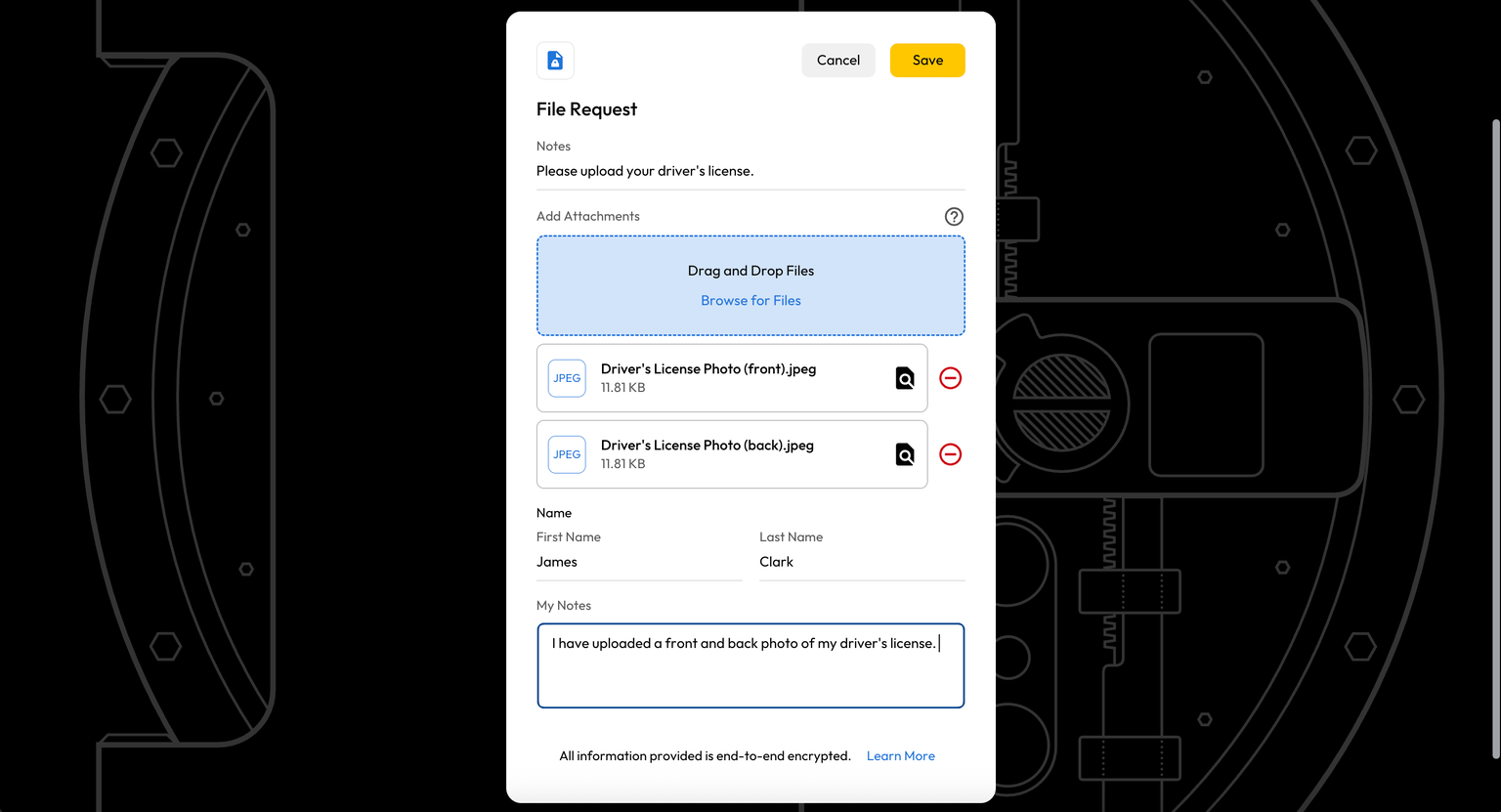
When enabled, One-Time Share also supports bidirectional sharing, allowing recipients to edit record fields and upload files. Any updates securely sync back to the original record in the sender’s Keeper Vault until access expires or is revoked.
How One-Time Share works
Here is a step-by-step walkthrough of how One-Time Share works:
Step 1: Select a record to share
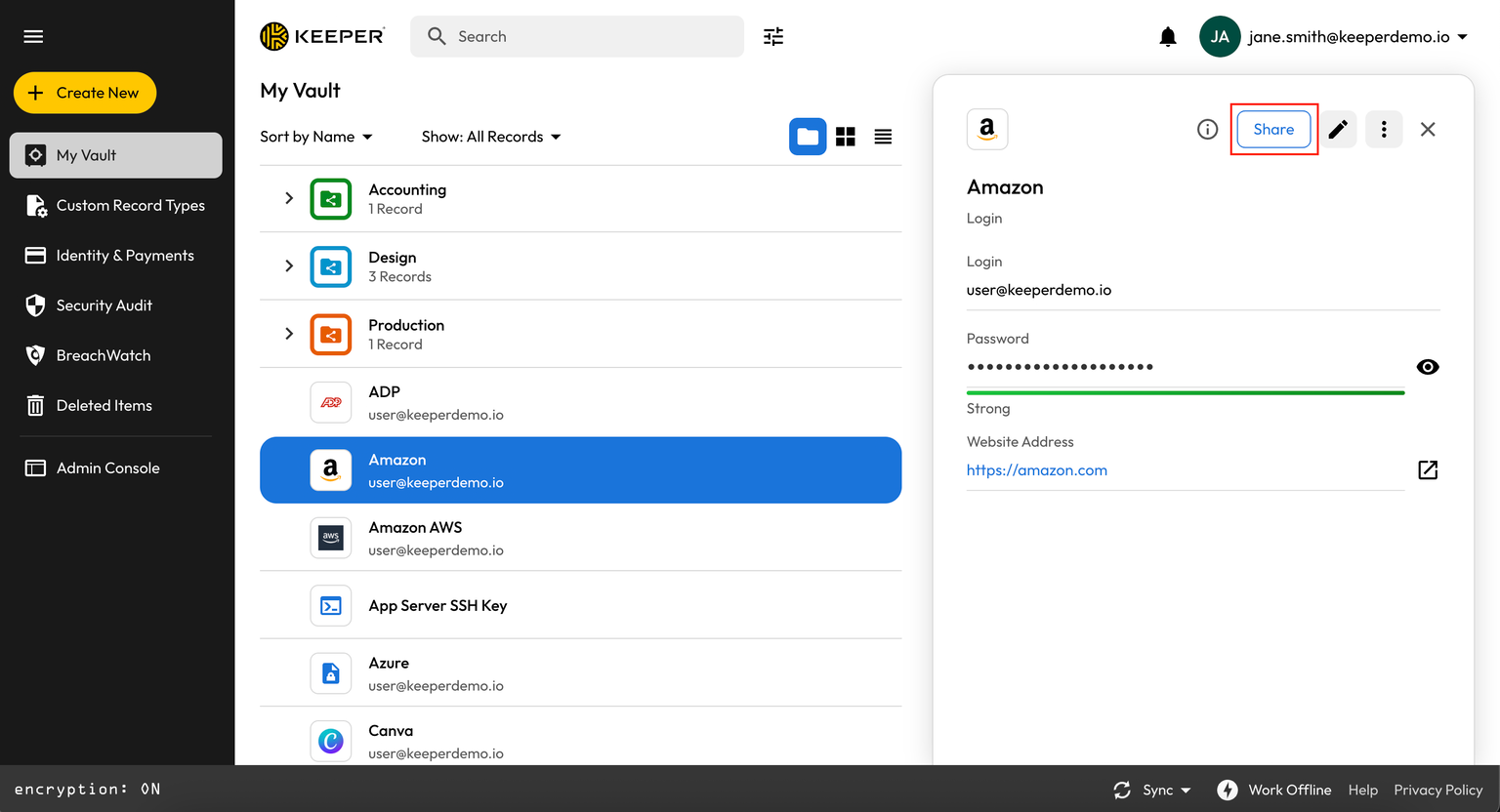
Open your Keeper Vault and select the record you want to share. From the record view, click Share and choose One-Time Share.
Step 2: Configure the share settings
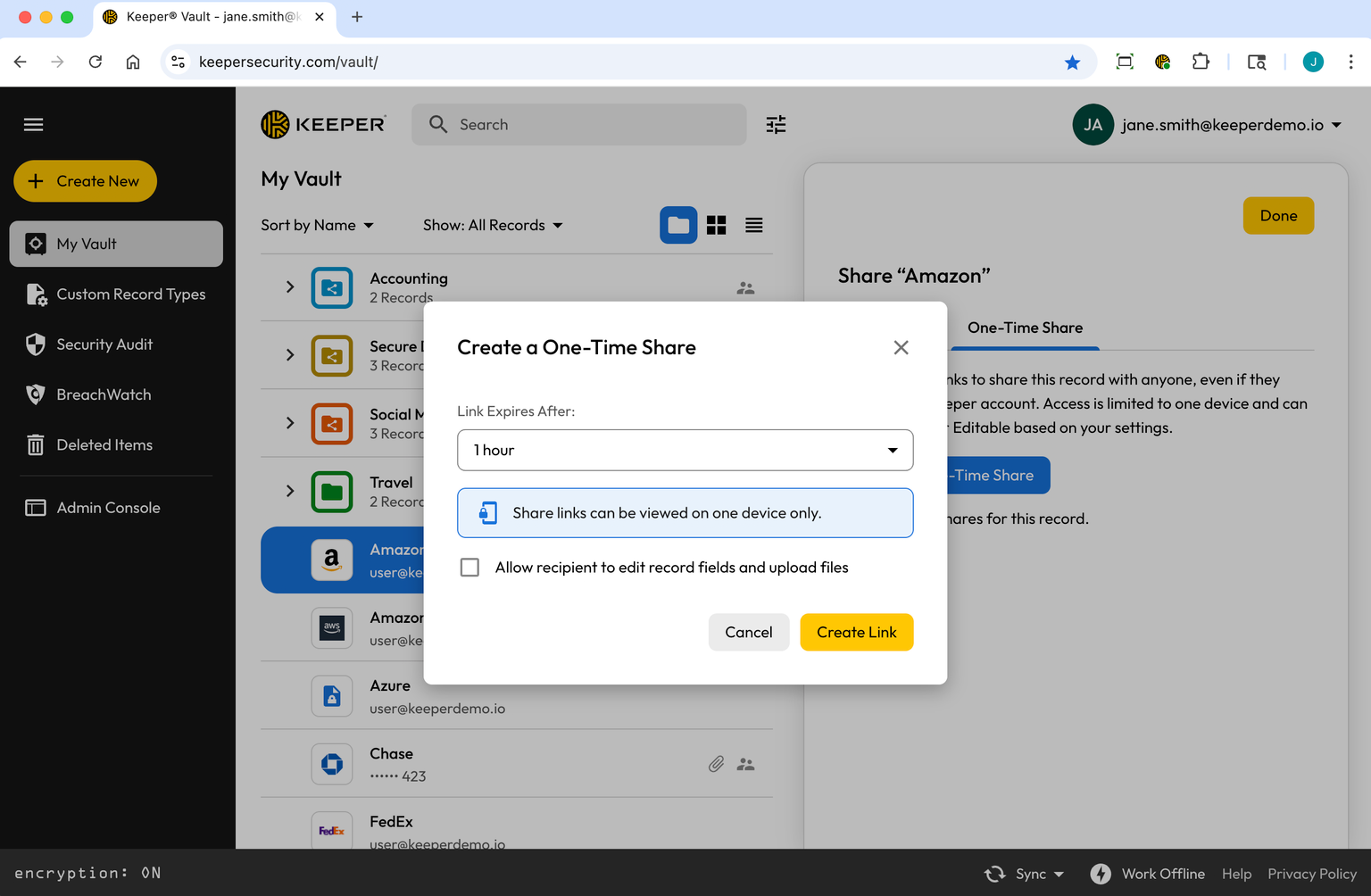
Choose how long the One-Time Share link should remain valid. The record will automatically expire at the time you select, even if you forget to manually revoke access.
At this stage, you can also enable bidirectional sharing by selecting Allow recipient to edit record fields and upload files. This allows the recipient to add information or attachments that securely sync back to your original record.
Step 3: Create and deliver the share link
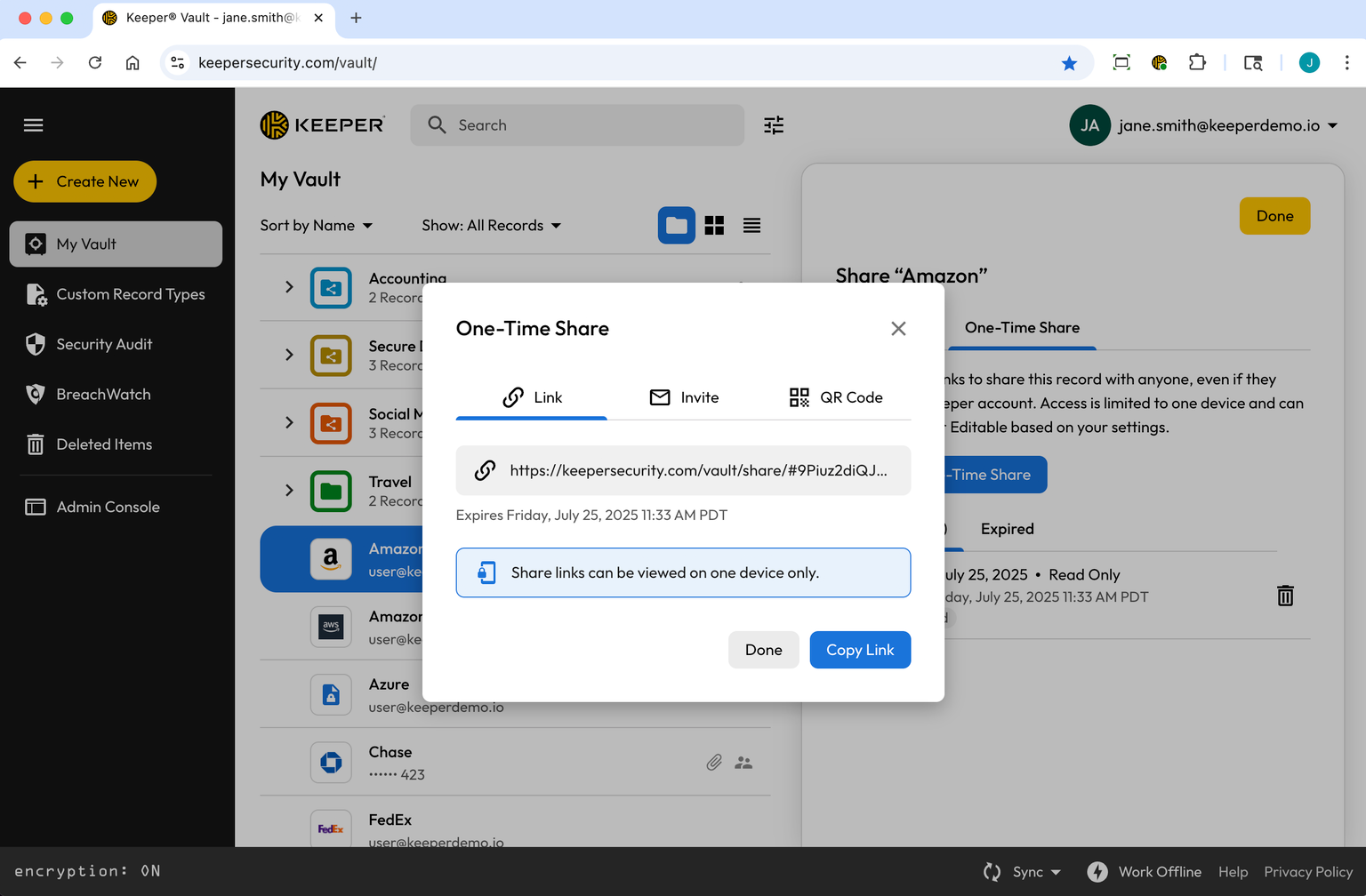
Once configured, create the One-Time Share link. You can:
- Copy the link
- Send a share invitation
- Have the recipient scan a QR code
Step 4: The recipient opens the link
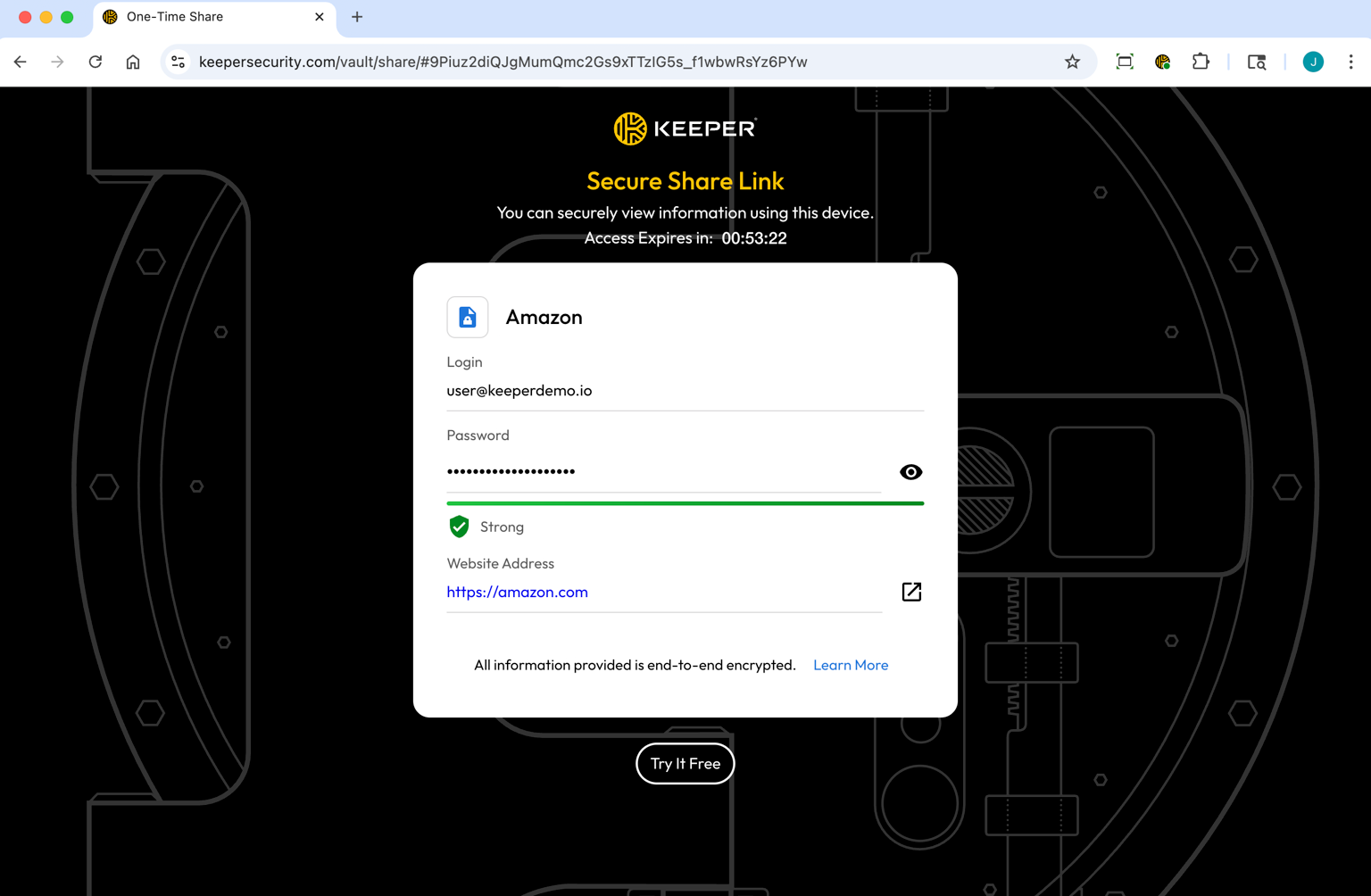
When the recipient opens the link, the record renders securely in their device browser. The record data is decrypted locally on their device using 256-bit AES encryption, and all requests are cryptographically signed using Elliptic-Curve Cryptography (ECC).
Step 5: Device binding and access control
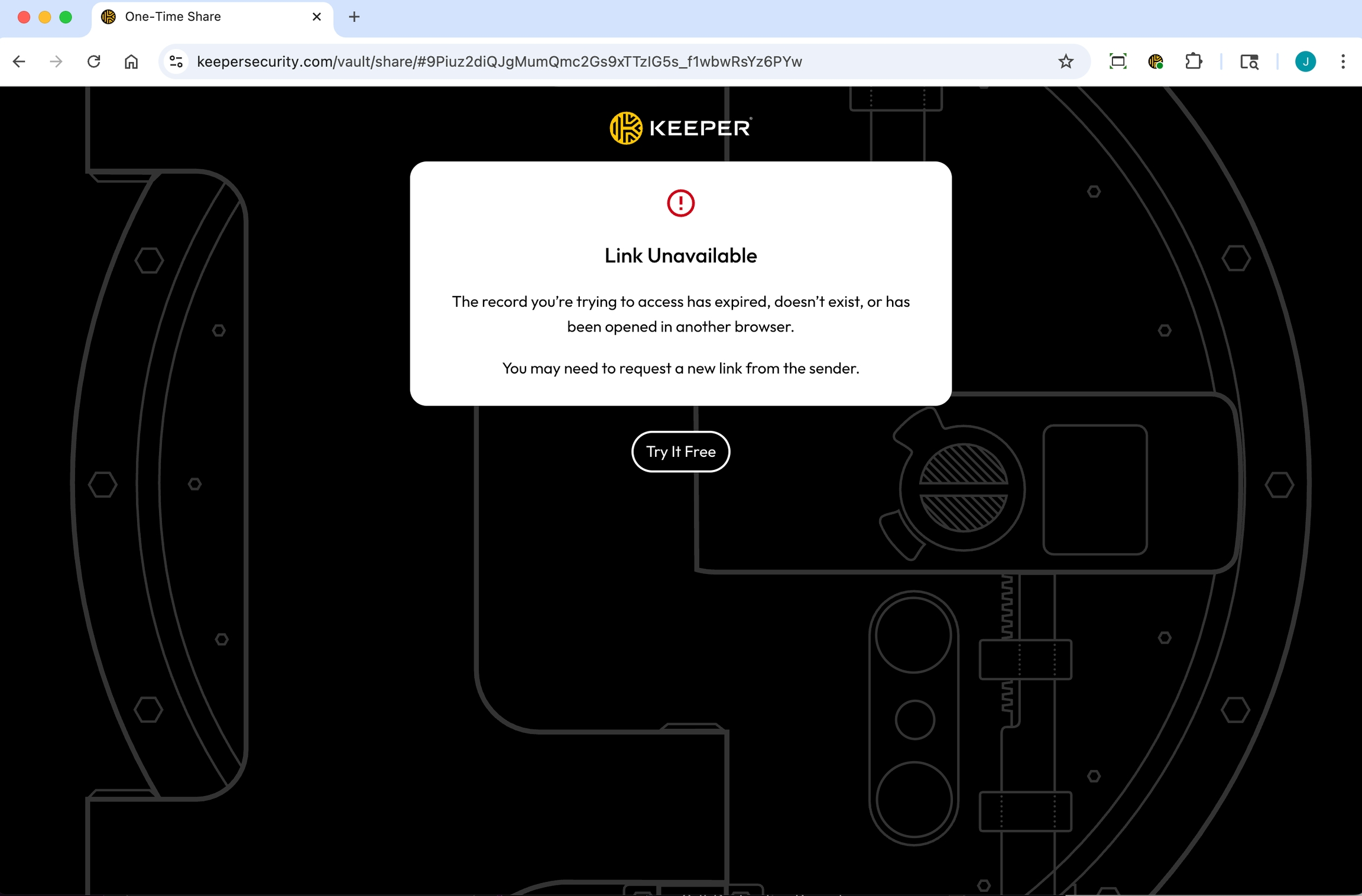
As soon as the link is opened, it becomes device-locked. Only the original device used to open the link can access the record. If the link is later opened on another device, access is denied.
This ensures that even if the link is forwarded or an email account is compromised, your data remains protected.
Step 6: Bidirectional updates
If bidirectional sharing is enabled, the recipient can:
- Edit record fields
- Upload files
- Add notes or requested information
When the recipient clicks Save, all changes are automatically and securely synced back to the original record in the sender’s vault. Both parties can continue collaborating until the share expires or access is revoked.
Step 7: Automatic expiration
One-Time Share links always expire after the configured duration.
- If the link is never opened, it expires unused
- If the link is opened and device-bound, access expires after the same time window
Once expired, the link can no longer be accessed and no further changes are allowed.
Get started with One-Time Share in Keeper
One-Time Share is available across all Keeper plans and can be used in seconds without additional setup. It provides a secure alternative to insecure credential-sharing methods while maintaining full control and visibility. By combining One-Time Share with bidirectional sharing and Keeper’s zero-knowledge architecture, organizations can confidently share access without sacrificing security.
Start a free trial today to see how One-Time Share helps individuals and organizations share credentials securely.

