
 What's New With Keeper

Introducing Workflow for KeeperPAM: Enforce least privilege with time-bound, approved access We're excited to announce Workflow for KeeperPAM — a new capability that eliminates standing privilege
Keeper Security achieves FedRAMP® High Authorization to safeguard high-impact federal systems
The Keeper Security Government Cloud (KSGC) platform has been authorized at the FedRAMP® High baseline, enabling federal civilian agencies to protect high-impact unclassified data as defined under FIPS 199 and FedRAMP High baselines. The “High Impact” designation applies to systems where unauthorized access or disruption could cause severe or catastrophic harm to agency operations, assets or individuals. Building on Keeper’s FedRAMP Moderate Authorization, secured in August 2022, this latest achievement affirms our continued commitment to meeting the most stringent U.S. federal cybersecurity standards.

Introducing the Keeper Slack App: Initiate workflow requests and approvals without leaving your workspace
The Keeper Slack App integrates Keeper Commander directly into your team’s collaboration environment, enabling streamlined credential workflow requests and approvals while maintaining zero standing privilege. By hosting the Slack agent and Commander Service Mode on your own infrastructure, you retain complete control with zero-knowledge, end-to-end encryption. The app supports multiple workflow types, including record and folder access requests, one-time sharing, Endpoint Privilege Manager elevation approvals and SSO Cloud device authorizations — all without leaving Slack. This integration creates faster and more secure approval flows that enhance both your productivity and security posture.

Introducing a secure and streamlined integration between Keeper alerts and ServiceNow’s Security Incident Response (SIR) module
Keeper’s ServiceNow ITSM integration enables enterprise customers to centrally manage and respond to Keeper-generated security alerts by automating their intake, transformation and creation as Security Incident tickets within ServiceNow. This enables security teams to maintain visibility, improve response times and ensure that Keeper Security alerts are managed consistently within existing ServiceNow SIR workflows. Leverage Keeper’s guided setup to configure authentication, validate data ingestion and ensure smooth end-to-end operation without manual coding.
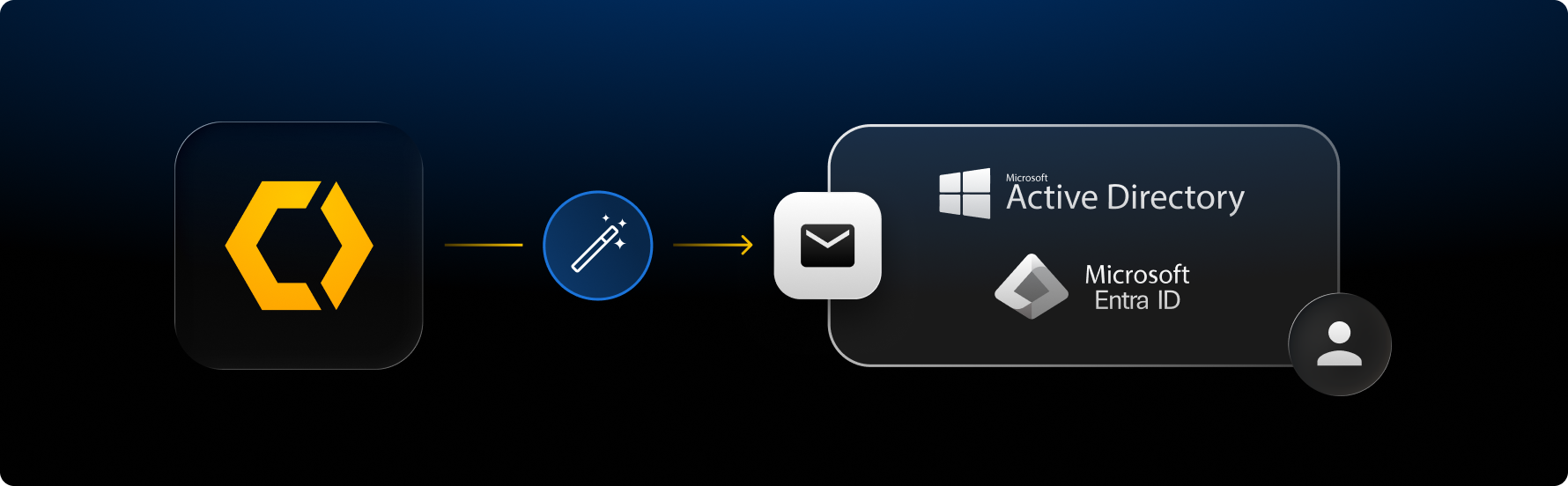
Streamline administrative workflows by automating complex, multi-step processes using Keeper’s automation commands
Automation commands provide a unified way to automate credential provisioning for users in the organization. Using a single Keeper Commander action, admins can create PAM Users, apply rotation settings, perform immediate password updates through the Keeper Gateway and deliver credentials via One-Time Share links. The result is a repeatable, error-resistant workflow that accelerates employee onboarding and ensures security best practices are followed every time.
Keeper Connection Manager delivers RBI tab support, license alerts and more
The latest updates to Keeper Connection Manager (KCM) (versions 2.22 and 2.23.1) introduce Remote Browser Isolation (RBI) support for tabs. New windows from websites, including single sign-on flows, now open as new tabs, and authorized users can manually open additional tabs as needed. Other RBI improvements include support for native JavaScript alerts and file uploads. We’ve also created proactive notifications to alert administrators when licenses are nearing expiration. Finally, terminal compatibility has expanded with VT100-style function key and numeric keypad console code support, enabling broader CLI application compatibility.
New centralized vault notifications and a streamlined password import experience
Keeper’s new vault Notification Center creates a secure, in-app hub for viewing and managing notifications, including security alerts, access requests, device management and more. With all communications centralized for viewing at a glance, you can quickly review and approve or deny sharing requests and new device login attempts with one click. We’ve also made it easier to import your existing logins and passwords directly from web browsers (e.g. Safari, Chrome, Firefox), another password manager or from a text file (.csv, .xls, .tsv). The update includes an entirely refreshed guided import experience that allows you to upload your passwords, review, edit and customize how you would like the new records to appear in your vault within a streamlined field mapping interface.
Enhanced session visibility in KeeperPAM connections
Keeper Connection Manager (KCM) now displays comprehensive session details when you launch PAM connections, making it easier to track and manage multiple sessions at a glance. Each active session shows key metadata stored locally on your machine, including title, host/address, username, port, protocol, elapsed time, gateway and recording status, enabling quick identification and auditing — especially in environments with multiple concurrent connections.
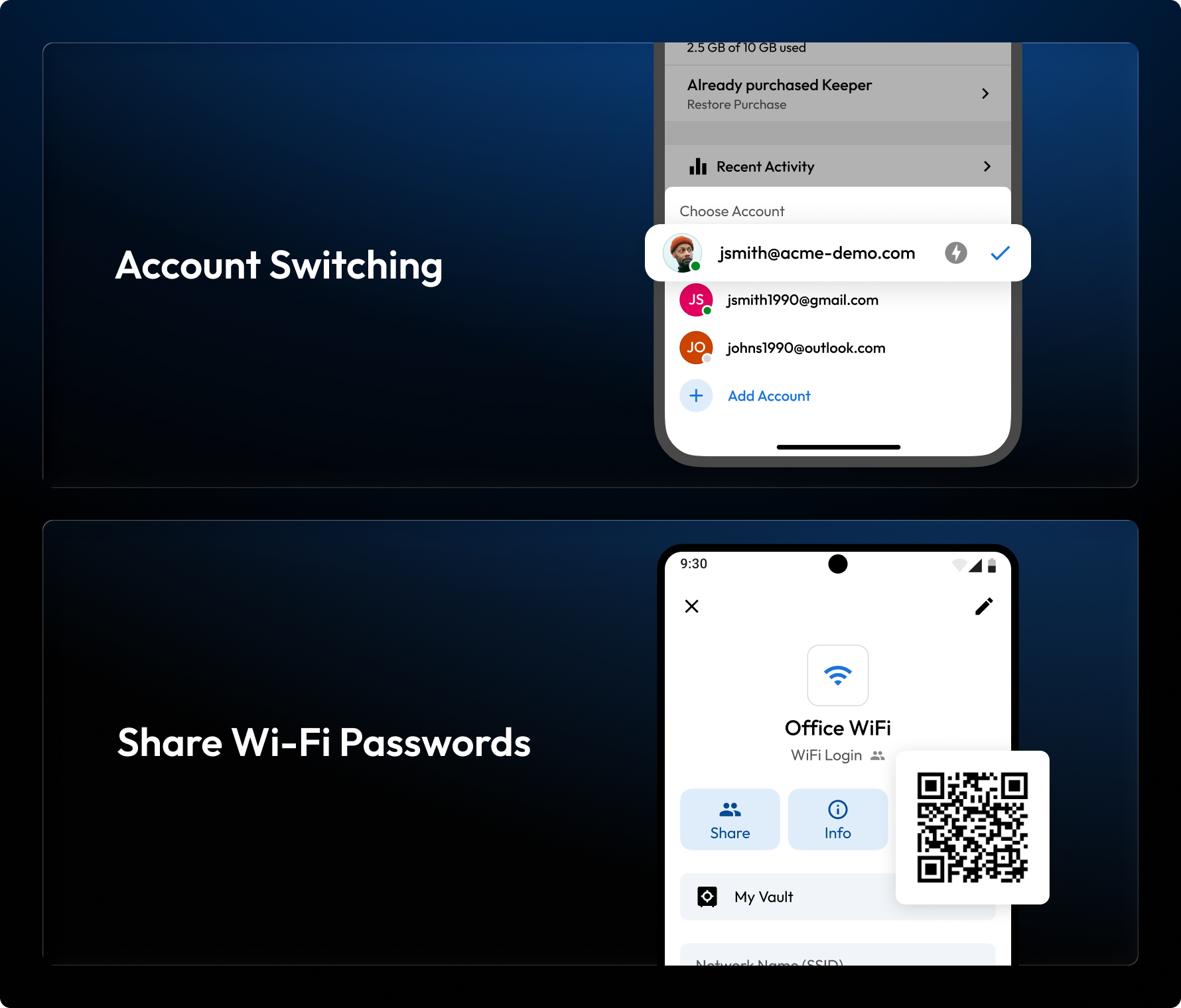
Seamlessly switch between accounts and share WiFi passwords on mobile
Android version 17.4 aligns with Keeper’s iOS update earlier this year, adding a “WiFi Login” record type that simplifies creating and sharing WiFi passwords. This record type includes the ability to generate a shareable QR code that can be scanned by others to automatically join the WiFi network. Additionally, our highly requested account switching feature is here on both iOS and Android! You can now seamlessly switch between personal and business accounts without logging out of your current session or repeatedly re-entering login credentials. This update enhances convenience and supports organizational data separation policies. We’ve also made a number of performance and usability improvements on Android that subtly elevate the user experience, including a vault status indicator with useful real-time connectivity and sync feedback, and an option to duplicate records, saving you time when creating similar entries.
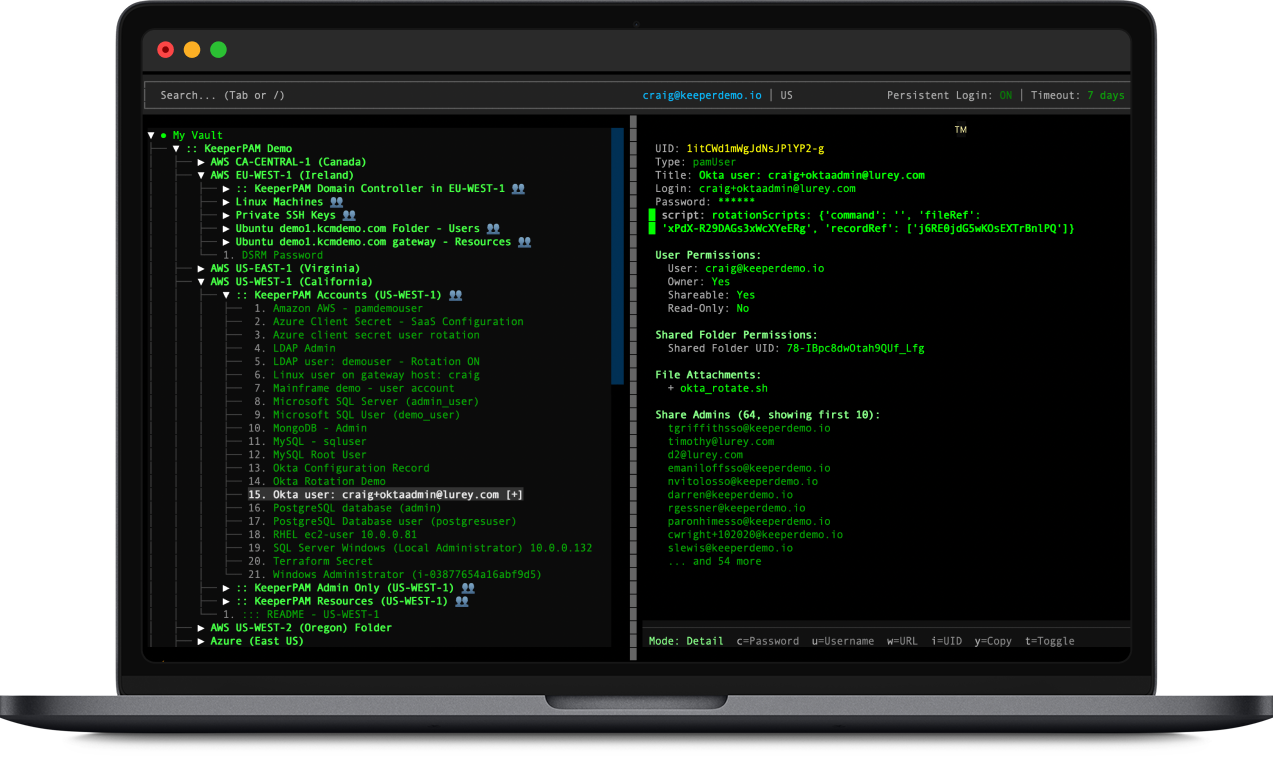
Commander SuperShell: Your terminal-native vault browser
Keeper Commander now includes SuperShell, a full-screen Terminal User Interface (TUI) that brings powerful vault management directly to your command line, with vim-style keyboard navigation optimized for developers and power users. The split-pane interface features live incremental search, one-key clipboard access for passwords and credentials, automatic TOTP code display with countdown timers, and flexible view modes that toggle between normal and raw JSON representation of a record. SuperShell delivers fast, efficient vault access without leaving the terminal. Launch SuperShell from Keeper Commander (requires version 17.2.2 or newer) and experience keyboard-first vault management designed exclusively for terminal workflows.
Enable high availability scaling on the Keeper Gateway
The Keeper Gateway enables KeeperPAM features including Connections, Tunnels, Discovery and Credential Rotation. Keeper’s new HA Gateway Scaling allows multiple Gateway instances to run concurrently using a shared configuration. These instances form a Gateway pool that increases reliability by efficiently distributing PAM workloads across multiple Gateway instances, enabling a greater number of simultaneous connections. This ensures uninterrupted access to critical resources while minimizing downtime and performance bottlenecks.

Various improvements to the Commander CLI

Keeper Commander is constantly improving. Here is our latest set of new commands:
- pam gateway set-max-instances – enable scaling on the Keeper Gateway
- Commander Service Mode now provides a health check URL
For a full list of Keeper Commander updates, visit our Release Notes.

