
 Password

New research shows Microsoft Edge loads all saved passwords into memory in plain text, and Keeper Forcefield is built to protect against exactly this kind of
A password manager for iPhone Duo helps you store and use unique passwords without having to remember each one. Keeper Password Manager brings passwords and passkeys together in an encrypted vault, with KeeperFill to help you sign in to websites and apps.
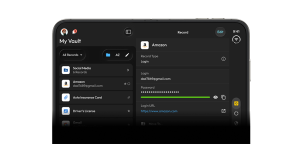
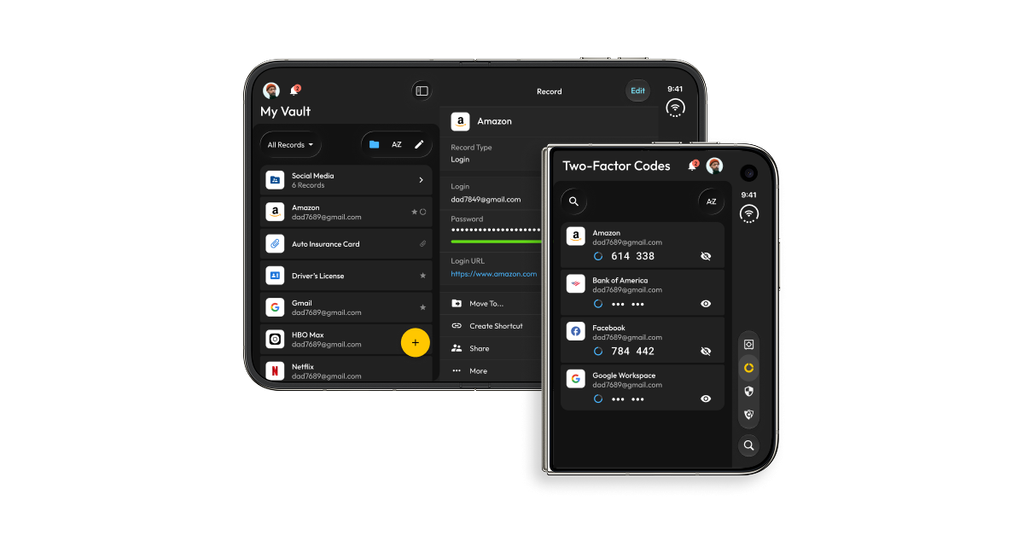
Keeper’s iOS app is designed for iPhone Duo’s displays. When the device is open, you can browse vault folders and view record details side by side. When it’s closed, the app uses the outer display.
What is a password manager for iPhone Duo?
A password manager stores login credentials in an encrypted digital vault. Instead of reusing or memorizing passwords, you can use the password manager to organize credentials and fill them in when signing in to websites and apps.
Keeper stores passwords and passkeys in your Keeper Vault. You can find them in the Keeper app or use KeeperFill during sign-in.
Why use Keeper Password Manager on iPhone Duo?
Keeper gives you access to your passwords, passkeys and sensitive files from iPhone Duo and across your other devices, including Android, Windows, Mac and Linux. Your encrypted vault stays in sync, so your information is available wherever you need it.
Keeper also makes secure sharing part of the same experience. Share records with other Keeper users or, with One-Time Share, send a time-limited record to someone who doesn’t use Keeper.
Keeper brings password management and security tools to iPhone Duo in an interface designed for its dual-screen layout.
- Browse across both screens: When iPhone Duo is open, view vault folders and record details side by side.
- Manage passwords and passkeys: Store and access credentials in your Keeper Vault.
- Generate and autofill passwords: On iOS 26.2 or later, KeeperFill can suggest and fill strong, unique passwords in supported iOS prompts.
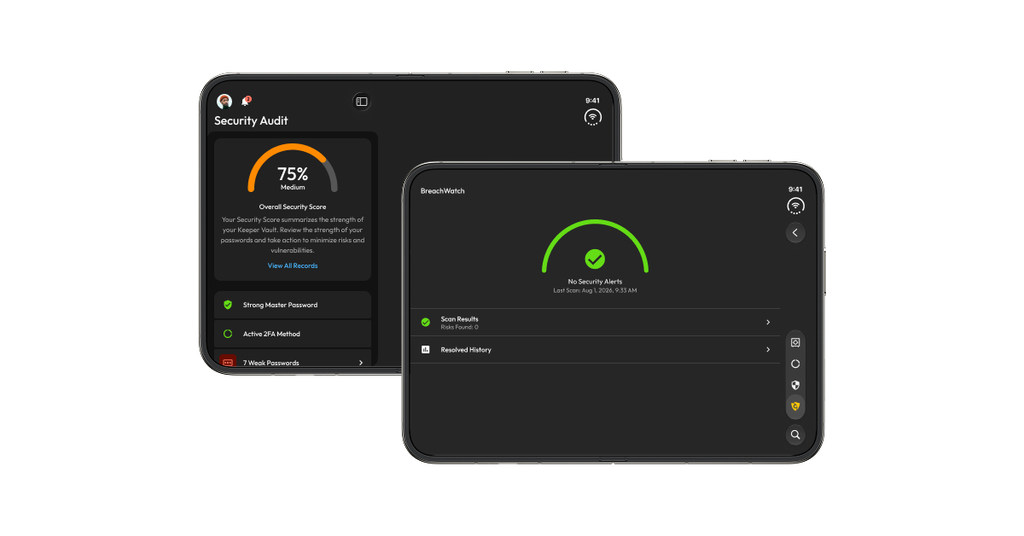
- Review vault security: See plain-language account health evaluations in Security Audit.
- Check connection status: See whether Keeper is syncing or operating offline.
- Protect vault data: Keeper’s zero-knowledge architecture keeps encryption and decryption on your device.
How Keeper works on iPhone Duo
Keeper’s iOS app uses Apple’s Liquid Glass design system and adapts to the iPhone Duo’s dual-screen hardware. The expanded layout makes it easier to browse folders and review a record at the same time.
The app’s version 18.1 redesign also updates navigation. Search, Security Audit and Two-Factor Codes appear in the bottom toolbar, while account settings are grouped in an avatar menu. A floating action button and swipeable product tour help users find features and get around the app.
Generate and autofill passwords with KeeperFill
When you create or reset an account, KeeperFill can suggest a strong, unique password in supported iOS system prompts and fill it for you. The new credential can then be saved to your Keeper Vault in the background.
This feature requires iOS 26.2 or later. Availability may also depend on the app or website’s sign-in flow.
Manage passwords and passkeys
Keeper stores passwords and passkeys in the vault, so users can access their credentials from the app. The Keeper 18.1 release also adds background handling for certain changes reported by websites. If a site reports that a passkey has been revoked or a password is no longer active, Keeper can update or clear the related vault entry.
Review vault security and connection status
Keeper’s redesigned Security Audit screen presents account health evaluations in plain language and loads faster for large vaults. Separate visual indicators show whether Keeper is syncing or operating offline, making the app’s connection status easier to identify.
Share files and manage shared folders
Keeper users can send multiple files to the app from the iOS share sheet. Enterprise users also have new administrative controls for moving nested shared folders and explicitly denying access to specific folders.
How to get started with Keeper on iPhone Duo
Getting started with Keeper on iPhone Duo takes just a few steps:
- Get the Keeper app from the Apple App Store.
- Open Keeper and follow the prompts to access or set up your account.
- Find saved passwords and passkeys in your vault. With iPhone Duo open, browse folders and view record details side by side. Close the device to return to the single-screen layout.
Get started with Keeper Password Manager for iPhone Duo
Download Keeper from the Apple App Store to manage passwords and passkeys on iPhone Duo.
Frequently asked questions
Is Keeper available for iPhone Duo?
Yes, Keeper’s version 18.1 update is optimized for iPhone Duo’s dual-screen design. The vault expands to show folders and record details side by side when the device is open, and returns to a single-screen layout when closed.
Can Keeper autofill passwords on iPhone Duo?
Yes, with iOS 26.2 or later, KeeperFill can suggest and fill strong, unique passwords in supported iOS prompts when you create or reset accounts.
Does Keeper support passkeys on iPhone Duo?
Yes, Keeper supports passkeys on iPhone Duo with the iOS 18.1 update.

