
 What's New With Keeper

Keeper Privileged Cloud: Just-in-time privilege elevation for cloud identity platforms Launched in June, Keeper Privileged Cloud has delivered just-in-time, zero-standing privilege access across cloud platforms, identity
One-Time Shares power the secure collection and exchange of confidential information
Keeper’s latest update to One-Time Share enables two-way sharing between Keeper users and non-users, providing an easy and secure way to exchange confidential information and files. Upon creating a One-Time Share link, simply check “Allow recipient to edit record fields and upload files” to activate the bidirectional functionality of the One-Time Share link. Once received, the recipient can upload file attachments and enter any other requested information or notes.
Android app receives both visual and performance improvements
Keeper’s Android app includes updated styling throughout with streamlined record search and creation from the KeeperFill extension, enhanced password generator functionality and the ability to create passphrases directly from KeeperFill. Additionally, we’ve optimized record synchronization performance, delivering dramatically faster sync speeds that especially benefit users managing large vaults.
Streamlined KeeperFill setup and support for equivalent domains among latest updates to iOS
Keeper’s update to iOS brings seamless KeeperFill activation directly from the app (iOS 18+), eliminating extra steps in your autofill setup. We’ve also added support for equivalent domains to ensure your credentials autofill across related websites and services more reliably. Additionally, users can now temporarily enable Debug Mode through the Help menu to capture detailed logs and send comprehensive error reports to our support team, making troubleshooting faster and more effective.
Experience frictionless authentication to the Keeper Browser Extension with biometric login
The Keeper Browser Extension now supports biometric login with a passkey, allowing users to authenticate using a device-bound passkey that replaces all traditional login methods – including master password, SSO and 2FA. This enables users to log in to the browser extension using their device’s biometric sensors (if supported). When biometric login is enabled, you can log in instantly without entering your master password or navigating SSO – simply face your camera or scan your fingerprint. This increases the convenience of using Keeper while enhancing the security of your account.
Discover new ways to securely access target systems with Keeper Connections
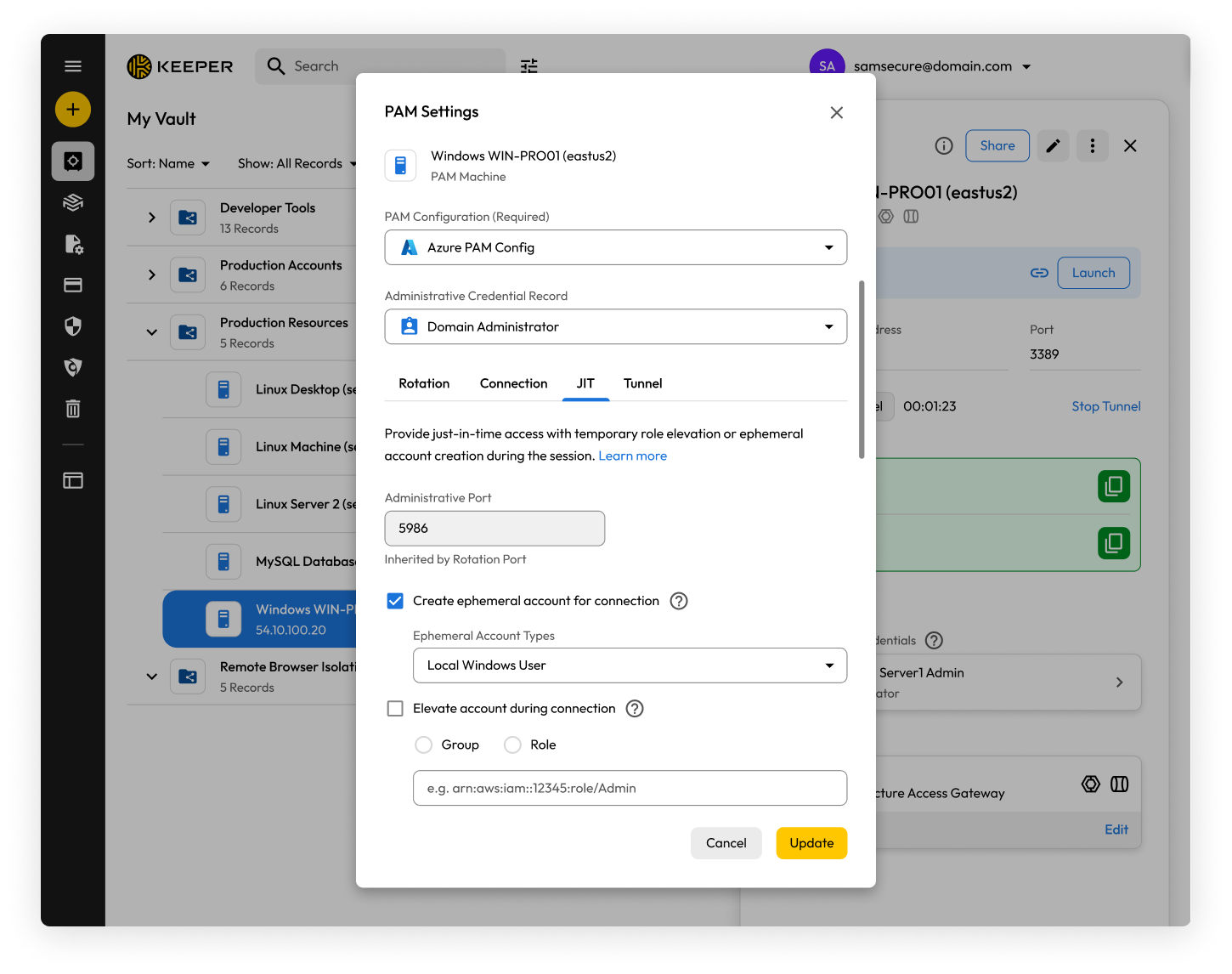
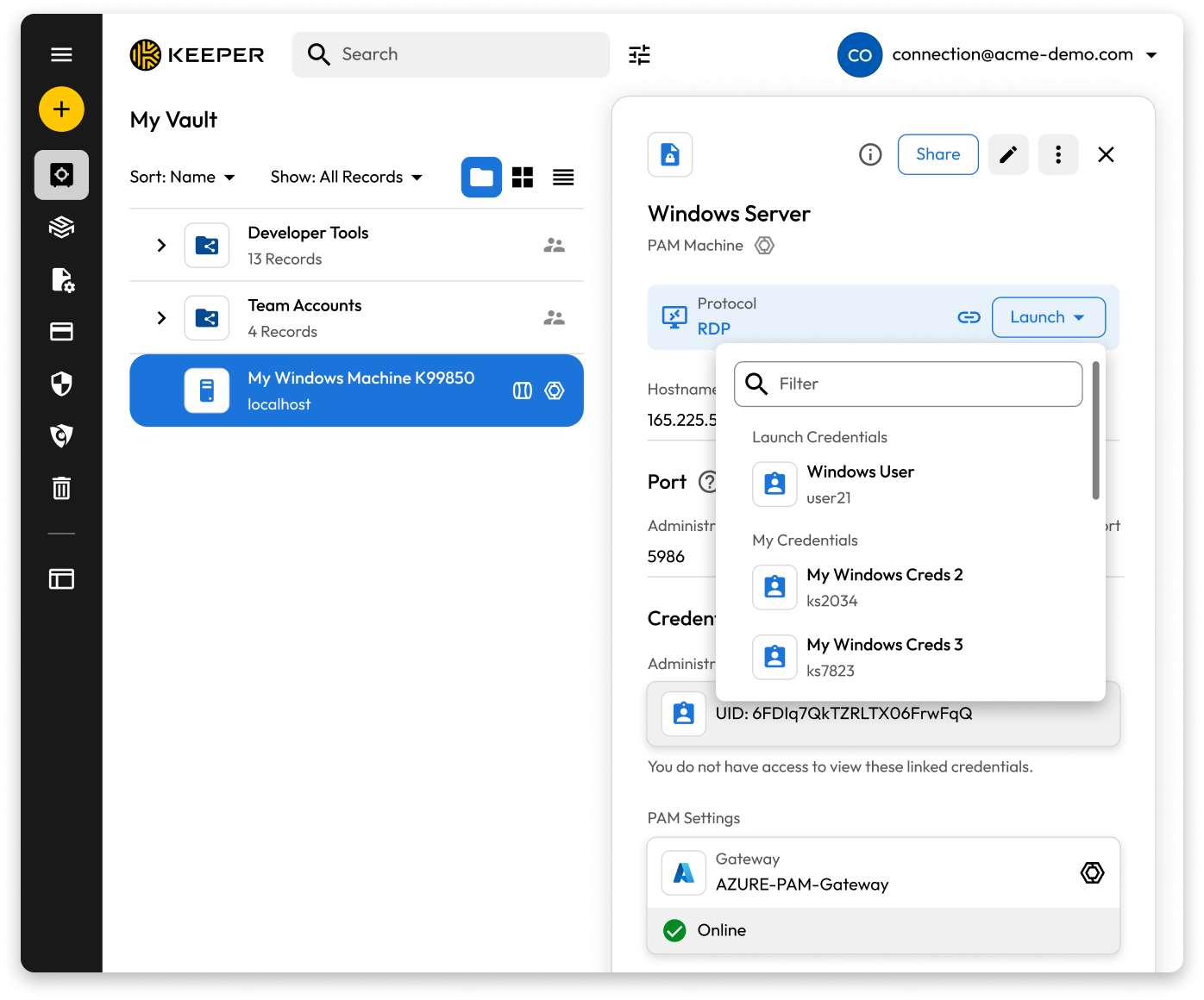
With Keeper Connections, users can leverage Launch Credentials, which utilize pre-configured credentials on PAM Machine, Database or Directory records while keeping the actual credentials hidden from users. Alternatively, Personal/Private Credentials allow individuals to authenticate using their own securely stored credentials from their Keeper Vault, providing greater personal control and flexibility. For enhanced security, Ephemeral Accounts create temporary, system-generated privileged accounts that exist only for the duration of a session, automatically removing them afterward to support just-in-time access with zero standing privilege.
Create launch-ready Connection Templates
PAM Machine, PAM Database and PAM Directory record types can be configured as Connection Templates, enabling users to launch secure sessions to infrastructure assets without predefined credentials, requiring only Keeper Gateway and protocol configuration. The Connections tab provides instant access to servers, databases and applications directly from the Keeper Vault while maintaining zero-trust security that keeps credentials hidden. Connection Templates provide one-click access for users, flexible credential management, temporary elevated permissions and comprehensive audit trails for compliance requirements.
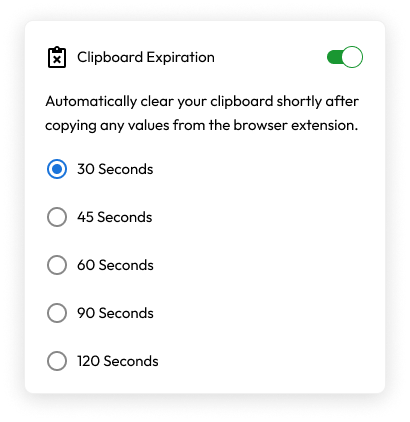
Automatically clear your device’s clipboard with Keeper’s Clipboard Expiration setting
By popular demand, we’re introducing Clipboard Expiration on the Keeper Browser Extension. When enabled from the extension Settings menu, Keeper will automatically clear your computer’s clipboard after a short delay – ranging from 30 to 120 seconds. This security feature aligns with the existing functionality of the Keeper Desktop App and mitigates the risk of confidential data remaining on your clipboard for extended periods, reducing potential exposure to other applications.
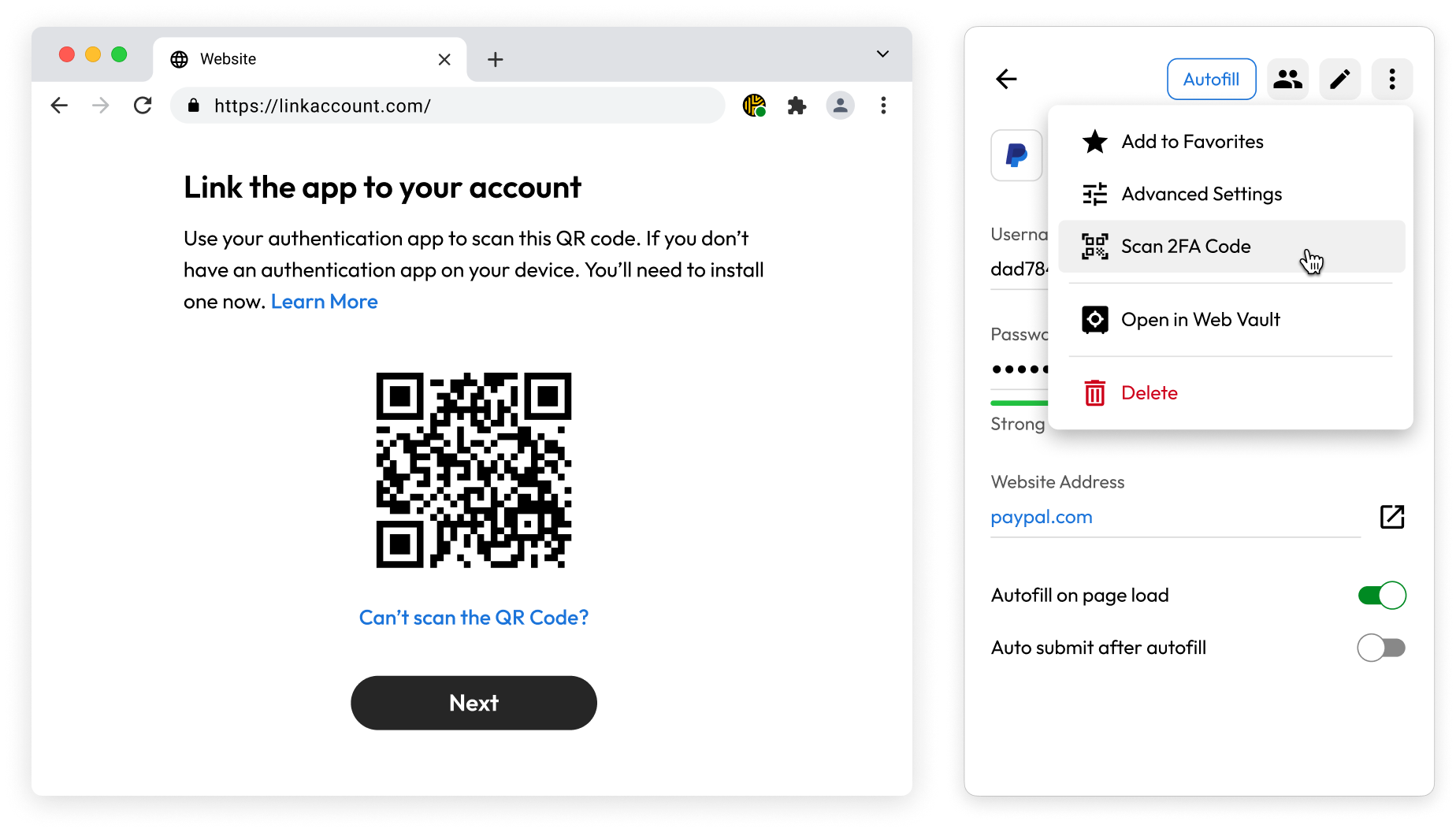
Scan 2FA codes directly from Keeper’s Browser Extension
Users can now add TOTP codes to records directly from the browser extension. Simply click “Scan 2FA Code” while you’re on a website that contains a QR code, and it will automatically populate within the record for future use. Previously, users were required to navigate to the web vault and either screenshot and upload, or manually enter certain details to attach a TOTP code to a record. This improvement to the Keeper extension makes it far more convenient to leverage a valuable feature of Keeper: storing and autofilling your TOTP codes.
Login to Keeper Commander CLI with biometrics
Keeper Commander CLI now supports native biometric login with a passkey. You can now unlock your vault with Touch ID or Windows Hello right in the terminal. No companion desktop app is required; the CLI authenticates natively with the Keeper cloud using FIDO2 WebAuthn.
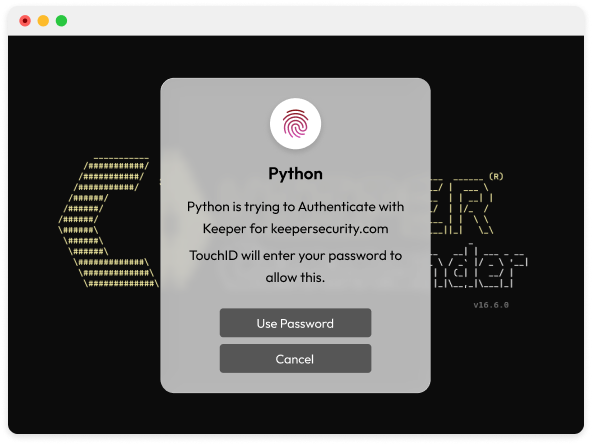
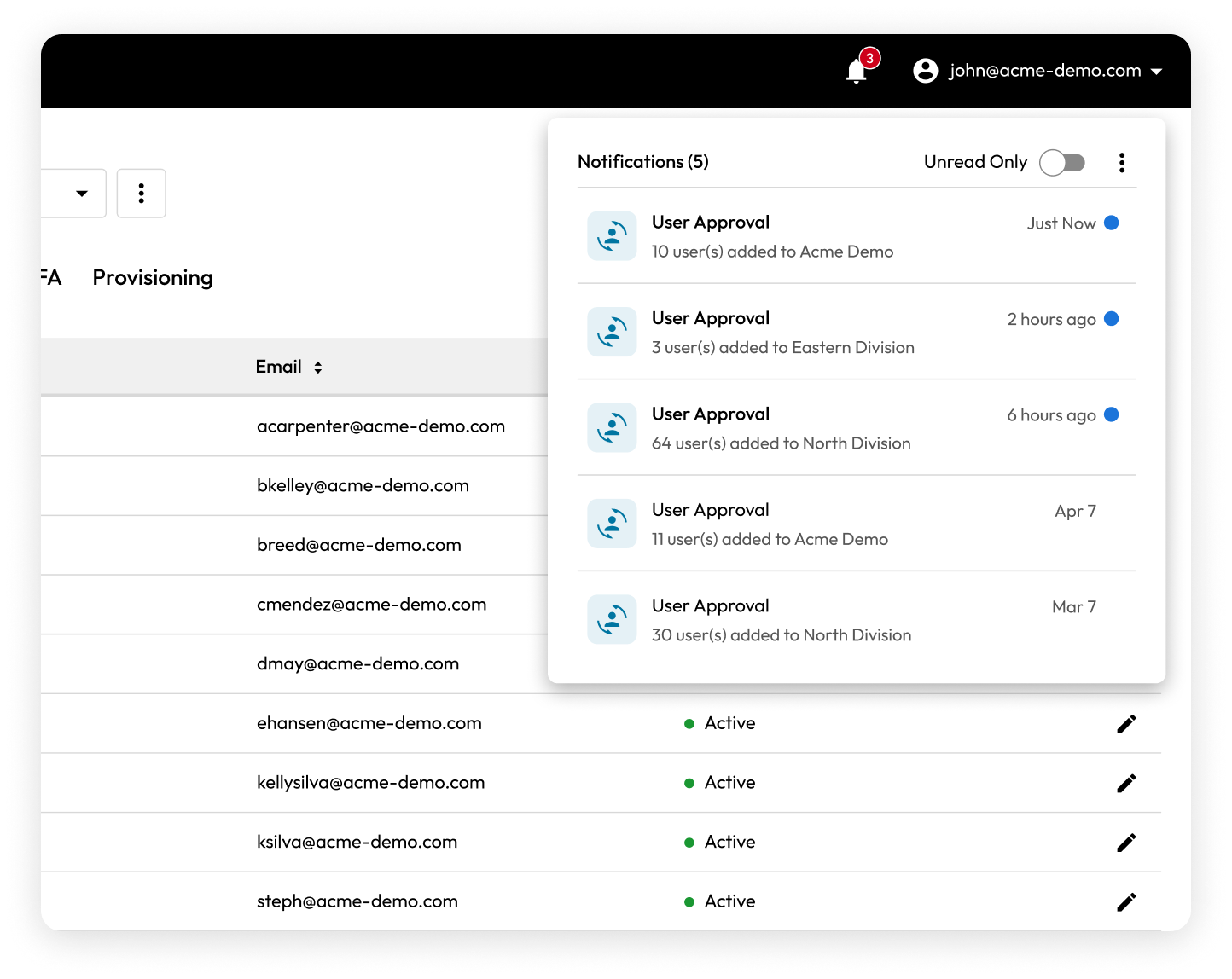
Keeper’s admin console integrates a centralized Notification Center
A Notification Center has been integrated into the Admin console, where pending actions and alerts, such as user and team approvals, can be easily viewed and marked as “read.” This eliminates multiple toast messages cluttering an admin’s view of the console during their day-to-day operations. Any unread notifications are indicated by a red badge in the upper right corner of the console screen.
The latest Keeper Gateway brings major infrastructure improvements and performance optimizations
The latest Keeper Gateway updates deliver significant infrastructure improvements with new IPv6 connection support for enhanced network compatibility and future-proofing. Additionally, Keeper Gateway 1.6 provides significant performance improvements in connections and sessions in Docker installations, delivering a smoother, faster experience across RDP, SSH and Remote Browser Isolation protocols. We’ve also added a health check API that enables real-time monitoring of service status, ensuring administrators can maintain optimal system performance. File transfer capabilities have also been expanded with support for copying files over WinRM using efficient chunked transfers, making large file operations more reliable.

Introducing Keeper Discovery for complete visibility into privileged accounts
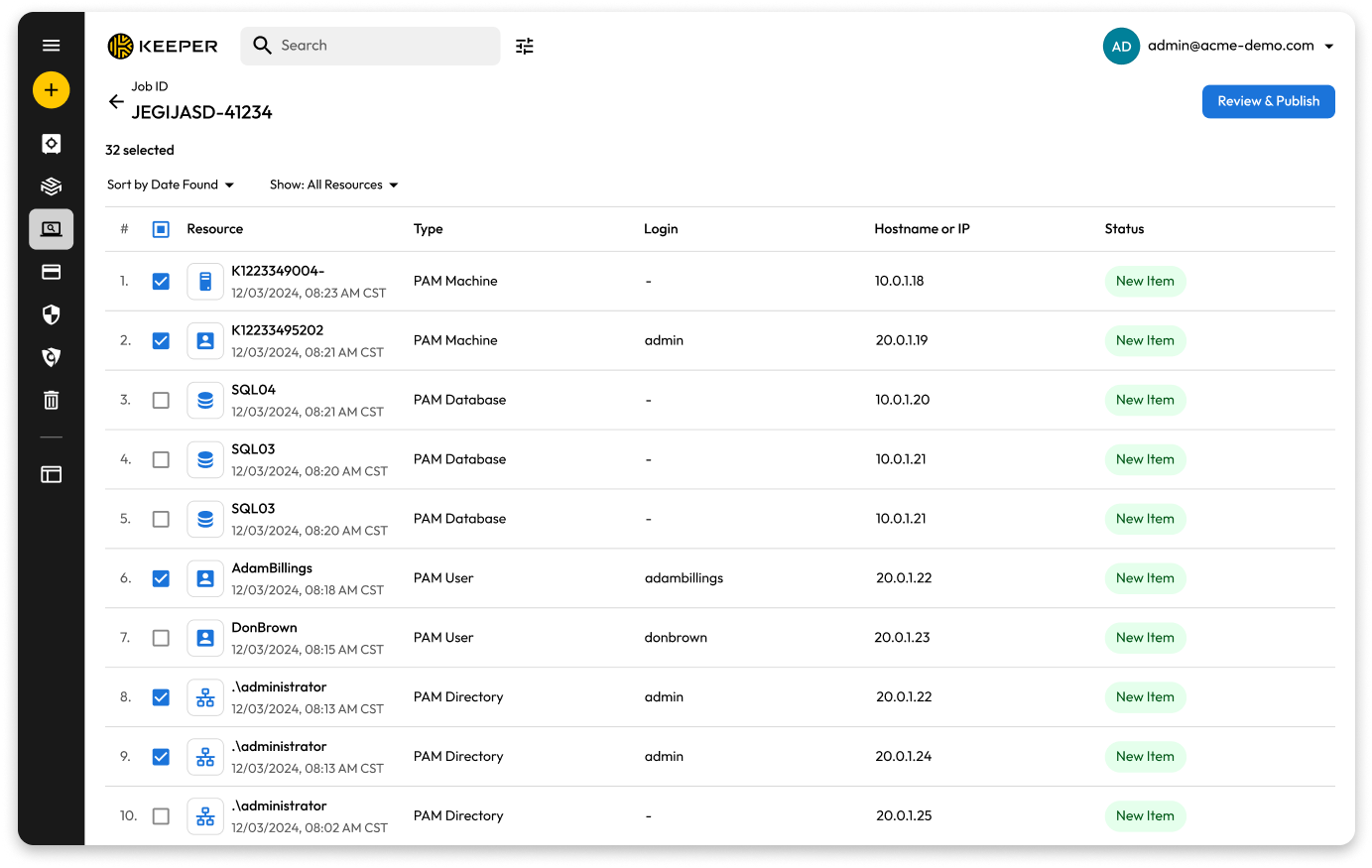
Organizations operating across hybrid environments often face challenges in managing privileged accounts and maintaining visibility into IT assets – leading to unmanaged accounts, misconfigurations and increased security risk. Keeper Discovery addresses these challenges by delivering complete, automated visibility into privileged accounts and IT infrastructure across diverse environments, enabling teams to proactively identify and eliminate misconfigurations and security gaps. Through a simple setup process, users can create discovery jobs via the Keeper Gateway to automatically identify and provision assets across on-premises environments, domain controllers, as well as AWS and Azure cloud infrastructures.
Share Keeper Gateways to accelerate PAM deployment
Keeper now supports gateway sharing through Keeper Secrets Manager (KSM) application sharing, enabling secure and collaborative management of Privileged Access Management (PAM) resources across your organization. When a KSM application is shared, all associated resources are also shared, including Keeper Gateways. This allows multiple administrators to securely configure and manage PAM records without deploying separate gateways.


Various improvements to the Commander CLI
Keeper Commander is constantly evolving. Here are our latest set of improvements:
- pam project import – automate the creation of folders, gateways, machines and users with PAM features such as connections, tunnels and rotations pre-configured via a JSON file
- pam action rotate – rotate multiple records in a single command
For a full list of Keeper Commander improvements, visit our Release Notes.

