
 Product Announcements



With the release of Desktop and Web Vault Update 17.4, Keeper Security’s desktop app is now available on the Linux Snap Store, bringing zero-trust, zero-knowledge password
Keeper is pleased to announce an updated version of Keeper Desktop App that incorporates a major new productivity enhancement: Windows Hello, a biometrics-based technology that allows users to authenticate and log in to their Windows devices using a fingerprint or facial recognition.
How it works
Windows Hello works with Windows 10 and any Hello-compatible fingerprint reader or facial recognition camera. It allows users to log in to their Windows devices by using their camera or fingerprint reader. For more information on setting up Windows Hello, visit Microsoft’s site.
To use Keeper with Windows Hello, access your Vault and enable “Windows Hello Login” within your security settings. Upon your next login to Keeper, Windows Hello will attempt to authenticate your identity. Once authenticated, you’ll automatically be logged into Keeper. This means that you will no longer have to enter your Master Password at the Keeper login screen, which makes the login process faster and easier.
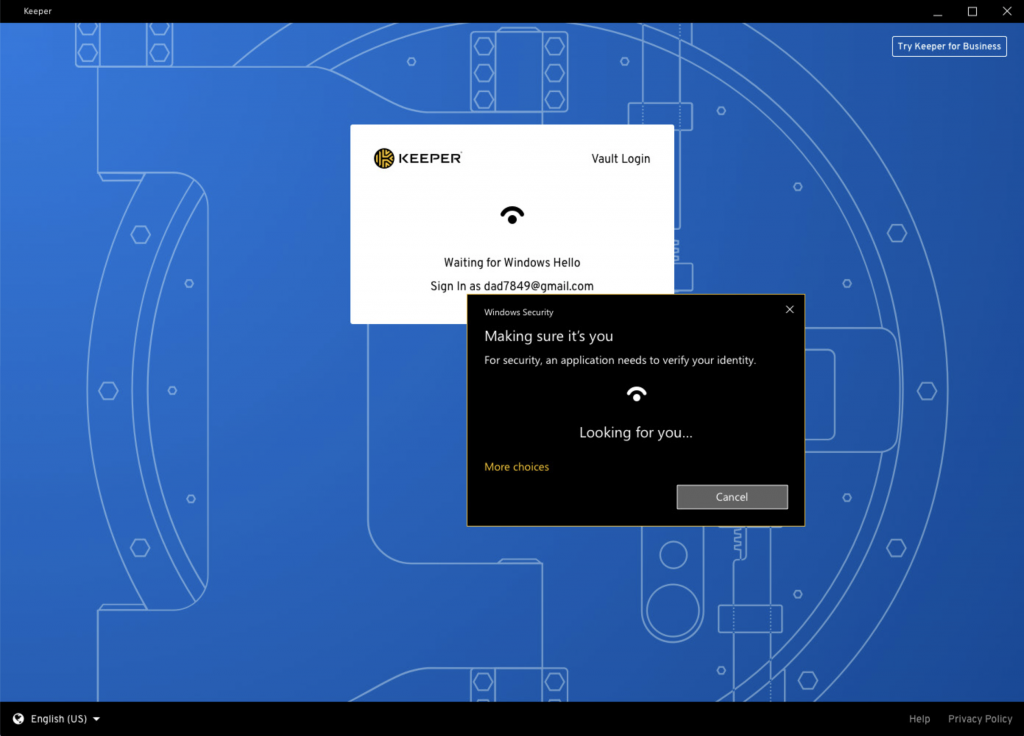
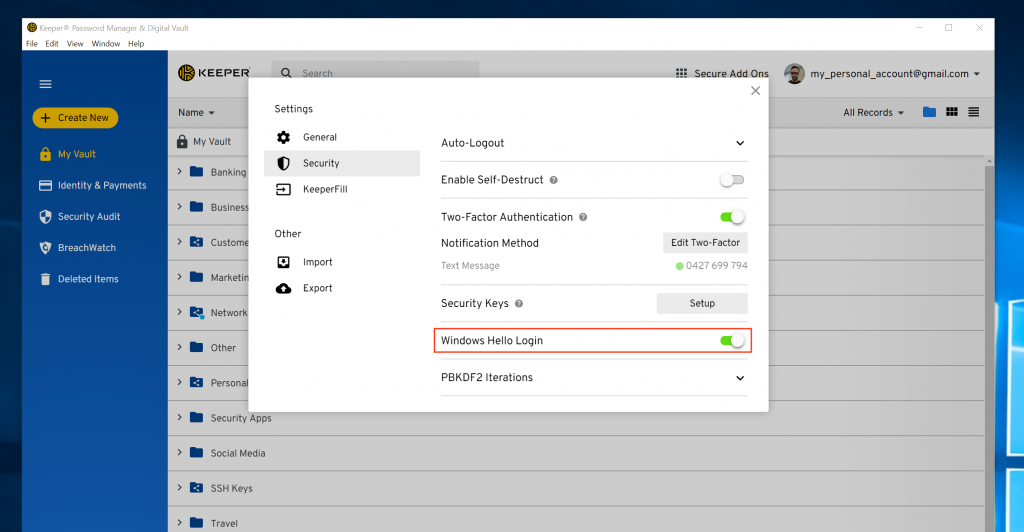
Login with Windows Hello
Want an even more secure option? Set up two-factor authentication (2FA) on your Keeper Vault using a Yubikey as your second factor. Use your fingerprint or face to authenticate with Windows Hello, then insert your Yubikey for totally secure yet simple access.
Keeper is the top-rated personal and business password manager for protection from password-related data breaches and cyberthreats.
Get started right now
Integration with Windows Hello is available right now on all Keeper plans – Individual, Family, and Business/Enterprise — for customers that are running Keeper Desktop Version 14.12.4 or later on Windows 10. The integration supports both Windows Hello for individual users and Windows Hello for Business.
To take advantage of this great new passwordless login option, make sure you’re running the latest version of the Keeper Vault. To find instructions on how to update, please visit our Documentation Portal.
Installing Keeper Desktop
The Windows Hello-compatible version of Keeper can be installed one of two ways:
– Via the App Installer link on our website download page
– From the Microsoft Store download site
Not a Keeper customer yet? Download Keeper Password Manager and Digital Vault now! Interested in how Keeper can help protect your business against the #1 cybersecurity risk? Reach out to our team today.

