Funkcja: Monitorowanie dark webu dla użytkowników indywidualnych

Keeper BreachWatch® for personal use

BreachWatch nieustannie monitoruje dark web pod kątem ujawnionych danych uwierzytelniających zapisanych w sejfie Keeper Vault, zachowując architekturę zero-knowledge Keeper.
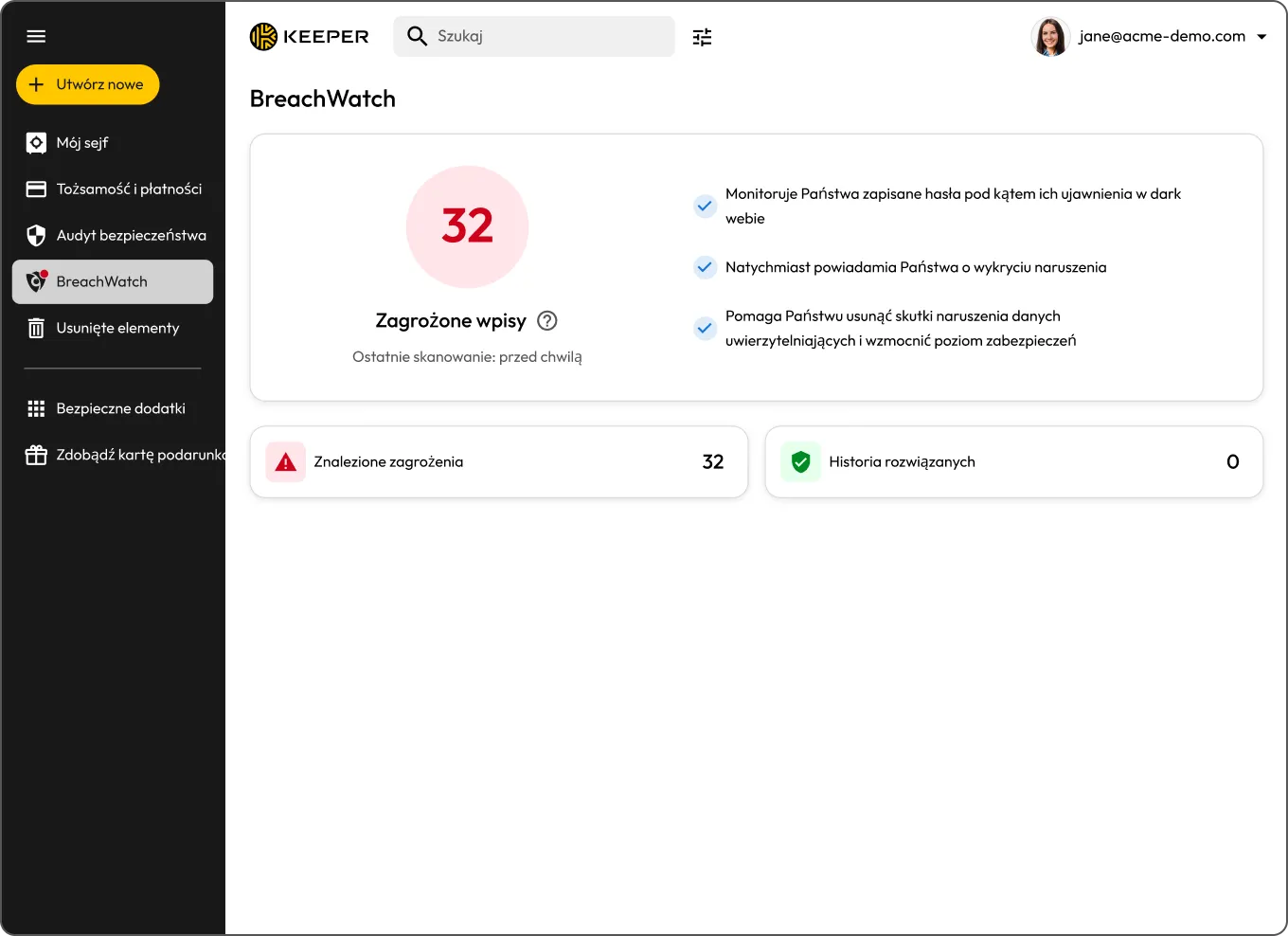
Keeper BreachWatch dashboard showing 32 records at risk and monitoring details.
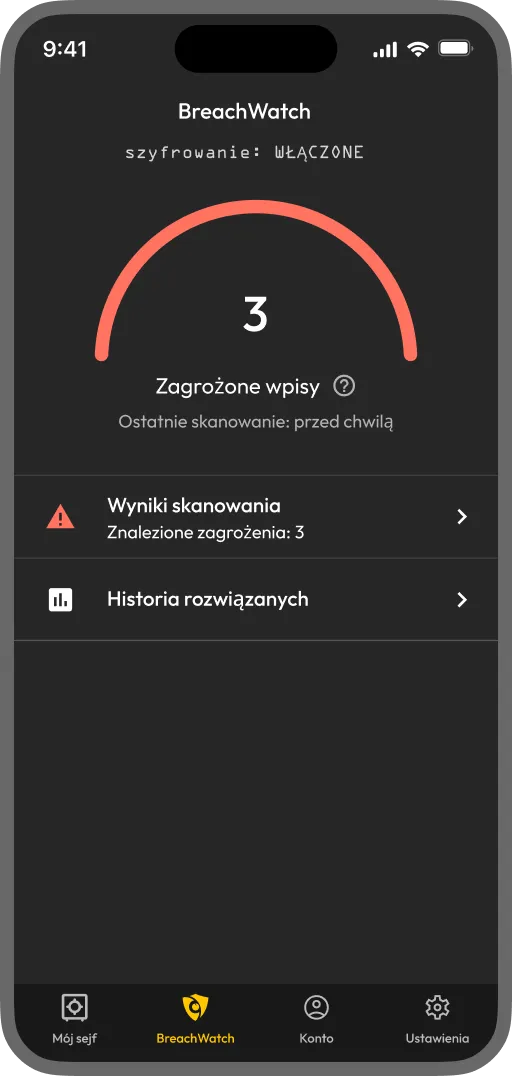
Keeper BreachWatch mobile app showing 3 records at risk and scan results

Czym jest BreachWatch dla użytkowników indywidualnych?

BreachWatch to dodatek monitorujący hasła zapisane w sejfie Keeper Vault pod kątem znanych naruszeń ochrony danych i powiadamiający użytkownika o wykryciu naruszenia dotyczącego jego danych uwierzytelniających. Usługa działa nieprzerwanie w tle, dzięki czemu nie trzeba pamiętać o ręcznym sprawdzaniu.

How BreachWatch works for personal users

Save your credentials in your Keeper Vault

Save your credentials in your Keeper Vault

BreachWatch checks your passwords against known breach datasets

BreachWatch checks your passwords against known breach datasets

If a match is found, you'll receive an alert

If a match is found, you'll receive an alert

Change your password to resolve the alert

Change your password to resolve the alert

Dark web monitoring designed for your personal security

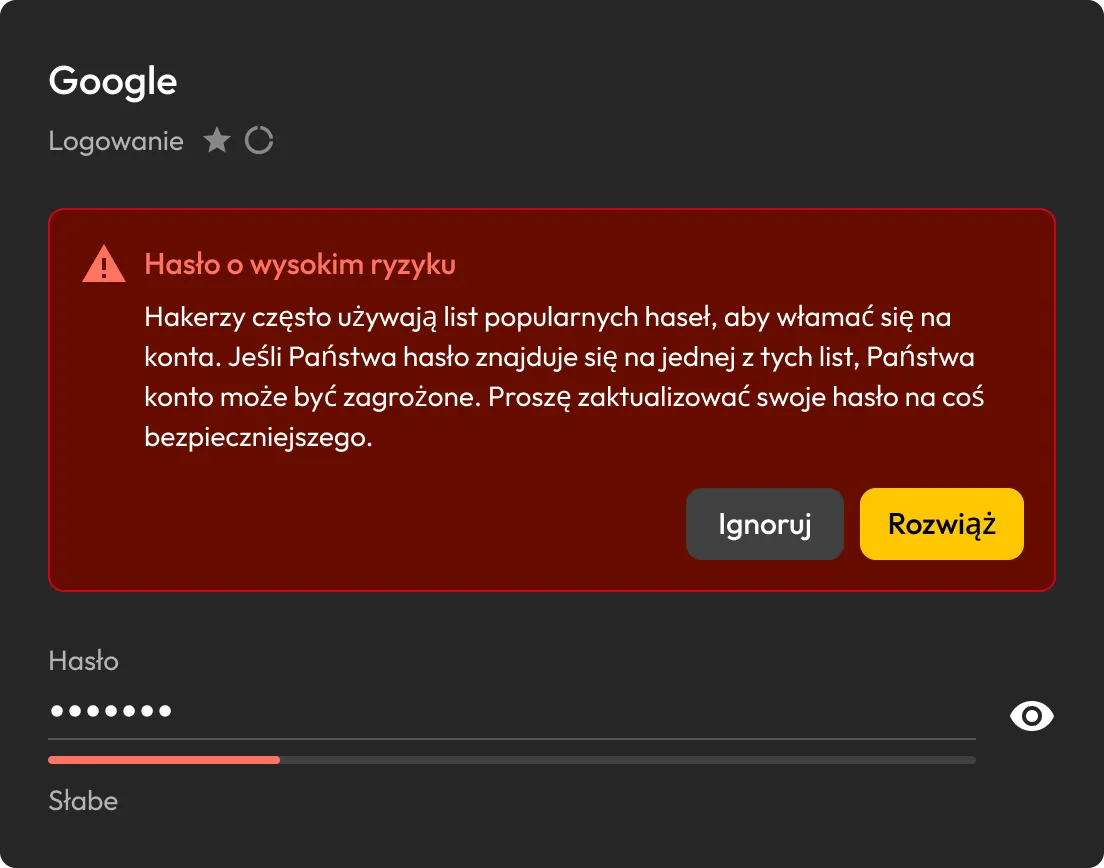
Alert Keeper o haśle wysokiego ryzyka dla rekordu logowania do Google z opcjami Ignoruj i Rozwiąż.

Detect compromised passwords instantly

BreachWatch nieustannie skanuje hasła zapisane w sejfie Keeper Vault pod kątem znanych naruszeń ochrony danych i powiadamia użytkownika natychmiast po wykryciu zgodności.

See which accounts are at risk

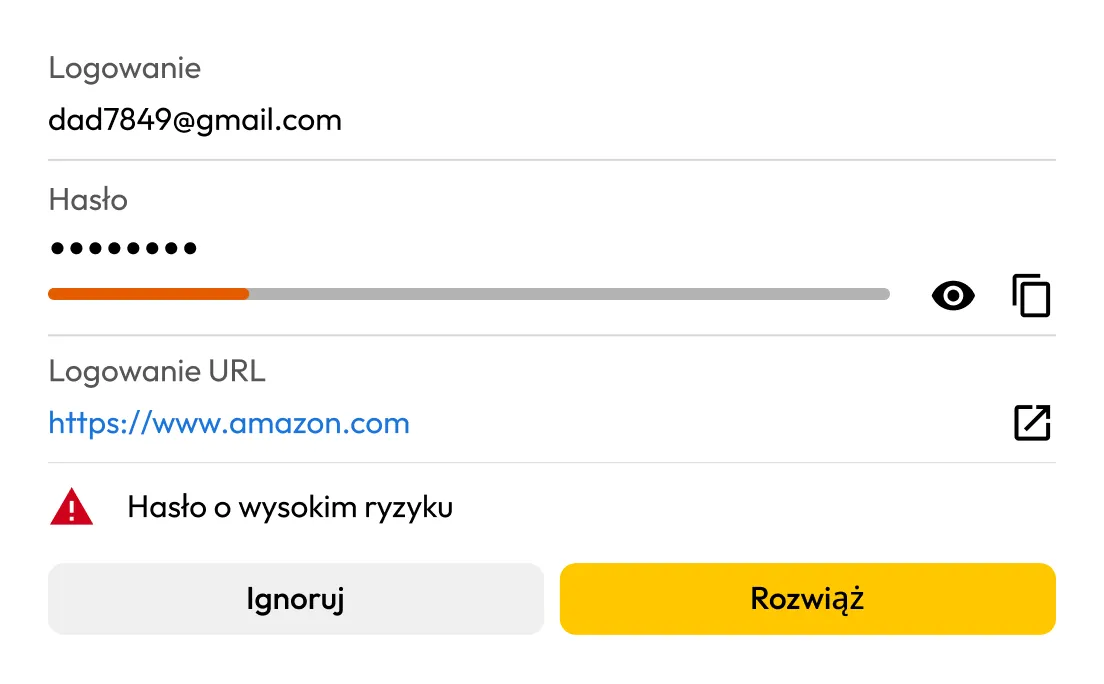
Jeśli BreachWatch wykryje naruszone hasło, można zidentyfikować rekord, którego dotyczy problem, i sprawdzić, co należy zaktualizować.

Alert Keeper BreachWatch o haśle wysokiego ryzyka dla rekordu logowania do Amazon z opcjami Ignoruj i Rozwiąż.
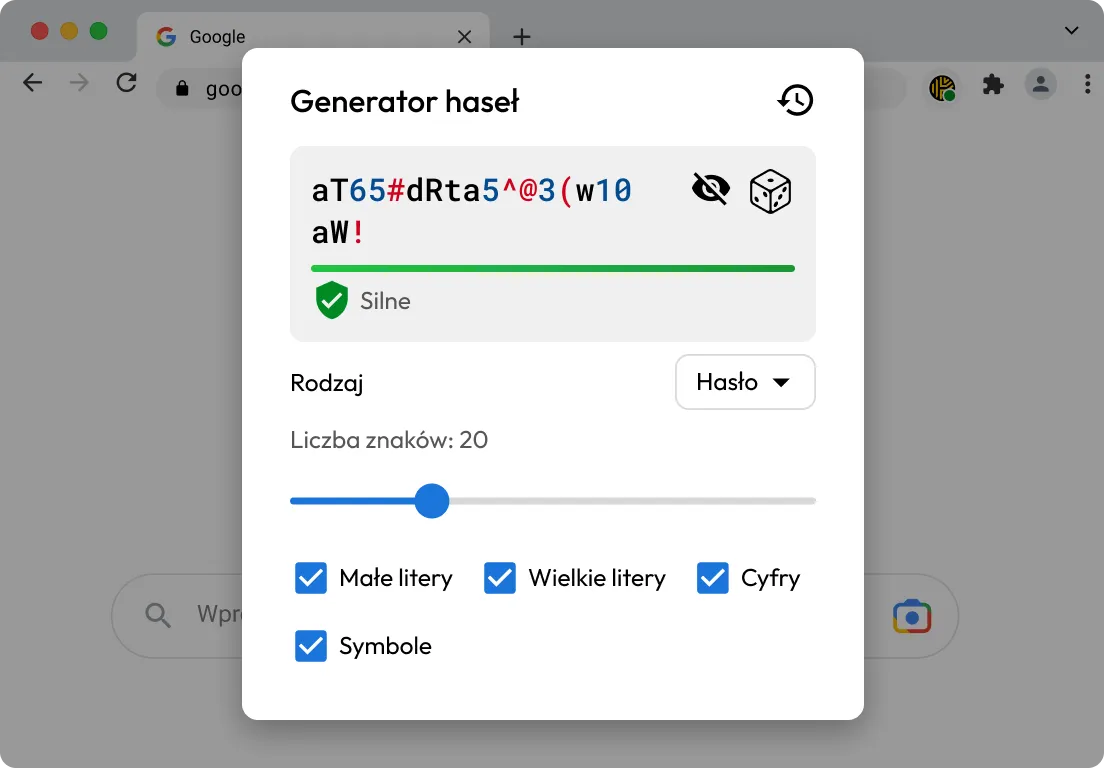
Generator haseł Keeper wyświetlający silne 20-znakowe hasło z włączonymi małymi i wielkimi literami, cyframi oraz symbolami.

Update passwords more easily

KeeperFill® pomaga zalogować się do konta, którego dotyczy problem, wygenerować silniejsze hasło podczas procesu aktualizacji oraz zapisać nowe dane uwierzytelniające w sejfie Keeper Vault.

Replace weak passwords with stronger ones

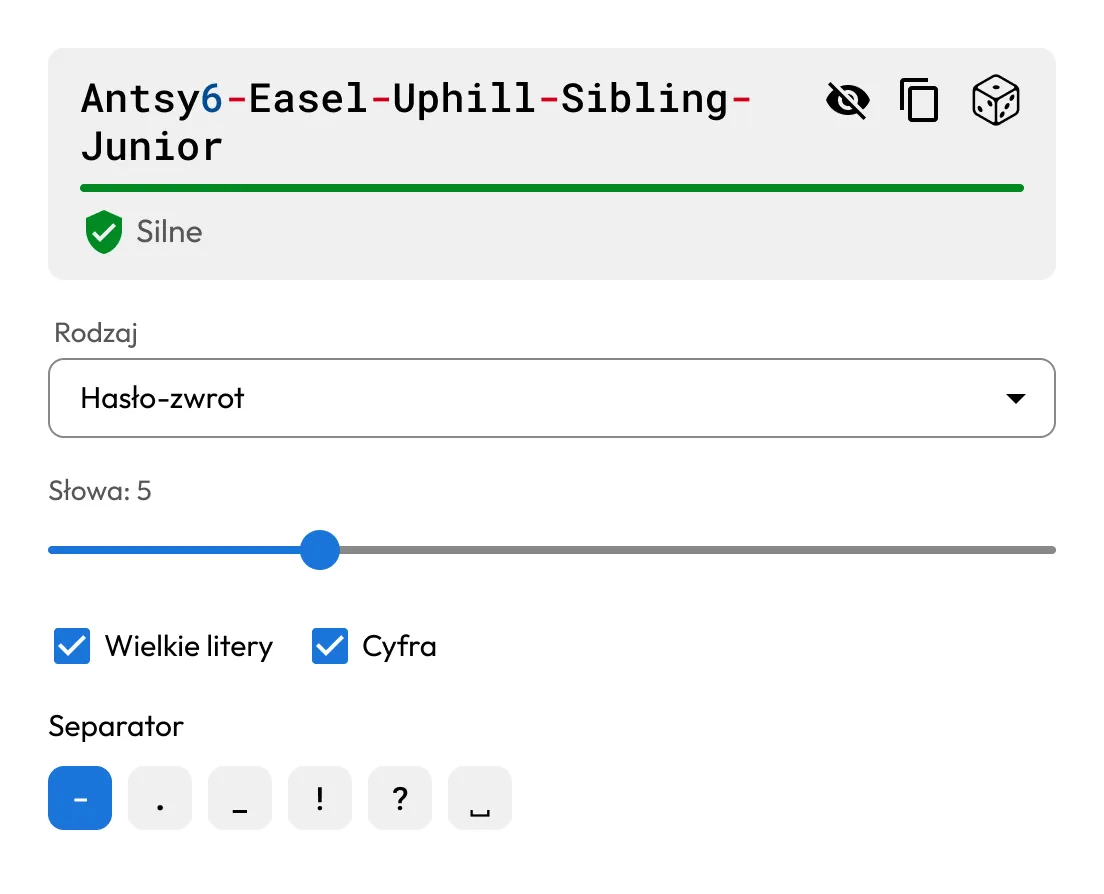
Korzystaj z wbudowanego generatora haseł i fraz hasłowych Keeper, aby tworzyć silne, unikalne dane uwierzytelniające do swoich kont.

Generator haseł Keeper wyświetlający silną pięciowyrazową frazę hasłową z opcjami separatorów.

Why choose BreachWatch to monitor your passwords?

Continuous monitoring that keeps working in the background

BreachWatch nie wykonuje tylko jednorazowego skanowania. Usługa nieustannie monitoruje hasła zapisane w sejfie Keeper Vault pod kątem znanych naruszeń ochrony danych, automatycznie sprawdzając je na wszystkich urządzeniach, dzięki czemu użytkownik otrzymuje powiadomienie natychmiast po wykryciu zgodności.

Built to help you take action, not just send alerts

Po wykryciu hasła, które pojawiło się w wyniku naruszenia ochrony danych, BreachWatch pomaga zidentyfikować rekord, którego dotyczy problem. Następnie KeeperFill może pomóc zaktualizować hasło i bezpiecznie zapisać nowe dane uwierzytelniające w sejfie Keeper Vault.

Często zadawane pytania (FAQ)

Is dark web monitoring worth it?

For many people, yes. Credentials from past data breaches are actively bought and sold online, often long after the original breach occurs. If one of your saved passwords appears in a known breach, dark web monitoring helps you find out sooner so you can update it before your accounts are put at greater risk. BreachWatch continuously monitors for compromised credentials and alerts you when action is needed.

Does BreachWatch change my passwords for me?

No, BreachWatch alerts you to passwords that may be at risk, but you still need to change the password on the affected website or app.

How does Keeper help me update an exposed password?

KeeperFill can help guide you through the password change process by autofilling your current password, generating a stronger replacement and helping you save the updated credential to your Keeper Vault.

What happens after I update a compromised password?

After changing the password on the affected site, you should save the new password in your Keeper Vault to keep your record up to date.

Which passwords does BreachWatch monitor?

BreachWatch monitors passwords stored in your Keeper Vault records. If a record does not contain a password, it won't be included in the scan.

Can I use BreachWatch on mobile and desktop?

Yes, BreachWatch is available across Keeper's supported platforms, including web, desktop and mobile.

How is BreachWatch different from similar services?

Most dark web monitoring services work by sending your email address or a hashed version of your password to a third-party service for matching. This means your data leaves the service's security boundary and is processed externally.

BreachWatch works differently. Keeper uses a patented zero-knowledge matching method that performs breach analysis without exposing which websites you use or what your passwords are. Matching happens in a way that ensures neither Keeper nor any external party can see your credentials during the process. Your information stays protected throughout.

Wycofaj zgodę dot. plików cookieDbamy o prywatność użytkowników

Wykorzystujemy na naszej stronie pliki cookie na potrzeby zapewnienia jak najlepszej jakości przeglądania, wyświetlania spersonalizowanych reklam dotyczących naszych produktów i treści oraz analizy ruchu na stronie. Aby uzyskać więcej informacji, zapoznaj się z naszą polityką prywatności.

Zarejestruj się na darmowy okres próbny

Kup teraz