Compliance Reporting

Stop chasing audit evidence at the last minute

Keeper® gives your GRC, IT and security teams on-demand visibility into access permissions and activity within Keeper, so you can prepare for audits without manual evidence collection.
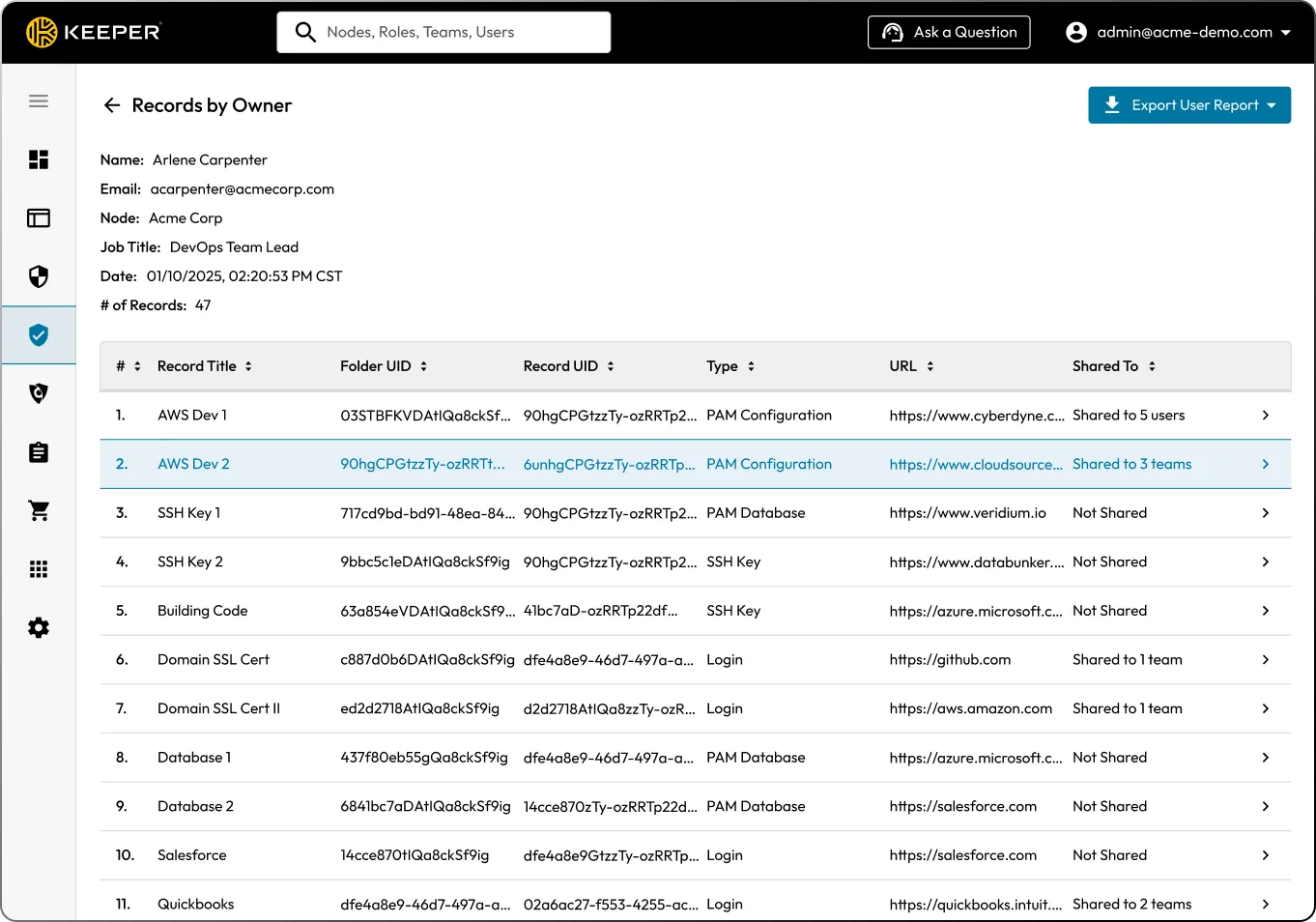
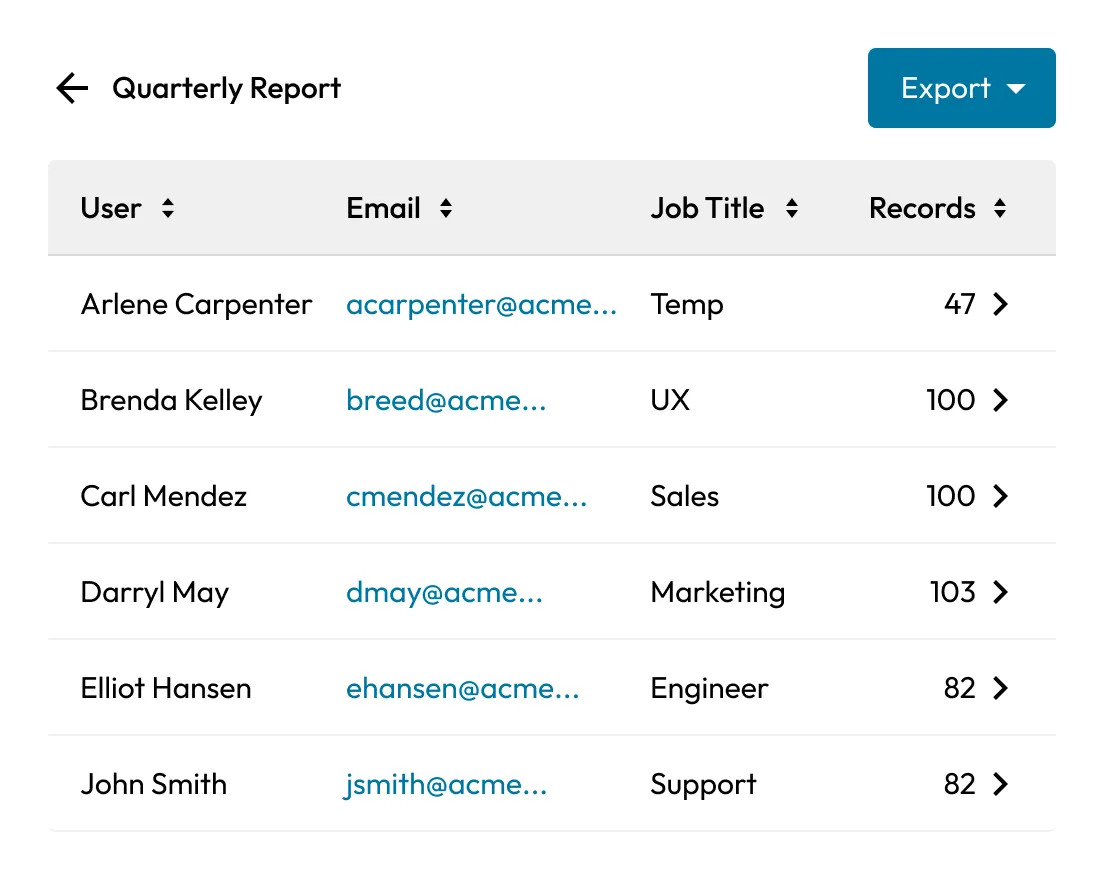
Keeper admin console showing a “Records by Owner” report with records for Arlene Carpenter.

Most compliance failures are a visibility problem

Audit prep takes weeks

As an audit approaches, IT and GRC teams spend time gathering logs, screenshots and documentation that should have been tracked all along. Controls exist on paper, but proving they're enforced is another problem.

Access data lives in too many places

Credentials, privileged access and secrets are often managed in separate tools. Session activity may be logged elsewhere or not retained consistently. When auditors ask who had access during a specific timeframe, teams may need to reconcile data across systems.

Siloed compliance creates real gaps

Most organisations must satisfy multiple frameworks at once, such as SOX, PCI DSS, HIPAA, FedRAMP and GDPR, each with overlapping but not identical requirements. Managing them in silos means duplicated work, gaps in coverage and real exposure.

How Keeper turns compliance from reactive to continuous

On-demand compliance reports

Keeper Compliance Reports give GRC, security and IT admins instant visibility into access permissions across all credentials and secrets in a zero-trust, zero-knowledge environment. Filter by user, record, team or system. Export reports or integrate with Security Information and Event Management (SIEM) and GRC tools for broader analysis.

Quarterly Report table showing users, emails, job titles, record counts, and an export button.
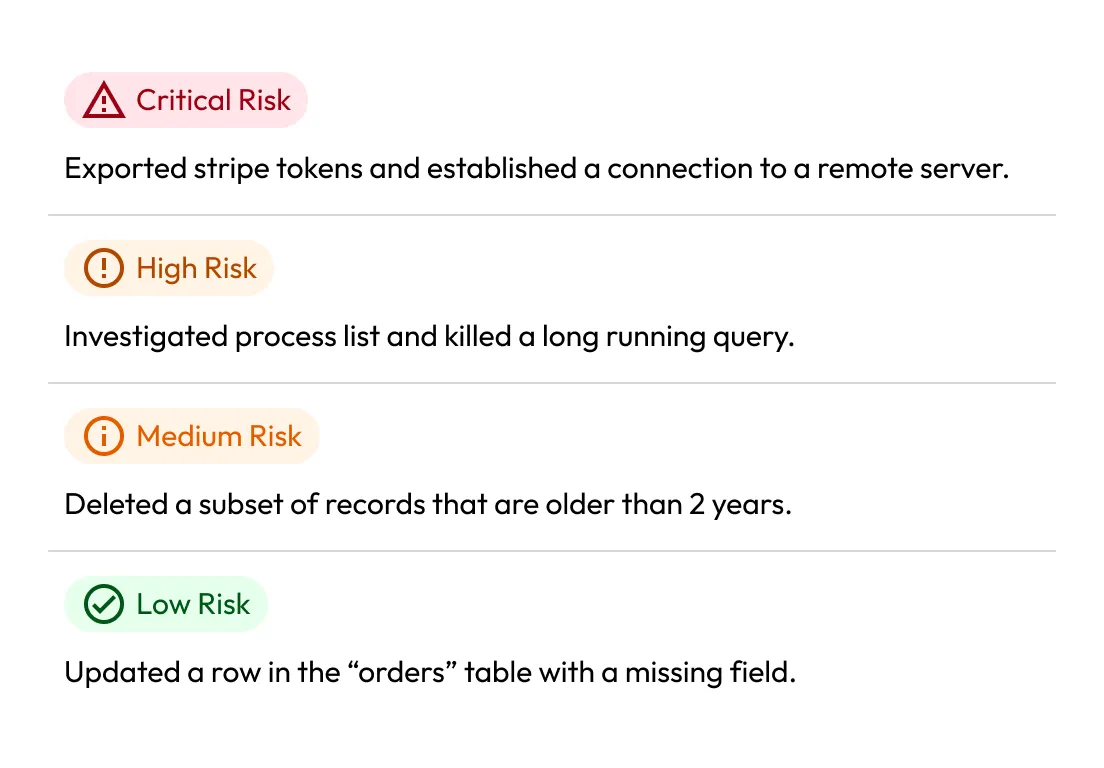
Risk summary panel listing critical, high, medium, and low risk database actions.

Event logging and monitoring

Keeper logs every privileged action across your environment, including logins, record access, sharing events, permission changes and failed login attempts. KeeperAI goes further, analysing live sessions in real time, classifying behavior by risk level and automatically terminating sessions when critical activity is detected. Event data feeds directly to your SIEM without any manual log review required.

Session recording for privileged access

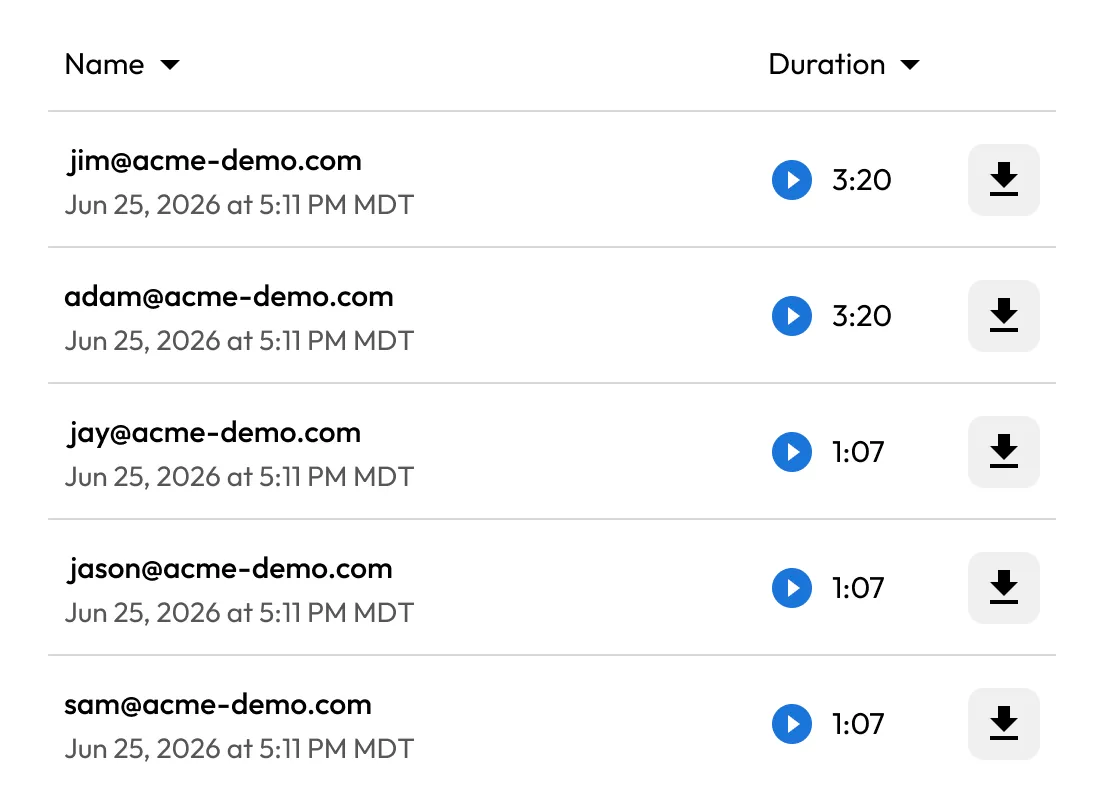
Every remote session can be recorded and stored in Keeper. Recordings are tamper-proof and immediately retrievable for audit or forensic review. Auditors can see exactly what was done, by whom and when.

User activity recording list showing names, timestamps, playback durations, and download buttons.
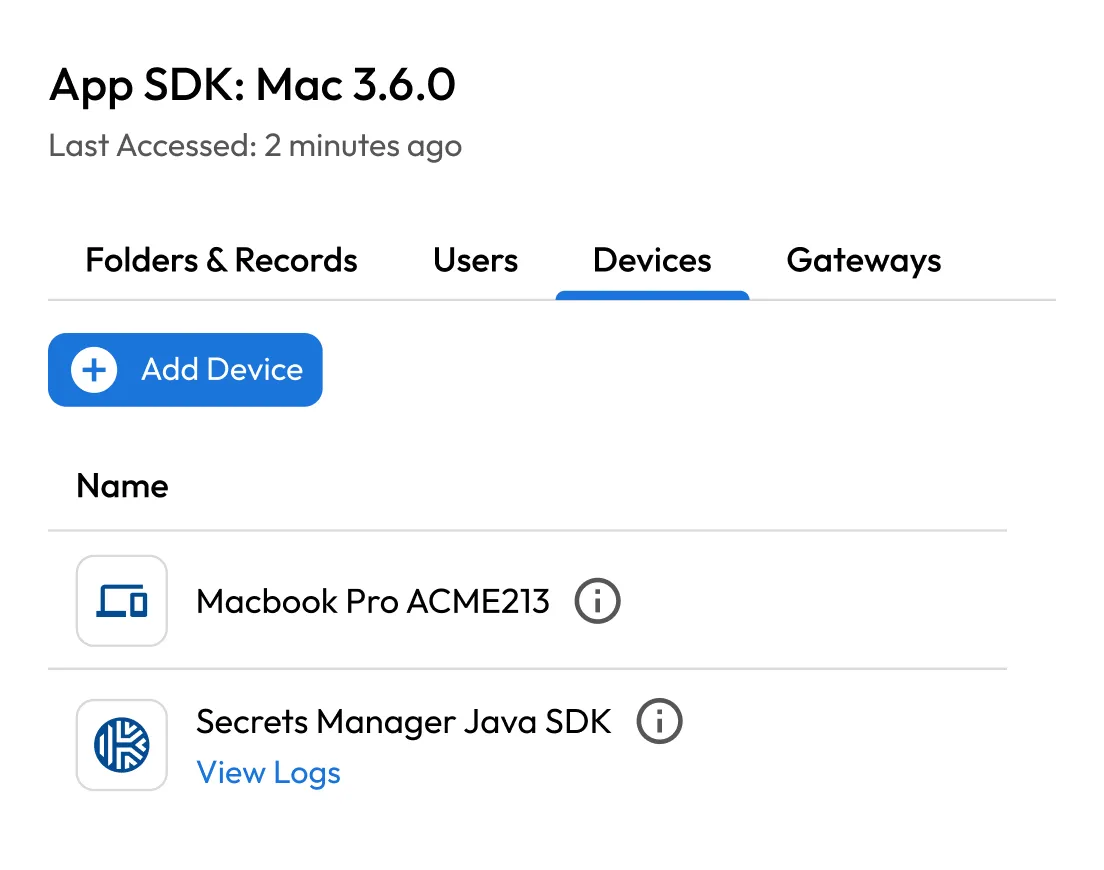
App SDK device management screen showing the Devices tab with an add device button and two listed devices.

Secrets management with full audit trail

Keeper Secrets Manager secures API keys, database passwords and any credentials used by CI/CD pipelines and infrastructure. Every secret retrieval is logged. Keeper helps to eliminate hardcoded credentials and secrets sprawl, producing a clean audit trail for every automated process.

Role-based access and least privilege enforcement

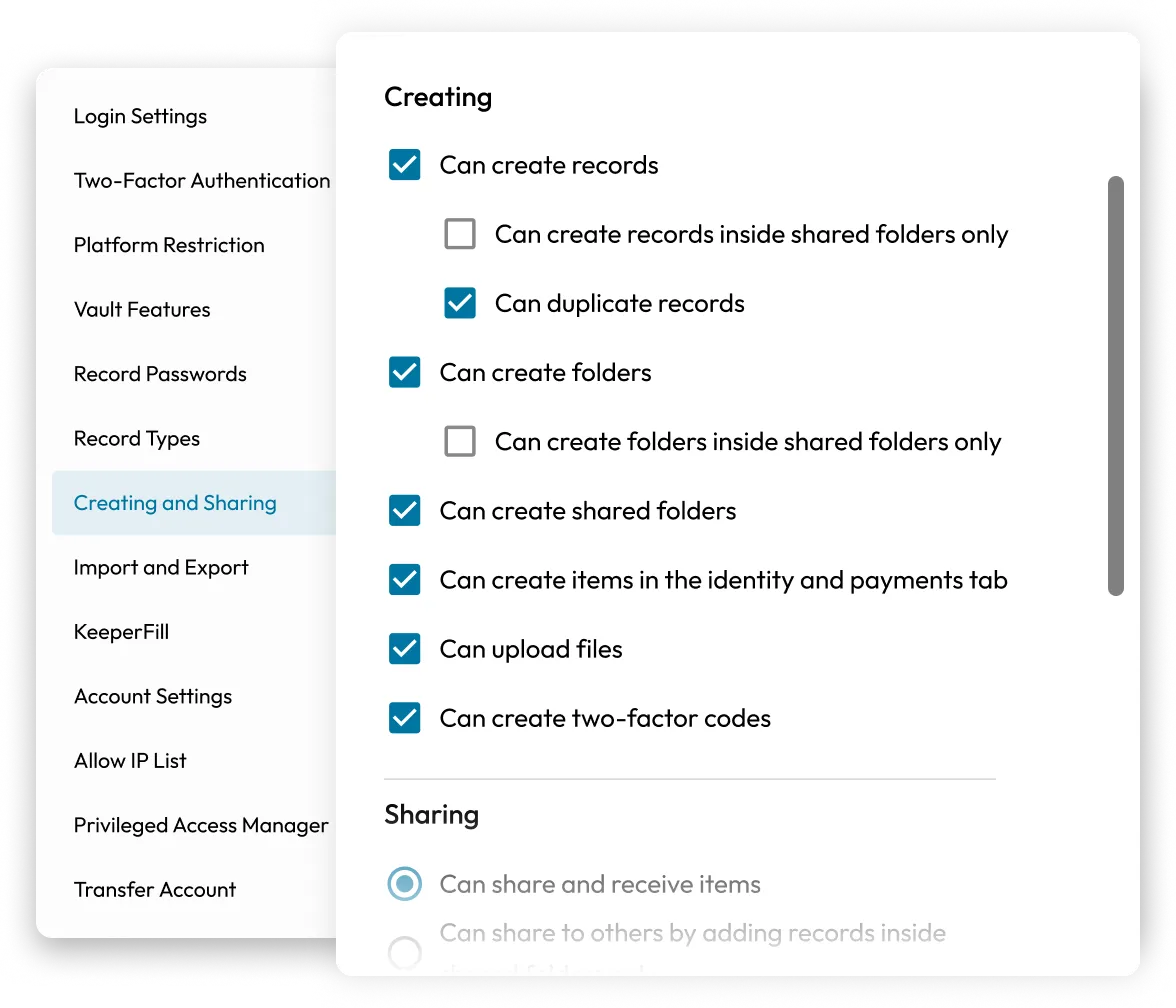
Assign access by role, team or department. Enforce least-privilege across your environment with delegated administration and policy-based controls. When an employee leaves, their vault is locked and can be transferred automatically without any orphaned access or audit gaps.

Role settings panel showing Creating and Sharing permissions with selectable checkboxes.

Why teams choose Keeper for compliance

Zero-knowledge architecture

Keeper never has access to your vault contents. Your audit data stays encrypted and under your control, which matters when auditors ask about data handling.

Longest-standing SOC 2 attestation in the industry

Keeper holds SOC 2 Type II and ISO 27001 certifications. You're not trusting a compliance tool that hasn't passed its own audits.

Works across your entire environment

Keeper works across cloud, on-premises and hybrid environments and integrates with your existing SIEM and GRC platform and DevOps toolchain out of the box.

No scripting, no REGEX, no syslog config

Advanced Reporting & Alerts is built to be maintained by IT administrators, not security engineers. Set it up once and stay audit-ready year-round without ongoing maintenance.

Get audit-ready with Keeper

Frequently asked questions

Which compliance frameworks does Keeper support?

Keeper's audit logging, access controls and compliance reporting capabilities directly support requirements in PCI DSS, SOX, HIPAA, FedRAMP, GDPR, CCPA and other frameworks that mandate Privileged Access Management (PAM) and audit trails.

Can Keeper generate reports for external auditors?

Yes, Keeper Compliance Reports can be exported on demand or forwarded automatically to external auditors and third-party GRC solutions.

How does Keeper handle session recordings for compliance?

Keeper records privileged sessions and stores them in the Keeper Vault. That means recordings can't be altered or deleted by end users and they're available for audit retrieval at any time. KeeperAI also provides encrypted activity summaries of each session.

Can I monitor access permissions across the entire organisation?

Yes, Keeper gives admins a unified view of access permissions for all privileged accounts, including who has access to specific records and secrets, in real time. You can also set alerts for any permission change or unusual access event.

What happens when an employee with privileged access leaves?

Keeper allows administrators to lock and transfer a departing employee's vault automatically. Access is revoked immediately and the audit log preserves the full history of their activity.

Withdraw Cookie ConsentWe value your privacy

We use cookies on our site to give you the best browsing experience, serve personalised ads about our products and content, and analyse website traffic. To learn more, please refer to our Privacy Policy.

Sign up for a Free Trial

Buy Now