Keeper vs 1Password:
Which is better?

Keeper and 1Password are both popular password managers, but only one is a full identity security platform. Compare them across security architecture, enterprise features, compliance certifications and user ratings.

Starting at only
 
 
per user/month *zzgl MwSt *Includes GST
For Personal

Bonus! Includes a Free Family Plan for each team member.
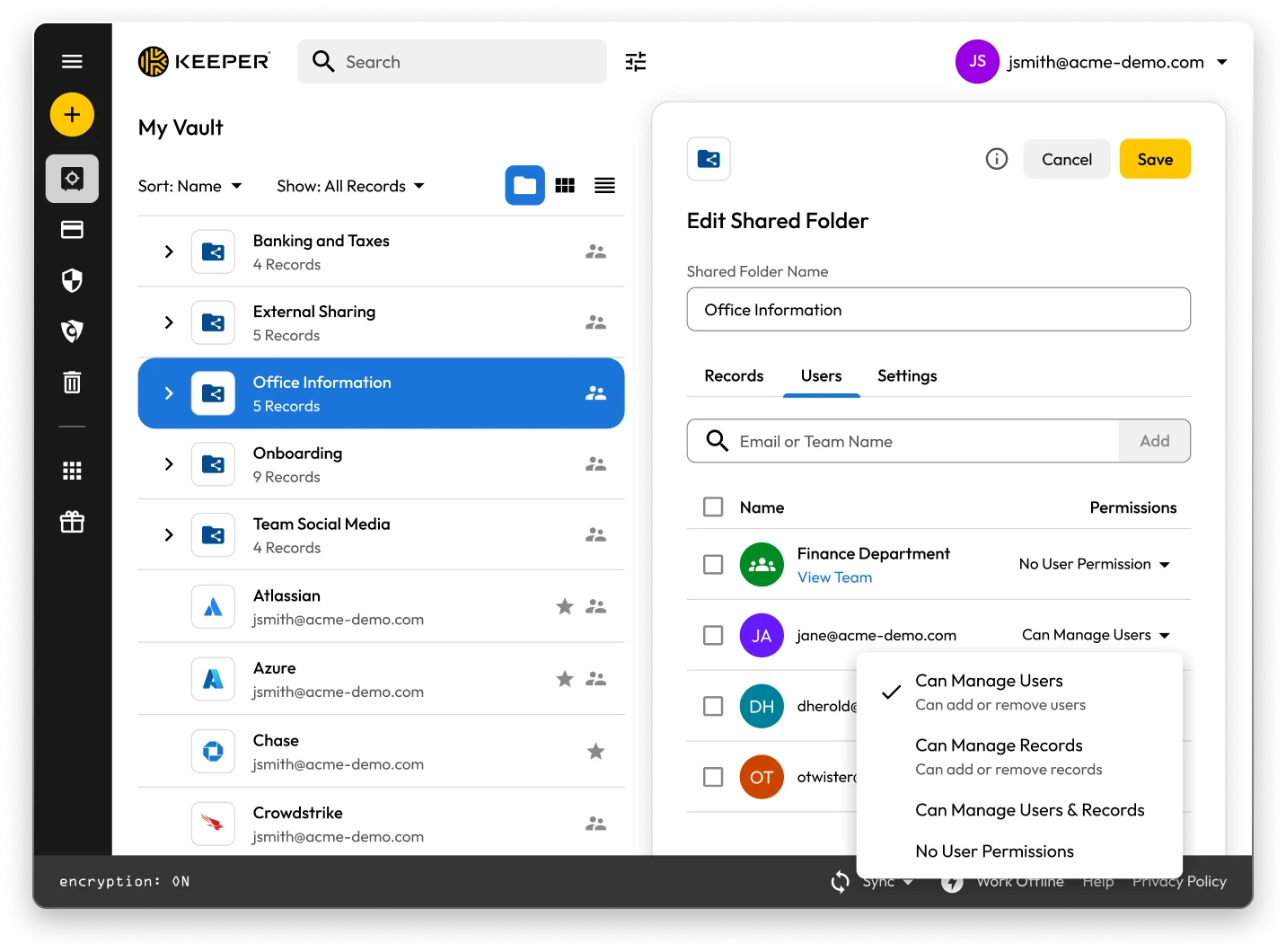
Keeper Vault interface showing shared folders and records. The “Edit Shared Folder” panel for “Office Information” is open, displaying user permissions with options to manage users, manage records, or assign no permissions.

Keeper vs 1Password: Side-by-side comparison

Analysis is based on publicly available documentation and information as of August 6, 2026.

Keeper
1Password
Security architecture and encryption model

Keeper's zero-knowledge architecture encrypts every individual record and folder with its own unique AES-256 key, with all encryption and decryption performed locally on the user's device. Keeper's "Transmission Security" adds a second layer – TLS 1.3/1.2 plus an additional 256-bit AES transmission key – covering all data communications, not just authentication. HSM integration in AWS provides super-encryption at rest.

Keeper Forcefield technology protects against memory-based attacks that specifically target password managers.

Keeper's self-managed BreachWatch® dark web monitoring runs entirely within its own infrastructure using an HSM-protected architecture, so breached passwords are never correlated against vault data outside Keeper's systems.

Keeper holds 10 issued U.S. patents covering its zero-knowledge architecture, SSO, breach detection and secure messaging, with four more pending.

Based on publicly available documentation, 1Password uses a vault-key encryption model. Each item in a vault is encrypted individually with that vault's key, rather than with a unique per-item key as Keeper does. Its Secure Remote Password (SRP) protocol keeps the account password from being sent over the network during sign-in; data itself is encrypted separately with AES-GCM-256, at rest and in transit.

For dark web monitoring, 1Password's Watchtower checks credentials against Have I Been Pwned using k-anonymity, sending only a partial hash. Full passwords are not transmitted.

1Password includes endpoint protections such as clipboard clearing, auto-lock and browser code signature validation.

1Password (AgileBits Inc.) holds multiple issued U.S. patents.

Authentication, Single Sign-On (SSO) and provisioning

Keeper uses multi-layered authentication that combines a master password with device verification, providing an approach that is both attack-resistant and simple for end users.

Keeper has been in enterprise SSO production since 2016, holds patents on its SSO implementation and supports complex multi-provider configurations with no additional software required.

SCIM provisioning works directly with any Identity Provider (IdP) without any software installation.

Based on publicly available documentation, 1Password's dual-factor approach, an account password plus a secret key, can add complexity to onboarding and recovery.

1Password's SSO unlock supports multiple identity providers, including Microsoft Entra ID, Okta, Google Workspace, OneLogin, Ping Identity and Duo, but allows only one identity provider per account. Keeper supports multiple providers within the same tenant.

For Microsoft Entra ID, Okta, OneLogin and JumpCloud, 1Password offers hosted SCIM provisioning with no software to deploy. Other identity providers require a self-hosted SCIM Bridge, deployed on-premises or in the cloud.

Platform capabilities and Privileged Access Management (PAM)

KeeperPAM combines enterprise password management, secrets management, connection management, privileged session management and Remote Browser Isolation (RBI) in a single cloud-native, zero-knowledge interface.

Remote Browser Isolation creates isolated browser sessions for internal and cloud applications, eliminating the need for VPNs.

Keeper Endpoint Privilege Manager enforces Just-In-Time (JIT) access and least privilege directly on user devices, with automatic privilege revocation on session termination.

Keeper Secrets Manager is fully cloud-based with CLI, REST APIs, Terraform and CI/CD pipeline support. No on-premises infrastructure is required.

Keeper also offers over 80 distinct permissions across 14 categories for granular enterprise access control.

1Password is a password manager that has expanded into its Unified Access platform covering device trust, SaaS visibility and app access governance. With its June 2026 acquisition of Apono, it added Just-In-Time (JIT) access and zero-standing privilege governance for users, machines and AI agents.

For secrets management, 1Password Secrets Automation offers two paths: Service Accounts for lighter use cases or a self-hosted Connect Server deployed in the customer's own infrastructure for teams needing more control, scalability and higher request limits. Both require configuration and ongoing maintenance within the customer's environment.

1Password has 12 vault-based permissions with limited granularity for enterprise access control.

Database access management

KeeperDB provides secure, zero-knowledge remote access to databases, including MySQL, PostgreSQL, SQL Server and more, directly through the browser with no client software required. Access is governed by role-based policies, full session recording and audit logging, ensuring every database interaction is tracked and compliant. Credential injection means users never see or handle the underlying database passwords directly.

Based on publicly available documentation, 1Password does not offer browser-based database access with credential injection and session recording. Its Apono-based access governance can grant JIT access to some cloud data platforms, but without KeeperDB's native session recording and policy-enforced credential injection.

AI-powered security and automation

KeeperAI brings intelligent automation to privileged access management. It monitors privileged sessions in real time and can automatically terminate a session when suspicious activity is detected. KeeperAI also assists with policy creation, access reviews and anomaly detection, reducing the manual overhead of managing a large privileged access environment while continuously strengthening security posture.

1Password's Unified Access platform, with Apono, provides JIT access decisions, credential audit trails and continuous monitoring of human, machine and AI agent activity. Keeper differs in offering session-level intelligence inside a full PAM platform — real-time monitoring of an active privileged session with automatic termination on suspicious activity.

Sharing, account management and MSP

Keeper supports time-limited record and folder sharing with automatic credential rotation, plus bidirectional one-time sharing to both users and non-users with real-time sync. Its node-based organisational architecture supports isolation between business units and multiple identity providers within the same tenant.

Enterprises have multiple account recovery pathways, including SSO Recovery, Account Transfer Policy, a 24-word recovery phrase and Commander CLI automation.

Keeper's MSP platform, launched in 2019, combines password management with full PAM capabilities in a unified, multi-tenant interface.

1Password requires users to create separate vaults for sharing, producing copies of records rather than real-time, synced data. It has no node structure or organisational units, and guest accounts are limited to a single vault with no time controls or automated security measures.

There is no direct vault transfer between user accounts, and offboarding relies on employees manually moving items before they leave, with account recovery as an admin fallback that requires access to the departing employee's email address.

1Password's MSP offering focuses solely on password management with no PAM features.

Compliance and certifications

Keeper is FedRAMP High Certified and GovRAMP High Authorised, FIPS 140-3 validated, ISO 27001/17/18 certified, ITAR compliant and holds the longest-standing SOC 2 Type II certification in the industry.

Based on publicly available information, 1Password holds no FedRAMP, GovRAMP or FIPS authorisation, limiting its use in regulated industries and government.

Keeper vs 1Password: User rating and reviews

Keeper
1Password
iOS App Store

iOS App Store

Microsoft Store

Microsoft Store

Chrome Extension

Chrome Extension

Android

Android

*Data as of August 6, 2026

Already using 1Password? Migrate to Keeper easily

Moving your passwords from 1Password to Keeper is simple and secure. Your information stored in 1Password, including passwords, folders, subfolders, custom fields, TOTP codes, notes and accounts, can be migrated to Keeper with just a few clicks.

Frequently asked questions

How can I import passwords from 1Password to Keeper?

You can import passwords from 1Password to Keeper Security with these simple steps:

  • Sign in to your 1Password account
  • Select the vault or subscription you want
  • Export the data
  • Log in to Keeper on the web or desktop app
  • Click on your account icon > Settings > Import
  • Choose 1Password from the list and drag the exported file into the "Drop a File" window

Learn more about importing from 1Password with this step-by-step, device-specific guide.

How do I cancel 1Password?

If you no longer want to keep your 1Password subscription, follow this three-step process:

  • Log in to your 1Password account.
  • In the top right corner, select your name and click My Profile.
  • At the bottom of the page, select Permanently Delete Account.

Remember to export your credentials and import them to your chosen 1Password alternative before closing your account.

Keeper is a comprehensive PAM platform. Does that mean it's only meant for large enterprises?

No, while Keeper offers comprehensive PAM capabilities that serve enterprise needs, it's designed to scale from individual users to large organizations.

Keeper Business provides smaller organisations with a streamlined, easy-to-use credential management solution without compromising security.

Keeper also offers personal plans for individual password management and secure file storage, as well as family plans for shared password management across household members.

The platform's flexible architecture allows users to start with basic password management and scale up to enterprise-grade PAM features as their needs grow. This means individuals can benefit from the same security foundation that powers Keeper's business solutions, while organisations can access sophisticated privileged access controls when needed.

1Password Family vs Keeper Family package: What's the difference?

Keeper Family allows you to secure and share unlimited passwords for households, with five private vaults, 10 GB of file storage, unlimited devices, emergency access and 24/7 support. Keeper Family is priced at per month.

1Password also allows families to securely store passwords, export data and share passwords, but it requires creating multiple vaults for sharing. Keeper allows individual record sharing and folder sharing. 1Password only comes with 1 GB of document storage, while Keeper comes with 10 GB of storage.

Withdraw Cookie ConsentWe value your privacy

We use cookies on our site to give you the best browsing experience, serve personalised ads about our products and content, and analyse website traffic. To learn more, please refer to our Privacy Policy.

Sign up for a Free Trial

Buy Now