
Turn Tenable findings into governed access

Connect Tenable Cloud Security with KeeperPAM® to carry selected identity and access findings into a guided remediation workflow—then keep progress aligned across both platforms.

Keeper integration graphic showing Tenable connected to the Keeper logo.

From exposure insight to privileged access action

Tenable gives teams the context to understand and prioritize cloud exposure. The Keeper integration carries selected identity and access findings into KeeperPAM, where administrators can onboard affected resources and apply the right controls—from credential rotation to managed or just-in-time access. Keeper then returns the remediation status to Tenable, keeping both teams aligned.


How the Keeper + Tenable integration works

1. Send a finding

A Tenable admin reviews an identity or access finding and sends it to Keeper. The Cloud Security dashboard receives the finding with its severity, affected resource and Tenable context.

2. Map the resource

A Keeper admin maps or onboards the affected resource and, when needed, links a PAM User record so the finding can be addressed with KeeperPAM controls.

3. Apply access controls

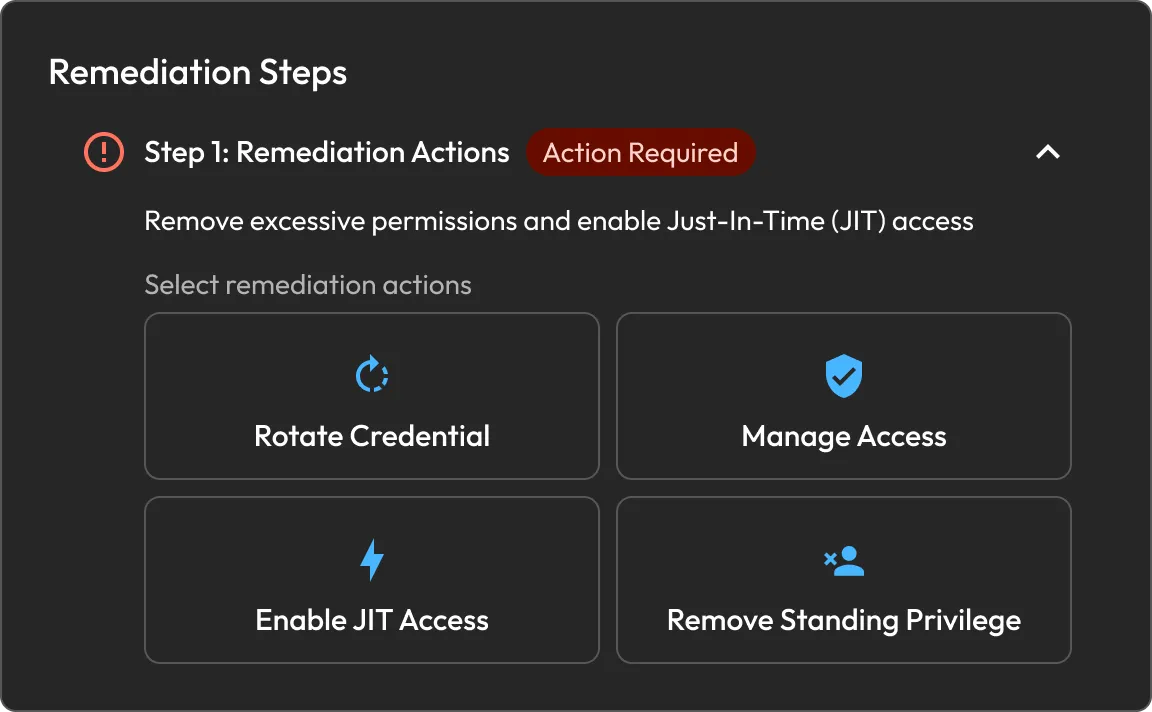
Choose the response that fits the finding: rotate the credential, manage access through a zero-trust session, enable JIT access or remove standing privilege. Multiple actions can be combined.

4. Close the loop

After the actions are processed, Keeper updates the finding as Resolved. The new status appears in Tenable automatically, so security teams share the same remediation record.

Privileged access controls for Tenable findings

Rotate credential

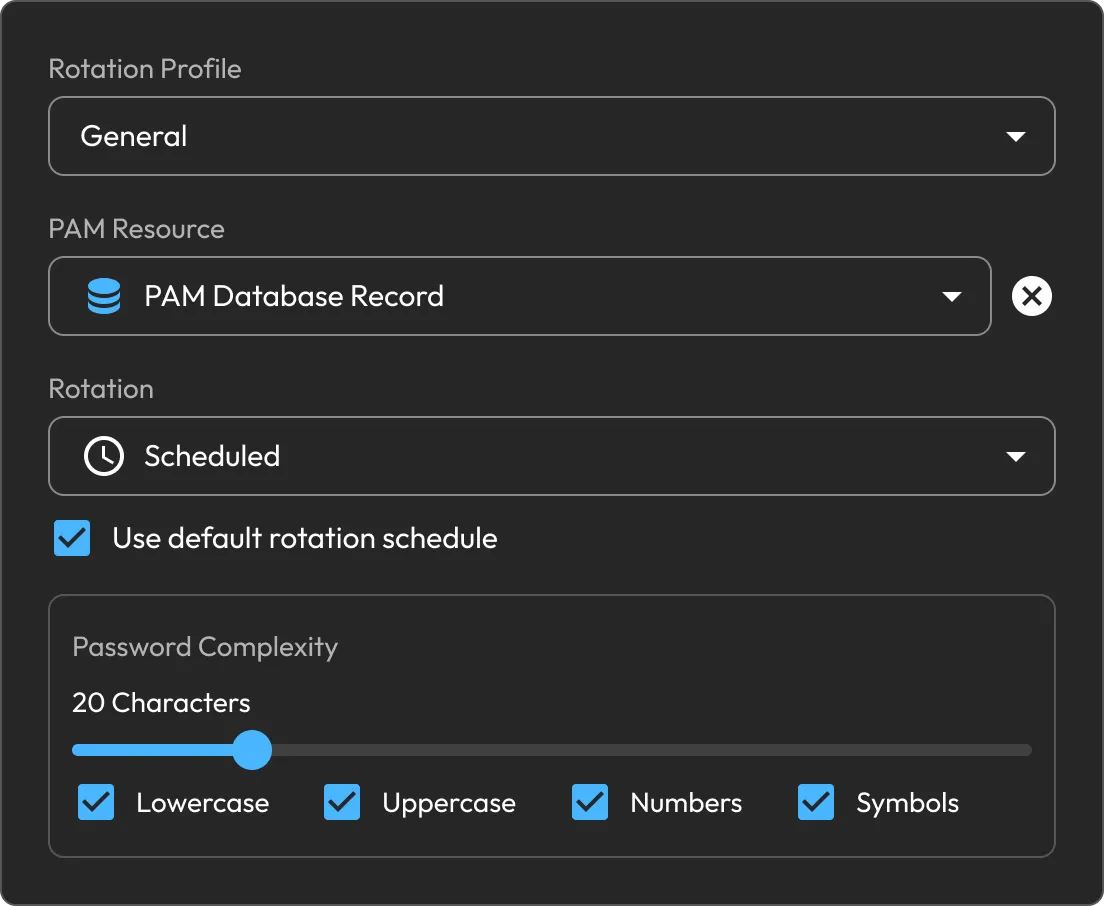
Rotate an affected credential on demand and store the replacement securely in Keeper Vault. Customize password complexity for the immediate response, then add a schedule to keep credentials current over time.

Keeper rotation profile settings showing a scheduled PAM database password rotation with complexity options enabled.

Remove standing privilege

Review the groups and roles already assigned to an onboarded PAM User, select the access that is no longer needed and remove it directly from the remediation workflow.

Keeper remediation steps panel showing actions to rotate credentials, manage access, enable JIT access and remove standing privilege.

Enable Just-In-Time (JIT) Access

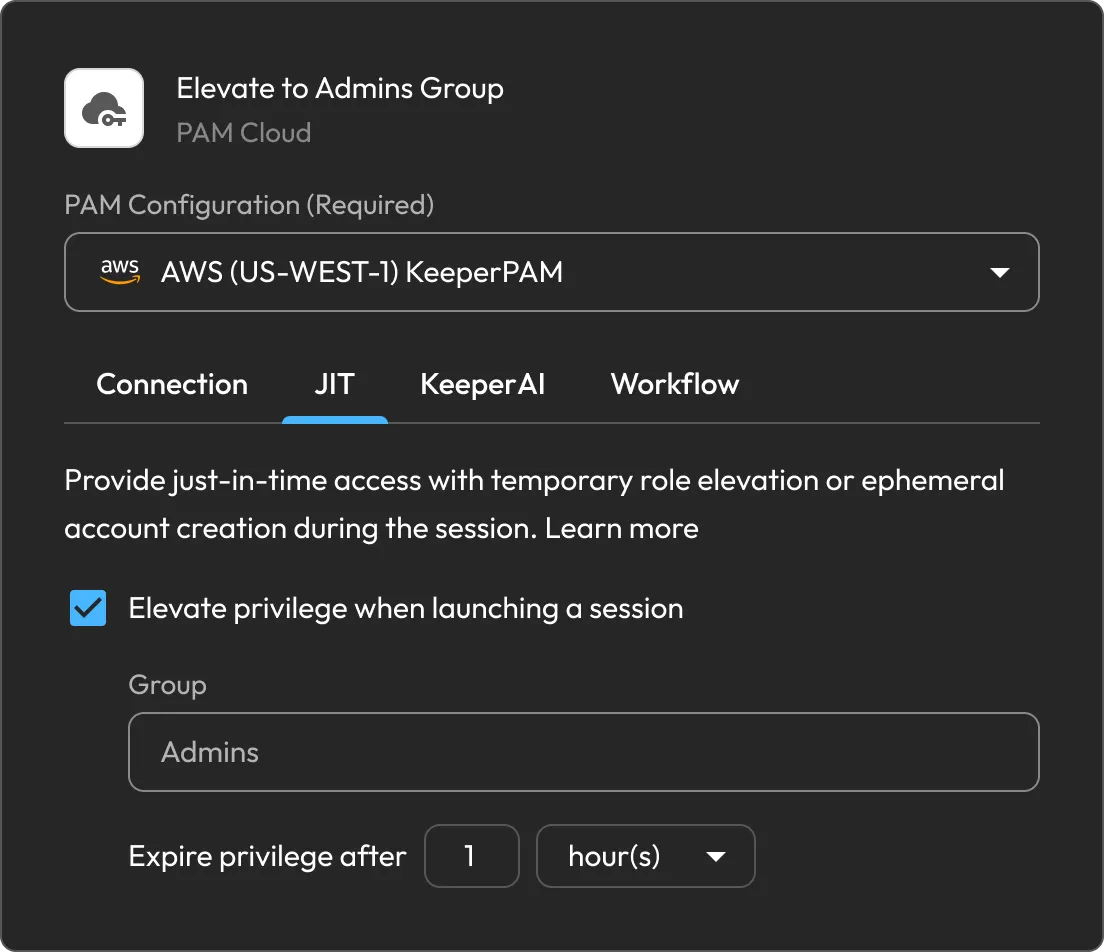
Replace standing access with time-bound privilege. Keeper can create an ephemeral account or elevate an existing account only for the approved connection. Workflows can limit duration, require approvers, enforce MFA, check records in and capture a reason or ticket number.

Manage access

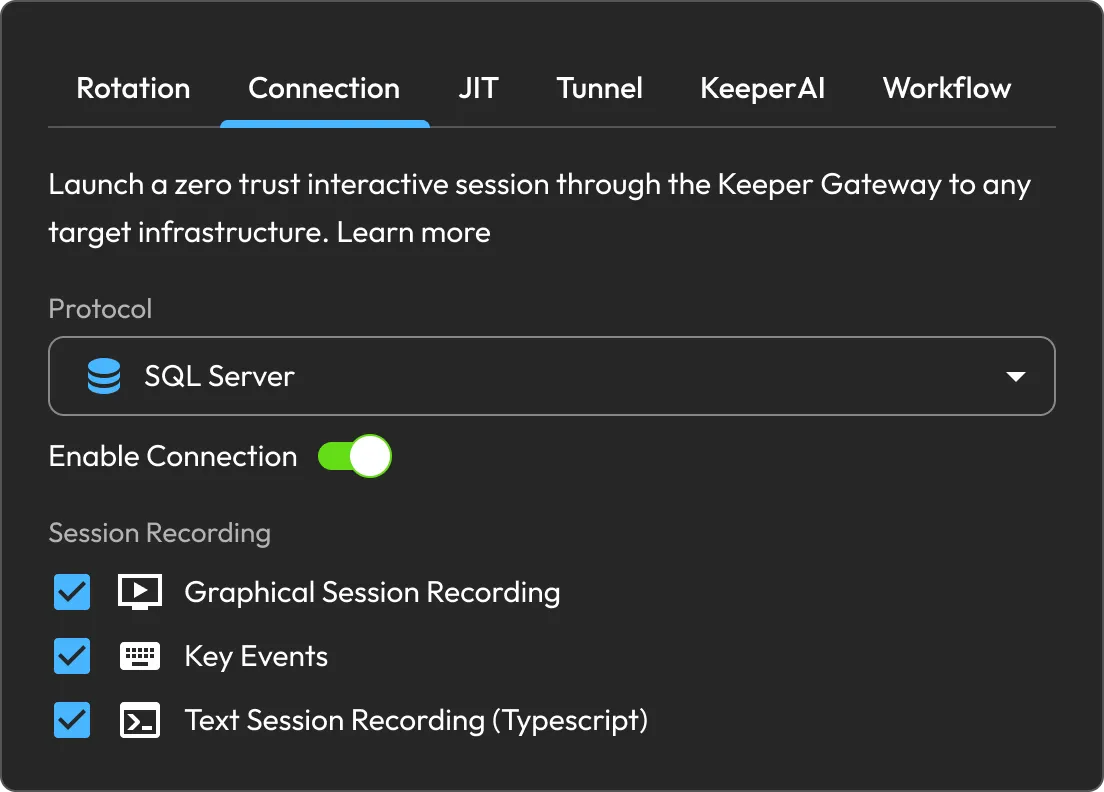
Route access to the affected resource through Keeper Gateway in a zero-trust session, without revealing the credential to the user. Connections can be configured with graphical, key-event or text recording for auditability.

Keeper connection settings showing SQL Server session recording options enabled.

Resource onboarding

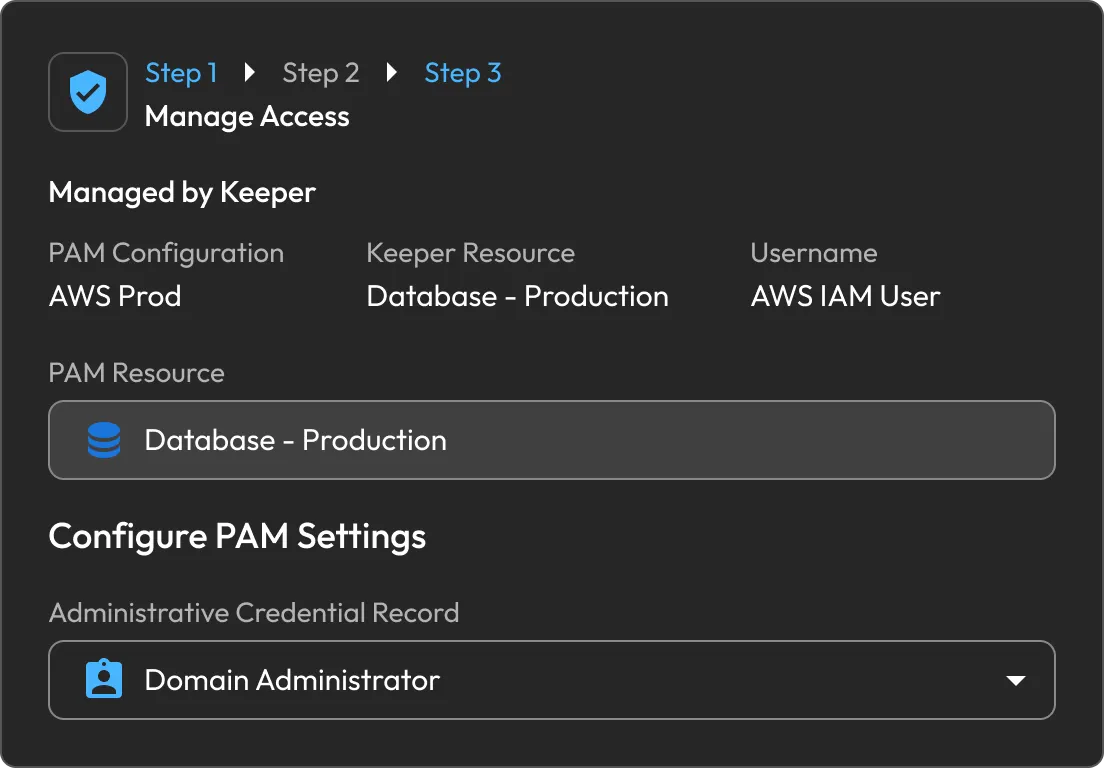
Map the finding to the right KeeperPAM record: PAM Database, Machine, Directory, Remote Browser, Cloud or User. For a compromised cloud identity, a PAM User can be onboarded directly.

Keeper Manage Access workflow showing PAM resource and administrative credential settings.

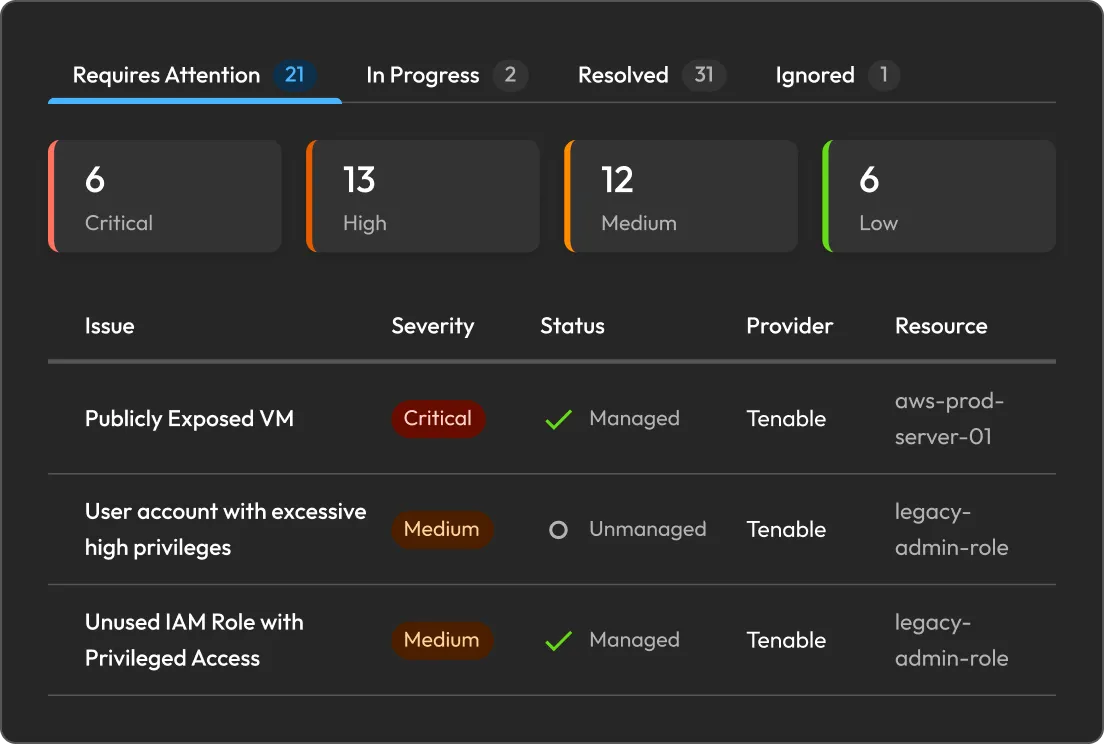
Cloud Security dashboard

Bring Tenable findings into one remediation queue with their severity and provider context intact. Filter by date, severity, status or tags, and follow progress from Requires Attention through Resolved.

Keeper cloud security dashboard showing prioritized cloud security issues by severity, status, provider and resource.

Keeper Encrypter

Keeper Encrypter receives Tenable webhooks inside your environment and encrypts the integration data before it reaches Keeper. This preserves Keeper's zero-knowledge architecture throughout the workflow.

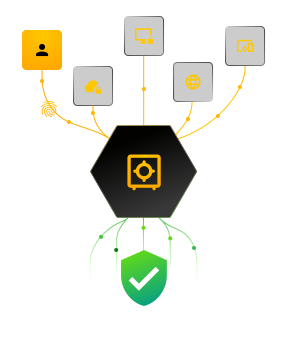
Zero trust. Zero knowledge. Zero exceptions.

Frequently asked questions

Why use Tenable and Keeper together?

Tenable provides the exposure context teams use to identify and prioritize risk. Keeper extends that workflow with governed privileged access, including credential rotation, managed sessions and JIT access. Shared status updates keep security and PAM teams working from the same record.

What findings can be remediated?

Identity and access findings that can be addressed through credential rotation, resource onboarding, managed access, JIT access or removal of standing privilege.

What is the Keeper Encrypter and how does it protect the integration?

Keeper Encrypter is a self-hosted service that receives Tenable webhooks inside your environment and encrypts the integration data before sending it to Keeper, preserving the zero-knowledge architecture.

How is remediation progress tracked?

Each finding carries a status in Cloud Security: In Progress, Resolved, Ignored or Failed. Administrators can review the current state, retry an action or select another remediation path when needed.

Withdraw Cookie ConsentWe value your privacy

We use cookies on our site to give you the best browsing experience, serve personalised ads about our products and content, and analyse website traffic. To learn more, please refer to our Privacy Policy.

Sign up for a Free Trial

Buy Now