Feature: Privacy screen

Hide passwords without disrupting access

Keeper's privacy screen prevents passwords from being displayed while preserving a secure, seamless login experience for users.

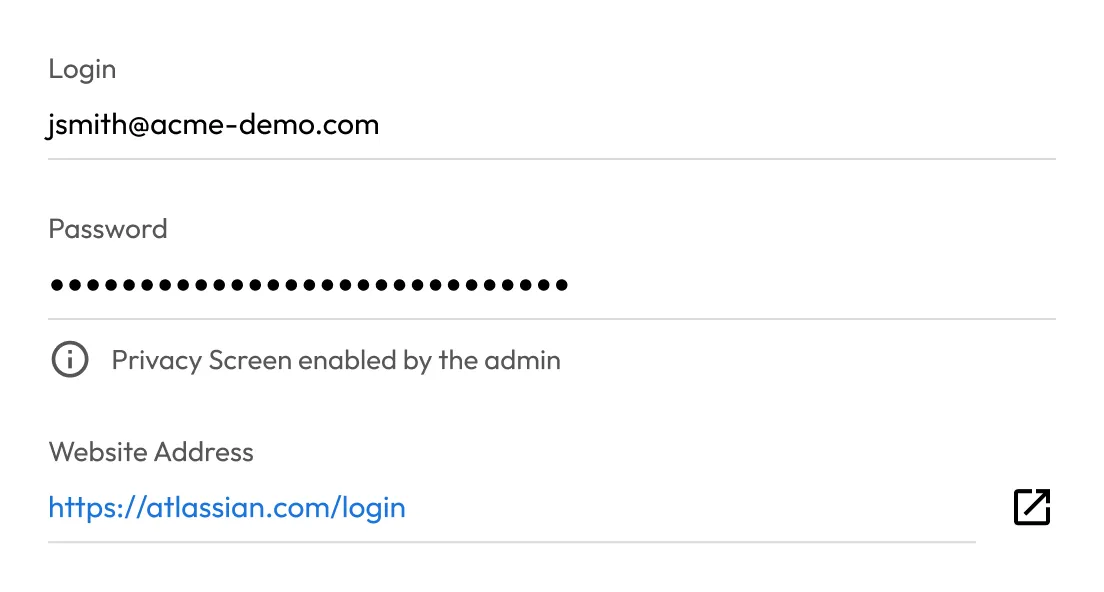
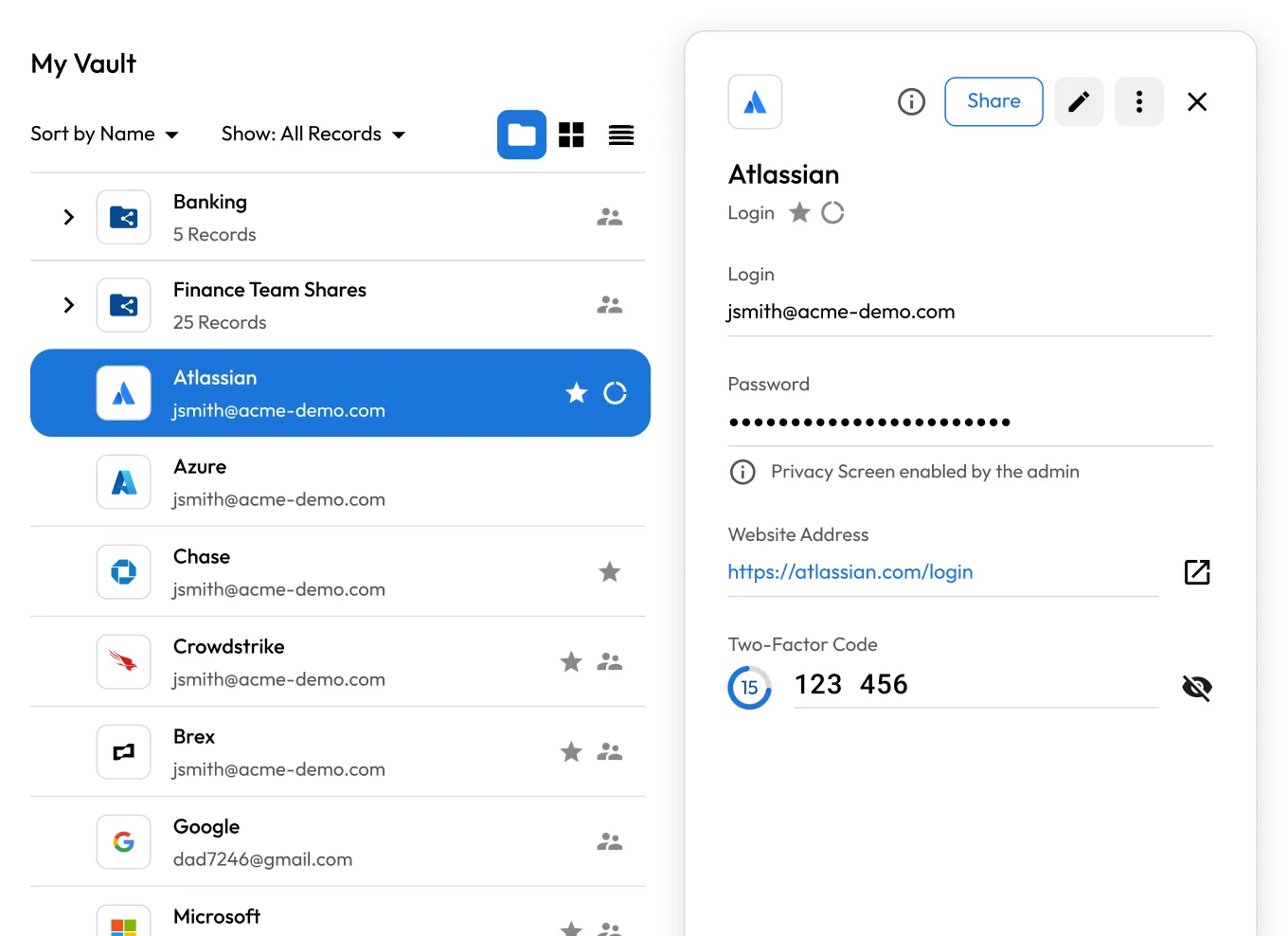
Keeper vault interface showing an Atlassian record with login, masked password, website URL, and two-factor code.
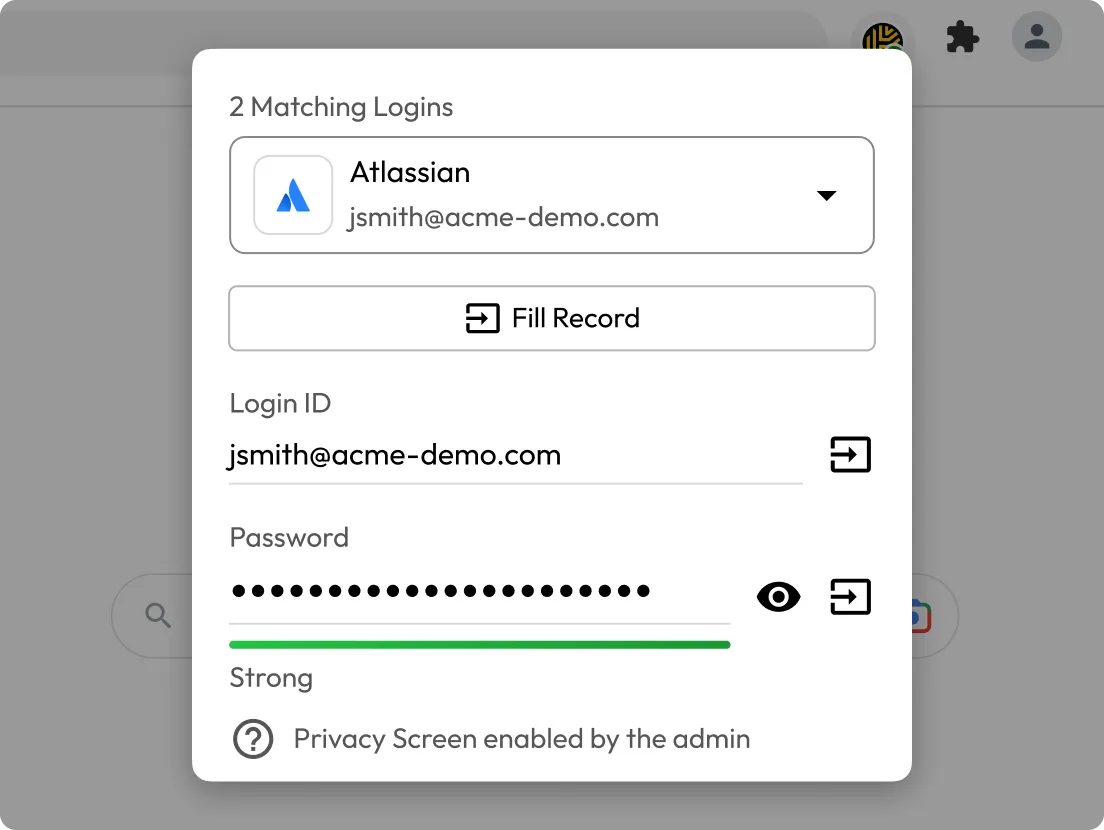
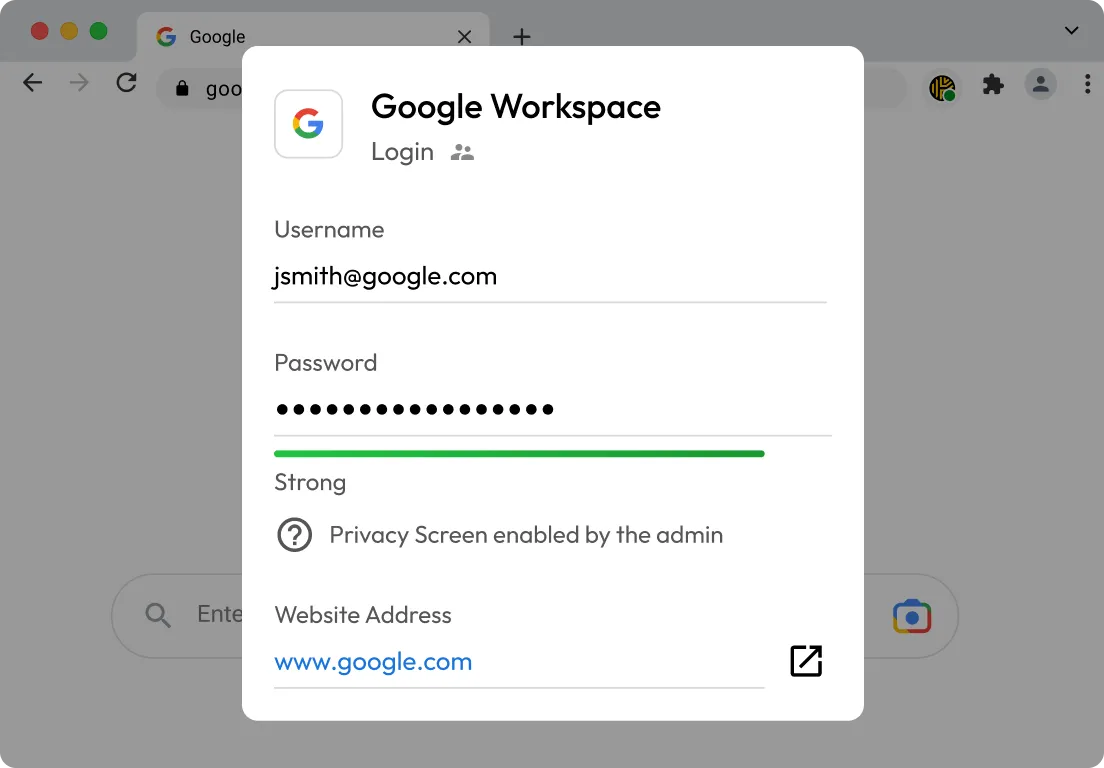
Keeper browser extension popup showing a Google Workspace login record with username, masked password, privacy screen notice, and website URL.

What is privacy screen in Keeper?

Keeper's privacy screen hides passwords from end users while still allowing secure access. When enabled, passwords are masked throughout the Keeper Vault, browser extension and mobile apps, preventing users from viewing or revealing credentials while keeping autofill and access workflows intact.
How privacy screen can be applied

Team level

When enabled for a team, privacy screen automatically applies to any shared folder the team can access.

Role level

Admins can enforce password masking for specific teams or domains by combining role policies with password generation rules.

Record type level

Privacy screen can be enabled directly on password fields within custom record types to protect credentials by default.

Why use Keeper's privacy screen?

Keeper record details showing an Atlassian login, masked password, privacy screen notice, and website URL.

Reduce password exposure

Keep passwords hidden during screen sharing, remote support sessions and everyday vault usage.

Extend access without exposing credentials

Allows users to log in and do their jobs without ever seeing or handling the underlying password.

Keeper security illustration showing the Keeper logo connected to a green shield lock icon.
Compliance icon row showing HIPAA, PCI, and GDPR security badges.

Enforce zero-trust visually

Only reveal credentials when explicitly permitted. Privacy screen adds a visual layer that complements Keeper's zero-trust, zero-knowledge architecture.

Support compliance in regulated environments

Enhance privacy controls required by HIPAA, PCI DSS, GDPR and other regulatory frameworks with clear, enforced policies around on-screen data visibility.

HIPAA PCI DSS GDPR

Frequently asked questions

Does privacy screen prevent passwords from being used?

No, privacy screen only prevents visual exposure of passwords. Credentials remain securely stored and usable for autofill, integrations and other approved workflows.

Can privacy screen be applied selectively?

Yes, privacy screen can be enforced at the team level, role policy level or record type level, allowing organisations to tailor policies to their security needs.

Is privacy screen the same as passwordless access?

No, privacy screen hides passwords, while PAM connections and Remote Browser Isolation remove the need for users to handle credentials at all.

Does privacy screen work across all devices?

Yes, privacy screen is enforced consistently across the Keeper Vault, browser extensions and mobile applications.

Withdraw Cookie ConsentWe value your privacy

We use cookies on our site to give you the best browsing experience, serve personalised ads about our products and content, and analyse website traffic. To learn more, please refer to our Privacy Policy.

Sign up for a Free Trial

Buy Now