Funzionalità: Monitoraggio personale del dark web

Keeper BreachWatch® for personal use

BreachWatch monitora continuamente il dark web alla ricerca di credenziali esposte nella tua cassaforte Keeper, preservando l’architettura zero-knowledge di Keeper.
Scansiona la tua e-mail
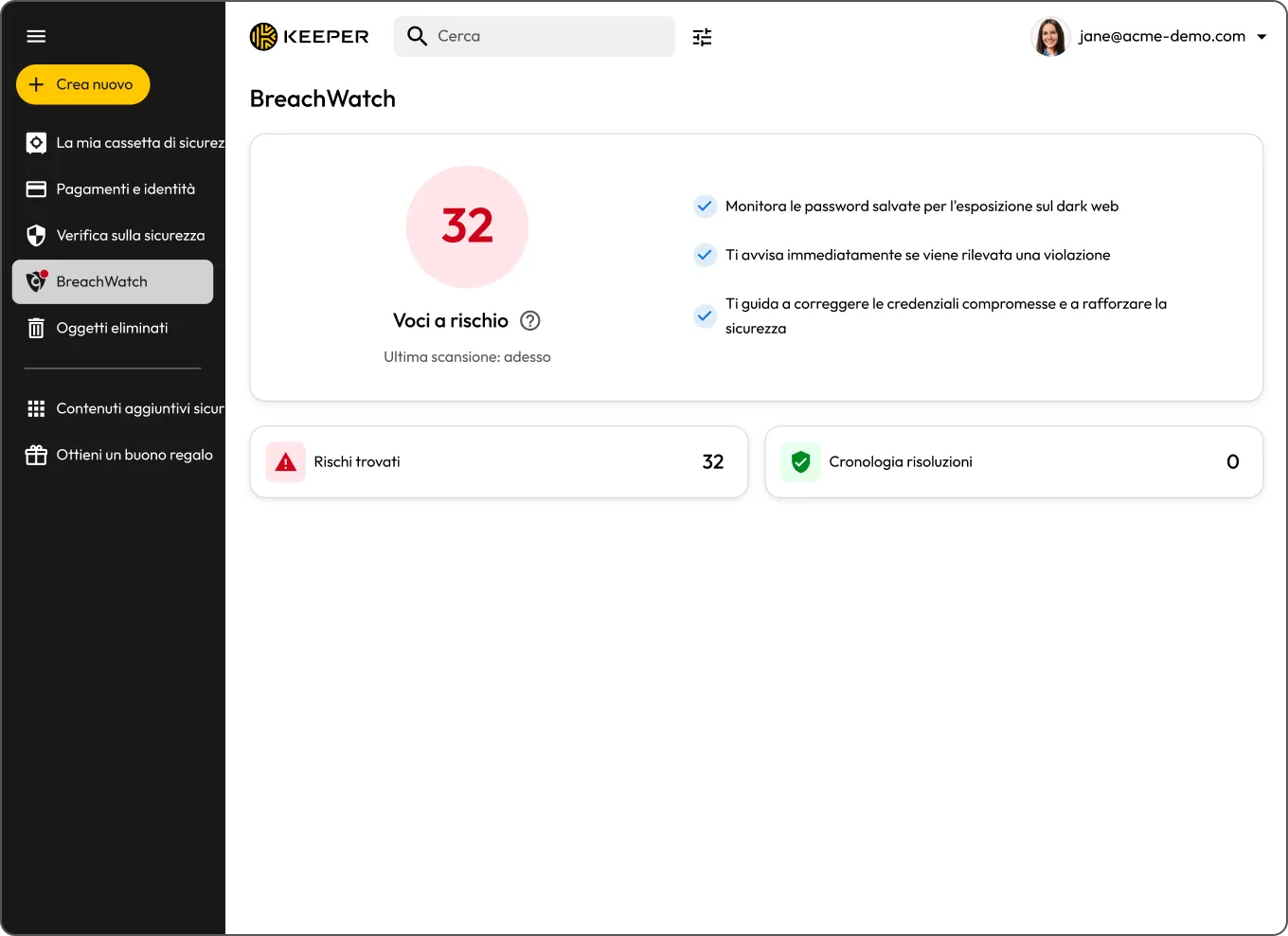
Keeper BreachWatch dashboard showing 32 records at risk and monitoring details.
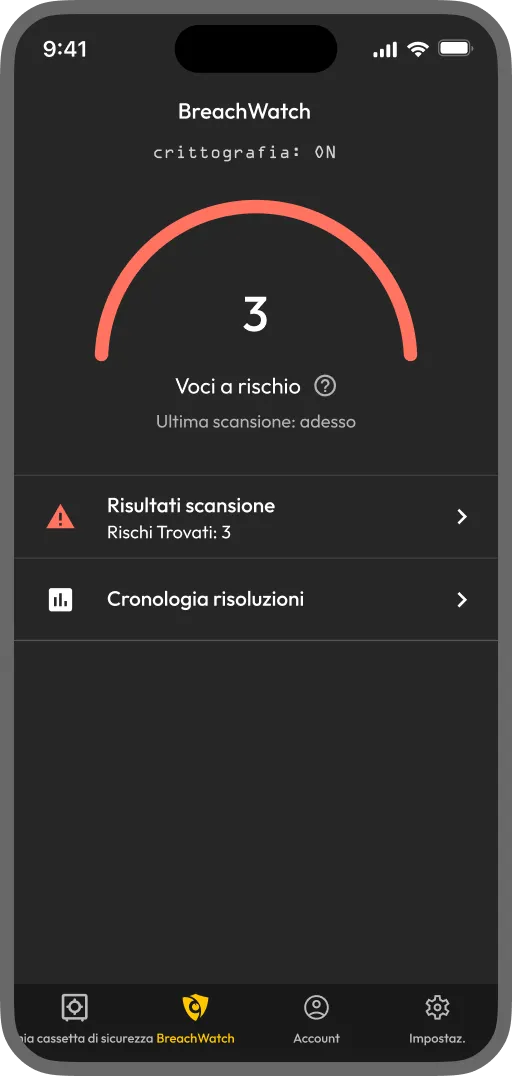
Keeper BreachWatch mobile app showing 3 records at risk and scan results

Cos’è BreachWatch per gli utenti privati?

BreachWatch è un componente aggiuntivo che monitora le password salvate nella tua cassaforte Keeper confrontandole con i dati relativi a violazioni note e ti avvisa se una delle tue credenziali risulta coinvolta in una violazione. Viene eseguito continuamente in background, così non devi ricordarti di controllare.

How BreachWatch works for personal users

Save your credentials in your Keeper Vault

Save your credentials in your Keeper Vault

BreachWatch checks your passwords against known breach datasets

BreachWatch checks your passwords against known breach datasets

If a match is found, you'll receive an alert

If a match is found, you'll receive an alert

Change your password to resolve the alert

Change your password to resolve the alert

Dark web monitoring designed for your personal security

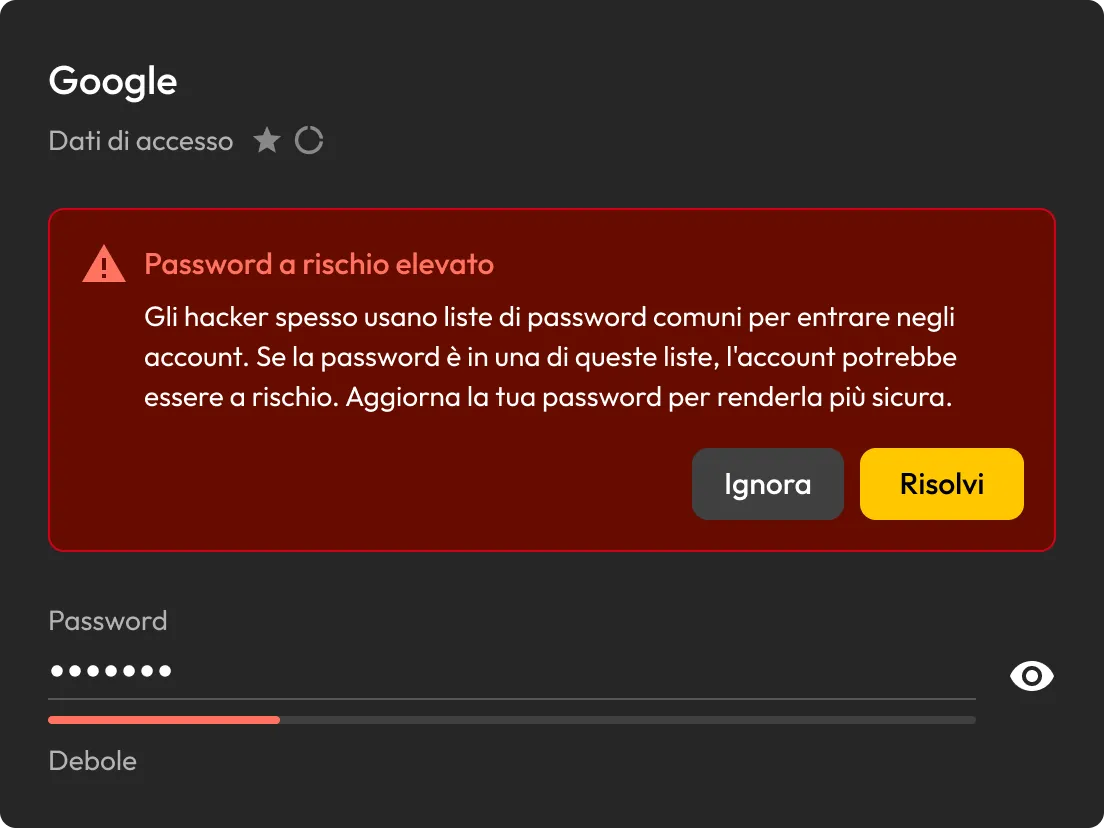
Avviso di password ad alto rischio di Keeper per una voce di accesso Google con le opzioni Ignora e Risolvi.

Detect compromised passwords instantly

BreachWatch controlla continuamente le password memorizzate nella tua cassaforte Keeper in base ai dati di violazioni note e ti avvisa non appena viene rilevata una corrispondenza.

See which accounts are at risk

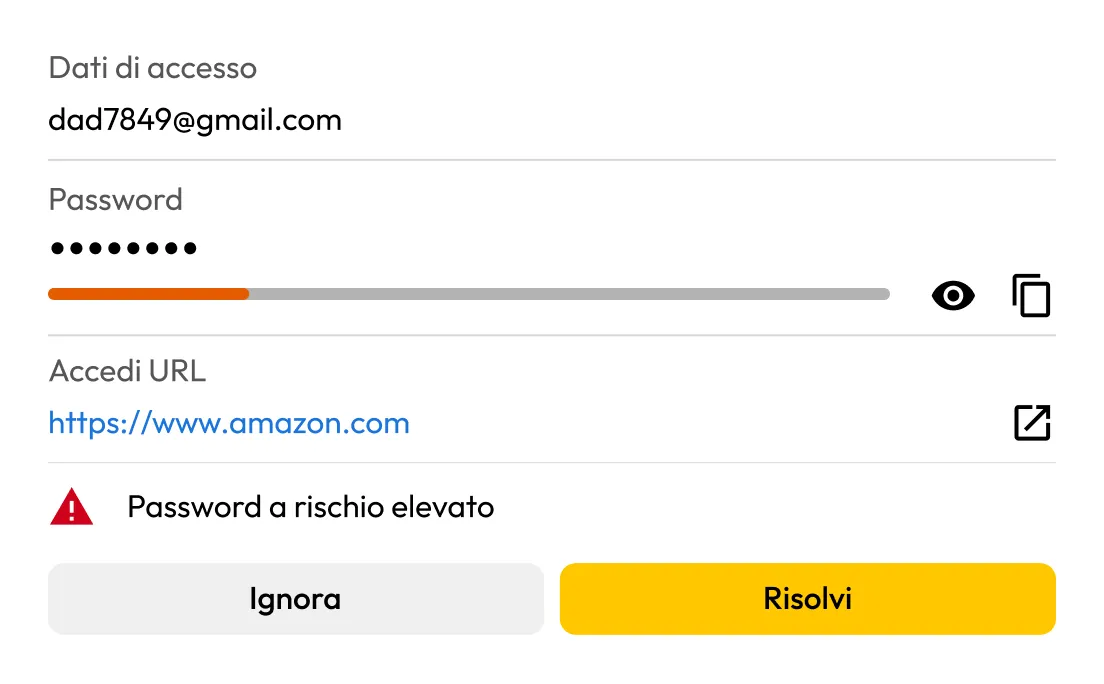
Se BreachWatch rileva una password compromessa, puoi identificare la voce interessata e verificare cosa deve essere aggiornato.

Avviso di password ad alto rischio di BreachWatch di Keeper per una voce di accesso Amazon con le opzioni Ignora e Risolvi.
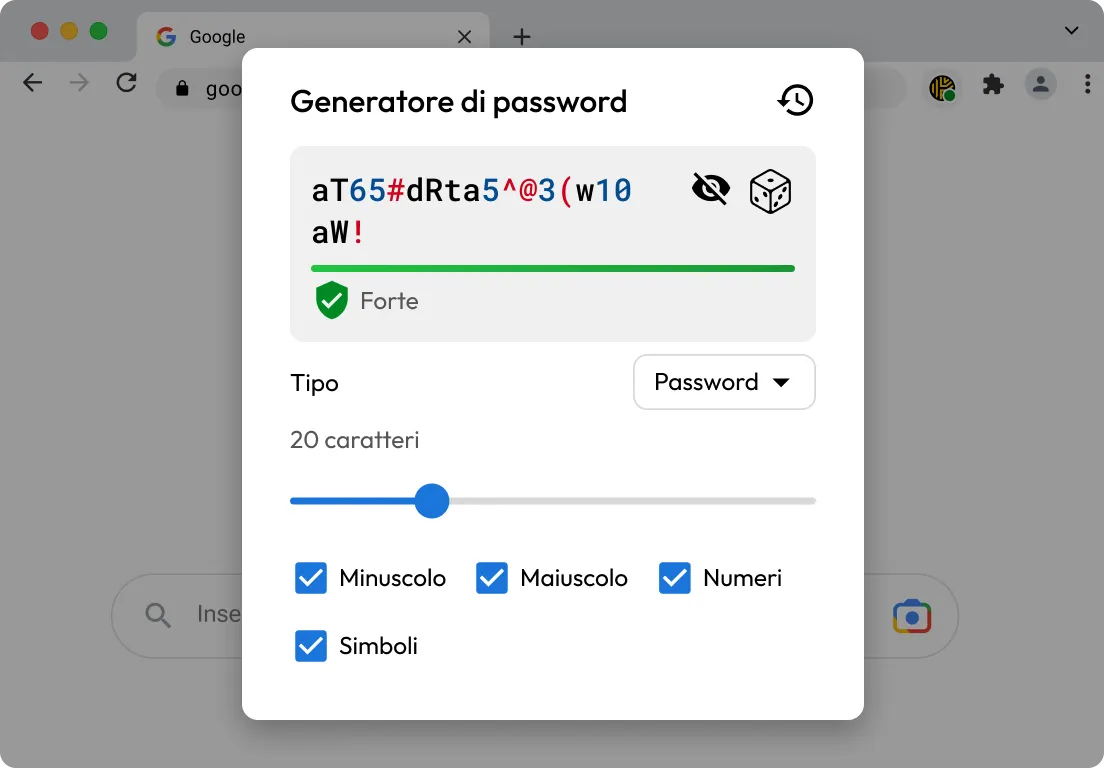
Generatore di password Keeper che mostra una password complessa di 20 caratteri con lettere minuscole, maiuscole, numeri e simboli abilitati.

Update passwords more easily

KeeperFill® ti aiuta ad accedere all’account interessato, a generare una password più complessa durante il processo di aggiornamento e a salvare le nuove credenziali nella tua cassaforte Keeper.

Replace weak passwords with stronger ones

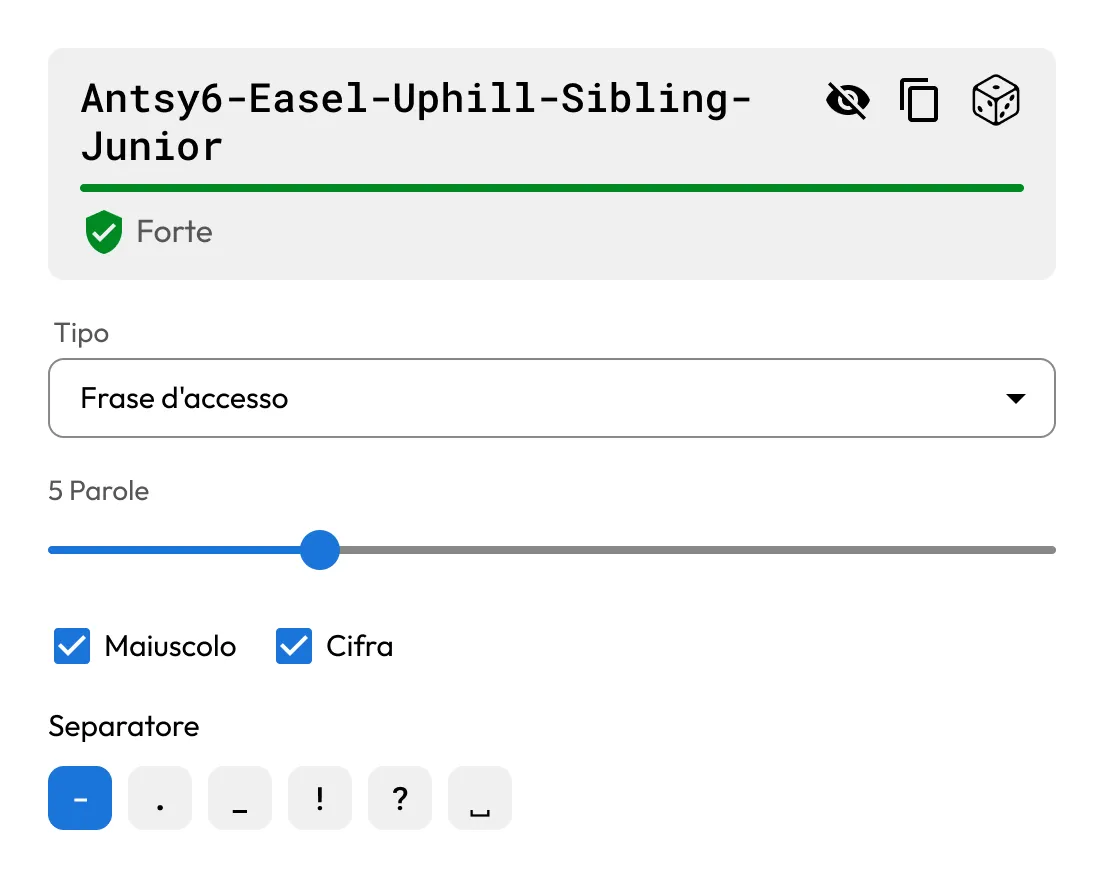
Utilizza il generatore di password e passphrase integrato di Keeper per creare credenziali forti e univoche per i tuoi account.

Generatore di password di Keeper che mostra una passphrase sicura di cinque parole con diverse opzioni di separazione.

Why choose BreachWatch to monitor your passwords?

Continuous monitoring that keeps working in the background

BreachWatch non esegue solo una scansione una tantum. Monitora continuamente le password memorizzate nella tua cassaforte Keeper in base ai dati di violazioni note, controllando automaticamente su tutti i tuoi dispositivi in modo da avvisarti non appena viene rilevata una corrispondenza.

Built to help you take action, not just send alerts

Quando viene individuata una password in una violazione di dati, BreachWatch ti aiuta a identificare la voce interessata. Da lì, KeeperFill ti aiuta ad aggiornare la password e a salvare in modo sicuro la nuova credenziale nella tua cassaforte.

Domande frequenti

Is dark web monitoring worth it?

For many people, yes. Credentials from past data breaches are actively bought and sold online, often long after the original breach occurs. If one of your saved passwords appears in a known breach, dark web monitoring helps you find out sooner so you can update it before your accounts are put at greater risk. BreachWatch continuously monitors for compromised credentials and alerts you when action is needed.

Does BreachWatch change my passwords for me?

No, BreachWatch alerts you to passwords that may be at risk, but you still need to change the password on the affected website or app.

How does Keeper help me update an exposed password?

KeeperFill can help guide you through the password change process by autofilling your current password, generating a stronger replacement and helping you save the updated credential to your Keeper Vault.

What happens after I update a compromised password?

After changing the password on the affected site, you should save the new password in your Keeper Vault to keep your record up to date.

Which passwords does BreachWatch monitor?

BreachWatch monitors passwords stored in your Keeper Vault records. If a record does not contain a password, it won't be included in the scan.

Can I use BreachWatch on mobile and desktop?

Yes, BreachWatch is available across Keeper's supported platforms, including web, desktop and mobile.

How is BreachWatch different from similar services?

Most dark web monitoring services work by sending your email address or a hashed version of your password to a third-party service for matching. This means your data leaves the service's security boundary and is processed externally.

BreachWatch works differently. Keeper uses a patented zero-knowledge matching method that performs breach analysis without exposing which websites you use or what your passwords are. Matching happens in a way that ensures neither Keeper nor any external party can see your credentials during the process. Your information stays protected throughout.

Nega il consenso sui cookieLa tua privacy è importante

Utilizziamo i cookie sul nostro sito per offrirti la migliore esperienza di navigazione, pubblicare annunci personalizzati sui nostri prodotti e contenuti e analizzare il traffico del sito web. Per ulteriori informazioni, consulta la nostra Informativa sulla privacy.

Registratevi per una prova gratuita

Acquista ora