
 Cybersecurity



Malicious cyber activity targeted remote monitoring and control technology at over 30 community water systems across Minnesota in late July 2026, and water cyber attacks were
9 min read
Published on January 16, 2024
Updated on September 15, 2026.
Spam calls used to be an occasional frustration, but now they are a persistent threat affecting millions of people. These unsolicited calls are typically made by scammers, robocall operators or fraudulent telemarketers attempting to manipulate you into sharing sensitive personal information, sending money or simply answering to confirm that your phone number is active. If you answer a spam call, the call itself won’t jeopardize your security, but answering confirms to scammers that your phone number reaches a real person. The greater risk comes from interacting with the spam caller, not from merely picking up; sharing sensitive information with a scammer or following their instructions can lead to more spam calls, financial fraud and identity theft.
Continue reading to learn what a spam call is, how to identify one, how cybercriminals can exploit you using spam calls and how to stay protected against them.
What are spam calls?
Spam calls are unwanted phone calls made to a large number of people from an unknown source. Typically, they come from businesses attempting to sell you something, but some spam calls are actually scam calls: unsolicited phone calls from callers who claim to be someone they’re not. Scam calls use social engineering tactics, similar to phishing, to convince you to believe a fake scenario in which the caller is pretending to be a person or company they are not. Scam calls are carried out either by a real person or through a prerecorded message known as a robocall. The scammer will try to impersonate a legitimate business to trick you into sharing your Personally Identifiable Information (PII), often using call spoofing to hide their caller ID and make it seem as though the call is coming from a different person that you may trust.
How to tell if you’re dealing with a spam call
The overwhelming majority of spam calls follow similar patterns designed to pressure you into acting quickly and without thinking twice. Here are some of the most common red flags to look out for when determining whether a call is from a scammer.
There is a “spam/scam likely” warning displayed on your phone
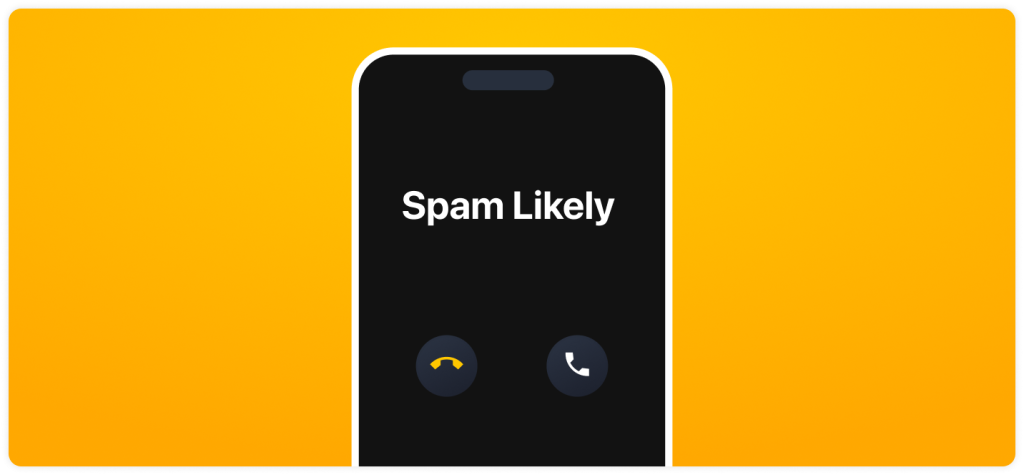
Many smartphones and mobile carriers automatically flag suspicious phone numbers through call screening, and those warnings will appear on your phone as “Spam Likely” or something similar. While not every flagged call will actually be fraudulent, these warnings are strong indicators that the call originated from a known spam number or robocaller.
The caller uses a prerecorded message
Legitimate organizations rarely initiate contact with you via unsolicited prerecorded messages. Robocalls, however, are commonly used to scam people on a larger scale, prompting you to press a number to speak with a live agent or to take immediate action. If you receive an unsolicited call with a pre-recorded message, it is most likely a spam call, and you should hang up.
The caller asks you to provide PII
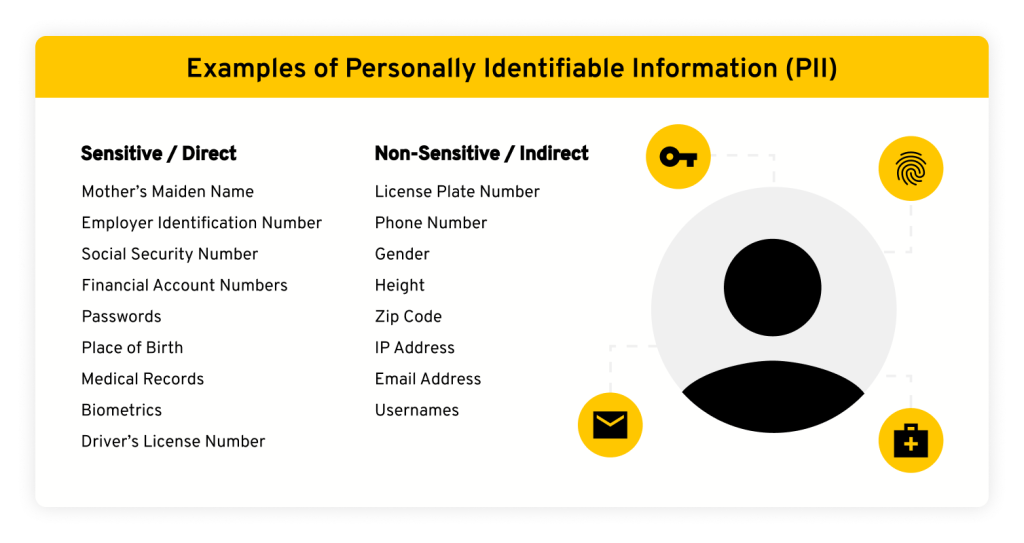
Scammers will generally ask for personal details, including your Social Security Number (SSN), bank account information or login credentials. Legitimate organizations will already have your information on file and will not request sensitive PII over an unsolicited phone call. If you’re asked to share sensitive PII on a call you did not initiate, it is likely a scam.
The caller creates a sense of urgency
Spam callers tend to create a sense of urgency by claiming you owe money or face legal consequences if you don’t act quickly. They do this by impersonating the IRS, government agencies or other authorities to pressure you into acting before you have time to think over your decision. Always remember that government agencies do not initiate contact by phone to demand immediate payment.
The caller offers a too-good-to-be-true deal
Some scammers pose as a business offering a great discount or claiming you’ve won something to get your attention. If the caller promises free prizes, a large deal or debt forgiveness, this is a tactic scammers use to create excitement and encourage further engagement. If an offer seems too good to be true, it probably is.
The caller requests a payment
Cybercriminals will often impersonate banks, debt collectors or other companies and demand payment to resolve a charge you don’t recognize. The most obvious sign that a call is fraudulent is how the caller wants to be paid: If they request e-gift cards, cryptocurrency or wire transfers, hang up immediately since those payment methods are nearly impossible to trace and reverse.
How a spam call can exploit you
The main goal of spam calls is to take advantage of you by gaining your trust. If you answer a spam call, cybercriminals can exploit you in the following ways.
You can become a target for more spam and scam calls
Once you’ve confirmed your number is active by answering the call, your phone number becomes much more valuable to scammers. Active numbers are frequently flagged in scam databases, added to malicious lists and resold or recirculated across multiple scam operations. That single answered call can lead to an increase in spam calls, robocalls, vishing attempts and other targeted cyber attacks.
You could lose money
If a scammer succeeds in pressuring you into making a payment, that money is almost always gone as soon as you send it, with little to no ability to recover it. The damage typically doesn’t stop there, as falling for a payment scam can mark you as an easy target, leading to repeat attempts, sometimes from the same operation returning with a different story.
Your identity could be stolen
One of the main goals of spam callers is to collect PII, such as your full name, email address, SSN or credit card details. Even random bits of your information can be combined with publicly available data, including what’s listed on people search sites, to commit identity theft and open fraudulent lines of credit in your name.
Your voice could be recorded for AI-based attacks
Some modern scammers may record your voice if you speak during a spam call to create AI-generated voice clones. Current cloning tools can build a usable clone from as little as a few seconds of clear audio, so even a brief spoken reply can be enough of a sample. That cloned voice can then be used to impersonate you, deceiving elderly family members or adding credibility to future social engineering attempts. Higher-quality or longer recordings produce more convincing clones, but you shouldn’t assume a short call is harmless, which is another reason to hang up rather than speak.
How to stay protected against spam calls
While it’s impossible to stop receiving spam calls entirely, there are several ways to limit the number of calls you receive and reduce your risk of falling victim to phone scams.
Avoid answering or interacting with spam calls
If you don’t recognize a caller’s phone number, it’s safest to let the call go to voicemail. If you do answer and suspect the call might be spam, hang up right away and avoid engaging, as continued interaction increases the likelihood of future targeting. If the call was from a legitimate caller, they will most likely leave a voicemail, so you can return their call after confirming their identity.
Report and block spam numbers
Most smartphones allow you to report and block suspicious phone numbers directly from your call history. When you report a suspicious number, you help improve spam detection systems and reduce the chances of that spam caller contacting you again. You can also report scam numbers to the Federal Communications Commission (FCC) to help stop spam callers from targeting more people.
Contact your phone service provider for spam-blocking services
Many mobile carriers, including AT&T, T-Mobile and Verizon, offer built-in spam-filtering and call-blocking services as part of their phone plans. Contact your provider to see what protections are available on your specific plan. Although these services won’t block every spam call, they add another layer of security and help you avoid falling for more scams.
Download a spam-filtering app
If your mobile carrier doesn’t offer spam-blocking services, you can download a trustworthy third-party app, such as Truecaller or Robokiller, that identifies and automatically blocks known spam numbers and robocallers. These apps depend on a constantly updated database of reported numbers, and many also let you look up unknown callers or contribute your own reports to enhance detection for other users.
Sign up for the Do Not Call Registry
The National Do Not Call (DNC) Registry is a service that allows you to add your phone number to reduce legitimate telemarketing calls. While the DNC Registry does not stop illegal scam calls, it can make unsolicited scam activity easier to identify by reducing lawful marketing outreach. Once telemarketing calls are filtered out, you’ll know that any remaining unsolicited calls are likely scams, so you can ignore them.
Avoid falling victim to spam calls
Spam calls may be annoying to receive, but they can also lead to severe consequences like identity theft and financial fraud if you interact with them. Answering alone doesn’t compromise your security, but interacting with spam callers increases your exposure to future scams. You should never share sensitive information like login credentials, your SSN or bank account numbers during an unsolicited call, and you should give your personal information only on a call that you initiated to a trusted source, like your doctor’s office. Knowing how to identify spam calls, avoid engagement and protect your personal information can significantly reduce your exposure to phone scams.

