Social Media Password Management

Secure your enterprise social media accounts

Keeper's enterprise password manager protects your organization's social media accounts with centralized control, secure credential sharing and full auditability.

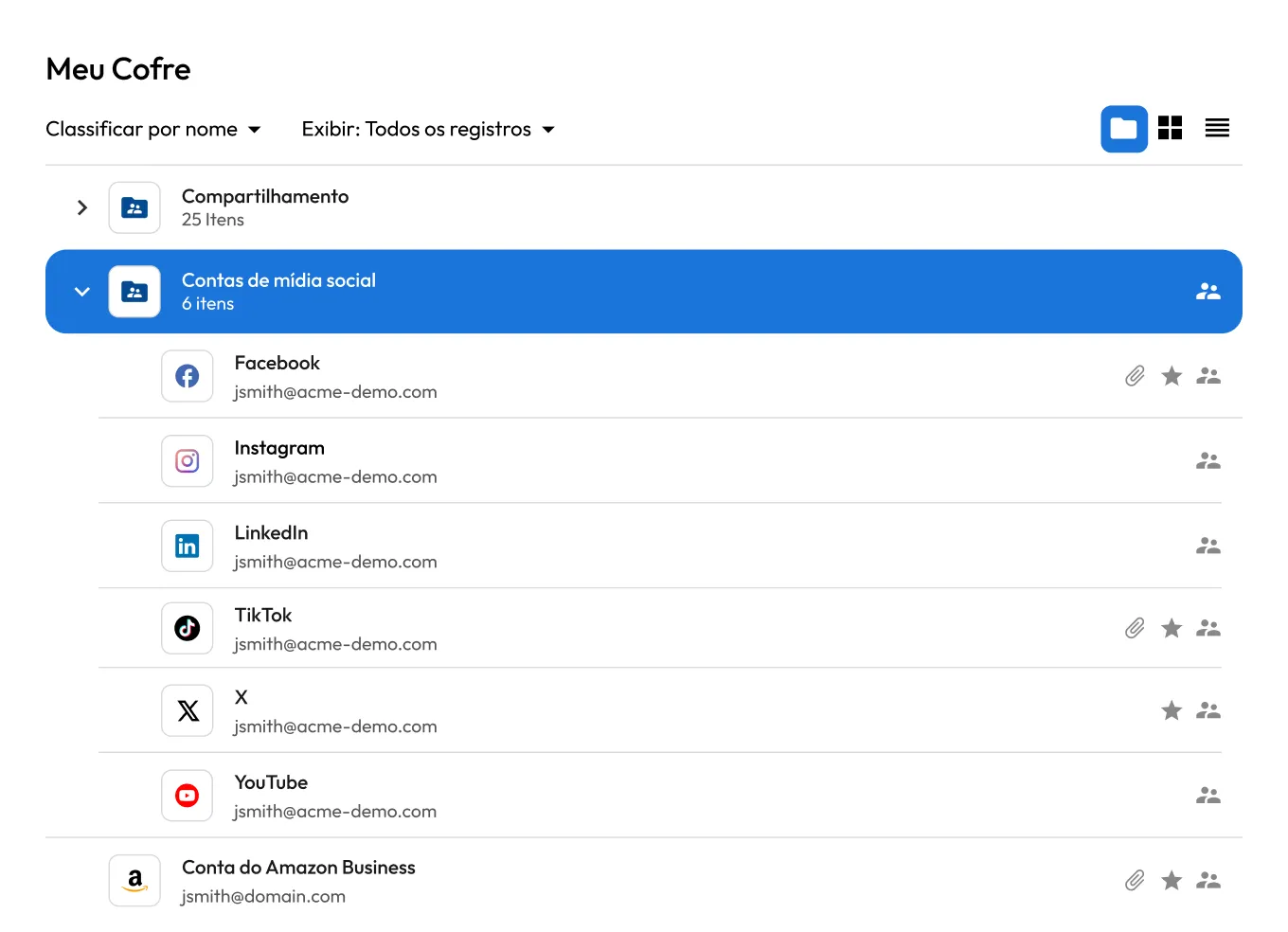
Keeper Vault with Facebook, Instagram, LinkedIn, TikTok, X and YouTube credentials in a shared Social Media Accounts folder for secure social media password management.

Why social media password management matters

Prevents account takeovers

Corporate social media accounts are frequent targets for credential stuffing, phishing and social engineering. A single compromised account can result in unauthorized posts, brand damage and loss of audience trust, often within minutes of the breach. Centralizing credentials in an encrypted vault and enforcing strong, unique passwords significantly reduces this risk.

Protects brand reputation

Unauthorized or malicious social media posts can damage brand credibility in ways that are difficult to reverse. Securing access ensures only approved users can log in and publish content on behalf of the organization.

Controls who has access

Marketing teams, agencies and contractors often need shared access to company social media accounts. Without proper controls, organizations lose visibility into who can log in, what actions they can take and whether former employees or contractors still have access.

How Keeper secures social media accounts at scale

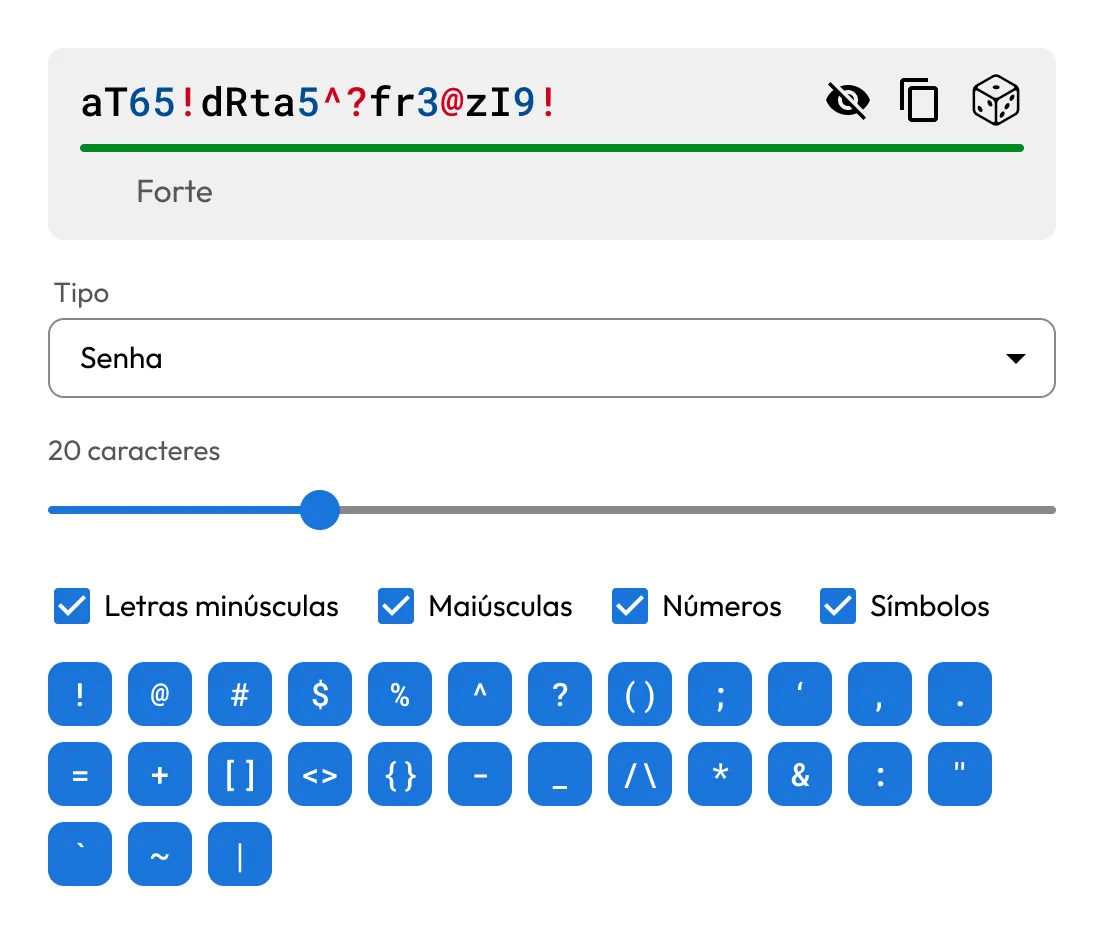
Keeper Password Generator creating a strong 20-character password using uppercase and lowercase letters, numbers and customizable symbols for secure social media accounts.

Centralizes, generates and secures credentials

Store all social media account credentials in a zero-knowledge, encrypted vault. Every account uses strong, unique passwords created by Keeper's built-in password generator, preventing reuse.

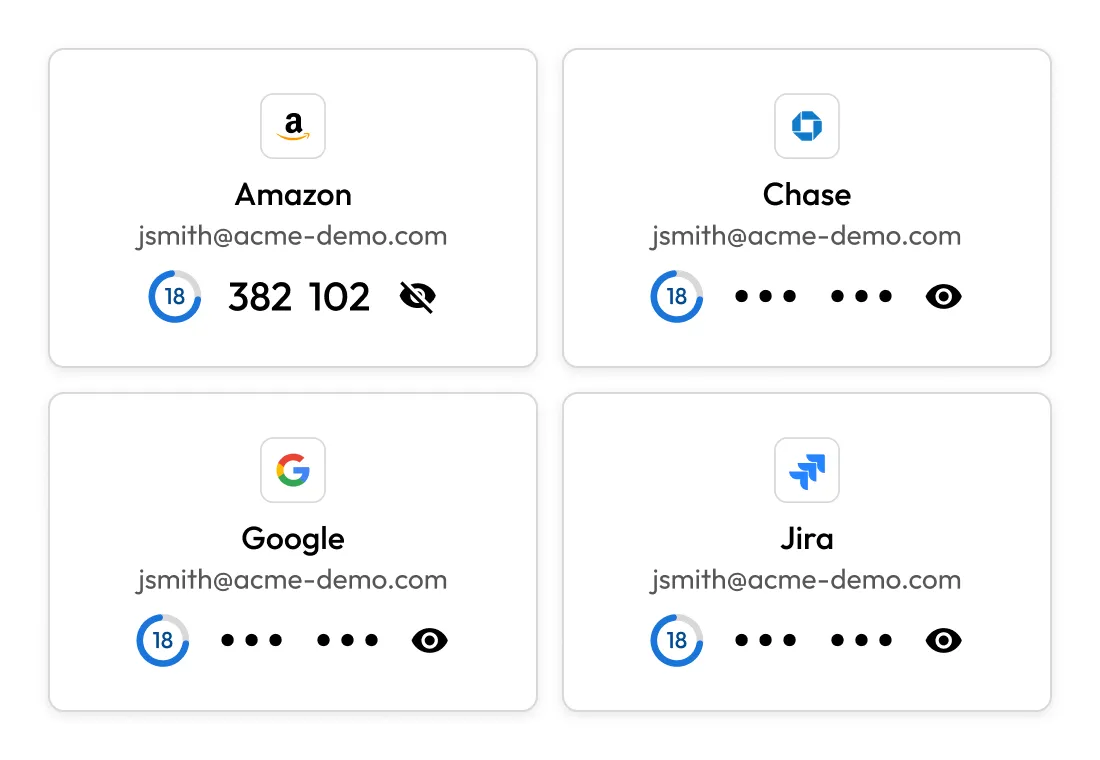
Keeper Vault cards for Amazon, Chase, Google and Jira displaying built-in 2FA codes, illustrating secure storage and management of 2FA alongside account credentials.

Shares TOTP codes and passkeys

Keeper stores TOTP codes and passkeys attached to each account and securely shares them with everyone who has access. Any authorized team member can generate the login code or authenticate with the passkey from their own vault, without the account owner needing to be online or hand over their device.

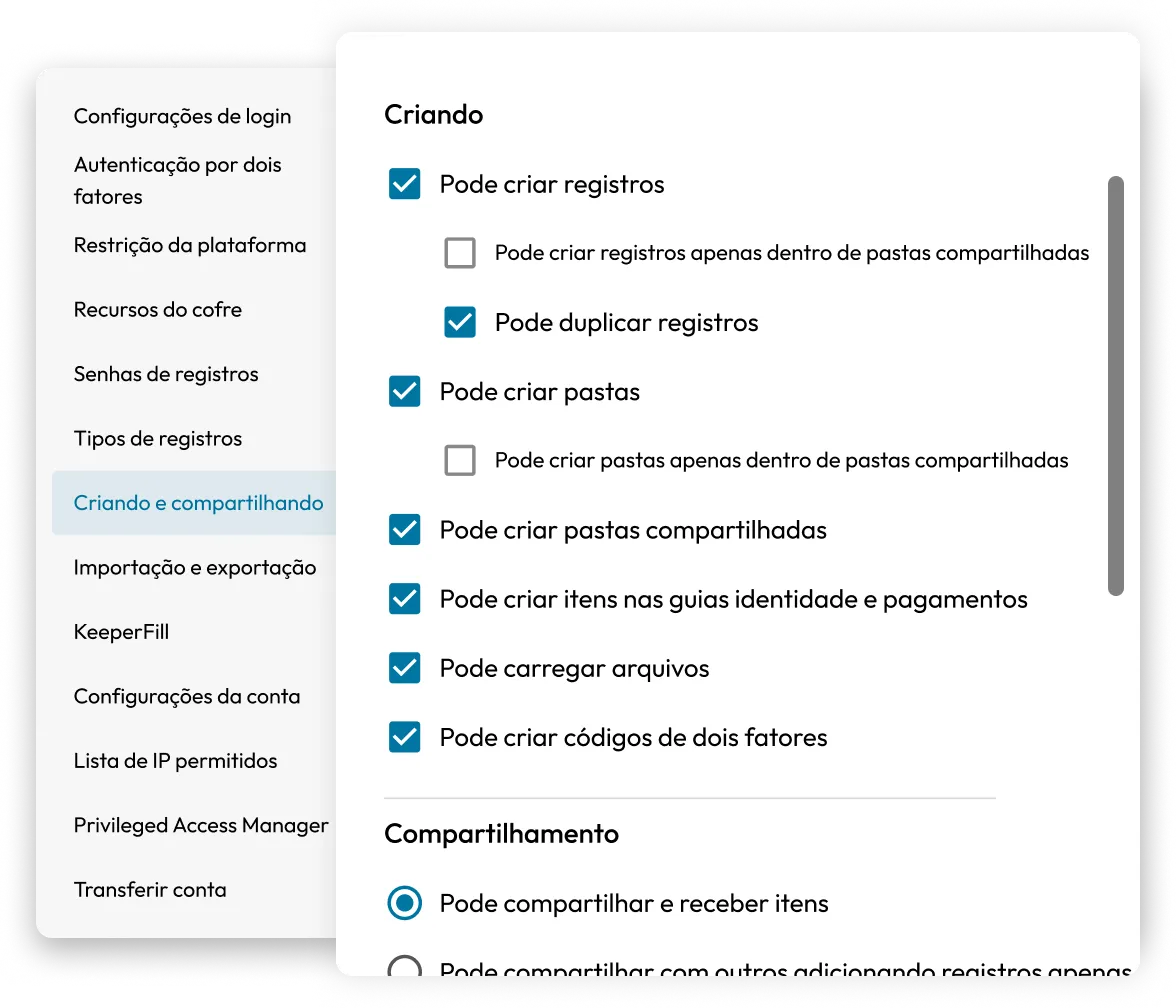
Keeper admin settings showing granular controls for creating and sharing vault records, folders, files and 2FA codes.

Enforces Role-Based Access Controls (RBAC)

Administrators define who can access each account based on role, team or project. Credentials are injected via KeeperFill, allowing users to authenticate without ever seeing the underlying password.

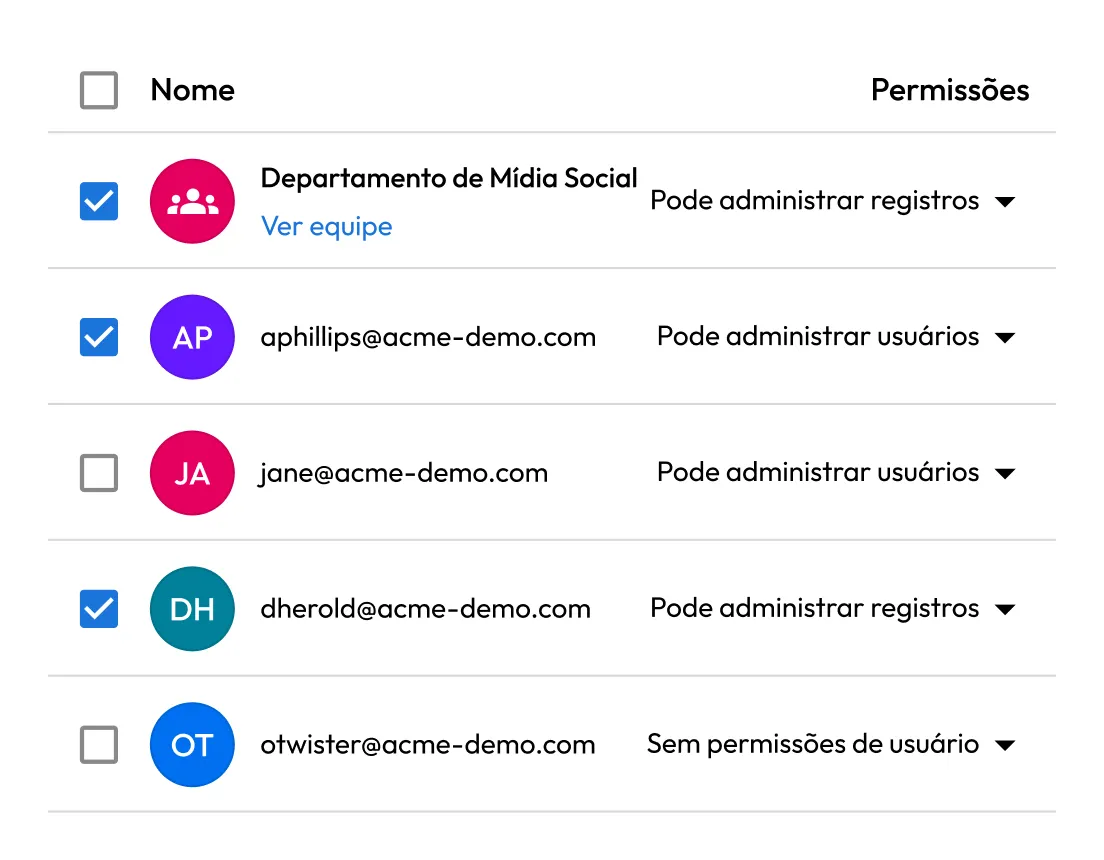
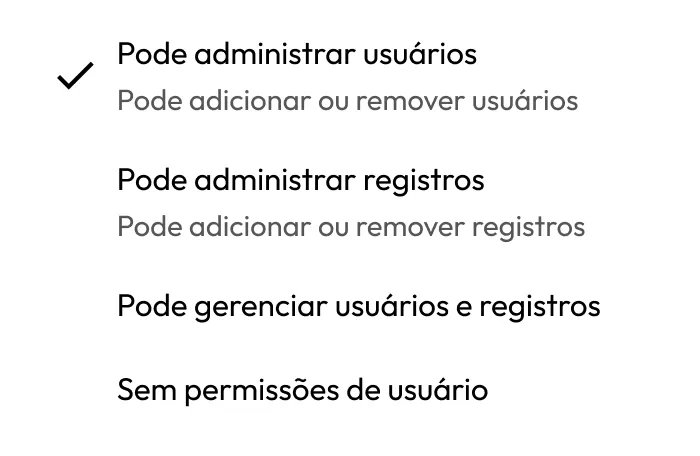
Keeper shared folder permissions showing a social media team and individual users with role-based access to manage records, manage users or have no permissions.

Enables secure sharing across teams without exposure

Teams, agencies and third parties can be granted access to accounts without sharing the password directly. Access permissions can be set to expire automatically when a project or engagement ends, so contractor access doesn't linger.

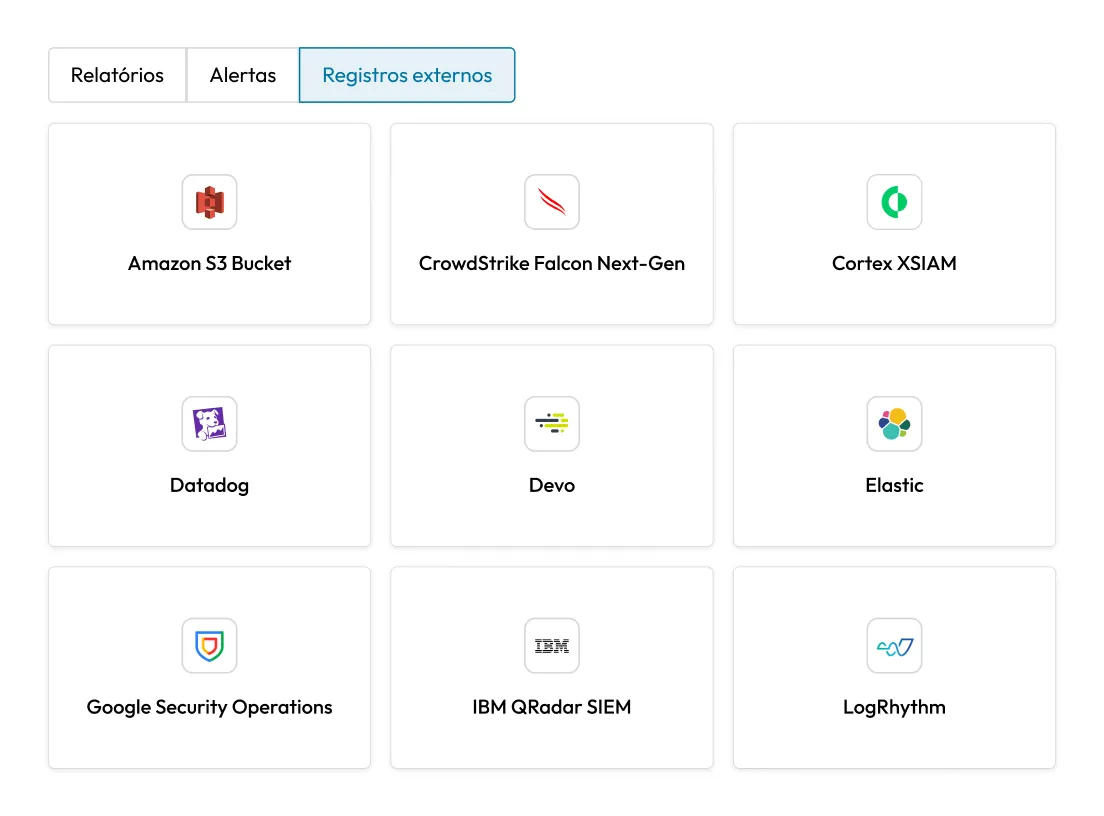
Keeper External Logging settings showing integrations with SIEM and security platforms including Amazon S3, CrowdStrike, Cortex XSIAM, Datadog, Devo, Elastic, Google Security Operations, IBM QRadar and LogRhythm.

Provides full visibility and supports compliance

Every login, access request and credential change is logged with a timestamp and user identity. Audit logs can be exported to SIEM platforms for centralized monitoring and used to support compliance requirements. Administrators have a complete record of who accessed which account and when.

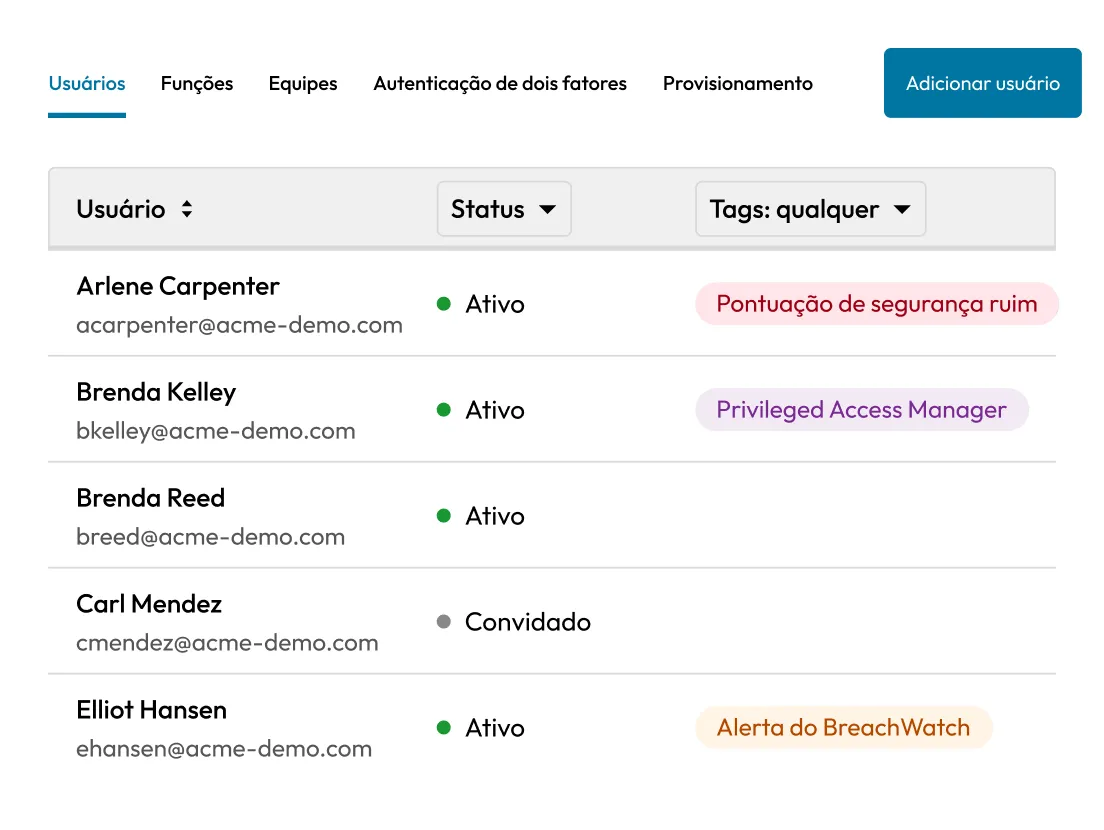
Keeper's centralized admin console displaying enterprise users with account status and security tags, including Poor Security Score, Privileged Access Manager and BreachWatch Alert.

Simplifies onboarding and offboarding

New team members get access in minutes. When someone leaves or changes roles, access is revoked immediately from the Admin Console. For complete offboarding security, credentials should be rotated alongside vault access revocation. Keeper's password generator makes this a one-step process.

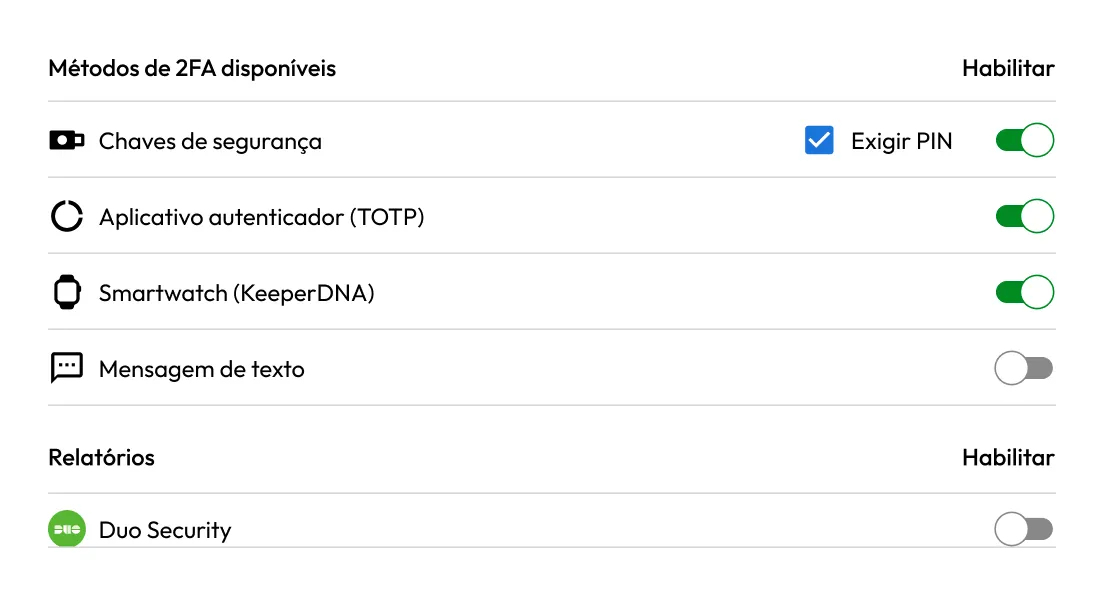
Keeper 2FA settings showing enabled security keys, authenticator apps and KeeperDNA smartwatch authentication, with additional options for text messages and Duo Security.

Strengthens authentication with MFA

Multi-Factor Authentication (MFA) protects social media accounts from unauthorized access even if a password is compromised. Keeper stores these MFA codes in the same vault as the account, so enabling MFA doesn't create a separate authenticator app your team has to manage or keep in sync.

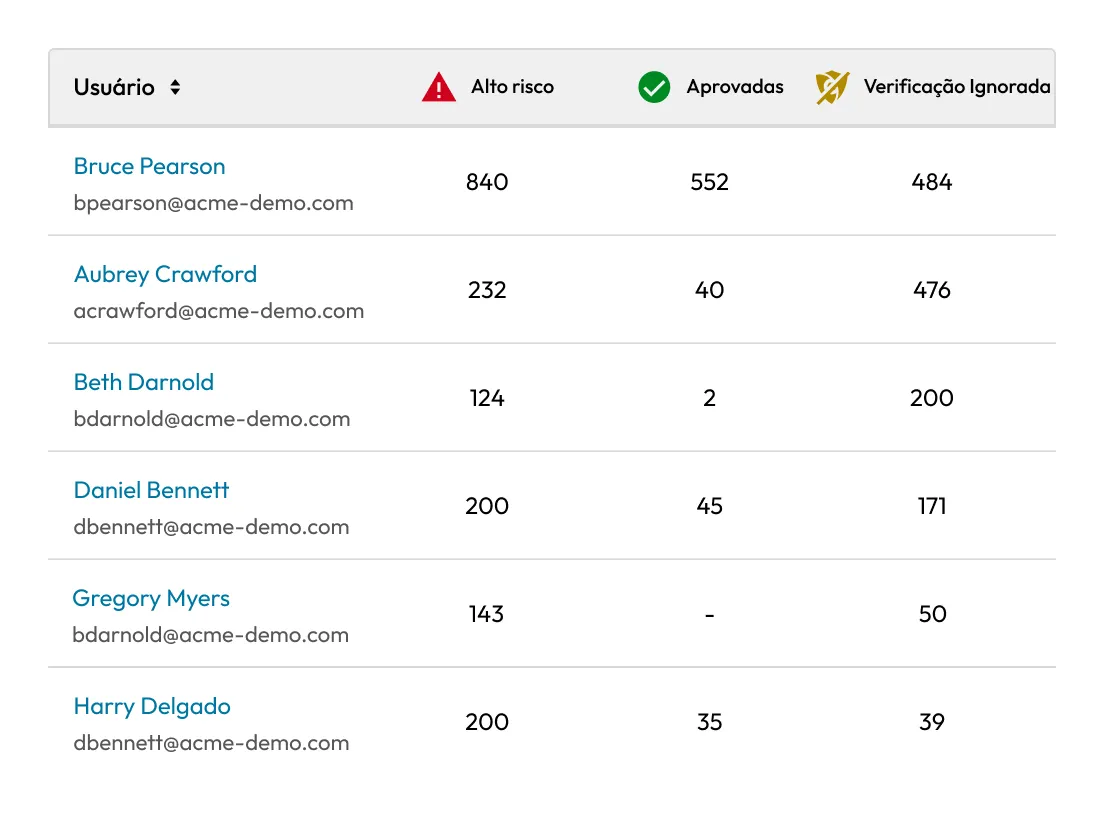
Keeper security report listing users with counts of high-risk, passed and ignored password scans, helping administrators identify accounts requiring security attention.

Detects compromised credentials with dark web monitoring

Keeper's BreachWatch® continuously monitors the dark web for stored compromised credentials. If an employee reuses a password that has been exposed in a known data breach, Keeper alerts both the employee and administrators so credentials can be updated immediately.

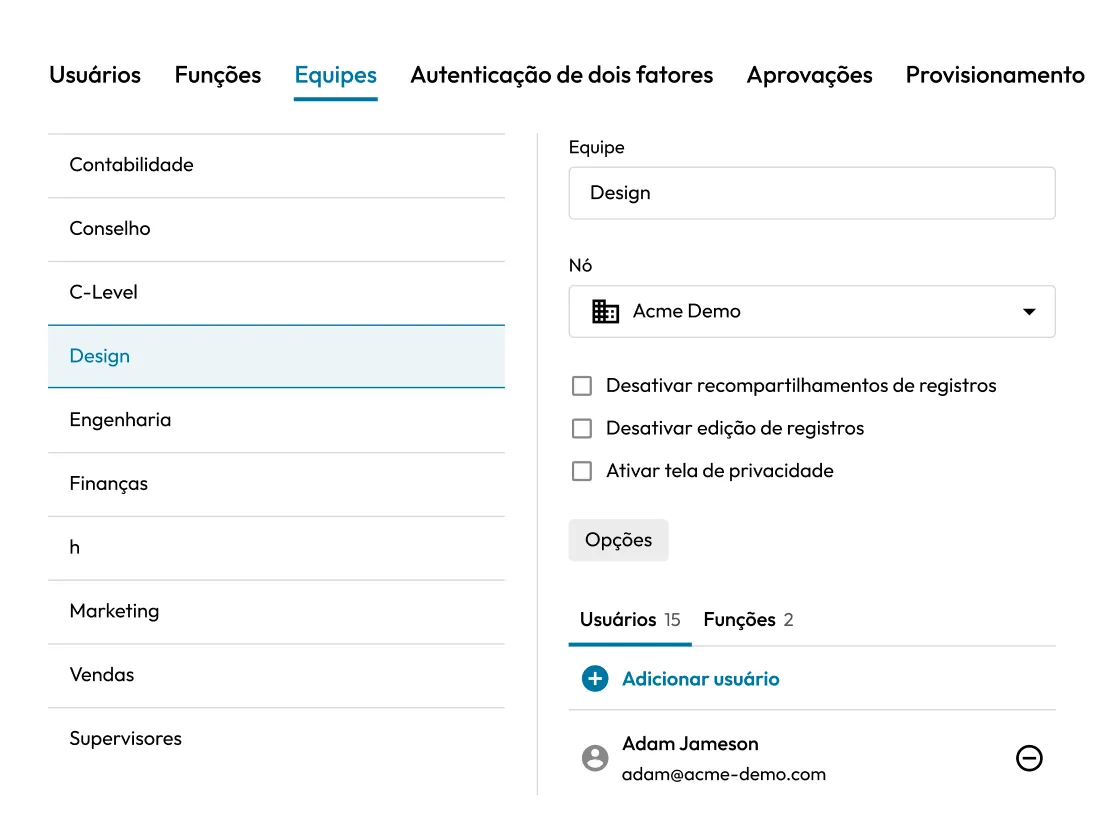
Keeper's centralized admin console showing team management settings with the Design team selected, including user and role assignments, node configuration and team-level security controls.

Extends security beyond native platform controls

Some social media platforms do not offer multi-user access controls or granular permissions settings. Keeper enables secure sharing, permission-based access and centralized oversight for accounts that lack native team management features.

How to protect social media accounts with Keeper

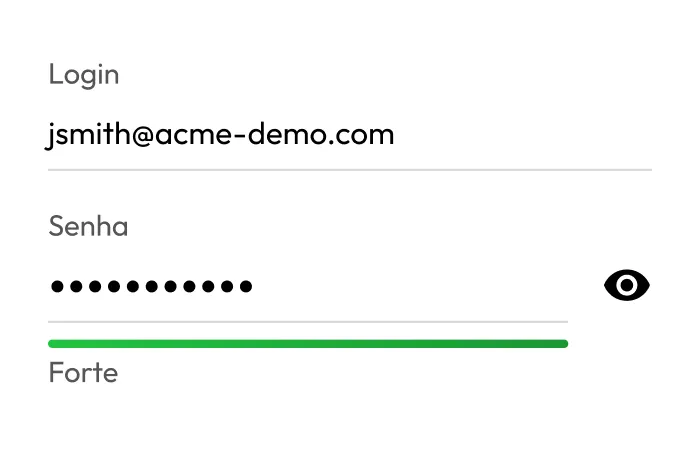
Keeper record showing an email address and masked password with a strong password security rating.

Add social media credentials to the vault

Store each account's login credentials as a vault record. Keeper's password generator creates a strong, unique password for each account.

Keeper permissions menu with options to manage users, manage records, manage both or assign no user permissions.

Assign access by role or team

Use shared folders to group accounts by brand, platform or region, then assign access to the relevant team, agency or individual. Set permissions to control whether users can view, edit or share credentials.

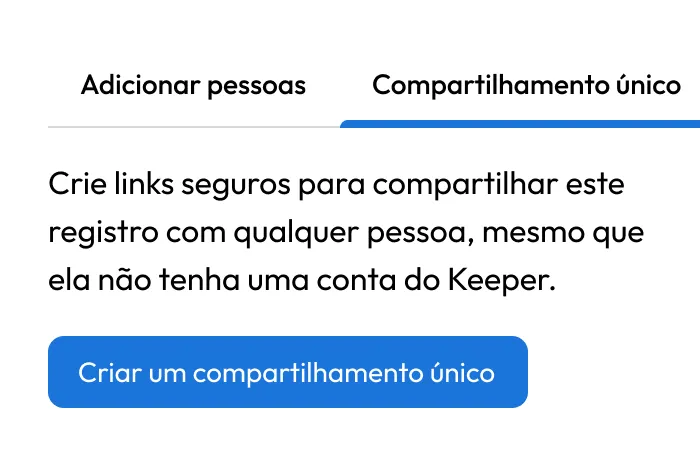
Keeper's One-Time Share feature creating a secure link to share a vault record with anyone, including people without a Keeper account.

Enable secure sharing

Share access with external agencies or contractors using time-limited sharing. Recipients authenticate through Keeper and access the account via KeeperFill.

Perguntas frequentes

How does Keeper secure shared social media accounts?

Credentials are stored in a zero-knowledge, encrypted vault and shared through Keeper's permission-based sharing model, with users authenticating to accounts via KeeperFill. The password is injected automatically and never displayed. Access can be scoped by role, set to expire on a specific date and revoked instantly from the Admin Console.

Can Keeper remove access to accounts instantly?

Yes, administrators can revoke vault access immediately from the Admin Console. For complete security, credentials should also be rotated during offboarding. Keeper's password generator and autofill make this a fast, one-step process that ensures a former employee cannot access the account even if they noted the password elsewhere.

Does Keeper support SSO and MFA for securing social media accounts?

Keeper integrates with SAML 2.0-compatible Identity Providers (IdPs) to enable Single Sign-On (SSO) for vault access, and enforces MFA at the vault level. This means team members authenticate through your existing identity provider to access their Keeper vault, where social media credentials are stored and injected securely. MFA can also be configured for individual social media accounts using Keeper's built-in TOTP storage.

Is Keeper difficult to deploy for marketing teams?

No. Keeper is designed to be easy to use and fast to deploy, requiring no technical expertise. Marketing and PR teams can import existing credentials, organize accounts into shared folders and start sharing access securely in under an hour. No IT involvement is required for day-to-day use.

Retirar consentimento para cookiesValorizamos sua privacidade

Usamos cookies em nosso site para oferecer a melhor experiência de navegação, exibir anúncios personalizados sobre nossos produtos e conteúdo e analisar o tráfego do site. Para saber mais, consulte nossa Política de privacidade.

Registre-se para uma avaliação gratuita

Compre agora