Keeper EPM Agentic AI Governance

Control which AI agents can run and what they can do

Discover known and possible AI agents across monitored endpoints. Use agentic policy types to govern agent launch, agent actions and elevation requests with allow, deny, approval, MFA, justification and human-in-the-loop controls.
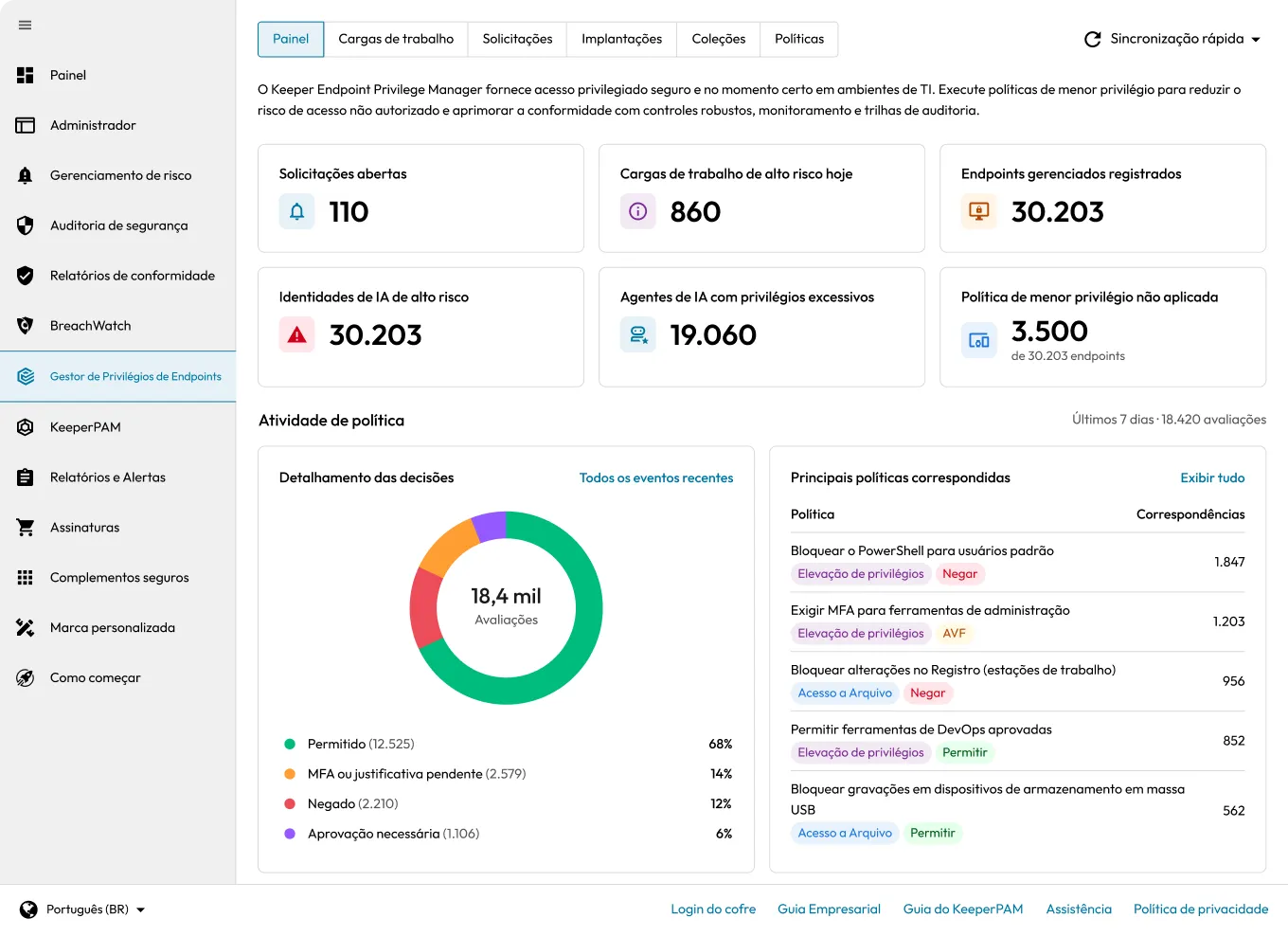
Keeper Endpoint Privilege Manager dashboard showing high-risk workloads, AI identities, managed endpoints and policy activity.

Agentic policies for all stages of agent activity

Keeper Endpoint Privilege Manager applies a consistent enforcement model across the AI agent lifecycle. Agentic AI Policy controls whether an agent may run, Agentic Access Policy governs matching actions after launch and Agentic Privilege Elevation Policy handles requests for administrative rights.

Agentic AI Policy

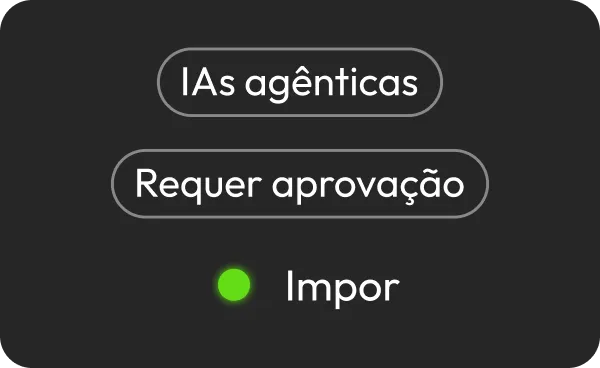
The Agentic AI Policy decides whether a recognized agent may run at all. Allow or deny it outright, or require administrator approval, end-user approval, MFA or justification before the process starts.

Agentic Access Policy

The Agentic Access Policy controls matching actions after an agent is running, including access to sensitive files, command-line or privileged operations and protected resources. Allow, deny or gate each action with approval, MFA or justification.

Agentic Privilege Elevation Policy

The Agentic Privilege Elevation Policy inserts a decision point whenever an agent requests administrative rights. Allow or deny the elevation, require administrator or end-user approval or add MFA and justification controls.

How Agentic AI Governance works

Every governed launch, action and elevation request follows a consistent policy path.

Recognize the agent

Known Agents match signatures such as process name and path, publisher or certificate, binary hash and network fingerprint. Unknown processes are scored 0–100 by behavioral heuristics and surfaced as Possible Agents.

Match policy scope

EPM evaluates the agent against the policy's User, Machine, Application and Agentic AI Collections, plus any configured date and time constraints, to determine whether the event matches.

Enforce the controls

Apply Allow or Deny as a standalone outcome, or combine administrator approval, end-user approval, MFA and justification. When controls are stacked, every requirement must be satisfied.

Audit the outcome

Every governed launch, action, or elevation request is recorded whether it is allowed, denied or held. Security teams can audit agent activity against the policy baseline.

Layered governance for every stage of agent activity

Recognize known and possible agents

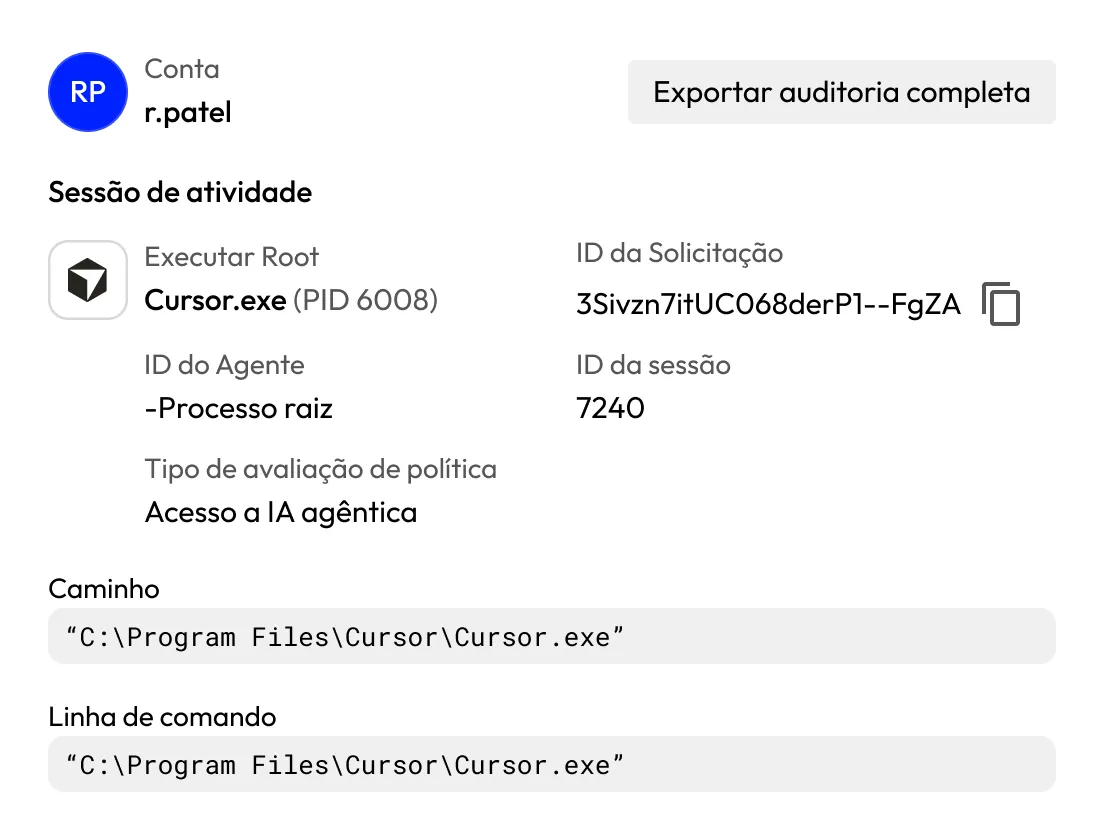
Known Agents are matched by signature: process name and path, publisher or certificate, binary hash and network fingerprint. Possible Agents are scored 0–100 by behavioral heuristics. Administrators can also flag any application as Agentic AI.

Keeper Endpoint Privilege Manager audit showing Cursor.exe activity session details and Agentic AI Access policy evaluation.

Apply controls by AI-likelihood score

Set a minimum AI-likelihood threshold for policy controls. You can allow low-confidence detections silently while requiring approval, MFA or justification above the threshold, based on your risk tolerance.

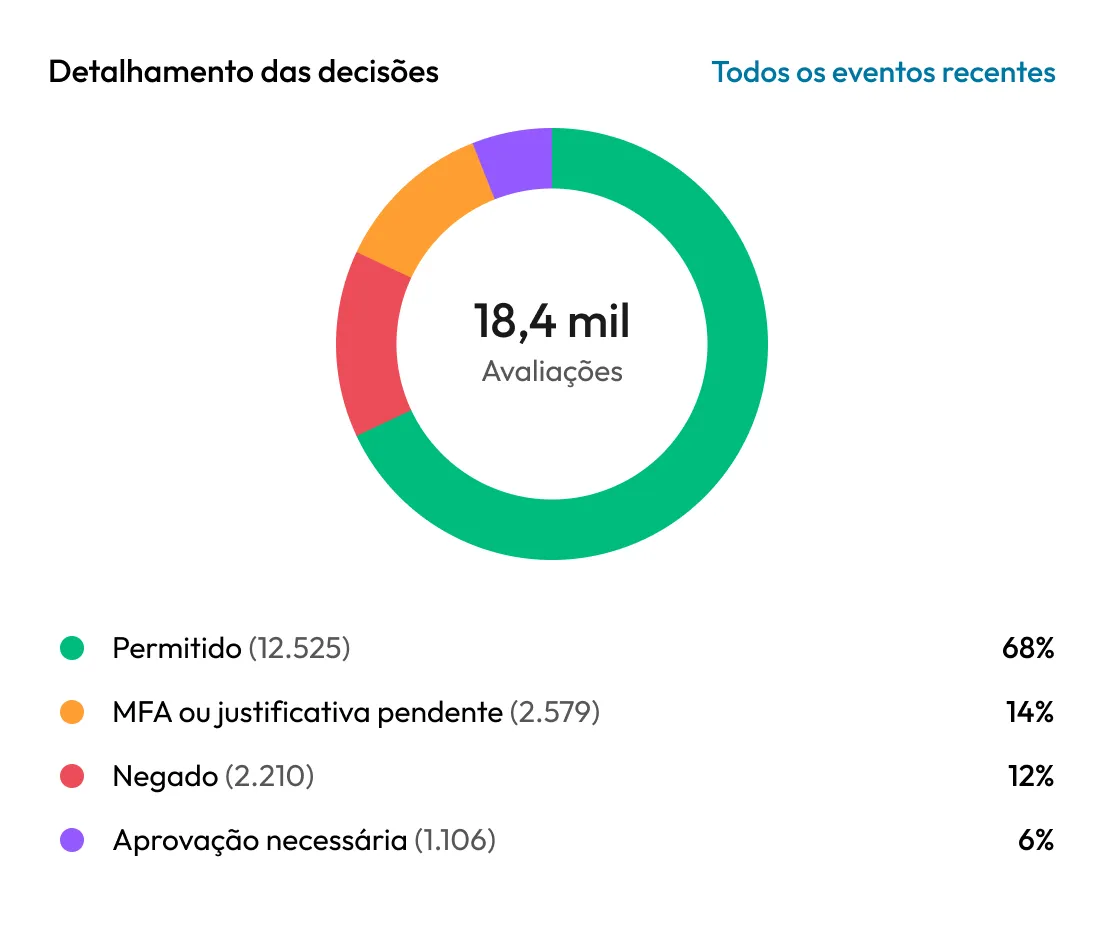
Keeper Endpoint Privilege Manager chart showing 18.4K policy evaluations broken down by allowed, pending, denied and approval-required decisions.

Monitor first, enforce with confidence

All three agentic policy types default to Monitor mode. Observe matches and potential outcomes, then tune collections, thresholds and controls before switching to Monitor & Notify or Enforce.

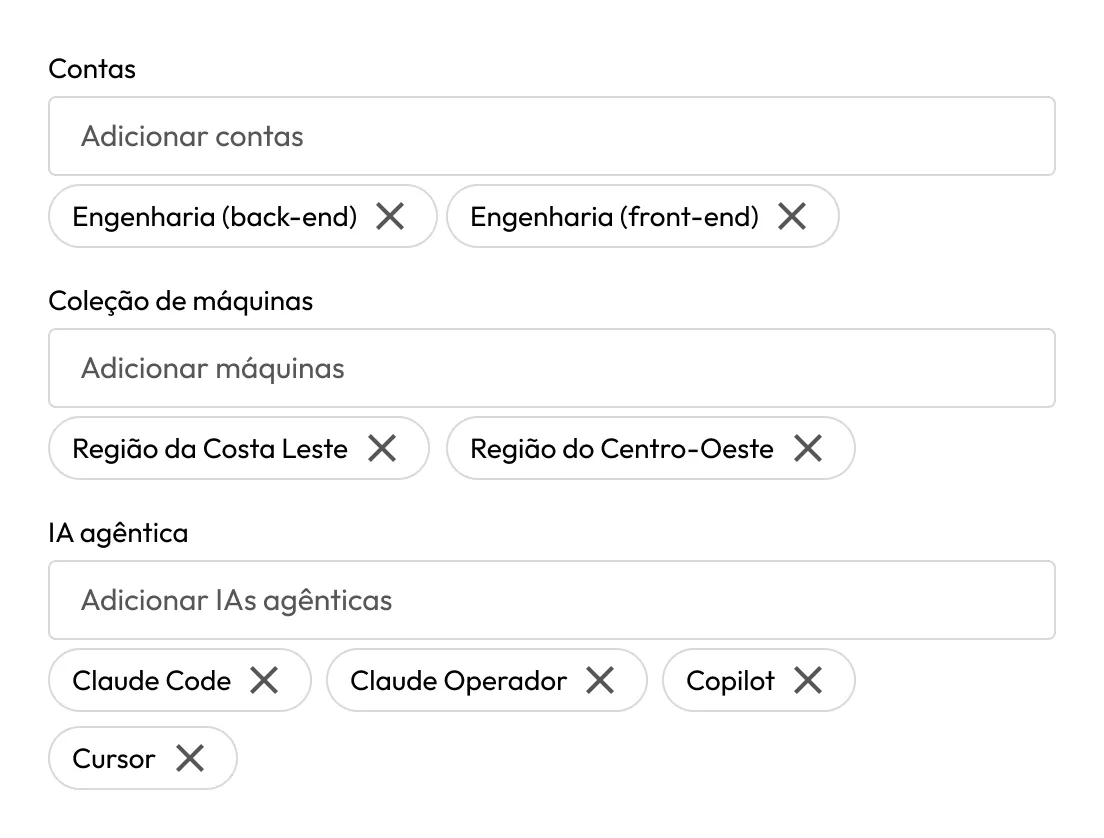
Keeper Endpoint Privilege Manager policy settings showing selected engineering accounts, machine collections and AI agents.

Keep a human in the loop

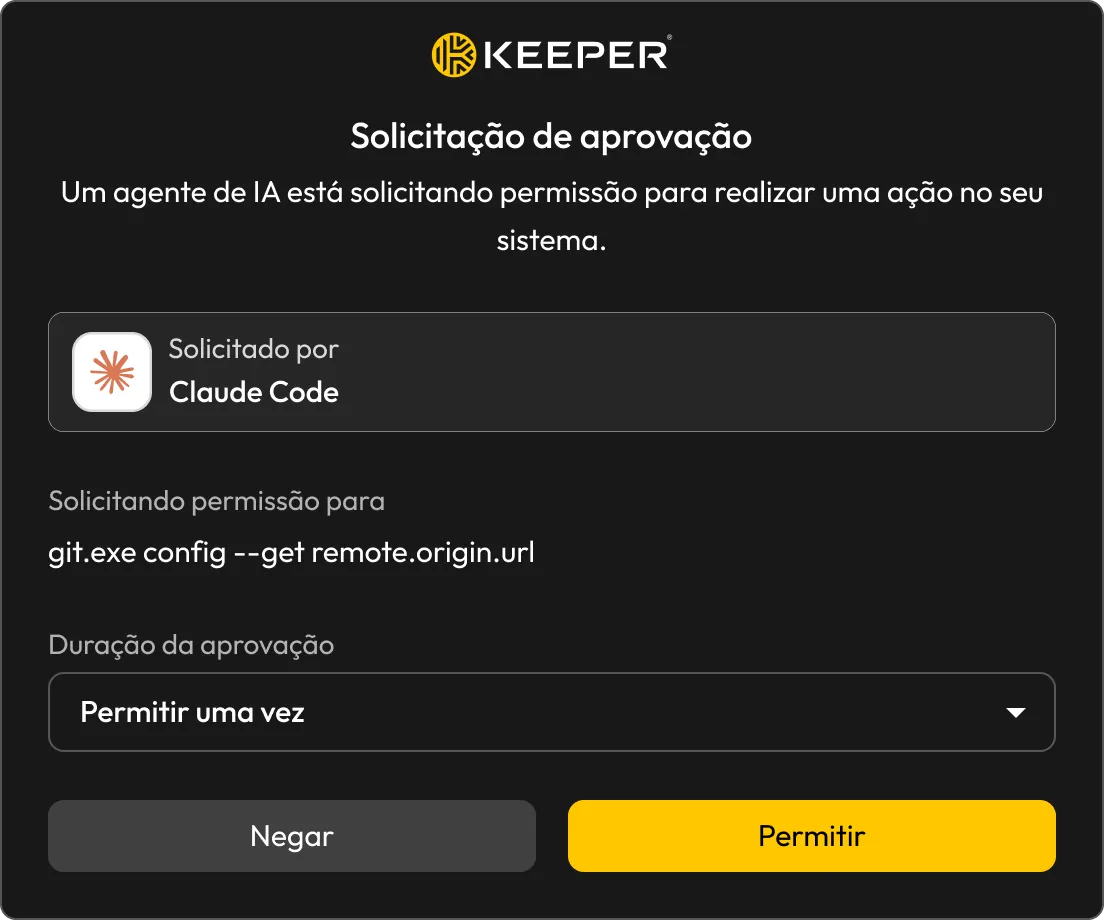
Require User Approval prompts the endpoint user to approve or deny an agent launch, action or elevation request in real time. A "Don't ask again" window can reduce repeated prompts.

Keeper Endpoint Privilege Manager approval request from Claude Code showing a Git command with Allow Once, Deny and Allow options.

Stack controls when risk demands it

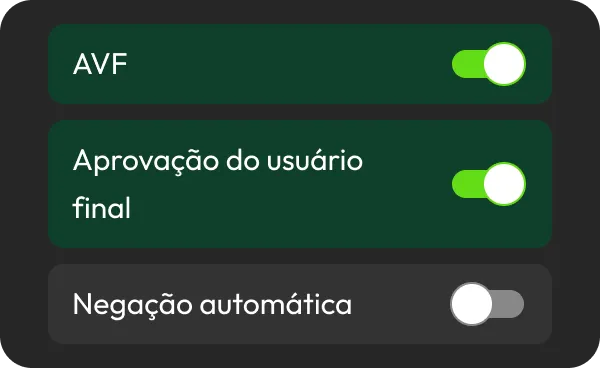
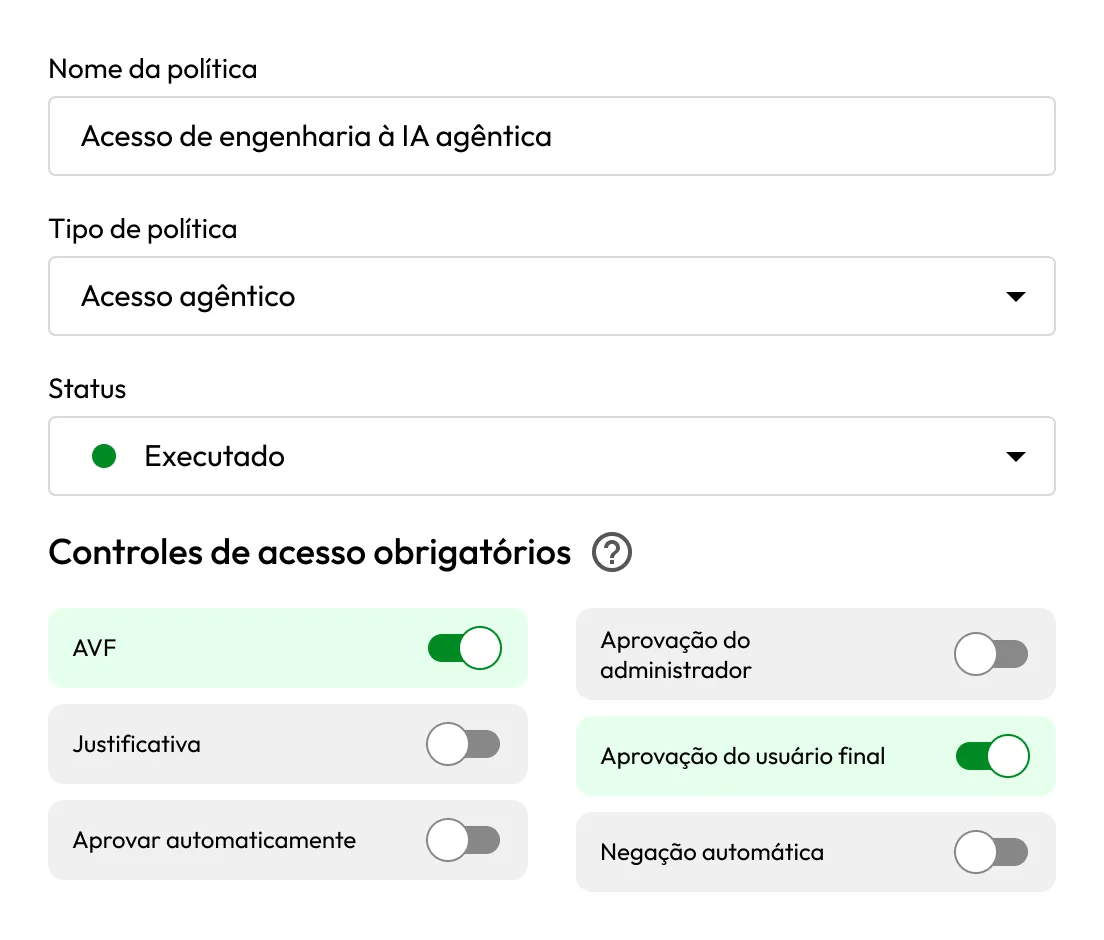
Require Approval, Require User Approval, Require MFA and Require Justification can be combined; every configured requirement must pass. Allow and Deny are mutually exclusive and always stand alone.

Keeper Endpoint Privilege Manager showing an enforced Agentic AI Access policy with MFA and end-user approval enabled.

Record every governed outcome

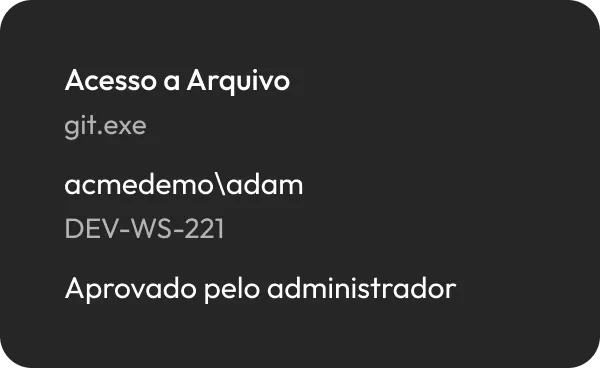
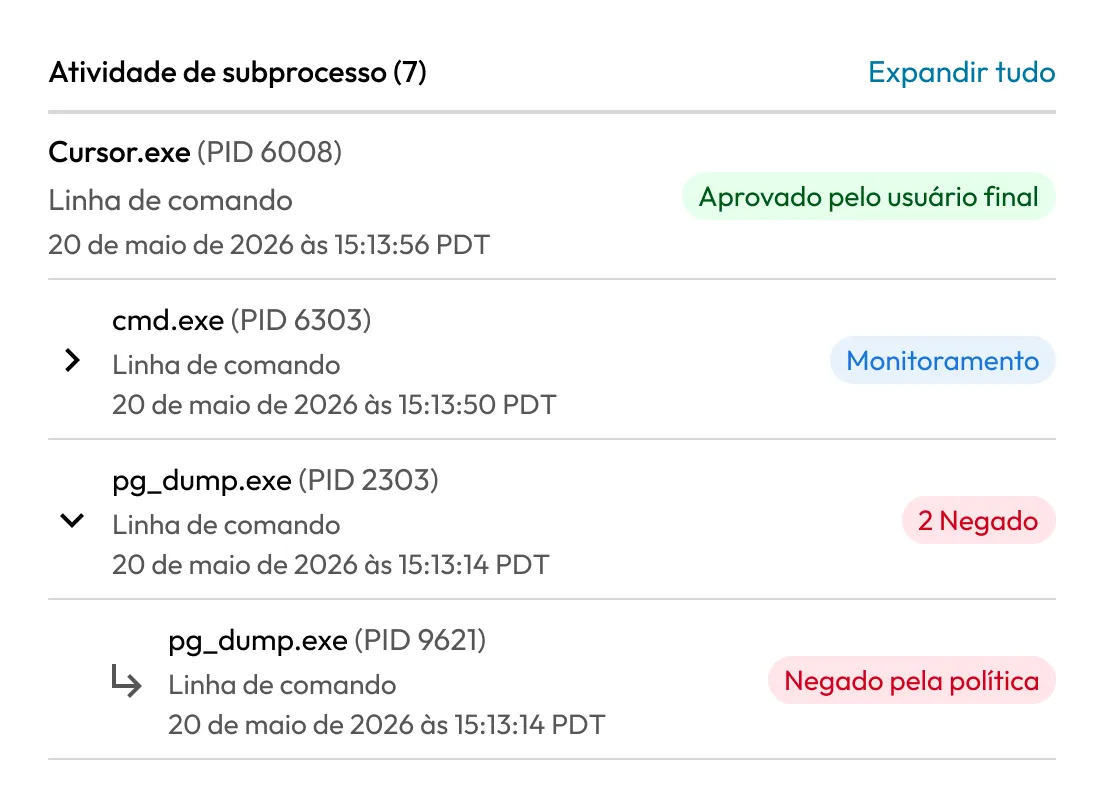
Every governed agent, action and elevation request is recorded against the policy baseline—whether allowed, denied or held—so teams can audit activity regardless of the enforcement outcome.

Keeper Endpoint Privilege Manager showing AI agent subprocess activity with approved, monitored and denied actions.

Scope precisely and deploy quickly

Target User, Machine, Application and Agentic AI Collections. Saved policies reach in-scope endpoints within approximately 30 minutes, or immediately through Refresh Policies in the Keeper agent.

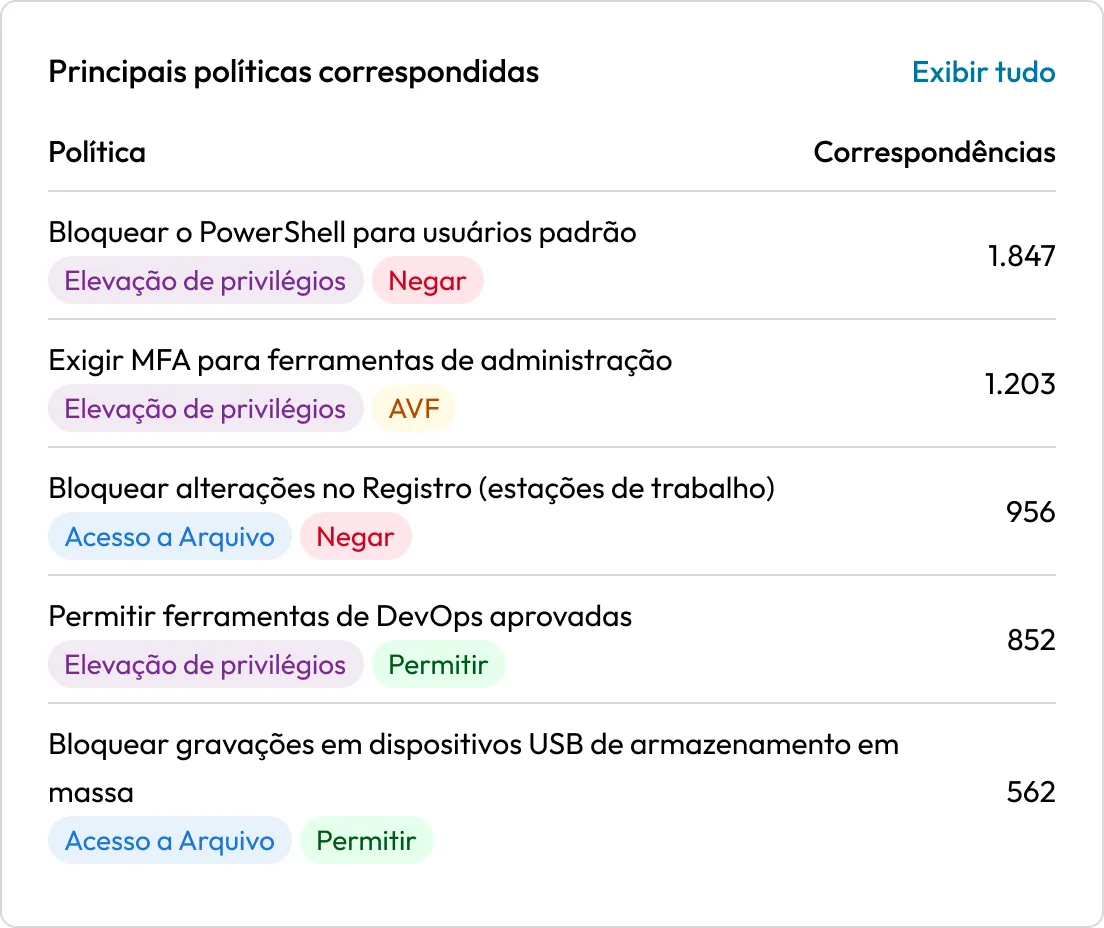
Keeper Endpoint Privilege Manager showing top matched policies for privilege elevation and file access with match counts.

Put every AI agent under policy with Keeper EPM

Perguntas frequentes

What do the three agentic policy types control?

Agentic AI Policy decides whether an agent may run. Agentic Access Policy governs matching actions after launch. Agentic Privilege Elevation Policy handles requests for administrative rights. All three use the same allow, deny, approval, MFA, justification and end-user approval controls.

How does Keeper recognize unknown AI agents?

Known Agents match signatures. Unknown processes are scored 0–100 by behavioral heuristics and surfaced as Possible Agents when their behavior resembles an AI agent. Administrators can also flag any application as Agentic AI.

Can trusted AI tools keep running without interruption?

Yes. Start in Monitor mode, then use Allow and AI-likelihood thresholds to let approved or low-risk agents operate without added friction. Higher-risk matches can require approval, MFA or justification.

How should we roll out agentic policies?

Begin in Monitor mode to observe matches and potential outcomes without enforcing controls. Tune scope, collections and thresholds using real activity, then move to Monitor & Notify or Enforce. Saved policies reach endpoints within about 30 minutes, or immediately through Refresh Policies.

Retirar consentimento para cookiesValorizamos sua privacidade

Usamos cookies em nosso site para oferecer a melhor experiência de navegação, exibir anúncios personalizados sobre nossos produtos e conteúdo e analisar o tráfego do site. Para saber mais, consulte nossa Política de privacidade.

Registre-se para uma avaliação gratuita

Compre agora