Keeper versus 1Password:
Welke is beter?

Ontdek de ultieme vergelijking tussen Keeper en 1Password. Ontdek welke wachtwoordbeheerder het beste scoort op veiligheid, functies en bruikbaarheid. Krijg de inzichten die u nodig hebt om de juiste bescherming te kiezen voor uw personeel, apparaten en gegevens.

Vanaf slechts
 
 
per gebruiker/maand *zzgl MwSt *Includes GST
Voor persoonlijk

Bonus! Bevat een Gratis Family-Abonnement voor elk teamlid.
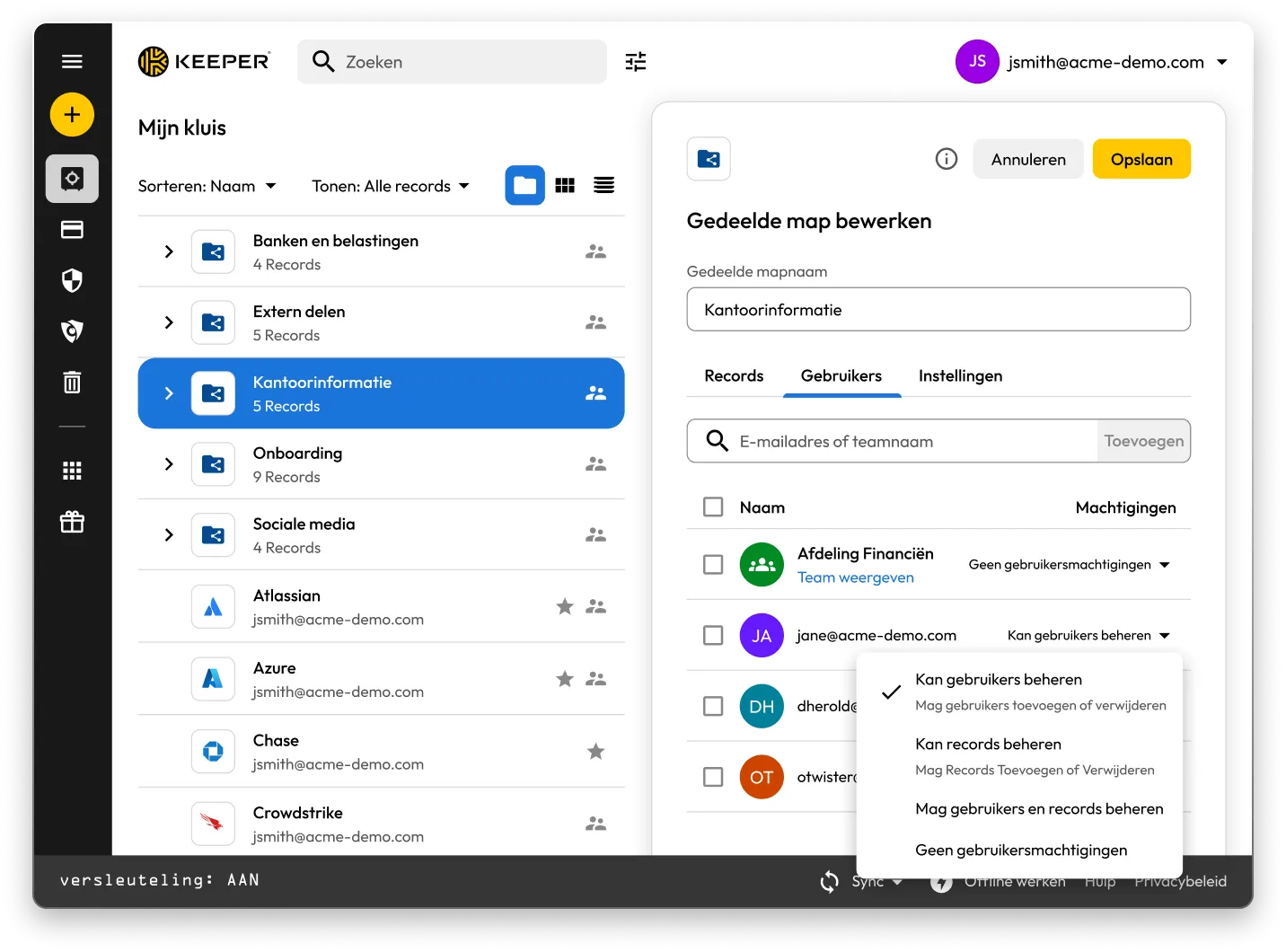
Keeper Vault-interface met gedeelde mappen en records. Het paneel

Keeper vs 1Password: Side-by-side comparison

Keeper
1Password
Security architecture and encryption model

Keeper's zero-knowledge architecture encrypts every individual record and folder with its own unique AES-256 key, with all encryption and decryption performed locally on the user's device. Keeper's "Transmission Security" adds a second layer – TLS 1.3/1.2 plus an additional 256-bit AES transmission key – covering all data communications, not just authentication. HSM integration in AWS provides super-encryption at rest.

Keeper Forcefield technology protects against memory-based attacks that specifically target password managers.

Keeper's self-managed BreachWatch® dark web monitoring runs entirely within its own infrastructure using an HSM-protected architecture, so breached passwords are never correlated against vault data outside Keeper's systems.

Keeper holds 10 issued U.S. patents covering its zero-knowledge architecture, SSO, breach detection and secure messaging, with four more pending.

Based on publicly available documentation, 1Password uses a vault-key-based encryption model: individual items are encrypted using keys derived from that vault key, rather than each having an independently generated key. Its SRP protocol handles authentication; data in transit is protected by TLS, though this operates separately from 1Password's credential encryption architecture.

For dark web monitoring, 1Password's Watchtower feature integrates with Have I Been Pwned using a k-anonymity API, which transmits only a partial hash rather than the full credential.

1Password provides basic memory protection only, leaving users more exposed to advanced malware techniques that target password managers.

1Password (AgileBits Inc.) holds at least one issued U.S. patent.

Authentication, Single Sign-On (SSO) and provisioning

Keeper uses multi-layered authentication that combines a master password with device verification, providing an approach that is both attack-resistant and simple for end users.

Keeper has been in enterprise SSO production since 2016, holds patents on its SSO implementation and supports complex multi-provider configurations with no additional software required.

SCIM provisioning works directly with any Identity Provider (IdP) without any software installation.

Based on publicly available documentation, 1Password's dual-factor approach, an account password plus a secret key, can introduce complexity and potential access issues.

SSO support has expanded to multiple identity providers, though deployment requires additional configuration steps compared to Keeper's no-software-installation approach.

SCIM provisioning requires deploying a self-hosted SCIM Bridge in either an on-premises or cloud environment, though 1Password now offers hosted provisioning for Entra ID and Okta users.

Platform capabilities and Privileged Access Management (PAM)

KeeperPAM combines enterprise password management, secrets management, connection management, privileged session management and Remote Browser Isolation (RBI) in a single cloud-native, zero-knowledge interface.

Remote Browser Isolation creates isolated browser sessions for internal and cloud applications, eliminating the need for VPNs.

Keeper Endpoint Privilege Manager enforces Just-In-Time (JIT) access and least privilege directly on user devices, with automatic privilege revocation on session termination.

Keeper Secrets Manager is fully cloud-based with CLI, REST APIs, Terraform and CI/CD pipeline support. No on-premises infrastructure is required.

Keeper also offers over 80 distinct permissions across 14 categories for granular enterprise access control.

1Password is a password manager that has expanded into an Extended Access Management platform covering device trust, SaaS visibility and app access governance. It does not offer the privileged access management capabilities that enterprises typically require, including RBI, JIT or zero-standing privilege capabilities, or the ability to enforce least privilege on endpoints.

For secrets management, 1Password Secrets Automation offers two paths: Service Accounts for lighter use cases or a self-hosted Connect Server deployed in the customer's own infrastructure for teams needing more control, scalability and higher request limits. Both require configuration and ongoing maintenance within the customer's environment.

1Password has 12 vault-based permissions with limited granularity for enterprise access control.

Database access management

KeeperDB provides secure, zero-knowledge remote access to databases, including MySQL, PostgreSQL, SQL Server and more, directly through the browser with no client software required. Access is governed by role-based policies, full session recording and audit logging, ensuring every database interaction is tracked and compliant. Credential injection means users never see or handle the underlying database passwords directly.

Based on publicly available documentation, 1Password has no database access or management capabilities. Organizations using 1Password for database credentials must rely on manual credential retrieval and separate tooling to manage and audit database sessions, with no native session recording or policy enforcement.

AI-powered security and automation

KeeperAI brings intelligent automation to privileged access management. It monitors privileged sessions in real time and can automatically terminate a session when suspicious activity is detected. KeeperAI also assists with policy creation, access reviews and anomaly detection, reducing the manual overhead of managing a large privileged access environment while continuously strengthening security posture.

Based on publicly available documentation, 1Password has no AI-powered privileged session monitoring, real-time anomaly detection within sessions or automated security response capabilities such as automatic session termination upon detecting suspicious activity.

While 1Password's recently launched Unified Access platform provides credential audit trails and visibility into AI agent activity, it does not offer the integrated session intelligence that KeeperAI delivers natively within a full PAM platform.

Sharing, account management and MSP

Keeper supports time-limited record and folder sharing with automatic credential rotation, plus bidirectional one-time sharing to both users and non-users with real-time sync. Its node-based organizational architecture supports isolation between business units and multiple identity providers within the same tenant.

Enterprises have multiple account recovery pathways, including SSO Recovery, Account Transfer Policy, a 24-word recovery phrase and Commander CLI automation.

Keeper's MSP platform, launched in 2019, combines password management with full PAM capabilities in a unified, multi-tenant interface.

1Password requires users to create separate vaults for sharing, producing copies of records rather than real-time, synced data. It has no node structure or organizational units, and guest accounts are limited to a single vault with no time controls or automated security measures.

There is no direct vault transfer between user accounts, and offboarding relies on employees manually moving items before they leave, with account recovery as an admin fallback that requires access to the departing employee's email address.

1Password's MSP offering focuses solely on password management with no PAM features.

Compliance and certifications

Keeper is FedRAMP High Certified and GovRAMP High Authorized, FIPS 140-3 validated, ISO 27001/17/18 certified, ITAR compliant and holds the longest-standing SOC 2 Type II certification in the industry.

Based on publicly available information, 1Password holds no FedRAMP, GovRAMP or FIPS authorization, limiting its use in regulated industries and government.

*Gegevens van 27 oktober 2025

Keeper versus 1Password: gebruikersbeoordelingen en recensies

Keeper
1Password
iOS App Store

iOS App Store

4,9 van 5 en 224.000 recensies

4,9 van 5 en 224.000 recensies

4.6 out of 5 and 20K Reviews

4.6 out of 5 and 20K Reviews

Microsoft Store-app

Microsoft Store-app

4,9 van 5 en 1.460 recensies

4,9 van 5 en 1.460 recensies

4.4 out of 5 and 10 Reviews

4.4 out of 5 and 10 Reviews

Chrome-extensie

Chrome-extensie

4,8 van de 5 en 8.500 recensies

4,8 van de 5 en 8.500 recensies

2.9 out of 5 and 2,700 Reviews

2.9 out of 5 and 2,700 Reviews

Android

Android

4,7 van 5 en 110.000 recensies

4,7 van 5 en 110.000 recensies

3.5 out of 5 and 17.6K Reviews

3.5 out of 5 and 17.6K Reviews

*Gegevens van 27 oktober 2025

Gebruikt u 1Password al? Migreer dan eenvoudig naar Keeper.

Uw wachtwoorden verplaatsen van 1Password naar Keeper is eenvoudig en veilig. Uw gegevens die zijn opgeslagen in 1Password, inclusief wachtwoorden, mappen, submappen, aangepaste velden, TOTP-codes, notities en accounts, worden met slechts een paar klikken naar Keeper gemigreerd.

Veelgestelde vragen

Hoe kan ik wachtwoorden van 1Password naar Keeper importeren?

U kunt wachtwoorden importeren van 1Password naar Keeper Security met deze eenvoudige stappen:

  • Meld u aan bij uw 1Password-account
  • Selecteer de kluis of het abonnement dat u wilt
  • Exporteer de gegevens
  • Meld u aan bij Keeper op internet of in de desktop-app
  • Klik op het symbool van uw account > Instellingen > Importeren
  • Kies 1Password uit de lijst en sleep het geëxporteerde bestand naar het venster 'Bestand droppen'

Meer informatie over importeren vanuit 1Password vindt u in deze stapsgewijze, apparaatspecifieke gids.

Hoe zeg ik 1Password op?

Als u niet langer uw 1Password-abonnement wilt behouden, volgt u dit proces van drie stappen:

  • Meld u aan bij uw 1Password-account.
  • Selecteer rechtsboven uw naam en klik op Mijn profiel.
  • Selecteer onder aan de pagina de optie Account voorgoed verwijderen.

Vergeet niet om uw aanmeldingsgegevens te exporteren en te importeren in het alternatief voor 1Password dat u hebt gekozen voordat u uw account opzegt.

Keeper is een uitgebreid PAM-platform. Betekent dit dat het alleen bedoeld is voor grote ondernemingen?

Nee. Keeper biedt uitgebreide PAM-mogelijkheden die voldoen aan bedrijfsbehoeften, maar is ontworpen om te schalen van individuele gebruikers tot grote organisaties.

Keeper Business biedt kleinere organisaties een gestroomlijnde, gebruiksvriendelijke oplossing voor het beheren van aanmeldingsgegevens zonder afbreuk te doen aan de beveiliging.

Keeper biedt ook persoonlijke abonnementen voor individueel wachtwoordbeheer en veilige bestandsopslag, evenals gezinsabonnementen voor gedeeld wachtwoordbeheer voor alle gezinsleden.

Dankzij de flexibele architectuur van het platform kunnen gebruikers beginnen met basisbeheer van wachtwoorden en opschalen naar PAM-functies op ondernemingsniveau naarmate hun behoeften groeien. Dit betekent dat individuen kunnen profiteren van dezelfde beveiligingsfundering die Keeper Business mogelijk maakt, terwijl organisaties toegang hebben tot geavanceerde, geprivilegieerde toegangscontroles wanneer dat nodig is.

1Password Family versus Keeper Family-pakket: wat is het verschil?

Met Keeper Family kunt u onbeperkt wachtwoorden voor huishoudens beveiligen en delen, met vijf privékluizen, 10 GB aan bestandsopslag, onbeperkte apparaten, noodtoegang en 24/7 ondersteuning. Keeper Family kost slechts per maand.

Met 1Password kunnen gezinnen ook wachtwoorden veilig opslaan, gegevens exporteren en wachtwoorden delen, maar voor het delen moeten meerdere kluizen worden aangemaakt. Keeper maakt het mogelijk om individuele records en mappen te delen. 1Password wordt geleverd met slechts 1 GB aan bestandsopslag, terwijl Keeper wordt geleverd met 10 GB aan opslagruimte.

Toestemming cookies intrekkenWe waarderen uw privacy

We gebruiken cookies op onze site om u de beste surfervaring te bieden, gepersonaliseerde advertenties over onze producten en inhoud aan te bieden en websiteverkeer te analyseren. Raadpleeg ons Privacybeleid voor meer informatie.

Meld u aan voor een gratis proefabonnement

Nu kopen