Seamlessly remediate Wiz findings with Keeper

Wiz identifies exposed identities, risky access paths and cloud misconfigurations. KeeperPAM® turns relevant findings into credential rotation, managed access or JIT access, then returns remediation status to Wiz.

Keeper and Wiz integration graphic showing the Wiz logo connected to the Keeper logo.

From cloud finding to verified remediation

Wiz identifies exposed identities, risky access paths and cloud misconfigurations. Keeper Cloud Security brings relevant findings into KeeperPAM, maps them to identities and infrastructure, and turns them into tracked remediation through credential rotation, managed access or JIT. Keeper Encrypter secures the exchange while preserving Keeper's zero-knowledge architecture.

How the Keeper + Wiz workflow works

1. Finding sent to Keeper

An admin sends an identity or credential finding from Wiz to Keeper. It arrives in the Cloud Security dashboard with its context intact—no exports or tool switching.

2. Affected resource onboarded

A Keeper admin maps the finding to an existing KeeperPAM resource or onboards a new identity, machine, database, directory, remote browser or cloud resource. Compromised cloud identities can be onboarded directly as PAM User records.

3. Right control applied

Apply the control that fits the risk: rotate the credential, grant time-bound access through approval workflows or broker a monitored session through Connections.

4. Resolution verified

After remediation, Keeper marks the finding In Progress and notifies Wiz. Wiz validates the fix during its next scan and sends the resolved finding back to Keeper.

Everything you need to act on a Wiz finding

Rotate compromised credentials

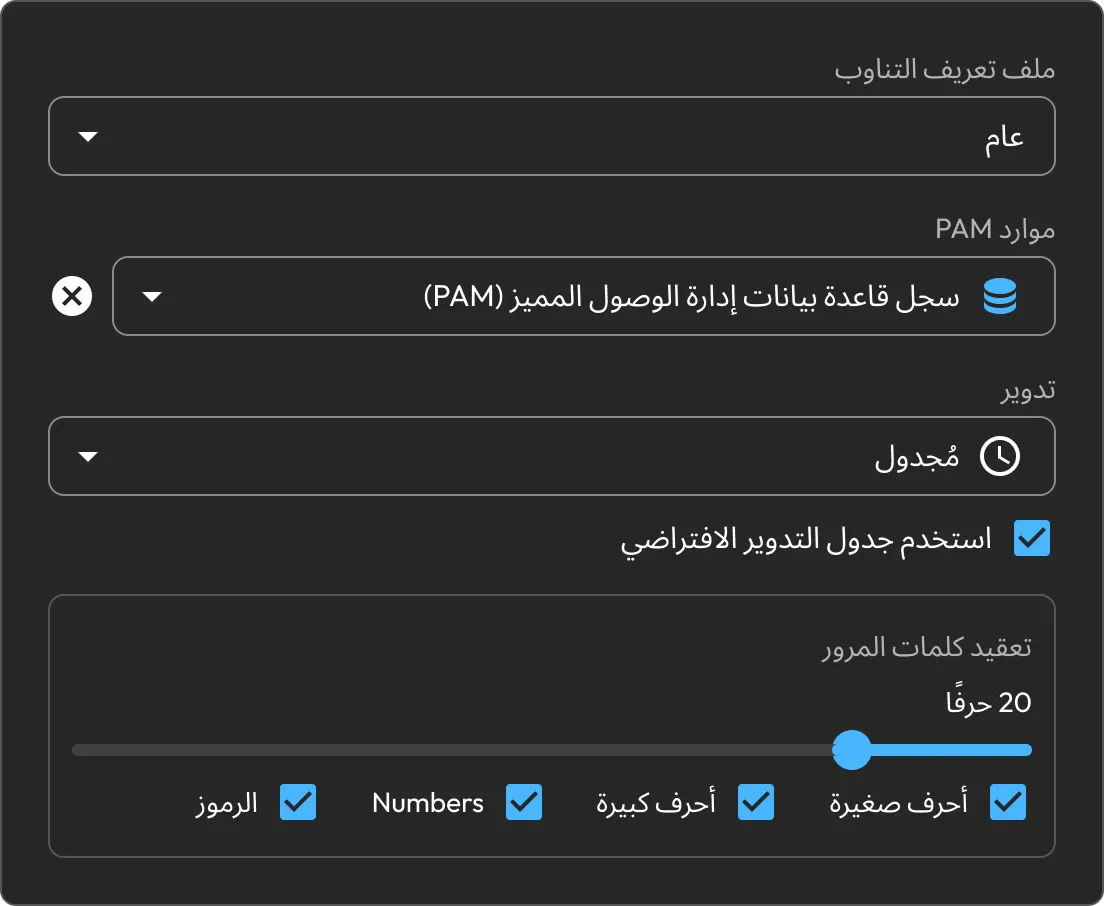
Rotate stale or compromised credentials and store the replacement in Keeper Vault, without copying secrets between tools or relying on an out-of-band process.

Keeper password rotation settings showing scheduled PAM database credential rotation and password complexity options.

Replace standing access with JIT

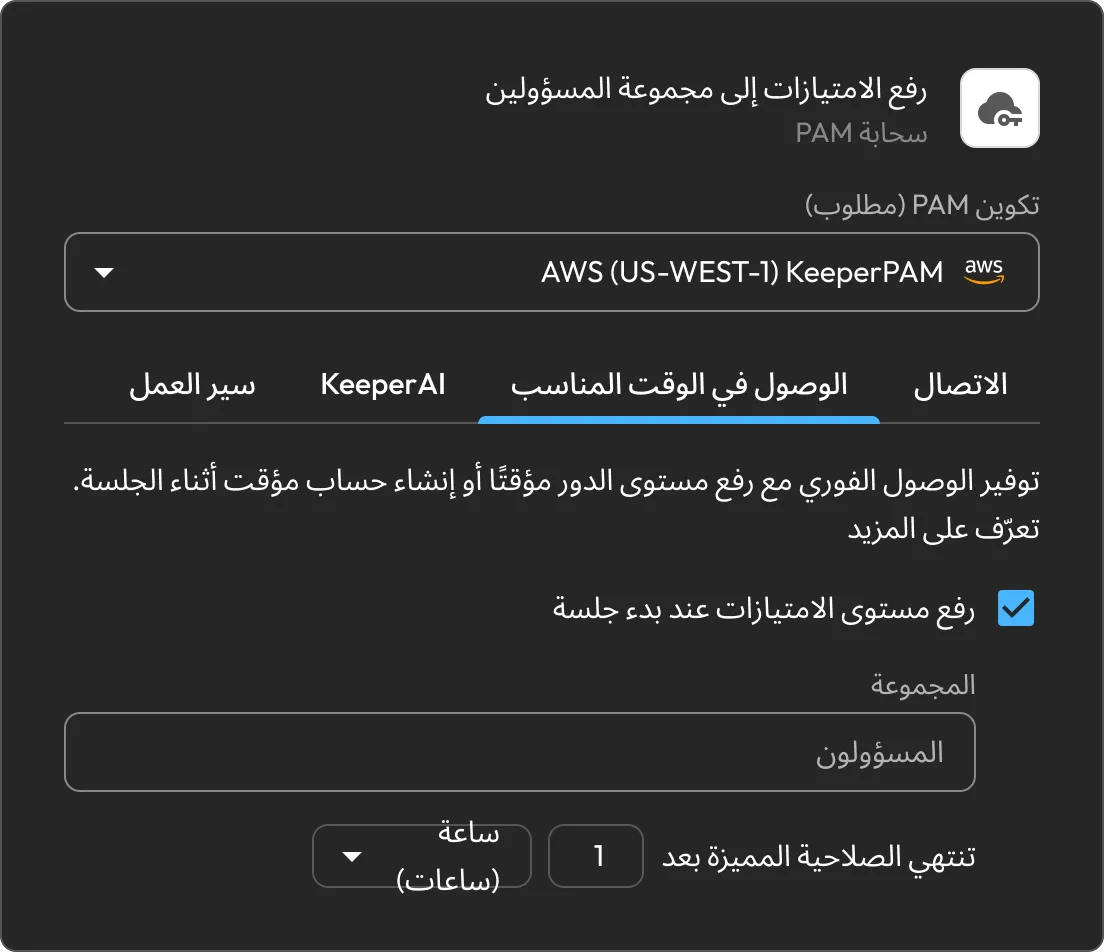
Grant time-bound access through approval workflows, defined access windows, check-in and MFA, without leaving permanent privileges in place.

Keeper JIT access settings showing temporary privilege elevation to the Admins group for one hour.

Broker access without exposing credentials

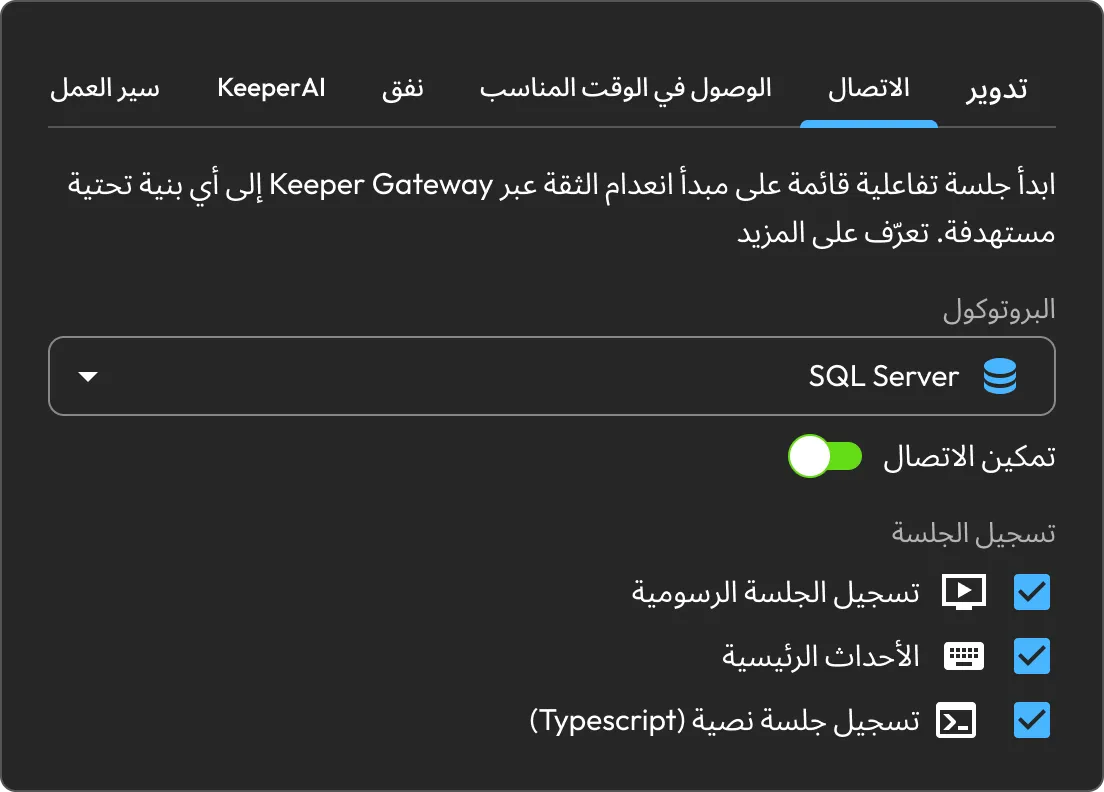
Configure Manage Access to launch a zero-trust interactive session through Keeper Gateway without exposing the underlying credential to the user.

KeeperPAM connection settings showing SQL Server session recording with graphical recording, key events and text recording enabled.

Onboard affected resources

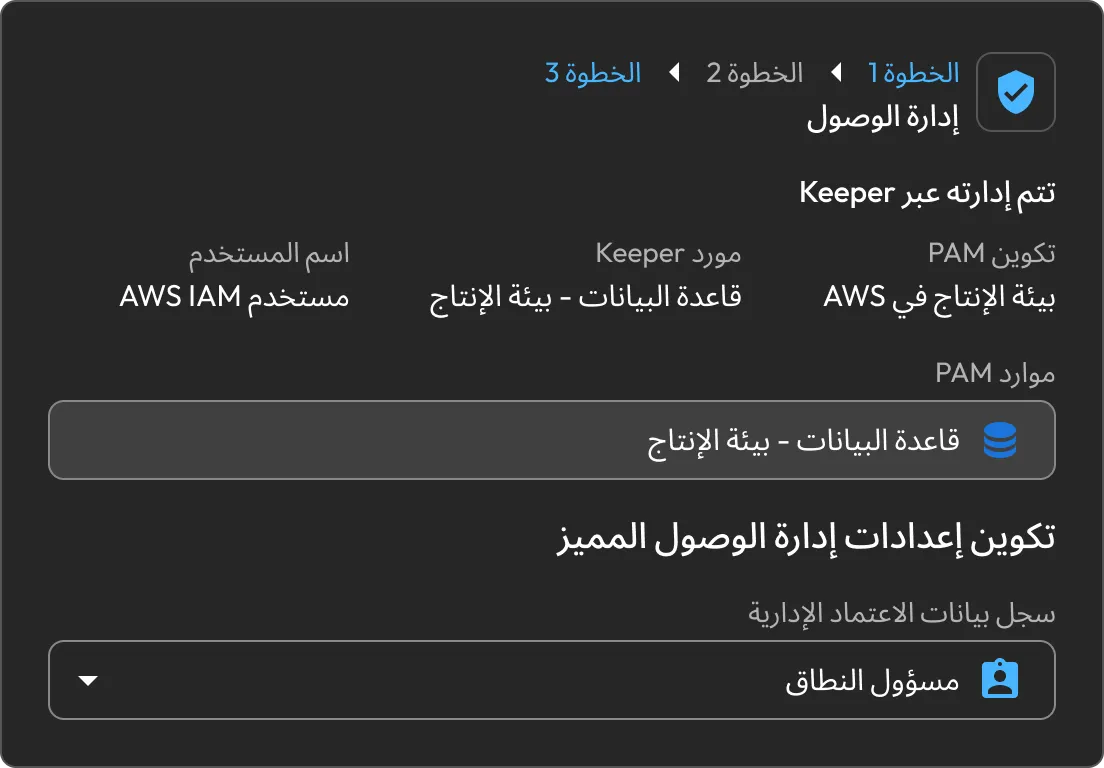
Bring the affected identity, machine, database, directory or cloud resource under KeeperPAM governance directly from the finding.

Keeper Manage Access workflow showing a production database PAM resource and administrative credential configuration.

Track every finding in one place

Review findings and track remediation status in the Cloud Security dashboard. Addressed findings move to In Progress; after Wiz validates the fix, they move to Resolved.

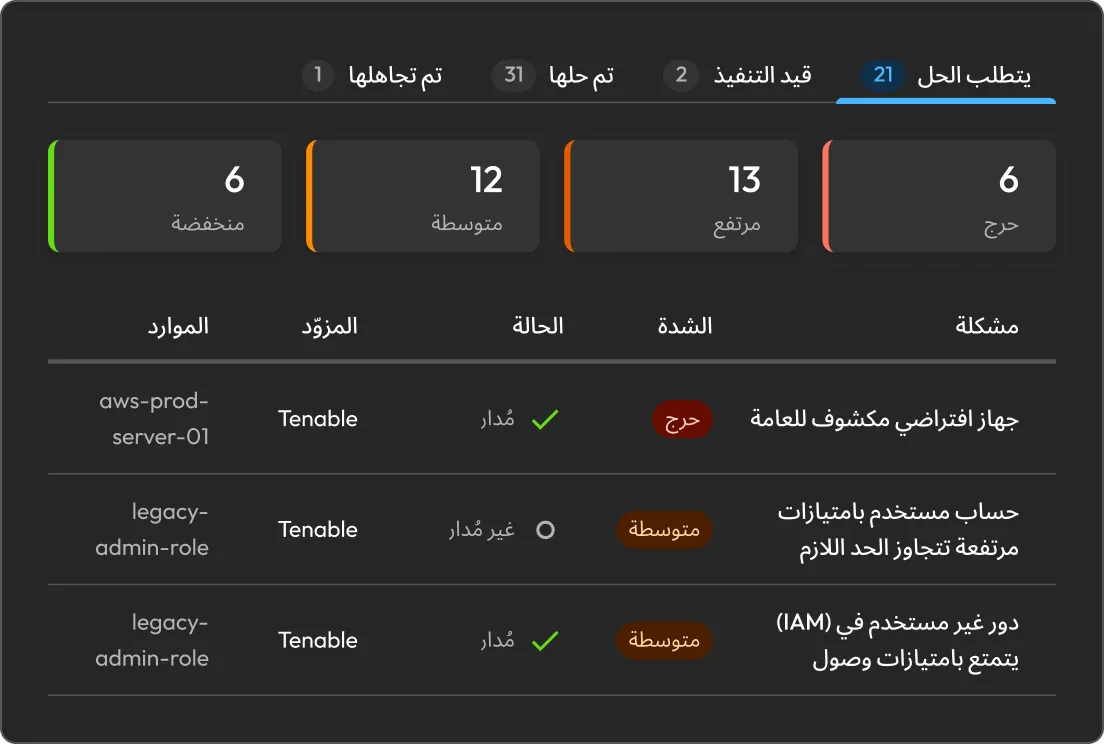
Keeper risk remediation dashboard showing Tenable security findings by severity, status and resource.

Protect the integration with Keeper Encrypter

Run Keeper Encrypter as a self-hosted Docker service in your environment. It receives Wiz webhooks and encrypts integration payloads with a customer-managed 256-bit AES key stored in Keeper.

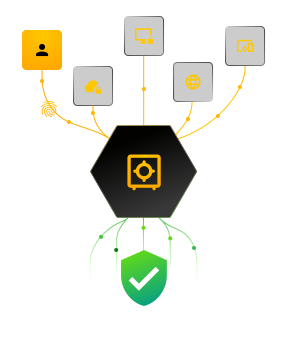
Keeper security graphic showing identities, devices and web access flowing through centralized security controls to verified protection.

Built for the teams that own cloud risk

Security operations

Turn Wiz findings into consistent remediation workflows. Rotate credentials, restrict access or onboard resources, and shorten the time from detection to resolution.

Cloud and DevOps

Bring unmanaged cloud resources under governance from the finding itself. Add approvals and JIT access, then standardize secure access through Connections and Tunnels.

الامتثال

Keep remediation status aligned between Keeper and Wiz. Findings progress from review to In Progress and Resolved as the remediation workflow advances.

Turn cloud findings into verified fixes

Available to customers with an active KeeperPAM subscription. Deploy Keeper Encrypter, connect Wiz and manage findings as tracked remediations with status aligned across both systems.

الأسئلة الشائعة

What does the Keeper + Wiz integration do?

Wiz sends relevant findings to Keeper Cloud Security. A Keeper admin maps the affected resource and applies credential rotation, Manage Access or JIT. Keeper reports the remediation status to Wiz and Wiz validates the fix during its next scan.

Which Wiz findings can I remediate in Keeper?

Relevant Wiz findings that can be addressed through credential rotation, managed onboarding or tighter privileged access controls.

How can Keeper remediate a finding?

Rotate the exposed credential, grant time-bound access with approvals or broker monitored access through Connections. Controls can be used individually or combined to match the risk.

How does remediation status stay synchronized?

After remediation, Keeper marks the finding In Progress and notifies Wiz. When Wiz's next validation cycle confirms the risk is resolved, Wiz sends the resolved finding back to Keeper.

سحب موافقة ملفات تعريف الارتباطنحن نقدّر خصوصيتك

نستخدم ملفات تعريف الارتباط في موقعنا لمنحك أفضل تجربة تصفح، وتقديم إعلانات مخصصة لك عن منتجاتنا ومحتوانا، وتحليل حركة زيارة موقع الويب. لمعرفة المزيد، يُرجى الرجوع إلى سياسة الخصوصية الخاصة بنا.

قم بتسجل الاشتراك في نسخة تجريبية مجانية

شراء الآن