الميزة: أنواع السجلات

Customize, standardize and streamline vault data with record types

Keeper's record types let you securely store and organize any kind of sensitive data. From payment details to identity documents, every record is protected by Keeper's zero-knowledge encryption.

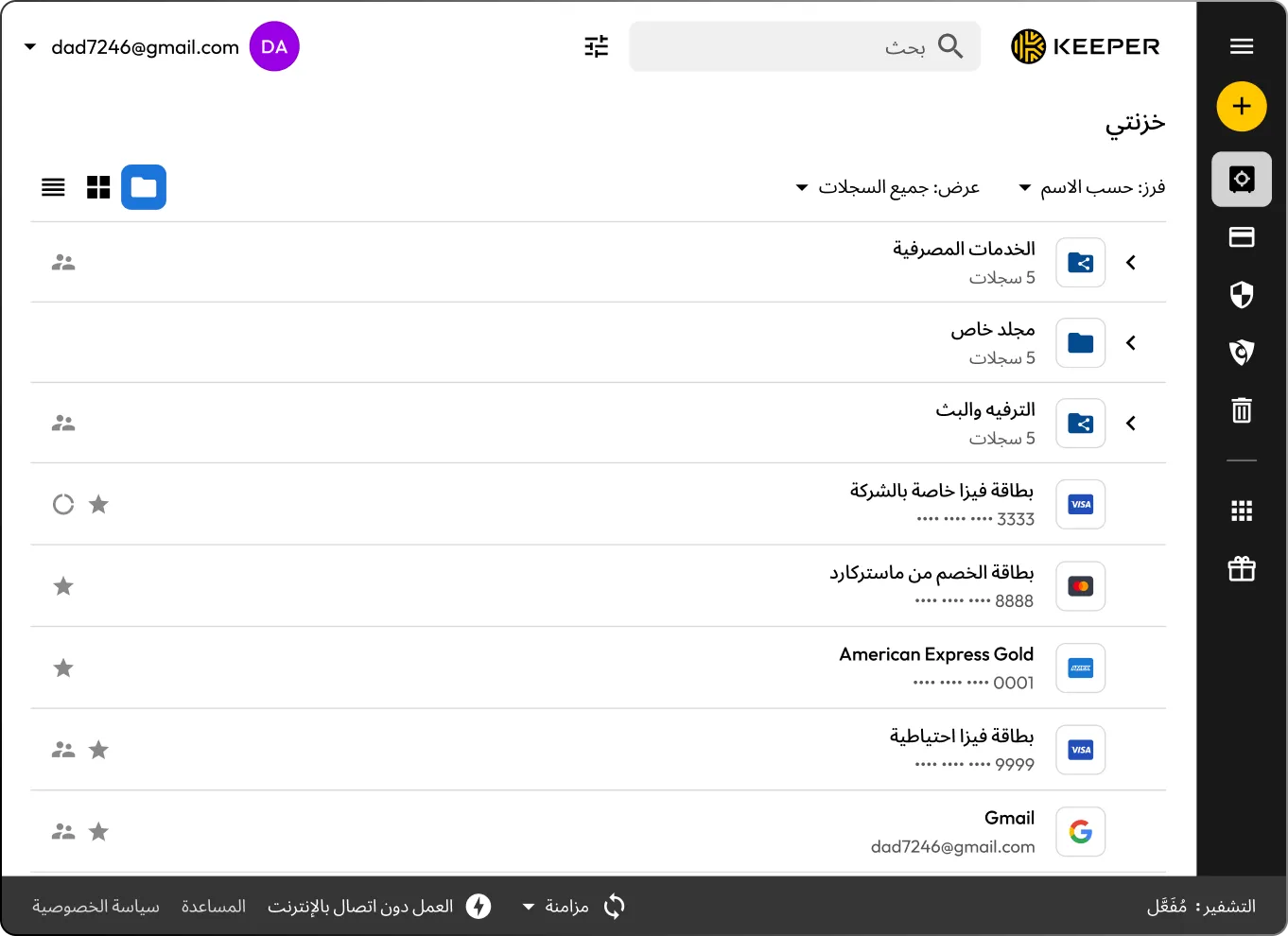
Keeper Vault interface displaying categorized records organized into folders, including Banking, Private Folder, and Entertainment and Streaming. Individual entries such as credit cards and email accounts show distinct icons and masked details, showing the different record types a user can select.
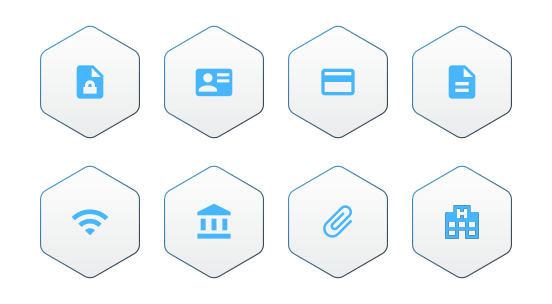
Grid of hexagon icons representing different Keeper record types, including secure notes, identity cards, payment cards, documents, WiFi credentials, bank accounts, file attachments and healthcare records, illustrating how various data types are visually categorized and organized within the Keeper Vault.

What are record types in Keeper?

A Keeper record type is a structured template that can contain any type of information, such as logins, payment cards and bank accounts. There are several out-of-the-box record types available for users, such as Login, Payment Card, Bank Account and Address.

How record types work

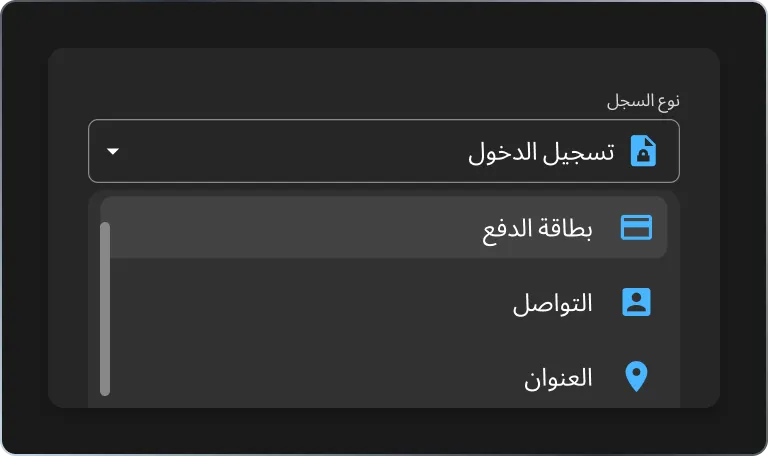
Keeper interface showing a record type selection dropdown with 'Login' selected. Other available record types such as Payment Card, Contact and Address are listed, demonstrating how users can choose different structured record types when creating or editing vault entries.

1. Pick a template

When creating a new record, select a record type such as Login, Payment Card or Passport.

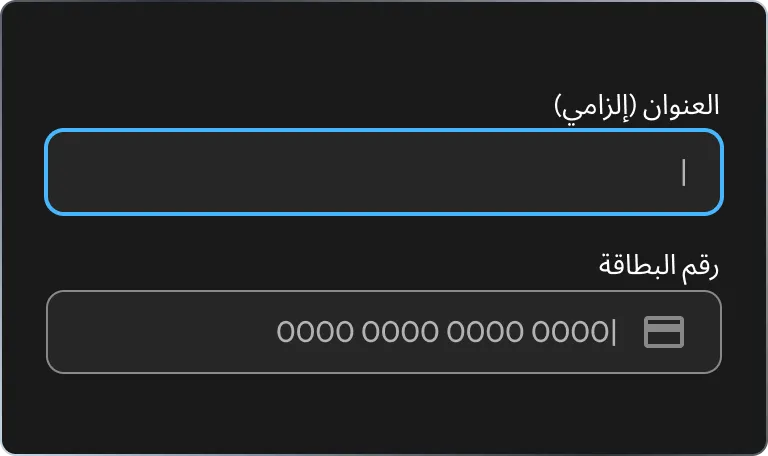
Keeper form for creating a payment card record, showing input fields for a required title and card number with masked formatting, illustrating structured data entry for a specific record type in the vault.

2. Fill in the fields

Each record type includes the fields you need. You can also add your own fields such as notes, URLs or files.

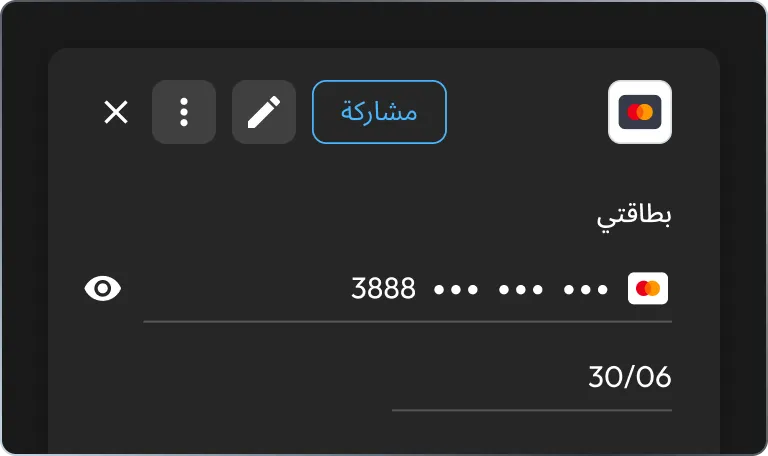
Keeper Vault interface displaying a payment card record with masked card number, expiration date and card icon. The top action bar shows options such as Share, edit and more actions, illustrating how users manage and securely share specific record types.

3. Save and share

Save the record to your Keeper Vault, organize it in folders and share it with anyone if needed.

Simplify how you store and manage information

Use built-in templates

Keeper offers pre-made record types for logins, payment cards, passports, health insurance, contacts and more, so you can quickly create secure, organized records for everyday needs.

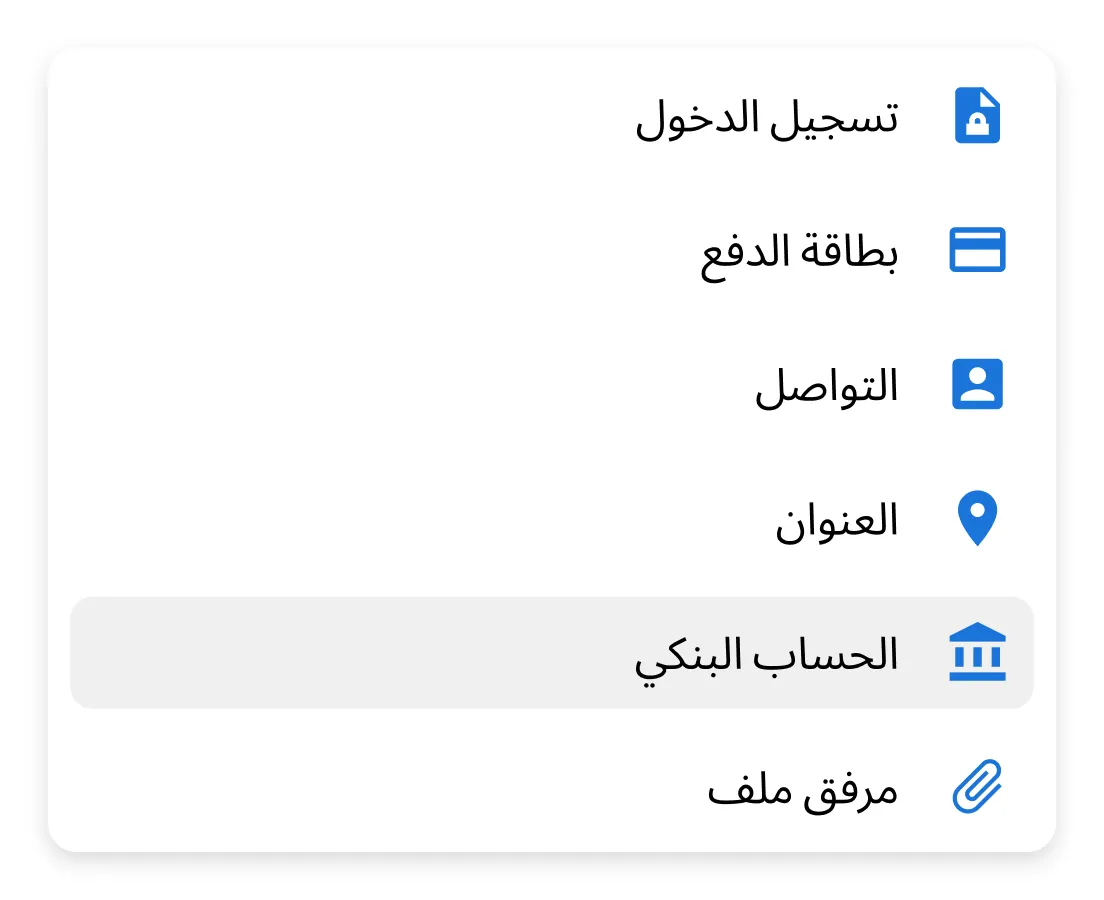
Keeper interface displaying a list of available record types, including Login, Payment Card, Contact, Address, Bank Account and File Attachment. The Bank Account option is highlighted, illustrating how users select pre-made record types when creating new vault entries.
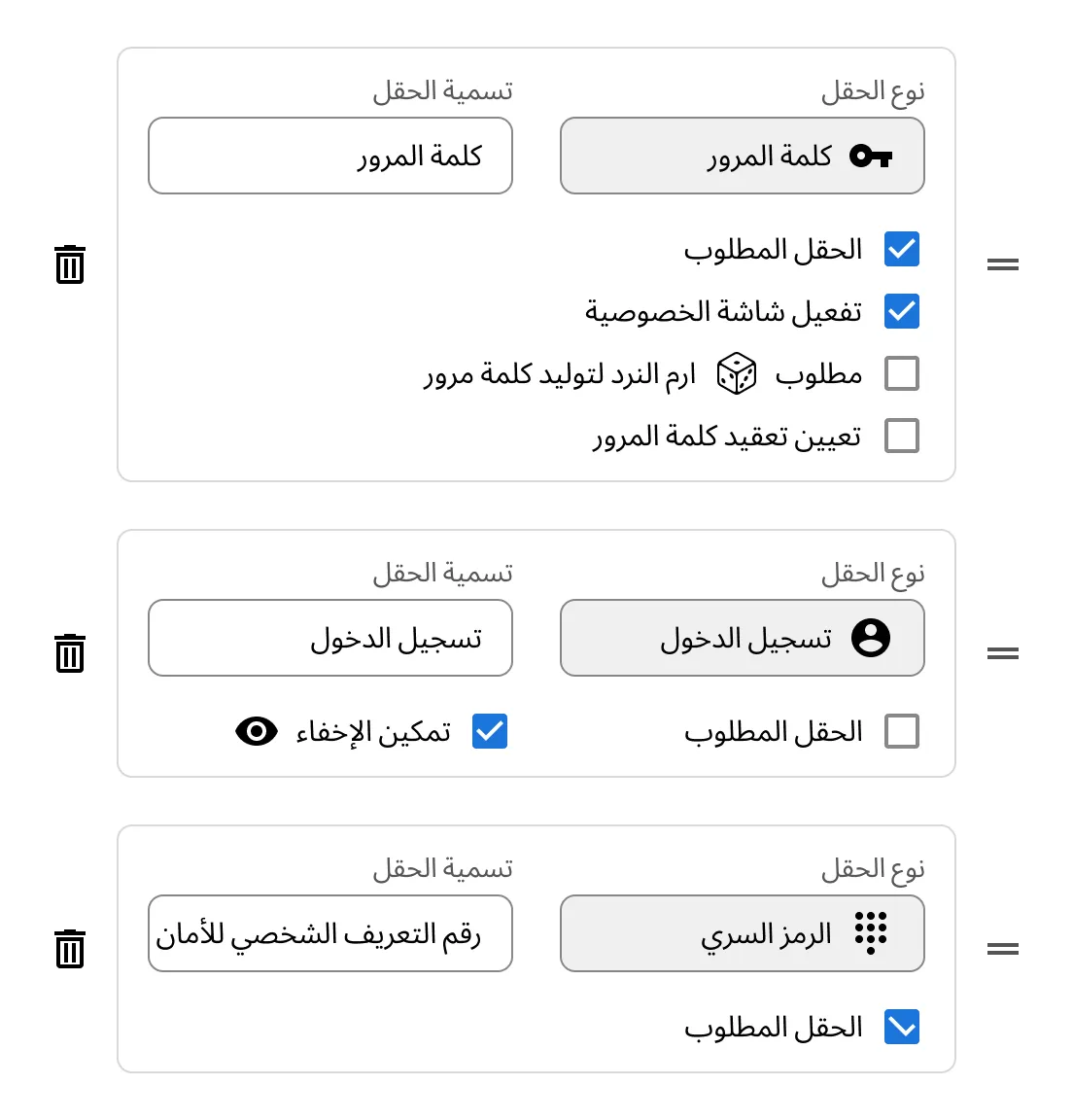
Keeper record type editor interface showing customizable fields including Password, Login and PIN Code. Each field includes options such as required status, masking, privacy settings and password complexity, illustrating how users configure custom record fields within Keeper.

Create your own templates

Need something custom? Keeper admins can build custom record types tailored to your team or organization. These can be made available to all users or just specific roles.

Customize record fields

Each record type supports flexible field types such as text, passwords, dates, dropdowns or file uploads. Admins can mark fields as required or optional when creating custom record types.

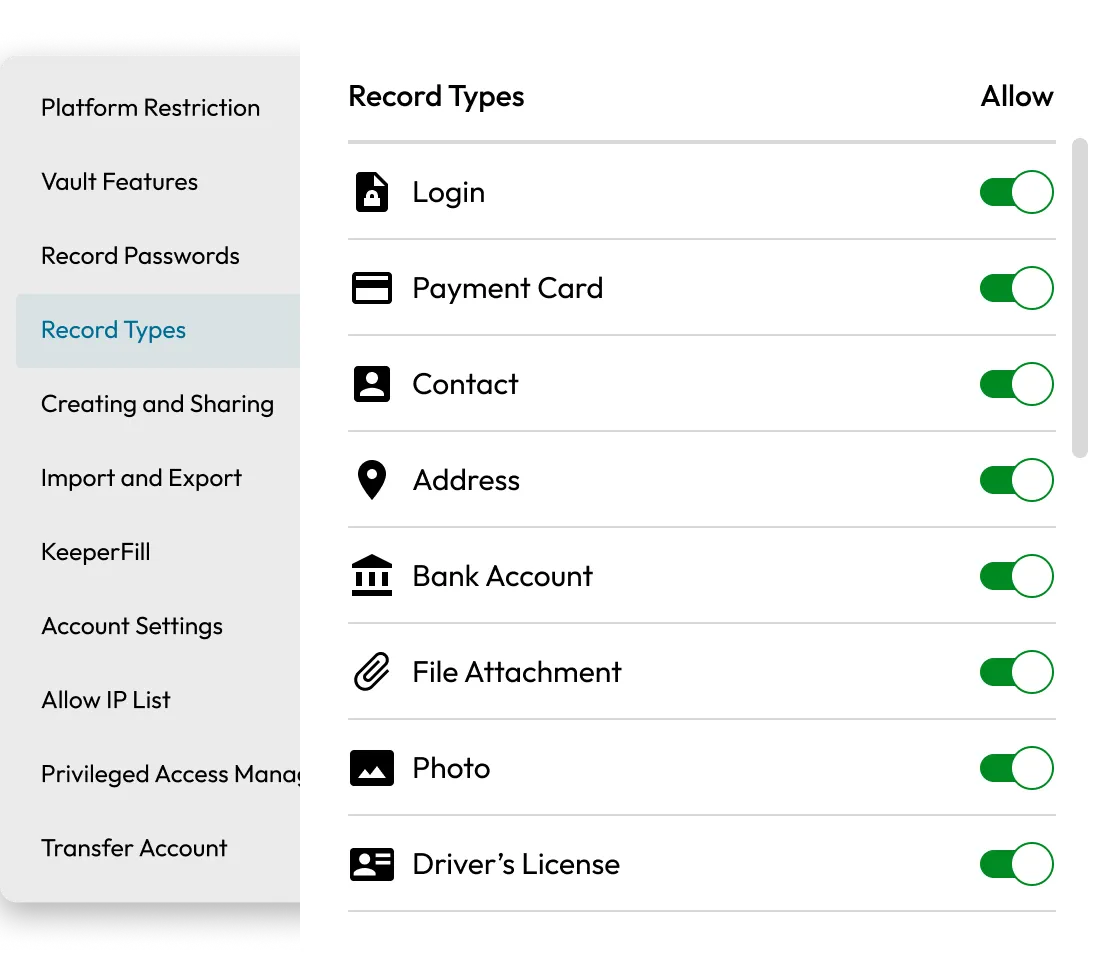
Keeper admin console showing the Record Types settings page with toggles enabled for Login, Payment Card, Contact, Address, Bank Account, File Attachment, Photo and Driver’s License. The interface illustrates how administrators control which record types are allowed within the vault.
Three interconnected hexagon icons representing Keeper's cross-platform access, including desktop, web and mobile devices. The design illustrates secure access to vault data across multiple platforms and devices.

Available on all devices

Record types work seamlessly across the Keeper Web Vault, desktop app and mobile app, making it easy to stay organized anywhere.

الأسئلة الشائعة

Can I create my own record types?

If you're using Keeper for Business, admins can create custom record types to fit your organization's needs. These can be made available to all users or assigned to specific roles.

Can I use record types for personal use?

Yes, all Keeper users can access a variety of built-in record types, including options for logins, files, payment cards and personal documents.

How do I access record types?

When creating a new record in your Keeper Vault (on web, desktop or mobile), you'll be prompted to choose a record type. You can also switch the type of an existing record when editing.

Why don't I see a specific record type?

If you're part of a business or enterprise plan, your Keeper administrator may control which record types are available to your role. Contact your admin if you need access to additional types.

سحب موافقة ملفات تعريف الارتباطنحن نقدّر خصوصيتك

نستخدم ملفات تعريف الارتباط في موقعنا لمنحك أفضل تجربة تصفح، وتقديم إعلانات مخصصة لك عن منتجاتنا ومحتوانا، وتحليل حركة زيارة موقع الويب. لمعرفة المزيد، يُرجى الرجوع إلى سياسة الخصوصية الخاصة بنا.

قم بتسجل الاشتراك في نسخة تجريبية مجانية

شراء الآن