Keeper и 1Password:
Что лучше?

Изучите окончательное сравнение между Keeper и 1Password. Узнайте, какой менеджер паролей лидирует по безопасности, функциональности и удобству использования. Получите информацию, необходимую для выбора подходящей защиты для вашей команды, устройств и данных.

Начиная всего лишь с
 
 
за пользователя в месяц *zzgl MwSt *Includes GST
Для пользователей

Бонус! Включает Бесплатный Семейный План Family Plan для каждого члена команды.
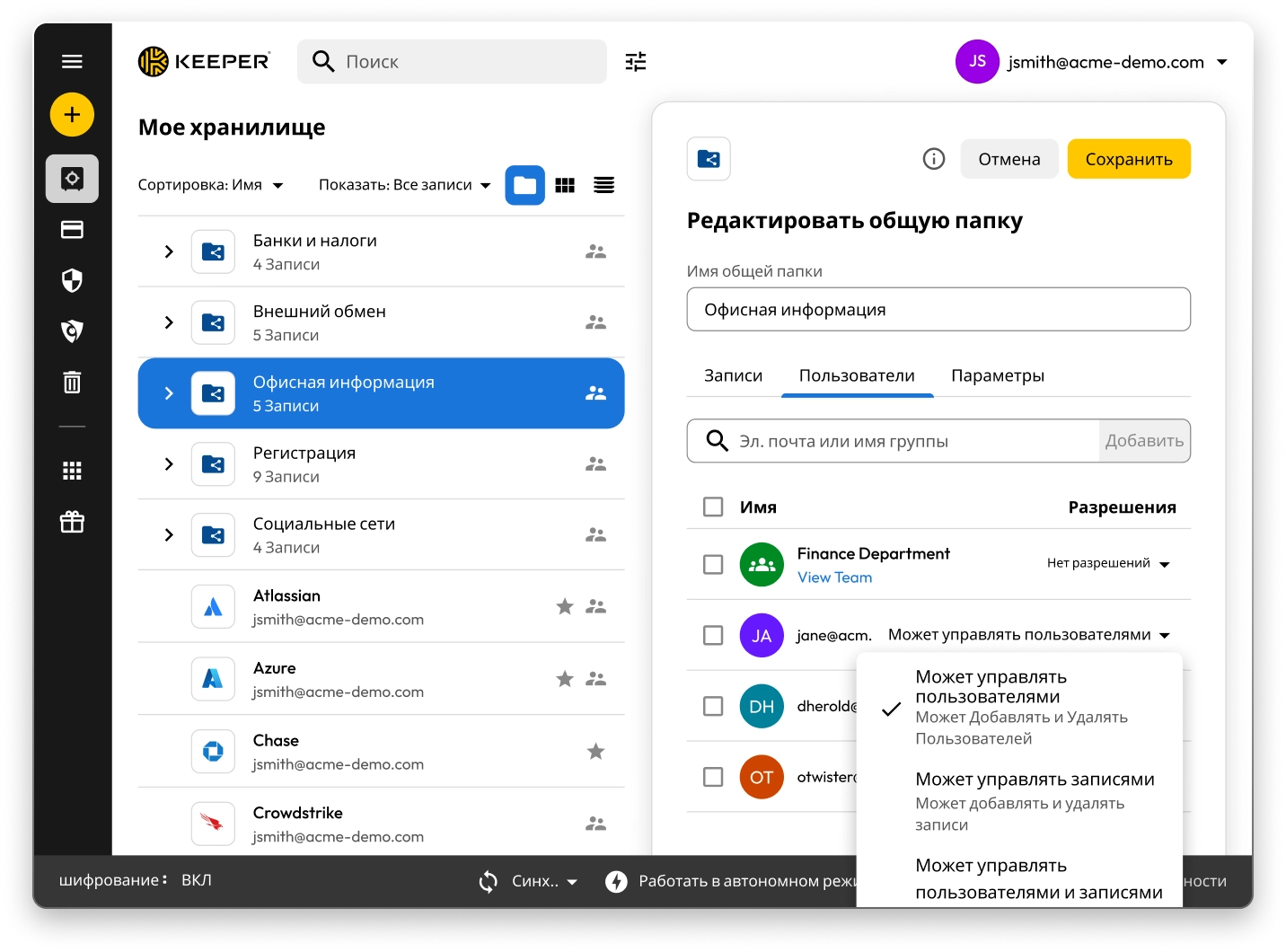
Интерфейс Keeper Vault, отображающий общие папки и записи. Панель «Изменить общую папку» для «Информации офиса» открыта, отображая права пользователей с возможностью управления пользователями, управления записями или без назначения прав.

Keeper vs 1Password: Side-by-side comparison

Keeper
1Password
Security architecture and encryption model

Keeper's zero-knowledge architecture encrypts every individual record and folder with its own unique AES-256 key, with all encryption and decryption performed locally on the user's device. Keeper's "Transmission Security" adds a second layer – TLS 1.3/1.2 plus an additional 256-bit AES transmission key – covering all data communications, not just authentication. HSM integration in AWS provides super-encryption at rest.

Keeper Forcefield technology protects against memory-based attacks that specifically target password managers.

Keeper's self-managed BreachWatch® dark web monitoring runs entirely within its own infrastructure using an HSM-protected architecture, so breached passwords are never correlated against vault data outside Keeper's systems.

Keeper holds 10 issued U.S. patents covering its zero-knowledge architecture, SSO, breach detection and secure messaging, with four more pending.

Based on publicly available documentation, 1Password uses a vault-key-based encryption model: individual items are encrypted using keys derived from that vault key, rather than each having an independently generated key. Its SRP protocol handles authentication; data in transit is protected by TLS, though this operates separately from 1Password's credential encryption architecture.

For dark web monitoring, 1Password's Watchtower feature integrates with Have I Been Pwned using a k-anonymity API, which transmits only a partial hash rather than the full credential.

1Password provides basic memory protection only, leaving users more exposed to advanced malware techniques that target password managers.

1Password (AgileBits Inc.) holds at least one issued U.S. patent.

Authentication, Single Sign-On (SSO) and provisioning

Keeper uses multi-layered authentication that combines a master password with device verification, providing an approach that is both attack-resistant and simple for end users.

Keeper has been in enterprise SSO production since 2016, holds patents on its SSO implementation and supports complex multi-provider configurations with no additional software required.

SCIM provisioning works directly with any Identity Provider (IdP) without any software installation.

Based on publicly available documentation, 1Password's dual-factor approach, an account password plus a secret key, can introduce complexity and potential access issues.

SSO support has expanded to multiple identity providers, though deployment requires additional configuration steps compared to Keeper's no-software-installation approach.

SCIM provisioning requires deploying a self-hosted SCIM Bridge in either an on-premises or cloud environment, though 1Password now offers hosted provisioning for Entra ID and Okta users.

Platform capabilities and Privileged Access Management (PAM)

KeeperPAM combines enterprise password management, secrets management, connection management, privileged session management and Remote Browser Isolation (RBI) in a single cloud-native, zero-knowledge interface.

Remote Browser Isolation creates isolated browser sessions for internal and cloud applications, eliminating the need for VPNs.

Keeper Endpoint Privilege Manager enforces Just-In-Time (JIT) access and least privilege directly on user devices, with automatic privilege revocation on session termination.

Keeper Secrets Manager is fully cloud-based with CLI, REST APIs, Terraform and CI/CD pipeline support. No on-premises infrastructure is required.

Keeper also offers over 80 distinct permissions across 14 categories for granular enterprise access control.

1Password is a password manager that has expanded into an Extended Access Management platform covering device trust, SaaS visibility and app access governance. It does not offer the privileged access management capabilities that enterprises typically require, including RBI, JIT or zero-standing privilege capabilities, or the ability to enforce least privilege on endpoints.

For secrets management, 1Password Secrets Automation offers two paths: Service Accounts for lighter use cases or a self-hosted Connect Server deployed in the customer's own infrastructure for teams needing more control, scalability and higher request limits. Both require configuration and ongoing maintenance within the customer's environment.

1Password has 12 vault-based permissions with limited granularity for enterprise access control.

Database access management

KeeperDB provides secure, zero-knowledge remote access to databases, including MySQL, PostgreSQL, SQL Server and more, directly through the browser with no client software required. Access is governed by role-based policies, full session recording and audit logging, ensuring every database interaction is tracked and compliant. Credential injection means users never see or handle the underlying database passwords directly.

Based on publicly available documentation, 1Password has no database access or management capabilities. Organizations using 1Password for database credentials must rely on manual credential retrieval and separate tooling to manage and audit database sessions, with no native session recording or policy enforcement.

AI-powered security and automation

KeeperAI brings intelligent automation to privileged access management. It monitors privileged sessions in real time and can automatically terminate a session when suspicious activity is detected. KeeperAI also assists with policy creation, access reviews and anomaly detection, reducing the manual overhead of managing a large privileged access environment while continuously strengthening security posture.

Based on publicly available documentation, 1Password has no AI-powered privileged session monitoring, real-time anomaly detection within sessions or automated security response capabilities such as automatic session termination upon detecting suspicious activity.

While 1Password's recently launched Unified Access platform provides credential audit trails and visibility into AI agent activity, it does not offer the integrated session intelligence that KeeperAI delivers natively within a full PAM platform.

Sharing, account management and MSP

Keeper supports time-limited record and folder sharing with automatic credential rotation, plus bidirectional one-time sharing to both users and non-users with real-time sync. Its node-based organizational architecture supports isolation between business units and multiple identity providers within the same tenant.

Enterprises have multiple account recovery pathways, including SSO Recovery, Account Transfer Policy, a 24-word recovery phrase and Commander CLI automation.

Keeper's MSP platform, launched in 2019, combines password management with full PAM capabilities in a unified, multi-tenant interface.

1Password requires users to create separate vaults for sharing, producing copies of records rather than real-time, synced data. It has no node structure or organizational units, and guest accounts are limited to a single vault with no time controls or automated security measures.

There is no direct vault transfer between user accounts, and offboarding relies on employees manually moving items before they leave, with account recovery as an admin fallback that requires access to the departing employee's email address.

1Password's MSP offering focuses solely on password management with no PAM features.

Compliance and certifications

Keeper is FedRAMP High Certified and GovRAMP High Authorized, FIPS 140-3 validated, ISO 27001/17/18 certified, ITAR compliant and holds the longest-standing SOC 2 Type II certification in the industry.

Based on publicly available information, 1Password holds no FedRAMP, GovRAMP or FIPS authorization, limiting its use in regulated industries and government.

* Данные по состоянию на 27 октября 2025 года

Сравнение Keeper с 1Password: рейтинги и отзывы пользователей

Keeper
1Password
App Store для iOS

App Store для iOS

4,9 из 5 и 224 тыс. отзывов

4,9 из 5 и 224 тыс. отзывов

4.6 out of 5 and 20K Reviews

4.6 out of 5 and 20K Reviews

Приложение с Microsoft Store

Приложение с Microsoft Store

4,9 из 5 и 1 460 отзывов

4,9 из 5 и 1 460 отзывов

4.4 out of 5 and 10 Reviews

4.4 out of 5 and 10 Reviews

Расширение Chrome

Расширение Chrome

4,8 из 5 и 8 500 отзывов

4,8 из 5 и 8 500 отзывов

2.9 out of 5 and 2,700 Reviews

2.9 out of 5 and 2,700 Reviews

Android

Android

4,7 из 5 и 110 тыс. отзывов

4,7 из 5 и 110 тыс. отзывов

3.5 out of 5 and 17.6K Reviews

3.5 out of 5 and 17.6K Reviews

* Данные по состоянию на 27 октября 2025 года

Уже используете 1Password? Вы можете легко перейти на Keeper.

Перемещение ваших паролей из 1Password в Keeper — это просто и безопасно. Ваша информация, хранящаяся в 1Password, включая пароли, папки, подпапки, настраиваемые поля, коды TOTP, заметки и учетные записи, переносится в Keeper всего за несколько кликов.

Вопросы и ответы

Как я могу импортировать пароли из 1Password в Keeper?

Вы можете импортировать пароли из 1Password в Keeper Security, выполнив следующие простые действия:

  • Войдите в свою учетную запись 1Password
  • Выберите хранилище или подписку, которые хотите использовать
  • Экспортируйте данные
  • Войдите в Keeper в веб-приложении или приложении для настольных ПК
  • Нажмите значок своей учетной записи > «Настройки» > «Импорт»
  • Выберите 1Password из списка и перетащите экспортированный файл в окно «Перетащите файл».

Узнайте подробнее об импорте из 1Password с помощью этого пошагового руководства с учетом специфики устройств.

Как отменить подписку на 1Password?

Если вы больше не хотите сохранять подписку на 1Password, выполните следующие три шага:

  • Войдите в свою учетную запись 1Password.
  • В правом верхнем углу выберите свое имя и нажмите «Мой профиль».
  • В нижней части страницы выберите «Навсегда удалить учетную запись».

Не забудьте экспортировать свои учетные данные и импортировать их в выбранную вами альтернативу 1Password, прежде чем закрыть свою учетную запись.

Keeper — это комплексная PAM-платформа. Означает ли это, что он предназначен только для крупных предприятий?

Нет. Хотя Keeper предлагает комплексные возможности PAM, которые удовлетворяют потребности предприятий, он разработан для масштабирования от отдельных пользователей до крупных организаций.

Keeper Business предоставляет небольшим организациям упрощенное и удобное решение для управления учетными данными без ущерба для безопасности.

Keeper также предлагает персональные планы для управления паролями и безопасного хранения файлов, а также семейные планы для совместного управления паролями между членами семьи.

Гибкая архитектура платформы позволяет пользователям начать с базового управления паролями и масштабировать до функций PAM корпоративного уровня по мере роста их потребностей. Это означает, что отдельные лица могут воспользоваться той же основой безопасности, которая поддерживает решения Keeper Business, в то время как организации могут получить доступ к сложным средствам управления привилегированным доступом при необходимости.

Сравнение пакетов 1Password Family и Keeper Family: в чем разница?

Keeper Family позволяет вам защищать и делиться неограниченным количеством паролей для домохозяйств, предоставляя пять личных хранилищ, 10 ГБ файлового хранилища, неограниченное количество устройств, экстренный доступ и круглосуточную поддержку. Keeper Family стоит всего $7,08 в месяц.

1Password также позволяет семьям безопасно хранить пароли, экспортировать данные и делиться паролями, но для этого необходимо создать несколько хранилищ для совместного использования. Keeper позволяет делиться отдельными записями и папками. 1Password предоставляет только 1 ГБ для хранения документов, а Keeper — 10 ГБ.

Отказаться от согласия с использованием cookie-файловМы ценим вашу конфиденциальность

Мы используем файлы cookie на нашем веб-сайте, чтобы предоставить вам наилучшие возможности при просмотре веб-страниц, предоставлять персонализированную рекламу наших продуктов и контента, а также анализировать трафик веб-сайта. Чтобы узнать больше, ознакомьтесь с нашей Политикой конфиденциальности.

Подпишитесь на бесплатный пробный период

Купить сейчас